
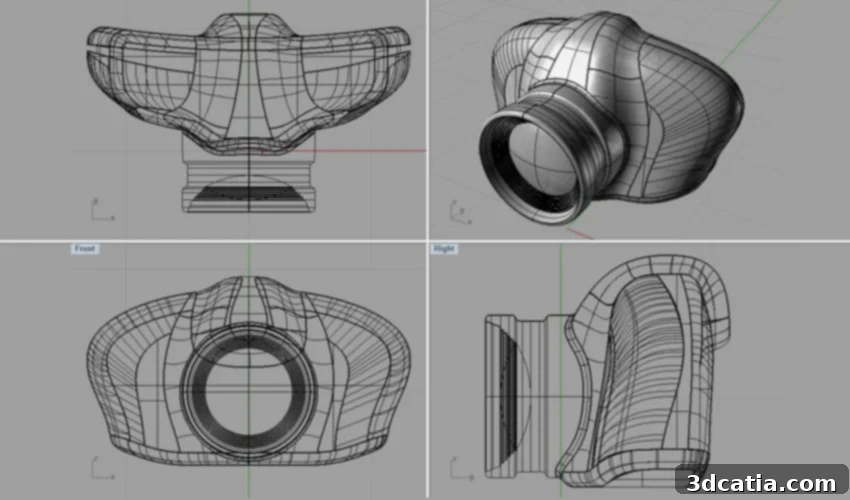
Rhinoceros 3D: Unlocking Advanced Design with Rhino 7 for Product Development and 3D Printing
Rhinoceros 3D, commonly known as Rhino, stands as one of the most widely adopted and versatile 3D modeling software solutions in the industry. At its core, Rhino leverages NURBS (Non-Uniform Rational Basis Splines) geometry, a mathematical representation renowned for its precision in defining curves and surfaces. This makes it an indispensable tool for surface modeling across an incredibly diverse range of fields, including architecture, rapid prototyping, advanced engineering, intricate jewelry design, industrial product development, graphic arts, naval architecture, and sophisticated automotive design. The latest iteration, Rhino 7, builds significantly upon its predecessor, Rhino 6, which itself aimed to dismantle common obstacles users faced. Rhino 7 introduces powerful new capabilities, such as enhanced tools for creating complex organic shapes and a wealth of additional add-ons and algorithms that further expand its utility and efficiency.
For those unfamiliar with its origins, Rhino was developed by Robert McNeel & Associates, a company headquartered in Barcelona. This firm specializes in the sales, training, marketing, and support of various software solutions across Europe, the Middle East, and Africa. Rhinoceros 3D initially gained traction as a complementary tool to the AutoCAD software, developed by the multinational giant Autodesk. The remarkable success of Rhino stems from its unparalleled flexibility; it places virtually no limits on the complexity or sheer size of the designs users can create. This freedom empowers designers and engineers to push the boundaries of their creativity. So, what exactly can professionals and enthusiasts expect from the robust capabilities of Rhino 7?

Photo Credits: Rhinoceros 3D
The Main Features and Capabilities of Rhino 7
To provide a broader context, Rhinoceros 3D functions as a comprehensive CAD software, equipped with a comprehensive suite of advanced 3D modeling tools. These tools grant users the ability to conjure unimaginable shapes with extraordinary precision and intricate detail, whether starting from a simple 2D drawing, a conceptual sketch, or even processing data from a 3D scan. Its exceptional compatibility is another key strength, allowing seamless integration with most leading design, drafting, CAM (Computer-Aided Manufacturing), prototyping, rendering, and illustration programs. Fundamentally, Rhino 7 enables designers to work with mathematical curves and formulas that precisely define any 3D shape, ensuring high accuracy throughout the design process.
The developer’s site eloquently explains the power behind its core technology: “NURBS are mathematical representations of 3D geometry that can accurately describe any shape, from a simple 2D line, circle, arc or curve to a very complex free-form 3D organic surface or solid. Because of their flexibility and accuracy, NURBS models can be used in any process, such as illustration, animation or manufacturing.” This inherent precision makes Rhino ideal for industries where exacting standards are paramount, such as aerospace, medical device manufacturing, and high-end consumer product design. The ability to control every aspect of a surface, from curvature continuity to tangent alignment, ensures that designs are not only aesthetically pleasing but also functionally sound and ready for production.
Rhino 7’s Role in Additive Manufacturing and 3D Printing Workflows
Once a user has meticulously modeled an object within Rhino, the software offers the crucial capability to export the design in various widely accepted formats, such as .STL or .OBJ. These formats are universally suitable for additive manufacturing processes. However, it is essential to understand that while Rhino is an exceptional 3D modeler, 3D printing is not its direct specialty in the same way that dedicated AM software operates. The developers themselves acknowledge that specific steps are often necessary to optimize and prepare a file for successful physical realization via 3D printing. This distinction is vital for users aiming to bridge the gap between digital design and physical production.
Designing for additive manufacturing fundamentally differs from designing for other production methods. Models must be **watertight**, ensuring there are no open boundaries or gaps in the geometry that could confuse the slicer software. They require **closed polysurfaces** and absolutely **no naked edges**, meaning all surfaces must form a continuous, enclosed volume. Furthermore, the geometry must be **valid**, free from “bad geometry errors” such as self-intersecting surfaces or inverted normals, which can cause print failures. A common requirement for cost and weight efficiency in 3D printing is **hollowing** the model, which, unlike in programs specifically designed for AM, is a more manual process within Rhino. Users are responsible for defining internal structures and shell thicknesses. Finally, it is paramount that users correctly set the **units** and **tolerances** within Rhino to match those of the target 3D printer, preventing scale discrepancies and ensuring proper fit and function of printed parts.
Despite these specific considerations, Rhino 7 offers a plethora of interesting features that can be highly advantageous for 3D printing workflows. A notable innovation is **Rhino.Inside.Revit**, which ingeniously embeds Rhino and Grasshopper—another incredibly popular and AM-compatible software—directly within the Autodesk Revit environment. This integration bridges the gap between Rhino’s powerful freeform modeling and Revit’s structured BIM (Building Information Modeling) capabilities, enabling architects to design complex, organic forms and then directly integrate them into their BIM models, preparing them for architectural 3D printing or fabrication. Grasshopper, a visual programming language for parametric design, is further enhanced by several valuable plugins in Rhino 7, including **Grasshopper Player** (which converts Grasshopper definitions into easily executable Rhino commands), **Clash Detection** (a critical tool for identifying where distinct objects occupy the same physical space, crucial for assemblies and complex prints), and **Grasshopper Component Placeholders** (which, as the name suggests, act as temporary components for missing plugins, ensuring workflow continuity).
But the innovations in Rhino 7 extend even further. The new **SubD tools** represent a significant leap forward, empowering users to create highly fluid and organic shapes with unprecedented speed and intuitive control. While traditional 3D printing often focused on precise, geometric forms, the increasing interest in biomimicry and complex anatomical models in fields like medical devices means that these SubD capabilities are gaining relevance for additive manufacturing. SubD modeling allows for the creation of editable, highly accurate forms that can be smoothly converted to NURBS for manufacturing or to meshes for 3D printing, offering a powerful synergy between different modeling paradigms. Other additional features in Rhino 7 primarily focus on refining presentation and display capabilities, significantly streamlining the overall workflow, and diligently addressing bug fixes to ensure a stable and efficient user experience. These improvements collectively contribute to a more robust and enjoyable design environment, making Rhino 7 a formidable tool for a wide array of design challenges.
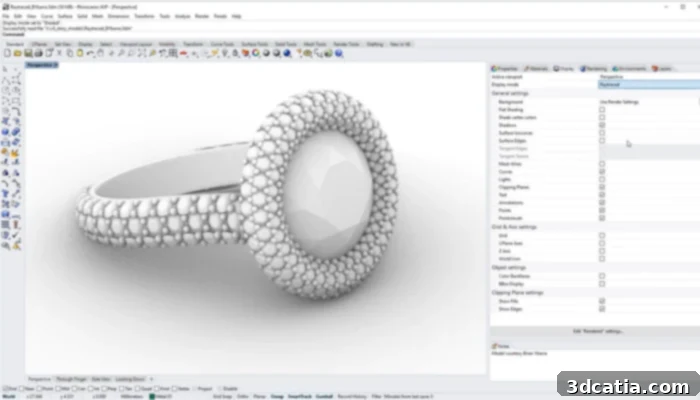
Several functionalities allow the design of complex shapes
Acquiring a Rhino 7 License: Options and Pricing
For individuals and organizations looking to harness the power of Rhinoceros software, obtaining a license is a straightforward process handled directly through the company’s official website. A range of licensing options is available, tailored to different user needs and budgets. The latest full version, Rhino 7, compatible with both Windows and Mac operating systems, is competitively priced at €995. For existing users wishing to upgrade from a previous version, an upgrade license is available for €595, offering a cost-effective path to access the latest features and improvements. Demonstrating a strong commitment to education and fostering new talent, the company provides a special, significantly discounted offer for students and teachers: a full license for Rhino 7 for Windows and Mac can be acquired for just €195. Educational upgrades from older versions are even more accessible at €95, ensuring that future generations of designers and engineers have access to this powerful tool without prohibitive costs.
Ultimately, Rhino’s pervasive presence across numerous industries is a testament to its remarkable diversity, its vast array of functions, and its relatively accessible cost. One of the primary drivers behind its ever-growing user base is its exceptional ability to work with an extensive number of file formats. This capability transforms Rhino into a powerful conversion tool, allowing users to seamlessly overcome compatibility barriers that frequently arise between different software packages during complex design and production workflows. Beyond its technical prowess, McNeel & Associates also cultivates a supportive ecosystem for its users. The official website offers a wealth of comprehensive tutorials, meticulously crafted to help both novices and experienced designers quickly get to grips with the tool and master its core features. Furthermore, a vibrant online forum has been developed, providing a platform for users to exchange ideas, seek solutions to software-related challenges, and engage in discussions, including those specifically pertaining to optimizing designs for 3D printing. This combination of powerful software, extensive resources, and a supportive community makes Rhinoceros 3D an invaluable asset in the digital design landscape. You can find more comprehensive information on the official Rhinoceros 3D website HERE.
What are your thoughts on Rhino 7 and its capabilities? Do you integrate it into your 3D printing design workflow? We encourage you to share your experiences and insights in the comments section below, or join the conversation on our LinkedIn, Facebook, and Twitter pages! Don’t forget to sign up for our free weekly Newsletter here to receive the latest 3D printing news directly in your inbox. You can also explore all our informative videos on our dedicated YouTube channel.