
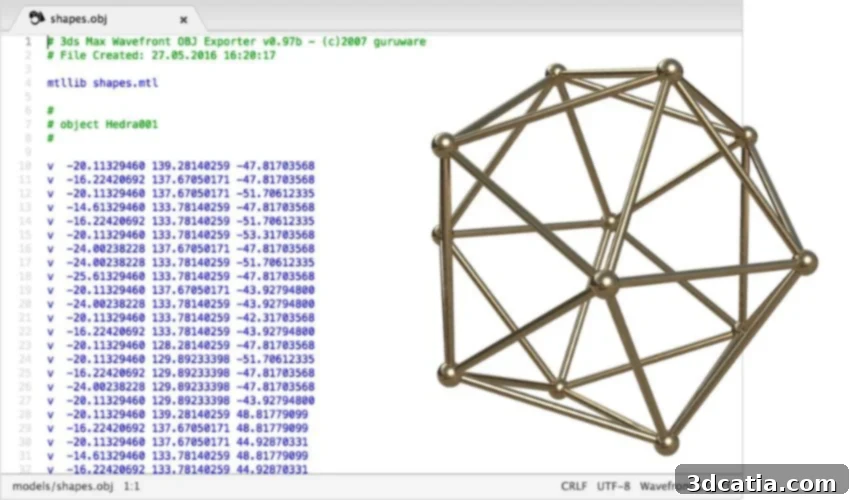
Mastering OBJ Files for 3D Printing: Advantages, Disadvantages, and Best Practices
In the vast and ever-evolving world of additive manufacturing, a diverse array of 3D printing file formats exists, each with its unique characteristics and applications. While STL often comes to mind as the standard, especially for those new to the industry, it is far from the only player. Formats like 3MF and AMF have gained significant traction, offering advanced capabilities. However, today we delve into another incredibly popular and versatile format: OBJ. Understanding the nuances of OBJ files is crucial for anyone looking to optimize their 3D printing projects, particularly when aiming for detailed aesthetics and accurate representation.
Understanding the OBJ File Format
An OBJ file, identifiable by its .obj extension, is fundamentally a geometry definition file format. Developed by Wavefront Technologies in the late 1980s for their Advanced Visualizer animation package, OBJ has a rich history rooted in 3D graphics and design. Like STL, it is a mesh file format, but it offers significantly more complexity and detail. Its robust capabilities have made it a cornerstone in various industries, including 3D design and graphics, gaming, virtual environments, film production, architectural visualization, and, of course, 3D printing and rapid prototyping.
A Brief History of OBJ
Wavefront Technologies introduced the OBJ format as part of its commercial animation suite. Its open, human-readable structure quickly led to its adoption by other 3D software vendors. This broad interoperability allowed OBJ to become a de facto standard for exchanging 3D model data between different applications. This historical context highlights one of OBJ’s enduring strengths: its universal acceptance and compatibility, a trait that continues to benefit 3D printing enthusiasts and professionals alike.
Core Characteristics
At its heart, an OBJ file describes the geometry of a 3D model. It typically defines vertices, texture coordinates, normals, and polygonal faces. Crucially, OBJ files are often stored in plain text (ASCII format), making them relatively easy to read and even manually edit for technical users. This contrasts with binary formats that are more compact but less human-readable. While it can also be saved in binary format for efficiency, the ASCII version’s transparency is a key differentiator. Furthermore, OBJ supports various geometric primitives, not just triangles, which is a significant advantage we will explore further.
OBJ files can be obtained from common 3D modeling software like SketchUp
Why Choose OBJ for 3D Printing? Key Advantages
After STL, OBJ is undeniably one of the most recognized and utilized file formats in additive manufacturing. Its popularity stems from a combination of accessibility, rich data storage, and advanced geometric capabilities. While newer formats like 3MF offer their own compelling features, OBJ continues to be a go-to choice for many designers and engineers for several compelling reasons.
Rich Data for Color, Texture, and Material
One of the most significant advantages of OBJ files over simpler formats like STL is their capacity to store a wealth of information beyond just geometry. Specifically, OBJ files can carry data relating to color, texture, and material properties. This is paramount for projects requiring visual fidelity, such as creating realistic prototypes, intricate art pieces, or multi-color 3D prints. As 3D printers become more sophisticated, capable of printing in multiple colors and with varying material properties, the ability of OBJ to retain this data becomes increasingly valuable.
It’s important to note, however, that for texture and color data, OBJ often relies on an accompanying Material Template Library (.mtl) file. This MTL file stores details about surface shading, color (RGB values), reflectivity, and texture maps (links to image files). While this two-file system requires careful management to ensure both files are present and correctly linked, it provides a powerful way to add intricate visual details that STL simply cannot support.
Enhanced Geometric Accuracy
Unlike STL files, which solely represent a model’s surface using a mesh of triangles, OBJ files can store data on a wider range of geometries. This includes not just triangles but also polygons, quadrilaterals, free-form curves (such as B-splines and cardinal splines), and free-form surfaces (like NURBS and Bezier surfaces). This broader geometric support allows for the storage of more accurate and smoother models, reducing the faceting often seen with STL files. For complex designs with organic shapes or intricate curves, this can lead to superior print quality and a closer representation of the original digital model. The ability to define geometry with higher precision minimizes interpolation errors and can significantly impact the final printed object’s aesthetic and functional accuracy.
Widespread Compatibility and Accessibility
OBJ files are incredibly versatile and compatible with a vast array of 3D modeling software and slicers. This broad interoperability means that designers can create models in their preferred software—be it SOLIDWORKS, Fusion 360, Blender, Cinema 4D, or many others—and then seamlessly export them as OBJ files for 3D printing preparation. This ease of transfer between different stages of the design and production pipeline makes OBJ a highly practical choice for professional workflows.
Versatility for Designers and Artists
The ability of OBJ files to encapsulate rich visual data makes them incredibly appealing to artists, graphic designers, and game developers who often bridge the gap between virtual assets and physical objects. An artist can design a detailed character model for a video game, complete with textures and colors, and then use the same OBJ file to 3D print a physical figurine, maintaining much of the intended aesthetic. This versatility makes OBJ an excellent choice for creative professionals who require a format that supports both visual representation and physical manifestation.
OBJ files can contain more shapes, including curves, as compared to file formats like STL (photo credits: Blender)
Challenges and Considerations When Using OBJ Files
Despite its numerous advantages, OBJ is not without its drawbacks. The very features that make it powerful can also introduce complexities and challenges, particularly when dealing with large or highly detailed models.
Potential for Large File Sizes and Performance Issues
The primary disadvantage of OBJ files stems directly from their ability to store a vast amount of information. Because they contain detailed geometry, color, texture, and material data, OBJ files tend to be significantly larger than simpler formats like STL. This increased file size can lead to several practical issues:
- Slower Processing: Loading, saving, and processing large OBJ files can be time-consuming, especially for complex models or on less powerful hardware. Slicer software may take longer to prepare these files for printing.
- Storage and Transfer: Larger files require more storage space and can be slower to transfer over networks or to 3D printing services. This can impede collaborative workflows and project timelines.
- Efficiency: While the rich data is beneficial, for simpler prints where color or texture isn’t required, OBJ can be an overkill, making the workflow less efficient than necessary.
Managing External Material Files (MTL)
As mentioned, OBJ files often rely on separate MTL files for material, color, and texture information. While this modular approach is flexible, it introduces a dependency. If the OBJ file is shared without its corresponding MTL file (and any texture image files it references), the visual information will be lost, and the recipient will only see the base geometry. Ensuring that all associated files are correctly bundled and maintained can add a layer of management complexity, especially in larger projects or when archiving models.
Practical Guide: How to Use OBJ Files in 3D Printing Workflows
Integrating OBJ files into your 3D printing workflow is a straightforward process once you understand the necessary steps and considerations. From finding existing models to preparing your own designs, there are established practices to ensure success.
Finding and Acquiring OBJ Models
The vibrant online community for 3D printing offers numerous platforms where you can download pre-made OBJ files. Popular repositories include TurboSquid, Thingiverse, Printables, Thangs, and Free3D. These sites host a vast library of models, ranging from intricate characters and props to architectural elements and functional prototypes. When downloading, always ensure that the OBJ file comes with its associated MTL file and any texture images if you intend to utilize its full visual potential.
Designing and Editing OBJ Files
If you prefer to create or modify your own 3D models, OBJ files are universally supported across most CAD platforms and 3D modeling software. Programs such as SOLIDWORKS, Fusion 360, Blender, Cinema 4D, and SketchUp all offer robust support for importing, exporting, and manipulating OBJ files. Tools like Meshlab are also invaluable for inspecting, repairing, and optimizing OBJ meshes, ensuring they are watertight and manifold—essential characteristics for successful 3D printing.
Ensuring Printability: Design for Additive Manufacturing (DFAM) Principles
It’s crucial to remember that while an OBJ file might be perfect for graphics or animation, it doesn’t automatically guarantee suitability for 3D printing. Because OBJ is often used in broader 3D design contexts, models might contain features or geometric imperfections that are incompatible with 3D printers. To ensure your OBJ model is print-ready, always apply basic Design for Additive Manufacturing (DFAM) principles:
- Consistent Normals: Ensure that all surface normals (vectors indicating the “outside” of a surface) are consistent and pointing outwards. Inconsistent normals can confuse slicers, leading to voids or printing errors.
- Water-tightness: The model must be “water-tight,” meaning it forms a completely enclosed volume with no gaps, holes, or overlapping surfaces. Slicers need a clear inside and outside to generate toolpaths.
- No Non-manifold Edges: Non-manifold geometry refers to edges that are connected to more than two faces. This is physically impossible and can cause serious issues for slicers. Ensure all edges are manifold.
- No Very Small Features: Extremely thin walls, tiny spikes, or minute details may not be printable due to the physical limitations of the 3D printer and material. Simplify or thicken such features as needed.
- Minimum Wall Thickness: Adhere to the minimum wall thickness recommendations for your specific 3D printer and material. Walls that are too thin will be fragile or fail to print entirely.
Many slicer software packages and dedicated mesh repair tools can help identify and fix these issues before sending your model to print.

For complex shapes, OBJ files are well-suited (photo credits: Florida State University)
OBJ in the Broader 3D Printing Landscape
While OBJ stands strong as a versatile and widely adopted format, the 3D printing industry is constantly evolving. New formats like 3MF are emerging, specifically designed to address some of the limitations of older formats, including bundling all model data (geometry, color, texture, materials, and even print settings) into a single archive. This “one-file” approach offers improved reliability and ease of sharing compared to OBJ’s reliance on separate MTL files.
However, OBJ’s established presence, broad software support, and specific strengths—especially for models originating from traditional graphics pipelines—ensure its continued relevance. For users working with multi-color 3D printers, complex artistic designs, or those already deeply integrated into workflows that favor OBJ, it remains an indispensable tool. It serves a specific niche where detailed visual representation and compatibility with animation/graphics software are paramount.
Conclusion: Making the Right Choice for Your Project
Ultimately, there is no single “best” file format for 3D printing. The optimal choice always depends on the specific requirements of your project. For users prioritizing rich visual detail, such as color and texture, or who require a format compatible with a wide array of graphic design and animation software, OBJ files offer compelling advantages. They are particularly well-suited for artists, game designers, and product developers who need to translate highly detailed virtual assets into physical representations. This makes OBJ an interesting and powerful file format for those leveraging modern multi-color 3D printers or requiring fine geometric fidelity that goes beyond simple triangular meshes.
When choosing OBJ, be mindful of its potential for larger file sizes and the management of associated MTL files. However, by adhering to Design for Additive Manufacturing principles, you can effectively prepare your OBJ models for successful and high-quality 3D prints. Embrace the versatility of OBJ to bring your most colorful and complex designs to life!
Do you use OBJ files for your 3D printing projects? What are your experiences, advantages, or challenges? Let us know in a comment below or join the conversation on our LinkedIn, Facebook, and Twitter pages! Don’t forget to sign up for our free weekly newsletter here for the latest 3D printing news straight to your inbox! You can also find all our videos on our YouTube channel.
*Cover Photo Credits: Github