
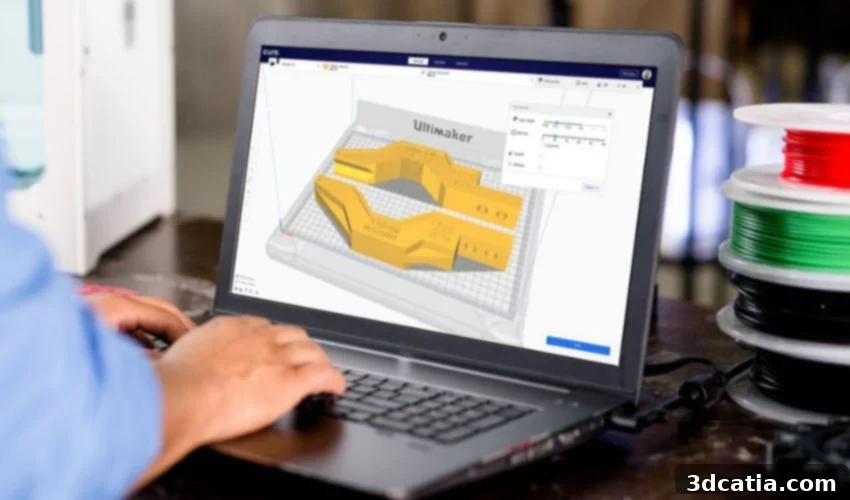
UltiMaker Cura: The Definitive Free Slicer Software for Optimal 3D Printing
In the dynamic world of additive manufacturing, getting a 3D model from your computer screen to a tangible object requires a crucial intermediary step: slicing software, often simply called a slicer. This essential software acts as the translator between your 3D model and your 3D printer. It takes the complex 3D geometry and converts it into a series of thin layers, generating a G-code file. This G-code is a comprehensive set of instructions that tells the 3D printer precisely how to move, extrude material, and operate its various components to build your design layer by layer. Without a slicer, your 3D printer is just a machine incapable of understanding your creative vision. Among the vast array of slicing solutions available, one name consistently rises to the top: Cura.
Cura was initially developed by David Braam in 2014, quickly establishing itself as a robust and user-friendly tool. Its potential was soon recognized, leading to its acquisition by UltiMaker, a leading manufacturer of professional 3D printers. Since then, this open-source software has experienced exponential growth and adoption, becoming arguably the most widely used slicer in the global additive manufacturing market. Its prevalence is staggering, with estimations suggesting it’s utilized by over a million users for more than two million printing jobs every single week. This widespread reliance prompts a natural question: what exactly makes Cura so exceptionally popular and indispensable for 3D printing enthusiasts and professionals alike?
The popularity of Cura stems from a combination of compelling advantages that cater to a broad user base. One of its most significant benefits is its unparalleled ease of use, making it accessible even for absolute beginners in 3D printing. Beyond its simplicity, Cura boasts extensive support for various file formats, ensuring compatibility with virtually any 3D model you might create or download. It seamlessly handles industry-standard formats such as STL, OBJ, X3D, and the more modern 3MF. While Cura is an integral part of the UltiMaker ecosystem, its open-source nature means it’s designed to be compatible with a vast number of 3D printers from various manufacturers, not just UltiMaker machines. This versatility ensures that a wider audience can leverage its capabilities, regardless of their printer brand.
Furthermore, Cura’s commitment to accessibility extends beyond its technical capabilities. The software is 100% free of charge, removing any financial barrier to entry. It is also available in an impressive 15 languages, breaking down linguistic barriers and enabling users worldwide to operate it with maximum ease and comfort. Another crucial feature contributing to its global appeal is its broad compatibility with the most common operating systems: Windows, macOS, and Linux. This cross-platform support ensures that users can work on their preferred system. Notably, Cura has received official certification for both Windows and macOS platforms, a testament to its reliability and security, providing users with additional peace of mind.
Understanding UltiMaker Cura: How the Software Works
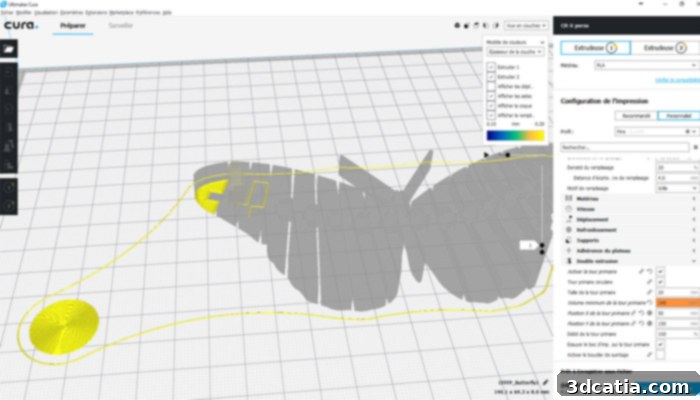
At its core, Cura is designed for intuitive operation, offering a streamlined interface that greets users with a choice between two distinct operational modes: the Recommended mode and the Custom mode. This dual-mode approach caters to both novices seeking quick, reliable results and experienced users who demand granular control over every aspect of their print.
The Recommended Mode: Simplicity for Flawless Prints
The Recommended mode is an excellent starting point, particularly suitable for beginners or for anyone looking to achieve optimal print results with minimal effort. In this mode, users can prepare their model for printing in just a few clicks, without the need for manual adjustments to complex settings. Cura intelligently automates crucial decisions, such as determining the optimal orientation of the part on the print bed. This not only helps save valuable printing time by reducing the overall print duration but also enhances print quality and adhesion. Beyond orientation, the software intelligently calculates the filling rate (infill density) required for the part’s structural integrity, generates optimized support structures to minimize post-processing time and material waste, and sets appropriate layer thickness for detail and speed. This “set-it-and-forget-it” approach is a game-changer for those new to 3D printing or when simply needing a reliable, fast print.
The Custom Mode: Unrivaled Control for Advanced Users
For advanced users and those who require precise control over their 3D prints, Cura’s Custom mode offers an incredible level of flexibility. This mode unlocks access to more than 400 distinct setting options, allowing users to fine-tune virtually every parameter of the printing process. Beyond basic parameters like the addition of support structures, their density, and the amount of infill required, users can delve into highly specific settings. These include print speed, retraction settings to prevent stringing, cooling fan speed, initial layer adhesion methods (brim, raft, skirt), temperature settings for hotend and print bed, flow rates, wall thickness, infill patterns (e.g., grid, lines, cubic, gyroid), and much more. The ability to customize these settings empowers users to optimize prints for specific materials, desired strength, surface finish, or print duration.
A significant advantage within the Custom mode is the highly ergonomic and intuitive preview mode. After making adjustments, users can instantly visualize how Cura will slice the model and simulate the printing process. This visual feedback, including layer-by-layer previews, toolpath visualization, and estimated print time and material usage, dramatically improves the user experience. It allows for proactive identification of potential issues like insufficient supports, incorrect infill, or inefficient toolpaths, enabling users to make necessary adjustments before committing to a potentially failed print, thereby saving time and valuable material.
Optimized Printing with Material Profiles
Cura also excels in simplifying the use of diverse printing materials. Before commencing a print, users can select the specific filament being used as a profile. This intelligent feature automatically adjusts all relevant printing parameters, such as extrusion temperature, print bed temperature, retraction settings, and cooling fan speeds, according to the chosen material. This critical functionality is driven by the UltiMaker Material Alliance Program, a comprehensive initiative where UltiMaker collaborates with over 80 filament manufacturers worldwide. Through this program, a vast array of materials are rigorously tested, and more than 100 pre-set, validated profiles are developed and integrated into Cura. These profiles are meticulously optimized for materials like PLA, ABS, PETG, Nylon, and various composites, ensuring consistent, high-quality results.
In its latest versions, Cura continues to push the boundaries of desktop 3D printing. For example, it has incorporated specialized parameters for FFF printing with advanced metal filaments, allowing for the creation of metal parts with desktop machines followed by appropriate post-processing. Additionally, support for new composite materials like the UltiMaker PET CF (Carbon Fiber reinforced PET) has been integrated, enabling users to print incredibly strong and stiff components. This continuous expansion of material compatibility solidifies Cura’s position as a versatile tool for a wide range of applications, from hobbyist projects to more demanding industrial prototypes. To further understand the power of Cura’s profiles and settings, the following video provides an insightful demonstration:
The Comprehensive UltiMaker Cura Ecosystem
As an open-source platform, widely adopted and constantly evolving, Cura is more than just a standalone slicer; it’s a vibrant ecosystem that continuously expands its capabilities through community contributions and UltiMaker’s strategic developments. This ecosystem provides a suite of tools and features designed to enhance every stage of the 3D printing workflow, from design to final production.
Cura Cloud: Remote Access and Collaboration
One of the core components of this ecosystem is Cura’s cloud functionality. This feature allows users to send printing instructions directly to their connected printers without the need for traditional physical storage media like USB sticks or SD cards. More importantly, it enables users to access their projects and print profiles from anywhere in the world, requiring only a free UltiMaker account and an internet connection. This cloud integration facilitates seamless workflow, collaboration among teams, and effortless project management, ensuring that your work is always backed up and accessible. For those needing more advanced capabilities, “Professional” and “Excellence” profiles are also available. These premium subscriptions unlock additional features, such as the ability to directly import CAD files into Cura, bypassing the need for intermediate file format conversions (like STL), and significantly streamlining the model preparation workflow for professional users.
Cura Connect: Managing Your Print Farm
For organizations or individuals operating multiple UltiMaker 3D printers, Cura Connect is an invaluable tool. This powerful feature allows users to send printing jobs to several printers simultaneously, enabling them to work in unison to accelerate production. Cura Connect provides a centralized interface for planning and managing different print jobs across an entire fleet of UltiMaker 3D printers. The intuitive interface offers real-time follow-up of current print jobs, displays crucial information about each printer’s status, and even alerts users to necessary maintenance operations. This level of orchestration is crucial for optimizing print farm efficiency, managing queues, and ensuring continuous operation in demanding production environments.
Plug-ins: Extending Functionality
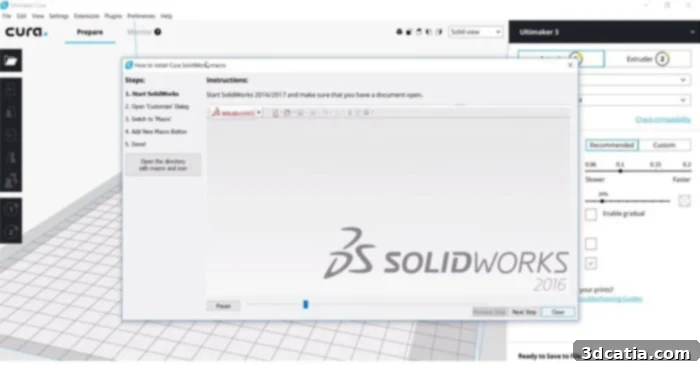
The Cura Cloud also grants access to a rich marketplace of plug-ins, further extending the software’s capabilities. The most widely used plug-ins are often those that facilitate direct integration with leading CAD software packages. These include seamless connectivity with applications like SOLIDWORKS, AutoCAD, or Siemens NX. This integration means designers and engineers can push their CAD data directly into Cura, eliminating the tedious and often error-prone steps of exporting to an intermediate format (like STL) and then importing into the slicer. This “one-click” workflow significantly enhances productivity, reduces potential errors, and keeps the design and slicing processes integrated within a simple-to-use tool. Beyond CAD integration, numerous other plug-ins exist, catering to specific needs such as advanced mesh repair, post-processing script integration, or specialized printer controls, making Cura an incredibly adaptable platform.
UltiMaker Cura Version 5.4: Continuous Improvement
A significant and ongoing benefit of UltiMaker Cura is its commitment to continuous improvement through regular updates. These updates are vital for addressing new challenges, improving performance, and incorporating innovative features that keep the software at the forefront of 3D printing technology. The most recent version as of 2023, Cura 5.4, exemplifies this dedication by introducing several key enhancements over its predecessors.
Beyond general bug fixes that improve overall stability and reliability, UltiMaker Cura 5.4 focuses on refining the post-processing experience. Notably, it makes it considerably easier to remove support structures and brims from printed parts. This enhancement can lead to smoother surfaces, reduced manual labor, and less risk of damaging the final print during post-processing. For users of the UltiMaker S series printers, version 5.4 offers specialized printing profiles for the new UltiMaker PET-CF composite material. This addition is crucial for professionals and industries leveraging advanced engineering materials, as it ensures optimal print settings are readily available, facilitating the creation of high-strength, dimensionally stable parts with ease.
Finally, it is worth emphasizing the immense value of Cura’s large and active user community. This global network of enthusiasts, hobbyists, and professionals continuously shares best practices, troubleshooting tips, custom profiles, and innovative solutions. The community forum grows daily, serving as an invaluable resource for support, learning, and collaboration, significantly enriching the user experience for everyone. This vibrant open-source spirit ensures that Cura not only remains free but also consistently benefits from collective knowledge and innovation. You can download the software and join this thriving community HERE.
Are you currently utilizing UltiMaker Cura for your 3D printing projects? Do you have additional questions regarding its advanced features or seeking advice on optimizing your prints with Cura? We invite you to share your thoughts and queries in a comment below or connect with us on our LinkedIn, Facebook, and Twitter pages! Don’t forget to sign up for our free weekly Newsletter here, to receive the latest 3D printing news directly to your inbox! You can also explore all our insightful videos on our dedicated YouTube channel.