
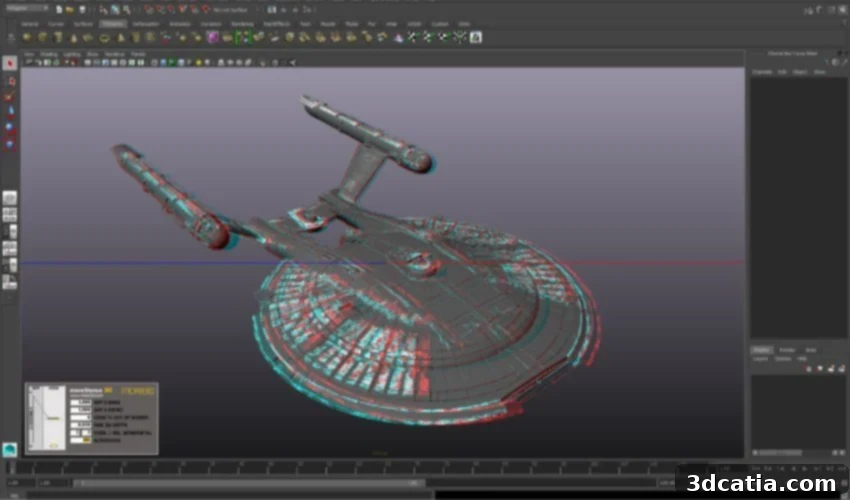
Autodesk Maya: The Premier 3D Modeling and Animation Software for Creative Industries and Additive Manufacturing
Autodesk Maya stands as an industry-leading software solution for advanced 3D modeling, animation, rendering, and visual effects. Developed by Autodesk, a globally recognized leader in design and creation software, Maya was first introduced in 1998 and has since evolved into a comprehensive powerhouse for digital content creation. Its robust and extensive functionality has made it an indispensable tool across various creative sectors, most notably in the film, advertising, and video game industries, where it’s celebrated for its unparalleled capabilities in 3D visualization. Beyond these traditional applications, Maya’s powerful modeling and sculpting tools have also cemented its place as a valuable asset within the rapidly expanding field of 3D printing, offering designers precise control over digital assets destined for physical production.
The impact of Maya software on the entertainment industry is profound and easily recognizable. It has been instrumental in crafting the breathtaking special effects and compelling animated sequences seen in numerous blockbuster films. Iconic titles such as Marvel’s Doctor Strange, the visually stunning Barbie movie, and the groundbreaking animated features like Pixar’s Finding Nemo and DreamWorks’ Shrek all bear the indelible mark of Maya’s influence. This powerful software isn’t just practical for bringing realistic characters and complex visual effects to life on screen; it also provides an extensive array of 3D modeling tools that are fundamental for successful 3D printing. With its wide range of intuitive and advanced modeling capabilities, Maya empowers users to design intricate and highly detailed models that can be seamlessly prepared and utilized directly for additive manufacturing processes.

Maya was used to create special effects for the Barbie movie (Photo Credits: Framestore via Autodesk)
Unpacking Maya’s Extensive Functionalities
Maya is a versatile, cross-platform software, ensuring broad compatibility across Windows, macOS, and Linux operating systems. This accessibility makes it a flexible choice for a diverse user base. A core strength of Maya, particularly relevant for 3D printing projects, lies in its precise control over surfaces and the creation of smooth, mathematically defined shapes. These capabilities are especially well-suited for meeting the most demanding artistic and creative requirements, where exact form and flawless aesthetics are paramount. Its sophisticated modeling environment allows for the creation of intricate designs that maintain their integrity when translated from digital to physical forms.
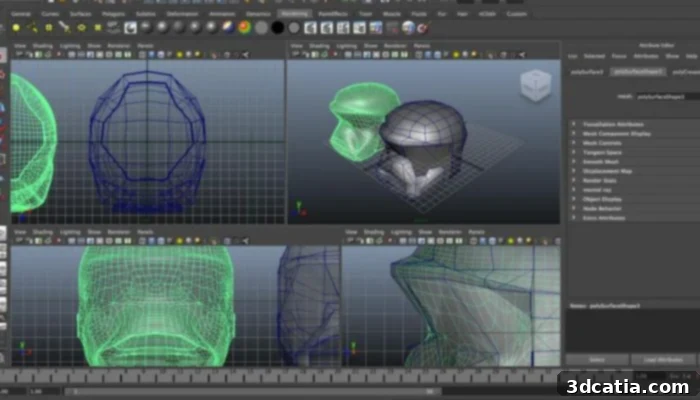
One of Maya’s standout features is its robust polygonal modeling toolset. This technique enables artists and designers to construct highly accurate 3D models by manipulating vertices, edges, and faces to form intersection-based geometries. Polygonal modeling offers granular control, allowing for detailed sculpting and refinement of complex forms, which is essential for both realistic character creation and precise technical designs. Beyond polygonal capabilities, Maya also incorporates NURBS (Non-Uniform Rational B-Splines) modeling. This method is ideal for generating smooth, free-form organic shapes that are not constrained by fixed parametric definitions. NURBS surfaces are mathematically precise, ensuring excellent surface quality and continuity, which is critical for creating visually appealing and dimensionally accurate models for 3D printing, especially in product design, automotive styling, or medical device prototyping where smooth contours and watertight meshes are indispensable.
For additive manufacturing, the precision offered by both polygonal and NURBS modeling in Maya is invaluable. The software provides specialized tools specifically for optimizing and correcting 3D models, a crucial step to ensure their compatibility with various types of 3D printers. These tools help in identifying and repairing common mesh issues such as non-manifold geometry, inverted normals, or open edges, which can lead to printing errors. The ability to prepare clean, watertight models directly within Maya significantly streamlines the transition from digital design to physical fabrication. Furthermore, Maya’s integrated rendering engine is a powerful asset, enabling users to visualize their models with photorealistic detail before the physical printing process even begins. This pre-visualization capability is particularly useful for highly detailed projects, as it allows designers to meticulously assess the aesthetic and structural integrity of their designs. For additive manufacturing, this rendering ensures a faithful representation of color, reflection, and texture, providing a clear preview of the final product. This detailed pre-rendering facilitates meticulous planning and execution, allowing for millimetric precision in the final printed object and reducing the need for costly physical prototypes.
Beyond its core modeling capabilities, Maya also offers a comprehensive suite of tools designed to simplify the entire workflow. Features such as character autorigging, while primarily aimed at animation, highlight the software’s ability to automate complex tasks and streamline repetitive processes, which can be adapted for procedural generation of models or variations for 3D printing. Similarly, procedural modeling techniques allow users to create complex designs through rules and algorithms, enabling rapid iteration and generation of diverse forms from a single base model. This flexibility makes the software suitable for creating everything from simple functional prototypes to highly sophisticated artistic models, catering to both beginners exploring 3D design and experienced professionals tackling intricate projects.
A significant advantage for 3D printing enthusiasts and professionals is Maya’s robust ability to export files in a wide array of compatible formats. Maya fully supports export to the ubiquitous STL (stereolithography) format, which is the industry standard widely used by 3D printers for defining surface geometry. In addition to STL, it also supports other popular formats such as OBJ and FBX. OBJ is often preferred for models requiring color and texture information, while FBX is excellent for transferring animated models and scene data across different software applications. This extensive format compatibility facilitates the seamless integration of Maya-created models into any 3D printing workflow, allowing users to prepare their digital creations directly for physical manifestation with minimal hassle and maximum accuracy.
Moreover, Maya’s advanced tools for digital sculpting allow artists to create highly organic and detailed models with an intuitive, artistic approach, mimicking traditional clay sculpting. This is particularly beneficial for designers working on figurines, anatomical models, or intricate artistic pieces that require smooth transitions and intricate surface details that would be challenging to achieve with conventional polygonal modeling alone. The combination of precise parametric control from NURBS, detailed mesh manipulation from polygonal modeling, and the artistic freedom of sculpting makes Maya an incredibly versatile tool for virtually any 3D printing application, from industrial tooling to bespoke jewelry and medical implants.
(Photo Credits: Autodek)
Licensing and Pricing Options for Autodesk Maya
Autodesk offers a flexible range of licensing options for Maya, designed to accommodate various user needs, from individual freelancers to large studios. Users can opt for a monthly subscription, which provides maximum flexibility and is priced at approximately $255. For those committed to a longer-term engagement, an annual license is available for around $2,010, offering significant savings compared to the monthly option. The most cost-effective solution for extended use is a three-year license, priced at approximately $6,025. These tiered pricing structures allow users to choose the option that best fits their budget and project duration.
Recognizing the importance of hands-on experience, Autodesk also provides a free trial version of Maya. This trial grants full access to all of the software’s extensive features for a limited period, allowing prospective users to thoroughly test Maya’s capabilities, explore its interface, and determine if it meets their specific creative and technical requirements before committing to a purchase. This trial is an excellent opportunity for students, hobbyists, and professionals alike to experience the power of Maya firsthand, experimenting with its modeling, animation, rendering, and export functionalities to see how it can integrate into their existing or desired workflow.
In summary, Autodesk Maya is far more than just an essential tool for professional animators and visual effects artists; it is a remarkably comprehensive digital content creation suite that offers an unparalleled range of tools and features perfectly suited for advanced 3D modeling and, increasingly, for sophisticated 3D printing applications. With its powerful modeling capabilities, photorealistic rendering engine, extensive workflow tools, and flexible licensing options, Maya is ideally positioned for anyone looking to realize highly creative and technically complex projects. From the demanding production pipelines of feature films and video games to the innovative world of additive manufacturing, Maya empowers users to transform their visions into tangible realities with precision and artistic flair. Its ability to handle intricate geometries, coupled with robust export options for 3D printing, makes it a top-tier choice for designers seeking to bridge the gap between digital design and physical fabrication. For more detailed information on the software and its features, you can click HERE. Additionally, the following video provides a practical demonstration on how to leverage Maya for various 3D printing applications, offering valuable insights for both beginners and experienced users:
What are your thoughts on the Autodesk Maya software and its role in modern 3D design and manufacturing? We invite you to share your experiences and opinions in a comment below, or join the conversation on our LinkedIn or Facebook pages! Furthermore, don’t miss out on the latest advancements and news in the 3D printing world by signing up for our free weekly Newsletter, delivered straight to your inbox. You can also discover a wealth of educational and informational videos on our dedicated YouTube channel.
*Cover Photo Credits: Autodesk