
SelfCAD: Unlocking Easy 3D CAD Design for Beginners and Professionals Alike
In the dynamic world of 3D design and manufacturing, finding the right software can be a daunting task, especially for those new to the field. Earlier this year, we highlighted the TOP 10 3D software for beginners, a curated list designed to guide aspiring creators. Among the impressive contenders, SelfCAD emerged as a standout, securing the third position. This relatively new entrant to the CAD software landscape quickly captured our attention with its intuitive platform and comprehensive suite of features. Its promise of simplifying complex 3D design without compromising on functionality piqued our curiosity. To delve deeper into what makes SelfCAD truly unique and to understand the vision behind its creation, we had the distinct pleasure of sitting down with its founder and CEO, Aaron Breuer. Our discussion aimed to uncover the core philosophy driving SelfCAD and its potential to revolutionize how individuals approach 3D modeling and 3D printing.
Meet Aaron Breuer and Discover SelfCAD’s Vision
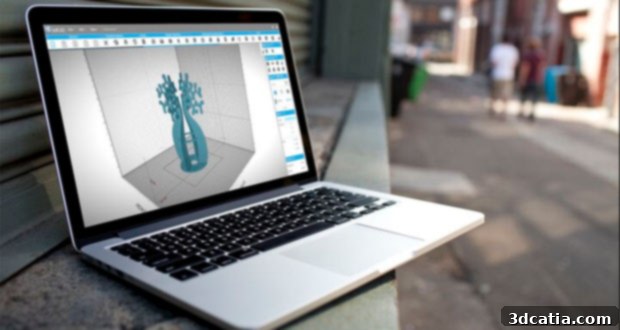
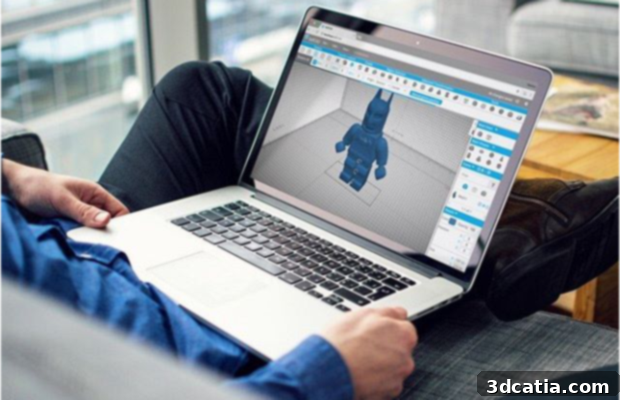
Aaron Breuer, the innovative mind behind SelfCAD, introduced himself and elaborated on the foundational principles of his groundbreaking software. “My name is Aaron Breuer, and I am the Founder and CEO of SelfCAD,” he began. “SelfCAD is more than just another CAD design tool; it’s an online, browser-based 3D CAD Design Tool, fundamentally changing the accessibility of powerful design software. The key advantage here is that there’s absolutely no software to download or install. This means our users can seamlessly transition between different computers, pick up their projects exactly where they left off, simply by signing onto our secure website from any web browser. This unparalleled flexibility and ease of access set SelfCAD apart from many traditional desktop-bound CAD programs.”
Breuer further explained what truly differentiates SelfCAD in a crowded market. “When you compare SelfCAD to other CAD programs available today, you’ll immediately notice our unique approach. We’ve meticulously designed our platform to be incredibly user-friendly, making it perfect for beginners who are just starting their journey in 3D design. Yet, we haven’t sacrificed the advanced capabilities required by seasoned professionals. From its intuitive interface, which is ideal for those taking their first steps in 3D modeling, to its sophisticated built-in slicer for 3D printing preparation, SelfCAD stands as one of the most user-friendly and feature-rich CAD tools on the market. We believe in providing a complete, integrated solution that empowers users at every skill level.”
The Genesis of SelfCAD: Overcoming Industry Challenges
When asked about the driving force behind SelfCAD’s creation and what truly distinguishes it from other contemporary CAD software, Aaron Breuer highlighted a critical flaw he observed in the industry. “SelfCAD was conceived to address a significant gap in the market. Many existing CAD software solutions, while seemingly easy to get started with, often come with very minimal toolsets in their entry-level offerings. This isn’t accidental; it’s a deliberate strategy by these companies to upsell users to much more expensive, often overly complex software packages later on. The frustrating reality for users is that they end up paying more for tools they might not fully understand or even need, without gaining a comprehensive grasp of the software’s true potential. This ‘pay more, learn less’ model was something we fundamentally wanted to change.”
This core dissatisfaction with the industry’s approach led to SelfCAD’s distinct philosophy. “Our response to this problem was to build a comprehensive CAD editor that is simultaneously easy for new users to learn and incredibly capable of designing professional, detailed, and sophisticated models,” Breuer explained. “Crucially, we operate without any hidden upsells. Every essential tool and feature comes integrated as one cohesive package within our simple, affordable CAD editor. We believe in transparency and empowering users with a complete toolkit from day one, rather than segmenting functionality to drive up costs. This commitment to an all-inclusive, user-first design is a cornerstone of SelfCAD’s identity.”
The development process for SelfCAD was deeply rooted in user feedback. “To ensure our program truly met the needs of designers, we conducted extensive interviews to understand their workflows, what tools they currently used, and what functionalities they wished to see in a new product,” Breuer shared. “One particular focus was on designers who utilize ZBrush, a popular sculpting software. We wanted to identify which of its hundreds of brushes were truly essential for their daily tasks. What we discovered was enlightening, yet not entirely surprising: out of a vast array of options, most designers consistently relied on just a handful of key brushes.”
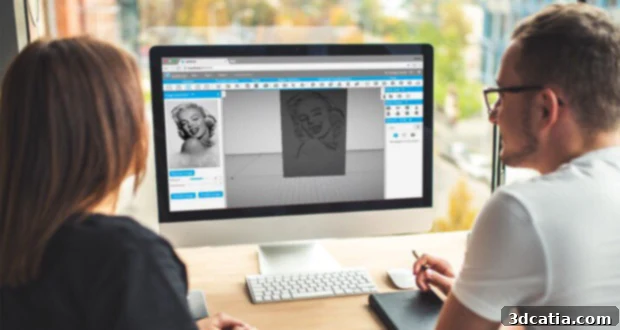
Leveraging these insights, SelfCAD integrated the most vital and frequently used brushes directly into its editor, ensuring efficiency and relevance. “Beyond these essential sculpting tools, we also incorporated robust modeling capabilities and a truly unique 2D drawing tool,” Breuer proudly stated. “Users consistently tell us this 2D drawing functionality is the best they’ve encountered on the market, a testament to its innovative design and ease of use. It allows for precise conceptualization before transitioning seamlessly into 3D. Furthermore, SelfCAD boasts advanced features such as freehand drawing, a versatile shape generator, and an intuitive image generator, all of which have garnered incredible positive feedback. We are truly committed to being a one-stop-shop for all your 3D design and modeling needs, empowering creativity from initial sketch to final print.”
SelfCAD’s Dominant Role in the Manufacturing and 3D Printing Market
When discussing the primary application areas for SelfCAD, Aaron Breuer outlined the three main categories he observes within the broader CAD software landscape. “Typically, we categorize CAD software usage into three distinct areas. The first is the highly specialized, top-tier segment of the market, which caters primarily to professional engineers and architects. These users are intensely focused on mathematically precise designs, intricate simulations, and the underlying physics of their creations. The software tools in this category are invariably expensive, demanding a significant investment of both time and resources to master and fully utilize. Their complexity is justified by the stringent requirements of their respective industries.”
“The second category, which is arguably the largest, revolves around animation, rendering, and special effects. This tier is also populated by professionals who create for a living, but their daily design tasks often lean towards visual aesthetics and cinematic production. Think of the incredible 3D work seen in television, video games, or major film productions – all of this relies on sophisticated 3D software designed to bring digital worlds to life with stunning visual fidelity. While powerful, these tools are often geared towards visual output rather than physical creation.”
“Then, we arrive at the third and rapidly expanding market segment: manufacturing, which is precisely where SelfCAD shines brightest and offers immense value,” Breuer emphasized. “This market is less concerned with superficial visual effects, unlike software like Photoshop which can instantly apply a ‘rustic’ or ‘brick’ texture to an object without altering its underlying structure. Instead, the manufacturing market demands practicality and real geometry. If you’re designing something for 3D printing, for instance, every element must represent a tangible, physically accurate form. A purely visual effect isn’t printable; to make something appear rustic in a physical print, you must meticulously add geometric details and manipulate the actual structure to achieve that desired appearance.”
He continued, “This fundamental distinction guided our design philosophy for SelfCAD. We engineered it to simplify 3D designing for physical production. We deliberately streamlined out many of the purely visual effects, choosing instead to focus intently on features that directly leverage and enhance the actual capabilities of your 3D Printer. SelfCAD integrates rendering, slicing, and printing functionalities all within one seamless environment, allowing users to create incredibly beautiful, yet functionally sound designs. The ability to move from concept to a ready-to-print file with such ease and precision within a single platform is truly remarkable and a testament to its comprehensive utility.”
The Future Landscape: SelfCAD’s Growth and Evolution of CAD Software
Looking ahead, Aaron Breuer shared his insightful predictions for the future of 3D printing and the trajectory of SelfCAD. “That’s an excellent question,” he pondered. “I firmly believe that over the next few years, we will witness a continued and significant drop in the price of 3D printers. This trend will inevitably make 3D printing technology far more accessible to the general public, empowering more individuals and small businesses to save time and money by fabricating objects themselves. As this accessibility increases, so too will the demand for user-friendly and integrated design solutions.”
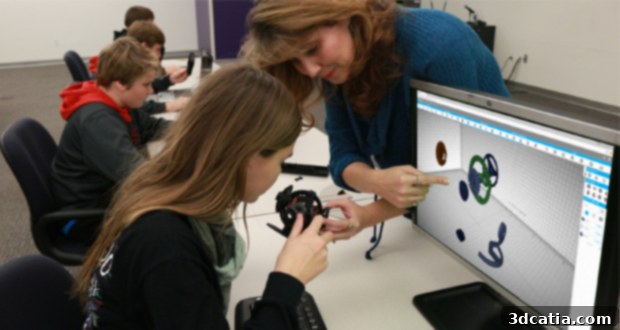
Breuer sees a clear path for SelfCAD’s rapid growth within this evolving landscape. “Because of these market dynamics, I envision our business expanding rapidly. As more people acquire 3D printers, they will naturally seek out comprehensive programs like SelfCAD that offer an all-in-one solution for design, slicing, and printing. We are strategically positioning ourselves to be the go-to software in this burgeoning market. Our plans also include a significant expansion of our user base, with a particular focus on attracting educational institutions at all levels – from K-12 to universities. Furthermore, we aim to forge strong partnerships with major 3D printing manufacturers, solidifying SelfCAD’s role as the premier software for integrated 3D CAD/CAM design and printing solutions in the years to come.”
Empowering Creators: Aaron Breuer’s Message to the Readers
In his concluding remarks, Aaron Breuer shared an optimistic outlook on the future of 3D printing and an encouraging message for aspiring designers. “I genuinely believe that within the next five years, as many as one out of every two homes in America will own a 3D Printer. This isn’t just a technological shift; it’s a creative revolution. There has never been a better time than now to dive into the world of 3D design and start experimenting with an easy-to-understand 3D CAD software like SelfCAD. Our platform empowers you to transform your abstract ideas into tangible, physical objects with minimal investment of time and a greatly reduced learning curve.”
“We meticulously engineered SelfCAD as a robust, stand-alone package, ensuring it provides a complete and uncompromised suite of advanced tool sets without the need for additional purchases,” Breuer reiterated. “We are incredibly excited to see the innovative creations our users will bring to life, and we eagerly anticipate what the future holds for SelfCAD as a pivotal tool in the creative community. In the coming months, we are also thrilled to announce upcoming support for a CNC machine slicer, a development that will significantly expand our range of supported manufacturing processes and further solidify our position as a versatile design solution.”
SelfCAD offers incredible value, with subscription plans starting at an exceptionally affordable price of just $9.99. For anyone in search of a powerful, yet remarkably easy-to-use 3D printing and design software that bridges the gap between beginner accessibility and professional functionality, SelfCAD is undoubtedly worth exploring. It represents a smart investment in your creative and manufacturing potential.
To truly grasp the simplicity and power of SelfCAD, we highly recommend checking out the official SelfCAD YouTube channel, where a wealth of tutorials and guides demonstrate just how easily you can design using their intuitive program. For more comprehensive information about the SelfCAD program itself, including detailed feature lists and pricing options, head directly to their official website here. Embrace the future of 3D design with SelfCAD!