

Raise3D ideaMaker Slicer: Unlocking Advanced and User-Friendly 3D Printing Workflows
In the intricate world of 3D printing, the slicer software plays an absolutely critical and foundational role. Serving as the essential intermediary between a meticulously crafted 3D model and the physical 3D printer, a slicer translates the complex digital design into a series of actionable instructions that the machine can understand. This translation process generates G-Code, a universal language that dictates every movement, extrusion, and temperature setting for the printer to flawlessly execute the desired object layer by layer. While numerous 3D solution manufacturers offer their proprietary slicing software, each with varying capabilities and complexities, Raise3D stands out as a historical and innovative player in FFF (Fused Filament Fabrication) additive manufacturing. Their flagship offering in this crucial domain is the ideaMaker slicer. Meticulously optimized for all of Raise3D’s own range of high-performance 3D printers, ideaMaker boasts impressive versatility, also functioning seamlessly with machines from a wide array of other manufacturers. This broad compatibility, coupled with its design philosophy, ensures the software is not only powerful but also incredibly easy to use, making advanced 3D printing accessible to users of all skill levels, from hobbyists to seasoned professionals.
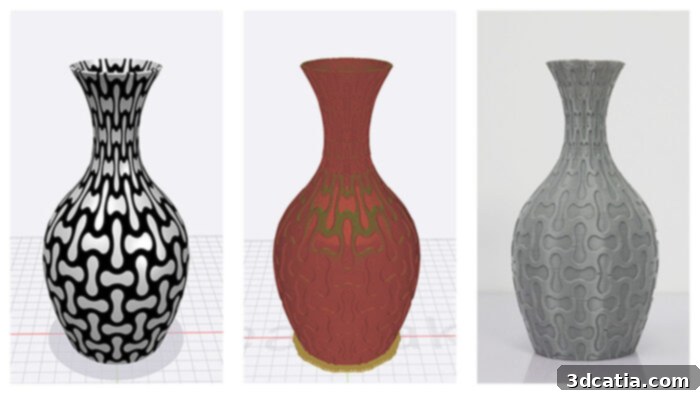
ideaMaker has rapidly gained acclaim within the global 3D printing community for several compelling reasons. Its reputation for exceptional speed and an incredibly intuitive user interface is well-deserved, significantly streamlining the often-complex preparation phase of any print job. Users consistently praise its ability to process models quickly and present clear, actionable information. Beyond its core performance, ideaMaker is now compatible with the vast majority of 3D printers leveraging FDM (Fused Deposition Modeling) technology, making it a go-to choice for a broad user base seeking reliability and performance. One of its standout advantages is the ability to design parts with diverse surfaces and textures directly within the software, all offered free of charge. This empowers creators to add intricate details and specific finishes without needing to switch between multiple specialized applications, enhancing creative freedom and workflow efficiency. Furthermore, ideaMaker provides highly accurate estimations for printing time and material consumption. Once users configure essential parameters, the software promptly displays the projected duration of the print job and the precise quantity of material required, enabling better project planning, efficient resource management, and cost control. These powerful yet user-friendly options collectively position ideaMaker as one of the most popular and highly regarded slicers for both FDM and FFF users globally, setting a benchmark for what modern 3D printing software should deliver.
Advanced Features and Seamless Workflow Integration
One of the hallmarks of a superior slicer is its ability to manage support structures effectively, and ideaMaker excels in this critical area. While initial support structures are generated automatically to ensure the successful printing of overhangs, bridges, and complex geometries, Raise3D emphasizes the user’s ultimate control. With an incredibly intuitive interface, users can effortlessly modify, add, or remove these crucial support structures with just two clicks, allowing for fine-tuned customization that optimizes material use, minimizes waste, and significantly simplifies post-processing efforts. This level of granular control is vital for achieving desired surface finishes and reducing production time. Beyond supports, ideaMaker significantly accelerates the manufacturing process through its comprehensive library of built-in print profiles. These meticulously crafted profiles – including optimized options for high quality, standard prints, and rapid speed – serve as excellent starting points for a vast array of projects. Critically, these profiles are not rigid templates; users can easily duplicate and extensively modify them according to dozens of different parameters, ranging from layer height and infill density to print speed, temperature settings, and retraction distance. This unparalleled flexibility empowers users to achieve optimal results for an endless array of materials and part requirements, from rapid prototyping and concept models to high-detail functional prints and end-use parts, ensuring maximum versatility for every application.
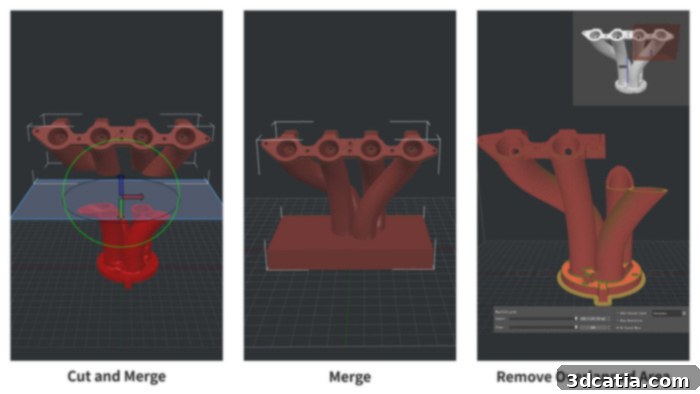
Raise3D has engineered ideaMaker with sophisticated, proprietary algorithms designed to simplify and optimize the often-complex calculation of cutting parameters. This advanced optimization, which can be activated with a single click, is a true game-changer for enhancing both efficiency and print quality. It intelligently analyzes the loaded 3D model and the selected printer/material, then suggests the best possible settings, logically streamlining the entire printing process and minimizing the need for users to manually inspect and painstakingly choose from a multitude of intricate parameters. This automation significantly reduces the learning curve for new users and drastically lowers the potential for costly errors, allowing even complex prints to be initiated with confidence. Furthermore, the software offers robust model preparation functionalities that are indispensable for a smooth workflow. This includes the highly useful ability to separate an STL file, or other common 3D formats, into multiple distinct parts. This feature is invaluable for printing oversized objects in sections for later assembly, or for targeting specific areas for repairs or modifications. Another absolutely essential feature for anyone dealing with real-world 3D models is comprehensive model repair. Raise3D’s solution can automatically detect and fix common issues within a digital file, such as unsightly holes, inverted normals, non-manifold edges, or corrupt geometries, ensuring that even imperfect models can be prepared for a successful print without needing expensive external software or specialized expertise. Finally, aligning with modern industrial and professional demands, ideaMaker facilitates the networking of multiple 3D printers via WiFi. This groundbreaking capability allows users to monitor and manage several printing processes simultaneously from a single, centralized interface, dramatically increasing productivity and efficiency in a print farm, workshop, or multi-machine educational environment, offering unparalleled oversight and control.
The Dynamic ideaMaker Library: A Hub for Community and Optimization
To further enhance the 3D printing experience and democratize access to optimized print settings, Raise3D has innovatively developed the ideaMaker Library. This vibrant online platform serves as a central repository where users of the technology can actively share and download a vast array of slicing files and optimized templates. These meticulously crafted resources are ideally suited for an extensive range of different materials, from common thermoplastics like standard PLA and ABS to engineering-grade composites, flexible filaments, and even advanced carbon fiber-infused materials. Crucially, these templates are pre-configured and proven for various 3D printers, ensuring reliable results across different setups. While a significant portion of the slicing templates are specifically designed and rigorously optimized for Raise3D’s own high-performance solutions, the library’s utility extends far beyond this, as many other files are broadly compatible with virtually all types of FDM machines available on the market. This open and collaborative approach underscores Raise3D’s deep commitment to fostering a strong, knowledgeable community. By providing a platform for users to share their proven slicing profiles and accumulated know-how, the company effectively encourages collective innovation, allowing both novice and seasoned users to instantly leverage best practices, overcome common printing challenges, and significantly increase their overall productivity. The ideaMaker Library transforms individual trial-and-error into shared success, making complex material and printer configurations more accessible and less daunting for everyone in the additive manufacturing space.
Introducing the RaiseCloud Ecosystem: Comprehensive 3D Printing Management
Stepping into a new era of 3D printing management, Raise3D proudly presents RaiseCloud, its cutting-edge, centralized 3D printing project manager. This sophisticated cloud-based platform is meticulously designed as a holistic solution for both large enterprises managing multiple facilities and independent users operating a single machine, offering unparalleled capabilities to manage an unlimited number of users, 3D printers, and print jobs from virtually anywhere in the world. RaiseCloud empowers users to effortlessly control their entire workflow, from securely initiating prints and pushing G-Code files to remote printers, to monitoring real-time data feeds, and adjusting critical print settings remotely, all with just a few intuitive clicks. The platform provides a clear, comprehensive overview of printer status, material consumption statistics, and job progression, allowing for proactive intervention, optimized resource allocation, and preventing costly downtime. Its robust reporting features offer valuable insights into production efficiency, machine utilization rates, and historical print data, enabling continuous improvement. The convenience of RaiseCloud is further amplified by its broad accessibility; the dedicated application can be easily downloaded from the official Raise3D website, as well as popular mobile platforms like Google Play for Android devices and the Apple App Store for iOS, ensuring that comprehensive control and oversight are always at your fingertips, whether you are in the office, at home, or on the go, providing true flexibility for modern manufacturing.
ideaMaker 5.0.5: Pushing the Boundaries of Additive Manufacturing
Raise3D’s unwavering commitment to innovation and continuous improvement is clearly demonstrated with the recent release of ideaMaker 5.0.5, the latest iteration of their powerful slicing software. This significant update introduces a suite of groundbreaking new features specifically engineered to support resin 3D printing, dramatically expanding ideaMaker’s versatility beyond traditional filament-based processes. For users engaging with SLA (Stereolithography) or DLP (Digital Light Processing) technologies, this version provides specialized tools and profiles to accurately prepare models for liquid resin printing, managing crucial parameters such as exposure times, sophisticated support generation strategies, and precise resin consumption calculations. This integration solidifies ideaMaker as a multi-technology slicing solution. In addition to these significant advancements for resin printing, ideaMaker 5.0.5 also incorporates valuable enhancements and additions for printing with filaments, further refining the FDM/FFF experience. These include optimized slicing algorithms, improved G-code generation, and new material profiles that cater to the latest filament innovations. This comprehensive update seamlessly includes all the robust features from previous versions, notably ideaMaker 4.3 and 4.4, ensuring continuity while delivering new capabilities that address the evolving demands of the additive manufacturing landscape. Designed for maximum accessibility and broad user appeal, it is fully compatible with Windows, macOS, and Linux operating systems, catering to a diverse user base across different computing environments. Furthermore, the software is available in several different languages, making it a truly global tool for the additive manufacturing community and reinforcing Raise3D’s dedication to accessibility worldwide.
As clearly demonstrated by its intuitive design, extensively pre-configured parameters, and the invaluable resources provided by the ideaMaker Library, the Raise3D slicer is meticulously engineered to simplify and ultimately democratize the entire additive manufacturing process. Its comprehensive ecosystem, seamlessly integrating powerful local slicing capabilities with cloud-based management through RaiseCloud, addresses the evolving needs of both enthusiastic hobbyists and demanding industrial professionals alike. This holistic approach ensures efficiency, reliability, and ease of use at every stage of the 3D printing workflow. Edward Feng, CEO of Raise3D, articulates this strategic vision succinctly: “We continue to work tirelessly towards the overarching goal of offering an all-in-one solution that significantly increases productivity for our users across the board. With the ideaMaker Library now serving as a valuable new ally for shared knowledge, community collaboration, and optimized settings, and the powerful combination of ideaMaker as our core, robust slicing engine alongside the RaiseCloud platform for remote management and comprehensive oversight, we are exceptionally happy to now be able to offer this truly complete solution and a smooth, integrated workflow. We firmly believe this comprehensive ecosystem will prove to be a transformative game changer for the entire manufacturing industry, pushing the boundaries of what’s possible with 3D printing and empowering users to achieve more with less effort.” This profound commitment to an integrated, user-centric approach ensures that Raise3D remains at the forefront of driving innovation and accessibility in 3D printing technology for years to come.
What are your thoughts on Raise3D’s ideaMaker and its comprehensive ecosystem? We invite you to share your experiences, insights, and any questions you might have in a comment below or join the vibrant conversation on our Linkedin, Facebook, and Twitter pages! Don’t miss out on the latest advancements and breaking news in additive manufacturing; sign up for our free weekly Newsletter here, delivered straight to your inbox! You can also explore all our informative videos, in-depth tutorials, and expert interviews on our dedicated YouTube channel.