
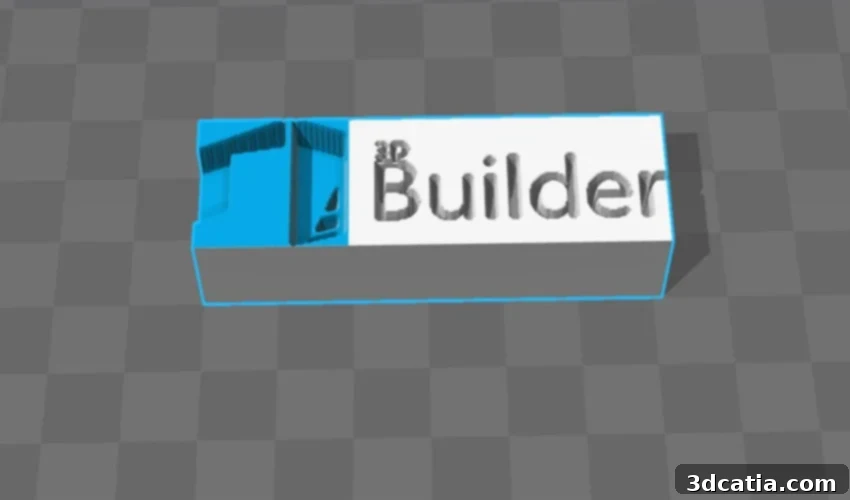
Microsoft 3D Builder: Your Free Gateway to Intuitive 3D Modeling and Printing
Microsoft 3D Builder stands as a testament to accessible 3D design, offering a remarkably intuitive and free 3D modeling software solution that empowers users to easily design, visualize, and modify 3D models. Pre-installed by default on many Windows 10 machines (though newer versions may require a manual download from the Microsoft Store), this versatile application brings the power of 3D creation to the fingertips of millions. Its compatibility with various 3D printing formats, including STL, OBJ, and 3MF, makes it an indispensable tool for hobbyists, educators, and even professionals looking for a quick and easy way to prepare models for additive manufacturing. Beyond its robust design capabilities, Microsoft also generously provides a wide selection of ready-to-download 3D models directly within the interface, further lowering the barrier to entry for aspiring creators. Since its inception, 3D Builder has consistently garnered positive reviews, largely due to its extensive functionalities, user-friendly interface, and its commitment to making 3D printing more approachable for everyone.
Launched in November 2013, 3D Builder quickly distinguished itself as a popular choice among Windows users eager to explore the world of 3D design and printing. Its rapid rise in popularity was bolstered by strategic partnerships and continuous development. Shortly after its debut, Microsoft announced a significant collaboration with Materialise, a leading name in 3D printing solutions. This partnership was crucial, as it aimed to streamline and facilitate the direct 3D printing of models designed within the software, bridging the gap between digital design and physical realization. Furthermore, the introduction of a mobile version extended 3D Builder’s reach, enabling users to engage in creative 3D design on a wider array of devices, fostering even greater flexibility and creativity on the go. At its core, 3D Builder utilizes a constructive solid geometry (CSG) approach to modeling, a method shared with other popular beginner-friendly software like Tinkercad. This means users build complex shapes by combining and subtracting simpler geometric primitives, making the design process logical and easy to grasp. While 3D Builder boasts broad compatibility, Microsoft has also actively forged partnerships with several prominent 3D printer manufacturers, ensuring seamless integration and optimized printing experiences with brands such as XYZPrinting, Monoprice, Dremel, and Prusa Research. This network of partnerships underscores Microsoft’s dedication to supporting the entire 3D printing ecosystem.

Upon opening the application, users are greeted with options to access their existing projects or embark on a new creation.
Unlocking Creativity: The Core Features of Microsoft 3D Builder
The 3D Builder software is readily available for free download from the Windows Store, making it an accessible tool for anyone running a compatible Windows operating system. Its reach extends beyond traditional PCs, with versions available for cell phones, Xbox One, Surface Hub, and HoloLens, truly making it a ubiquitous solution within the Microsoft ecosystem. This broad availability ensures that users can engage with 3D design across multiple platforms, from desktop workstations to portable devices and even mixed reality headsets. The software is built around three fundamental capabilities: creating 3D models from scratch, modifying existing 3D files, and comprehensive 3D model viewing. Upon launching the software, users are presented with an intuitive dashboard where they can quickly access recently viewed models, browse and load models from Microsoft’s extensive integrated library, or embark on a new creative journey. New creations can be started entirely from scratch, initiated through a 3D scan, or by uploading a model that was previously developed on another platform, offering maximum flexibility for diverse workflows.
Intuitive 3D Model Creation from Basic Shapes
One of 3D Builder’s most celebrated features is its highly intuitive approach to 3D model creation. The software simplifies the design process by allowing users to construct complex objects using a library of simple geometric shapes. Whether it’s cubes, cylinders, pyramids, hexagons, or tetrahedrons, users can effortlessly add, superimpose, and intersect these primitives to achieve their desired design. This method of constructive solid geometry (CSG) is incredibly powerful yet easy to learn, making it ideal for beginners while still offering enough versatility for more intricate projects. Beyond basic forms, users can personalize their creations by adding custom text, applying different textures, and even assigning a wide palette of colors to various parts of their models. The “Display” tab further enhances the design experience, providing advanced visualization options such as wireframe rendering, different levels of shadow effects, and transparency controls. These features allow for a very realistic and detailed preview of the model, helping designers fine-tune their work before finalizing it. Once a model is complete and refined, 3D Builder supports export in several industry-standard formats, including 3MF, OBJ, STL, or PLY, all of which are widely compatible with virtually any 3D printer, ensuring a smooth transition from digital design to physical prototype.
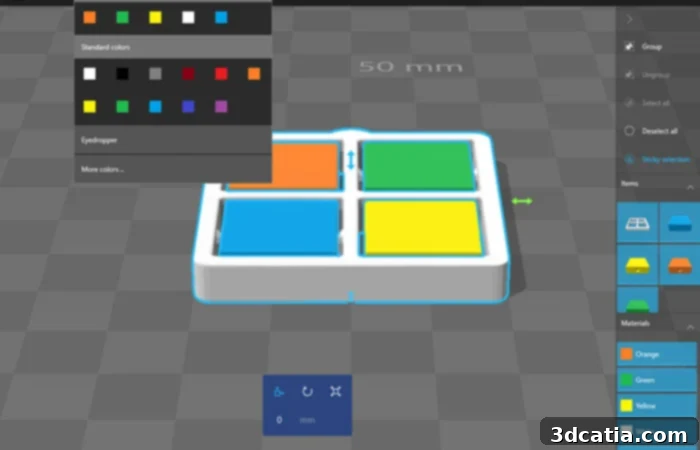
Users have the freedom to apply an unlimited number of colors to their models, enhancing visual appeal.
Modifying and Repairing Existing 3D Models
For those who prefer to work with pre-existing designs rather than starting from scratch, 3D Builder offers robust modification capabilities. Users can easily import an already existing 3D file and alter it directly within the interface. The software supports a broad range of manipulations, allowing users to insert additional shapes, precisely modify the size and dimensions of an object, deform its geometry, or make other extensive alterations to customize the model as they wish. A particularly innovative feature is the ability to capture a picture using a webcam and then convert it into a 3D model, opening up unique possibilities for personalized designs and creative projects. This feature, combined with advanced editing tools, means that the user has complete control over transforming and refining any imported model. Crucially, 3D Builder also includes essential functionality for repairing objects before printing. The software intelligently detects potential defects or errors within the 3D model – common issues like non-manifold edges, inverted normals, or gaps – and provides tools to automatically or manually fix them. This repair function is vital for ensuring a cleaner, more accurate, and ultimately successful manufacturing process, saving users valuable time, material, and frustration often associated with problematic prints.
Advanced Features for Enhanced 3D Printing Workflows
Microsoft 3D Builder continues to evolve, with regular updates introducing advanced features designed to enhance the 3D printing workflow for both individual users and networked environments. Recent additions have focused on improved device integration and management. These include a dedicated drive model for 3D manufacturing devices, which streamlines communication between the software and various 3D printers, ensuring more reliable operations. The introduction of job spooling and queuing support allows users to manage multiple print jobs efficiently, organizing them in a sequence for automated execution, which is particularly beneficial in shared or busy printing environments. Furthermore, keyword support for modeling device capabilities enables more intelligent interaction, where the software can better understand and utilize the specific features of connected 3D printers. An API (Application Programming Interface) for apps to submit 3D manufacturing jobs directly to your 3D printer has also been implemented, opening up possibilities for third-party application integration and automated workflows. Another highly valuable feature is network 3D printing. This functionality enables multiple Windows-based computers to share the same 3D printer, significantly enhancing ease of use and resource efficiency in educational institutions, small businesses, or collaborative workspaces, removing the need for individual printer connections for each machine. These advancements highlight Microsoft’s commitment to making 3D Builder a comprehensive and forward-thinking solution for the entire additive manufacturing process.
Accessibility, Support, and System Requirements
Microsoft has ensured that 3D Builder is accessible to a global audience, offering the application in numerous languages. This commitment to accessibility means that users from diverse linguistic backgrounds can confidently navigate and utilize the software without language barriers. For further assistance and to foster a supportive user community, dedicated support resources have been created. These resources include comprehensive tutorials that guide users through various design processes, provide valuable advice on optimizing models for printing, and offer solutions to potential problems that users might encounter. This robust support system underscores Microsoft’s dedication to ensuring a positive and productive user experience. Regarding system requirements, Microsoft notes that 3D Builder is compatible with Windows 10 version 15063.0 or higher, ensuring it runs smoothly on modern Windows installations. Despite its powerful capabilities, the initial download size for the core application is remarkably small, often just around 35KB, demonstrating its efficiency and ease of installation.
Microsoft 3D Builder is a robust, free, and highly accessible tool that significantly lowers the barrier to entry for 3D modeling and printing. Its intuitive interface, comprehensive features, broad compatibility, and continuous development make it an excellent choice for anyone looking to bring their 3D ideas to life. Whether you’re a complete novice taking your first steps into 3D design or an experienced maker needing a quick and reliable tool, 3D Builder offers a powerful and satisfying experience. What are your thoughts on Microsoft’s 3D Builder software and its impact on accessible 3D design? We’d love to hear your feedback in a comment below or join the conversation on our Facebook and Twitter pages! Don’t forget to sign up for our free weekly Newsletter to receive all the latest news in 3D printing directly to your inbox!