
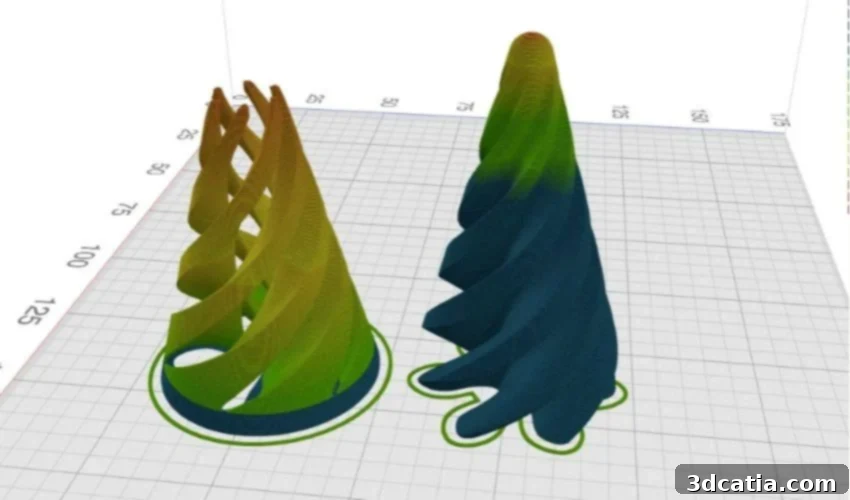
Kiri:Moto: Unlock Seamless 3D Printing with This Free, Online Slicer Revolution
In the dynamic world of 3D printing, every project follows a structured progression, irrespective of the specific printing technology employed. This journey typically commences with meticulous 3D modeling, where digital designs take shape. Following this, the crucial step of generating G-Code is performed using specialized software known as a slicer. Once the digital blueprint is translated, the physical object is then printed layer by layer. Finally, the finishing touches are applied during post-processing, refining the printed part to its desired state. Today, we delve into the pivotal slicer stage by introducing Kiri:Moto, an exceptional, free, and incredibly user-friendly online tool designed to simplify this complex task. Unlike many traditional desktop applications, Kiri:Moto requires no installation whatsoever, operating entirely within your web browser, making it remarkably accessible and distinguished by its intuitive interface.
Before we explore the intricacies of Kiri:Moto, it’s essential to fully grasp the indispensable role a slicer plays in the 3D printing workflow. A slicer functions as the ultimate translator between your digital 3D model and the physical movements of your 3D printer. It meticulously dissects the complex three-dimensional model into a series of incredibly thin, horizontal layers. From this layered decomposition, it generates G-code—a precise, sequential set of commands that dictates every action the 3D printer must take, from the extrusion of material and print head movements to temperature control and fan speeds, all to faithfully reconstruct the object layer by layer. However, modern slicers transcend mere translation; they are powerful optimization engines. They provide users with granular control over a vast array of printing parameters, enabling fine-tuning for optimal results. These parameters include, but are not limited to, layer height (impacting print resolution and speed), print speed (affecting quality and print duration), infill density and pattern (determining strength and material usage), support structures (critical for overhanging features), and material flow rates. Mastering these settings through an effective slicer is key to achieving high-quality, reliable, and efficient 3D prints.
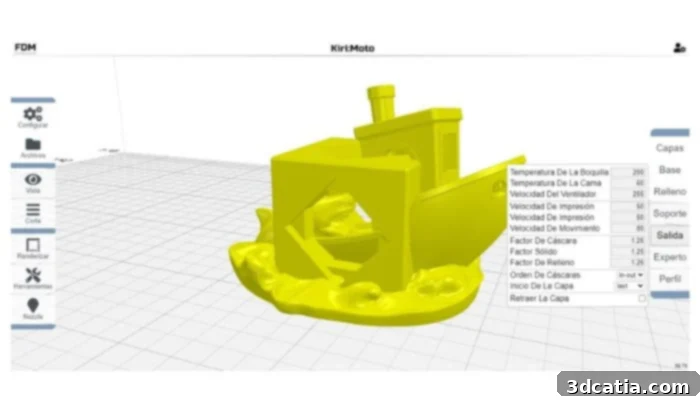
The name Kiri:Moto is composed of two words: Kiri, which refers to the word Kiri-e, the Japanese art of paper cutting, and Moto, a short form of “modeling tool” (Credits: NeoTeo).
How Kiri:Moto Redefines Slicing: Key Differentiators
As highlighted, Kiri:Moto distinguishes itself as a premier free slicer that bypasses the need for any local installation, functioning purely as a convenient web application. Developed by Grid.Space, this innovative online solution is not merely a 3D printer slicer; it’s a versatile digital fabrication hub. It offers robust features precisely tailored for popular additive manufacturing processes such as FDM (Fused Deposition Modeling) and SLA (Stereolithography) 3D printing. Beyond additive methods, Kiri:Moto extends its utility to subtractive and generative techniques, encompassing CNC milling and laser cutting. This broad spectrum of capabilities is managed through dedicated interfaces for each process, ensuring that the software can adapt to a diverse range of manufacturing requirements, from rapid prototyping to intricate fabrication. Its commitment to accessibility is further solidified by being completely free and an open-source project. Its entire codebase is publicly available on GitHub under an MIT license, empowering users and developers alike to inspect, modify, and distribute it freely. This open-source nature makes Kiri:Moto particularly appealing to individuals interested in learning Java programming, the language in which Kiri:Moto was developed, offering a practical, real-world application for their coding journey. Ultimately, Kiri:Moto excels due to its remarkable ease of use, profound level of customization, and seamless cloud integration, which collectively make it accessible from any internet-connected device, anywhere in the world. As Grid.Space proudly asserts, Kiri:Moto delivers a feature set and performance comparable to, if not exceeding, those of established and popular slicers such as Cura, Simplify3D, and PrusaSlicer, all while offering the unparalleled advantage of being free and web-based.
Navigating Kiri:Moto’s Intuitive Interface: A Detailed Look
The Kiri:Moto interface has been meticulously engineered with a focus on blending simplicity with profound efficiency, ensuring that only the most essential and impactful features are prominently displayed. Upon launching the application in your browser, users are greeted by an intuitive and easily navigable environment. This layout often feels immediately familiar to those who have experience with other 3D printing slicers, minimizing the learning curve. The interface is intelligently structured into several distinct yet cohesive sections, each serving a specific purpose in the preparation and optimization of your 3D models for printing:
- Work Area: This central canvas is where your digital 3D models come to life. Users can seamlessly import their models into this space and view them from various angles, gaining a comprehensive understanding of their geometry. Beyond simple viewing, the work area empowers users with powerful manipulation tools, allowing them to precisely move, rotate, and scale their models. This includes the ability to duplicate objects, arrange multiple parts efficiently on the build plate, and even detect and correct potential issues like model orientation for optimal printing.
- Settings Panel: Strategically positioned on the left side of the interface, this comprehensive panel serves as the control hub for all critical printing parameters. Here, users can adjust a multitude of settings that directly influence the quality, speed, and structural integrity of their prints. Key adjustable parameters include layer height (determining print resolution), print speed (balancing speed with detail), extrusion temperature (optimized for different materials), infill rate and pattern (influencing part strength and material consumption), and elaborate support options (crucial for complex geometries and overhangs). Each setting offers granular control, allowing both novices and advanced users to fine-tune their print jobs for specific requirements.
- Tools Menu: Located conveniently on the right side of the interface, this versatile menu provides an extensive suite of tools for managing the workspace, selecting operating modes, and interacting with objects. It is thoughtfully organized into three main, interconnected sections:
- The first section is dedicated to machine selection and configuration. Users can specify the type of machine they are using (e.g., FDM, SLA, CNC), ensuring that the slicing parameters are appropriate for the chosen technology. This section also allows for configuring interface preferences and, crucially, importing various 3D model files.
- The second section offers powerful options for viewing and previewing the 3D model cutout. This includes a layered preview, which allows users to virtually “slice” through their model and inspect each layer individually, identifying potential issues before printing. It also provides a visual representation of the generated G-code path, offering insights into how the printer will build the object.
- Finally, the third part of the menu contains advanced rendering settings, enabling different visual representations of the model. It also houses additional part manipulation tools for detailed adjustments and, specifically for FDM machines, the option to select and manage multiple extruders, facilitating multi-material or multi-color printing projects.
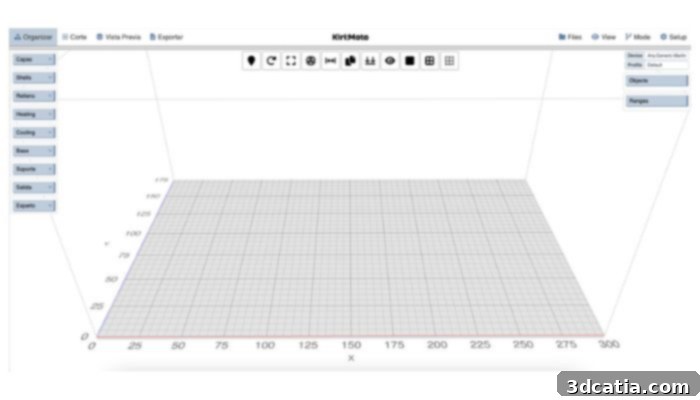
The 4.0 version interface for FDM, designed for clarity and control.
One of Kiri:Moto’s standout features is its adaptable interface. While the core layout remains largely consistent across different manufacturing processes, it intelligently introduces process-specific options where necessary. For instance, when users transition to preparing a file for CNC milling, a specialized new menu intuitively appears at the bottom of the screen. This dedicated menu provides advanced functionalities for planning, simulating, and precisely controlling the various milling operations, including tool paths, cutting depths, and material removal strategies, showcasing Kiri:Moto’s comprehensive versatility.
Advanced Capabilities and Ecosystem Integration of Kiri:Moto
A significant advantage for Kiri:Moto users is the accessibility of previous versions directly via the Grid.Space website, offering flexibility for specific project requirements or compatibility needs. However, the platform is continuously evolving; 2024 saw the release of the new and improved 4.0 version interface, which introduced a wealth of enhanced features, particularly beneficial for advanced printing and fabrication operations. Kiri:Moto thrives on continuous development, receiving regular updates—sometimes several times a week. These frequent updates are crucial, as they not only bring essential bug fixes and performance improvements but also introduce innovative new features and expanded functionalities, driven by an active development community.
Kiri:Moto boasts robust file format compatibility, supporting the direct import of industry-standard 3D model files such as STL, OBJ, and 3MF for three-dimensional parts. This broad support ensures that users can easily work with the most common model formats generated by various CAD software. Furthermore, it intelligently handles SVG files, automatically converting these vector graphics into 3D models, opening up creative possibilities for users leveraging 2D designs. This versatility in file handling significantly streamlines the workflow, allowing users to effortlessly manipulate a wide array of digital assets. Beyond mere file support, Kiri:Moto offers powerful integration capabilities with other prominent tools in the digital design and manufacturing ecosystem. For instance, it seamlessly integrates with OnShape, a popular cloud-native CAD software. This integration allows Kiri:Moto to function as a web application extension within OnShape, enabling users to swiftly upload their CAD parts and generate G-code directly from the OnShape environment. This eliminates the cumbersome process of exporting files from CAD, then importing them into a separate slicer, dramatically enhancing workflow efficiency and reducing potential errors. Similarly, Kiri:Moto enhances the user experience with platforms like Thingiverse, a vast repository of user-generated 3D models. Users can directly open files from Thingiverse within Kiri:Moto, facilitating instant access to a massive library of models. This direct opening capability means users can bypass downloading models to their local machine and then re-importing them into the slicer, making the discovery, slicing, and printing process faster and more intuitive than ever before. These integrations underscore Kiri:Moto’s commitment to creating a connected and efficient digital fabrication environment.
What are your thoughts on Kiri:Moto and its potential to streamline your 3D printing and digital fabrication projects? Share your insights and experiences in the comments section below, or engage with us on our LinkedIn or Facebook pages! To stay ahead with the latest innovations and news in the additive manufacturing industry, don’t forget to sign up for our free weekly Newsletter and receive direct updates to your inbox. You can also explore a wealth of video content and tutorials on our dedicated YouTube channel.