
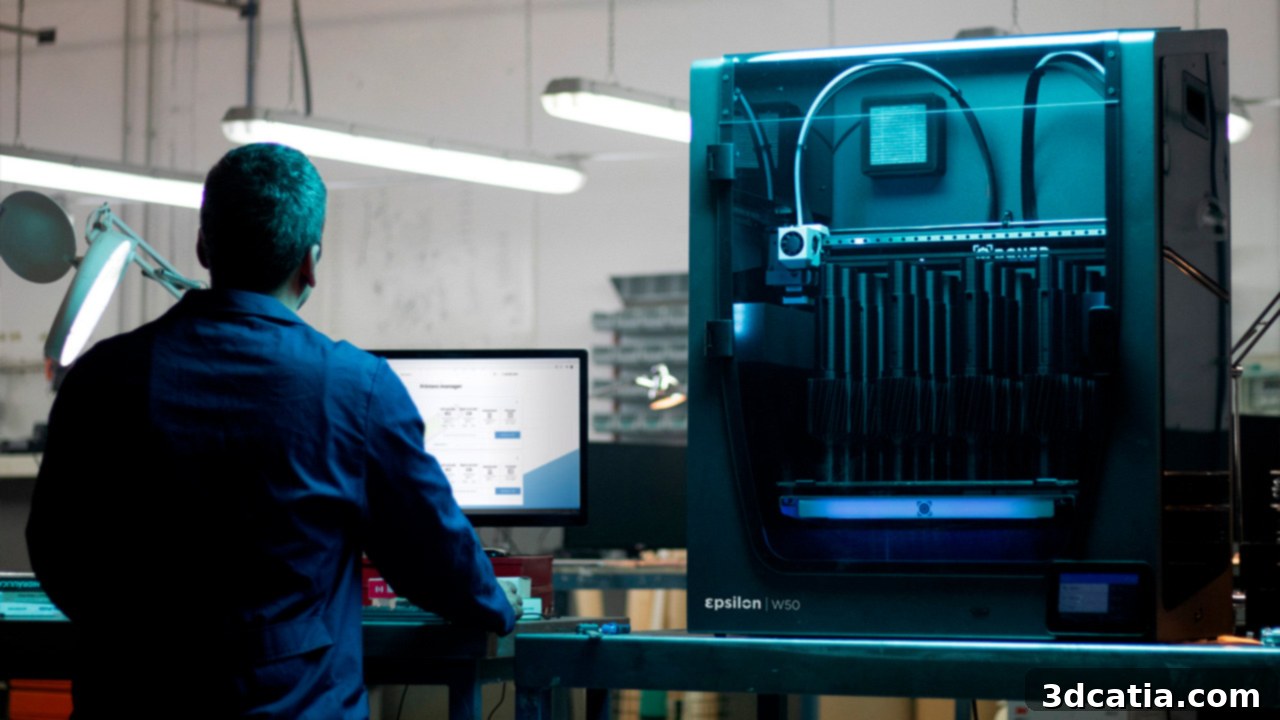
BCN3D Epsilon W50 Review: Unveiling Industrial-Grade IDEX FDM 3D Printing Power
Barcelona-based manufacturer BCN3D has rapidly emerged as a significant innovator in the additive manufacturing landscape in recent years. The company is particularly renowned for its pioneering IDEX (Independent Dual Extruder) technology. This groundbreaking system integrates two completely independent extruders within a single 3D printer, offering unparalleled versatility. Users can print with multiple materials simultaneously and leverage advanced manufacturing modes like Mirror or Duplication to produce parts more efficiently. Building on this success, BCN3D recently introduced its new Epsilon line, specifically engineered to meet the rigorous demands of industrial users. Comprising the W27 and W50 models, this series embodies the highest standards of Fused Deposition Modeling (FDM) technology. Both machines boast a comprehensive suite of features, including an intuitive touch screen interface, a robust HEPA filtration system for air quality, precision Hiwin linear rails for enhanced accuracy, and a high-performance Dual Drive extrusion system developed by Bondtech™. Further enhancing their capabilities, the Epsilon printers incorporate a hotend specially optimized by E3D, an fully enclosed build chamber, a heated print plate capable of reaching 100°C, and a maximum extrusion temperature of 300°C. The primary distinction between the two models, as indicated by their names, lies in their build volume: the W27 offers 27 liters, while the W50 provides a generous 50 liters for larger projects.
Given its impressive specifications and a competitive price point of $7,995 through BCN3D’s American resellers (€6,995 in Europe), the Epsilon W50 is positioned as a formidable contender in the market for professional FDM 3D printers. But what truly sets this new range apart? What level of print quality and reliability can users realistically expect from this industrial workhorse? And, most importantly, for whom is this advanced machine truly intended? To answer these crucial questions, 3Dnatives had the privilege of conducting an in-depth review of the Epsilon W50. Without further ado, let’s delve into our comprehensive assessment of the Epsilon W50, exploring its capabilities, ease of use, and overall performance. You can also gain further insights by watching our accompanying video review below.
1. Unboxing the BCN3D Epsilon W50: First Impressions
Upon its arrival on a robust shipping pallet, the sheer scale of the Epsilon W50 immediately becomes apparent. Weighing a substantial 37 kg (81.8 lbs) and boasting dimensions of 27.2″ x 20.9″ x 35.4″ (690x530x900 mm), it’s clear that this is far from a typical desktop 3D printer. Its size and weight underscore its industrial design, hinting at the sturdy construction within. Consequently, users should be prepared for a slightly challenging unpacking process, especially if attempting it without assistance. Careful handling is recommended to ensure the machine’s integrity from the outset.
Beyond the impressive 3D printer itself, BCN3D has ensured that all essential tools and accessories for optimal machine operation are thoughtfully included. The accessory kit features a robust spatula for part removal, needle-nose pliers for precision tasks, a bottle of Magigoo™ adhesive for excellent bed adhesion, a comprehensive set of allen wrenches for maintenance, an SD card for file transfer, a power cable, specialized hotend shims, a leveling shim, and all necessary documentation, including warranty information and a quick startup guide. Once these items are unpacked, the large glass printing plate can be safely removed, revealing its significant dimensions of 16.5″ x 11.8″ x 15.7″ (420x300x400 mm), which translates to the impressive 50-liter build volume. Finally, the 3D printer is carefully extricated from its protective, oversized packaging – which, importantly, should be retained for the duration of the 2-year warranty period in case of return or servicing.
From an aesthetic and structural perspective, the Epsilon W50 impresses with its modern and elegant design. Its frame, constructed from durable steel and complemented by sleek black acrylic panels, conveys both solidity and reliability. The visual appeal is matched by thoughtful functionality. On the lower right front panel, a vibrant 5″ full-color touch screen provides an intuitive interface for control and monitoring. Adjacent to it is the slot for the SD card, facilitating easy transfer of 3D models. The rear of the 3D printer features a power socket, an Ethernet port for stable network connectivity, a USB-A slot for the supplied Wi-Fi adapter, and a USB-B slot for direct computer connection when needed. The machine’s top cover and front door are crafted from slightly smoked, transparent acrylic, allowing for clear visibility of the printing process even when the enclosure is closed. Integrated blue LED strips further illuminate the interior, enhancing visibility and making the printing progress all the more engaging to observe.
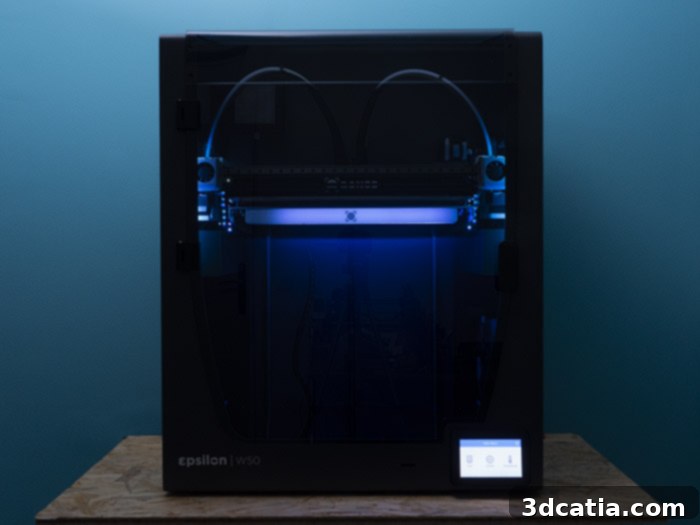
The imposing Epsilon W50, a testament to industrial design.
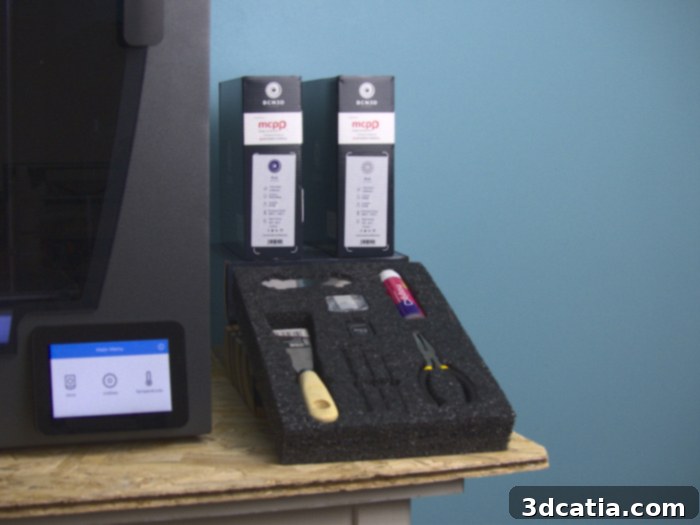
The BCN3D Epsilon W50 arrives complete with its essential toolkit and accessories.
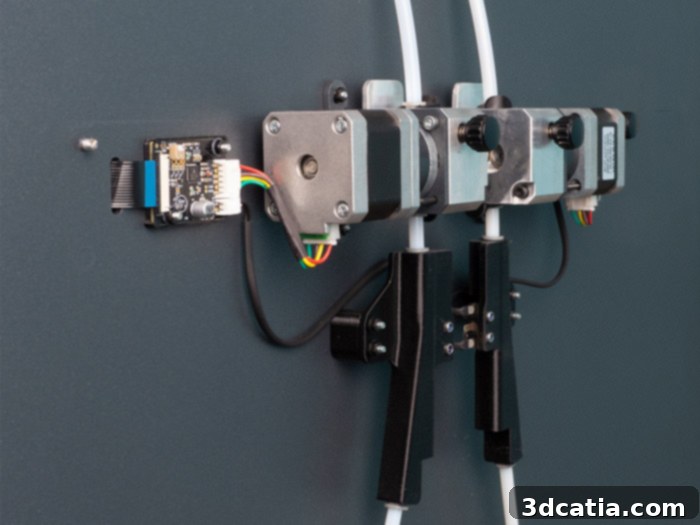
A close-up of the robust Dual Drive extrusion system from Bondtech™, ensuring consistent filament delivery.
2. Setting Up the Epsilon W50: An Assisted Installation Experience
Once the Epsilon W50 was fully unpacked, we proceeded with its initial setup, a process that proved surprisingly quick, taking less than twenty minutes. The first step involves installing the glass printing plate, following the clear instructions provided in the Quick Start Guide. With the plate secured, the printer is powered on, and users are guided through the remaining setup stages directly via the interactive touch screen. The on-screen instructions are commendably multilingual, available in English, French, German, Italian, Portuguese, Spanish, and Mandarin, ensuring accessibility for a wide user base.
To further streamline the onboarding experience, the Quick Start Guide incorporates several QR codes, designed to link users to supplementary information or digital resources. While these QR codes functioned perfectly with a Huawei P30 Pro smartphone, we noted some recognition issues with a Xiaomi mi9T, possibly due to variations in QR code size or print quality. Fortunately, comprehensive digital guides are readily available in multiple languages, including English, within the support section of BCN3D’s official website, which can be accessed HERE. This ensures that all necessary information is at hand, regardless of QR code scanning compatibility.
The 3D printer’s menu masterfully guides the user through each critical setup phase. This begins with assisted bed leveling, a crucial step for achieving perfect first layers. Following this, the system prompts adjustments for the height of both print heads to optimize the initial layer adhesion and quality. Finally, users are guided to fine-tune the offset between the two independent print heads along the X and Y axes, a vital calibration for seamless dual extrusion. Overall, these steps are presented intuitively and are well-guided, making the process manageable even for users less familiar with advanced 3D printer calibration.
A distinctive and rather unique aspect of the BCN3D setup process is the installation of “e-shims” on one of the print heads. The initial on-screen prompt displayed a link intended to guide us through this installation, but unfortunately, it led to an inactive page. Adding to the minor confusion, the package containing these “e-shims” was not clearly labeled. Unfamiliar with the term “e-shim,” we conducted a quick online search, which led us to the relevant page on BCN3D’s website. There, we discovered that these “e-shims” are simply the thin aluminum shims provided with the machine. To our knowledge, BCN3D is one of the few manufacturers, if not the only one, to incorporate such a component. In practical terms, these metal shims allow users to precisely raise one of the two hotends by a few tenths of a millimeter, ensuring both extruders are at precisely the same height. This meticulous alignment is paramount for achieving superior print quality and consistency when both hotends are actively engaged in a print job.
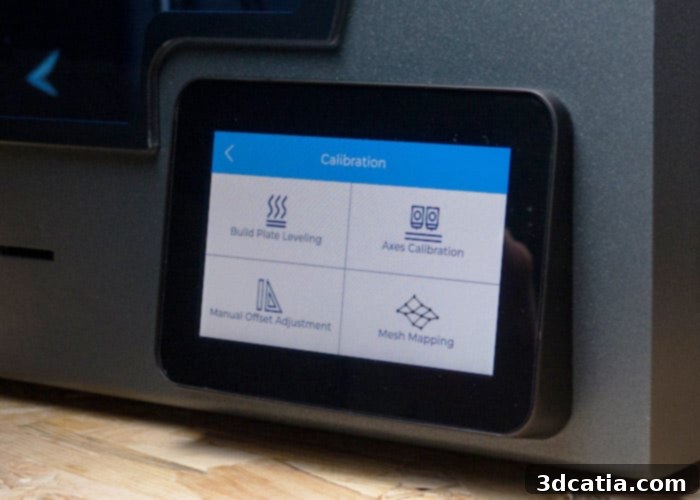
A closer look at the Epsilon W50’s vibrant 5″ full-color touch screen, serving as the central control interface.
The subsequent step involved configuring the Wi-Fi connection. However, the machine failed to detect any available networks. Upon reporting this issue to BCN3D’s support department, we were promptly informed that the problem stemmed from the printer’s firmware version. A quick update performed via an Ethernet connection resolved the connectivity issue, making the Wi-Fi fully functional. While it would ideally be more efficient for BCN3D to proactively instruct users to connect the machine to Ethernet during the initial startup – to ensure the most current firmware and prevent potential issues like inactive links or Wi-Fi detection problems – the overall installation and preparation process for the Epsilon W50 remains relatively straightforward. The clear, guided instructions, available both on the control screen and the manufacturer’s website, ensure a smooth path to getting the printer ready for action. Once these essential operations are completed, the final step is to download the BCN3D slicer software to prepare your 3D models and embark on your first prints!
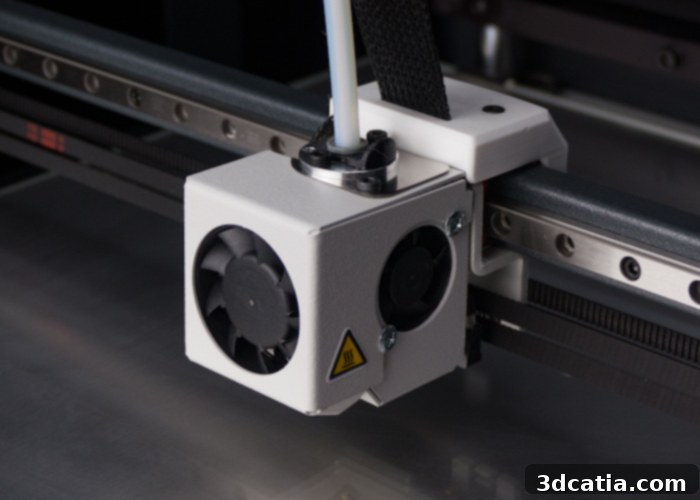
Precision is key: metal wedges, or “e-shims,” used to meticulously adjust print head height by mere tenths of a millimeter.
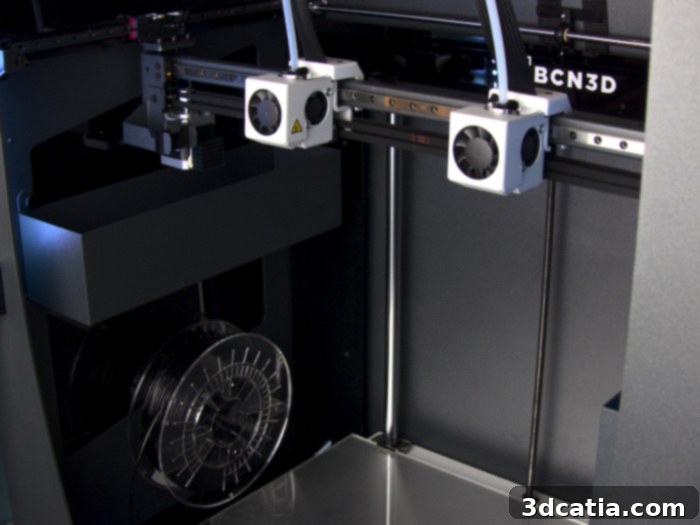
The W50’s enclosed printing chamber showcases two filament spools positioned on either side of the plate, alongside the machine’s two independent extruders.
3. BCN3D Cura and BCN3D Cloud: Smart Software for Industrial Workflows
For its software ecosystem, BCN3D, consistent with its approach for all its 3D printers, has chosen to develop a customized version of Cura, widely recognized as one of the most prominent and user-friendly slicers available today. This specialized version, aptly named BCN3D Cura, is currently based on Cura 3.4.1 (it’s worth noting that the latest version of Ultimaker Cura is 4.8). BCN3D Cura retains the familiar architecture and core functionalities of the standard Cura, but it integrates a suite of tools specifically tailored to BCN3D’s unique IDEX system. These include dedicated modes like Mirror and Duplication, alongside advanced options for extruder selection for support structures, significantly enhancing the user’s control and productivity.
The Mirror and Duplication functionalities are particularly powerful for accelerating production. These modes enable the printing plate to be intelligently divided into two equal sections. In Mirror mode, a part placed on the left side of the plate is simultaneously reproduced as a symmetrical inverse on the right side. Duplication mode, on the other hand, allows for an identical copy of the part on the left to be printed concurrently on the right. Both modes effectively halve production times, making them invaluable for batch manufacturing or for creating complementary parts. We previously experienced the efficiency of these modes during our review of the BCN3D Sigmax R19 3D printer, and their implementation on the Epsilon W50 further solidifies their utility for industrial applications.
In addition to its powerful slicing software, BCN3D offers a sophisticated remote connection solution: the BCN3D Cloud. This platform provides users with the ability to control and initiate print jobs over the internet, fostering a truly flexible and efficient workflow. Within the BCN3D Cura interface, a prominent “Connect” button located at the top of the software allows users to input their BCN3D Cloud ID, establishing a direct Wi-Fi link between the 3D printer and the slicer. This seamless integration means that Gcode files can be sent to the printer remotely as soon as a 3D model is sliced. The BCN3D Cloud extends its capabilities beyond just remote file transfer; it also enables real-time monitoring of crucial parameters such as temperatures and the overall status of the 3D printer, though some of these advanced monitoring features are primarily accessible directly through the cloud platform rather than solely within BCN3D Cura. This comprehensive cloud integration is a significant advantage for professional users managing multiple machines or operating in distributed environments, offering enhanced control and oversight.
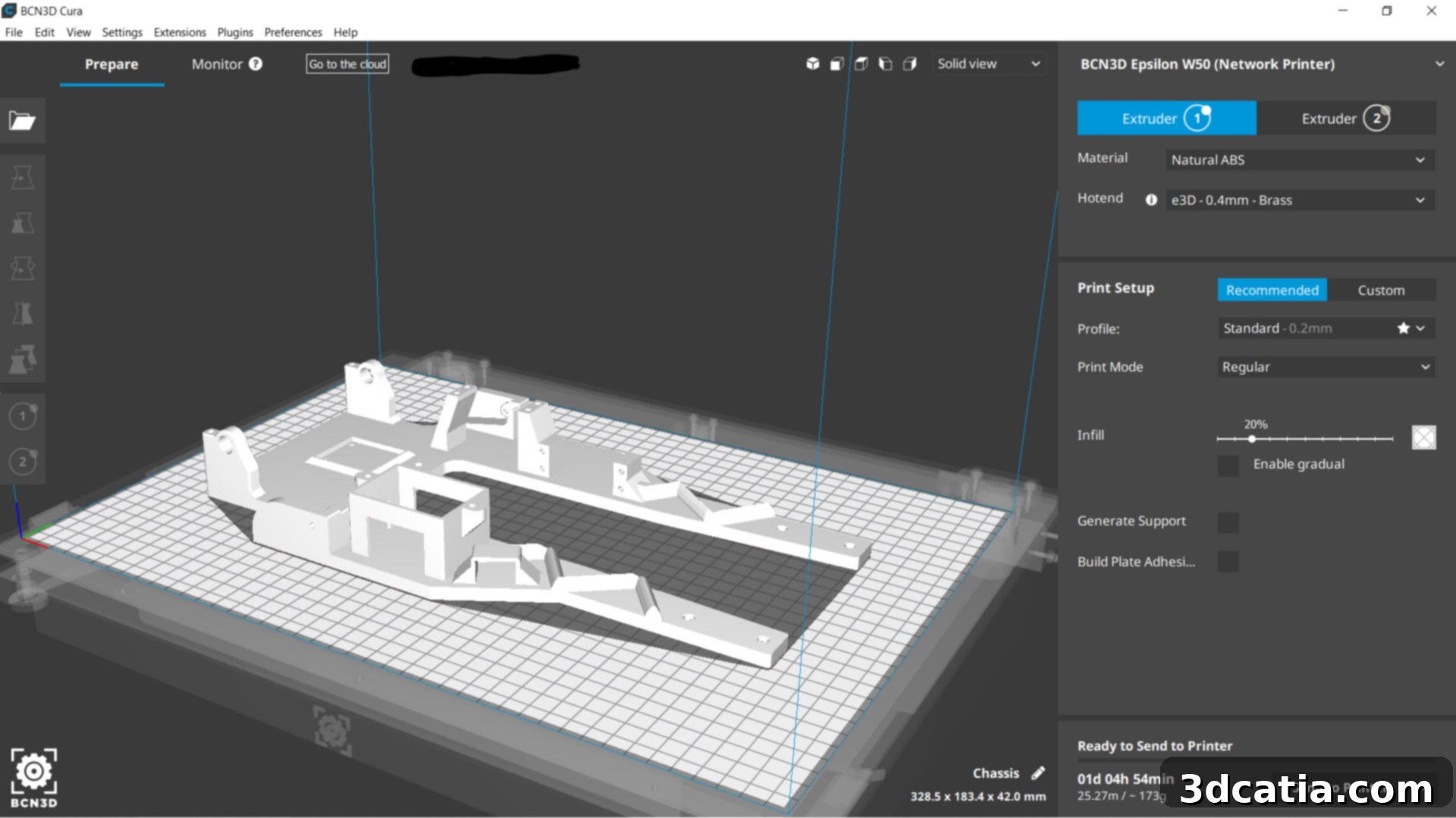
The specialized interface of the BCN3D Cura slicer, meticulously developed by the manufacturer to harness IDEX capabilities.
4. Real-World Performance: First 3D Prints with the W50
The advanced characteristics of the BCN3D Epsilon W50 position it as an exceptionally versatile machine, capable of printing a broad spectrum of thermoplastics. This includes common materials like PLA and ABS, as well as more demanding technical and engineering-grade filaments such as nylon, polypropylene, PETG, TPU, PVA, BVOH, and even various composite filaments. While the Epsilon W50 is designed to be compatible with filaments from other manufacturers, BCN3D consistently recommends using its own branded materials to achieve the highest possible print quality and ensure optimal performance. By default, the W50 can conveniently house two 500g spools directly within its print chamber, positioned on either side of the build plate. For users who prefer larger spools that exceed the dimensions of these integrated slots, BCN3D provides printable spool holder models that can be affixed to dedicated slots on the machine’s rear. Furthermore, a notable innovation accompanying the new Epsilon line is the BCN3D Smart Cabinet. This advanced filament storage system precisely controls the moisture content of materials, protecting them from degradation. It also integrates an uninterruptible power supply (UPS) system, allowing the 3D printer to continue operation even in the event of an unexpected power outage, ensuring maximum uptime and preventing costly print failures.
For our inaugural print, we sought to thoroughly evaluate the Duplication feature, assessing its ease of use and efficiency. We opted to print two Benchies using PLA filament. This mode, leveraging the machine’s independent dual extruders, demonstrably halves production time. For instance, we were able to produce two high-quality Benchies in the exact same timeframe it would typically take to print just one. The results were highly satisfactory; the W50 flawlessly executed the task, yielding two beautifully rendered models. Intricate details were faithfully reproduced, with no discernible shifts or signs of ghosting. However, we did observe that the 3D printer seemed to struggle slightly with overhangs (unsupported parts of the model). This can be attributed to the fully enclosed nature of the Epsilon W50, which causes the internal chamber temperature to rise rapidly, often reaching around 40°C. While beneficial for many advanced materials, this elevated temperature can impede the rapid cooling required for PLA, leading to minor sagging on complex overhangs. Additionally, the filament cooling fan blows predominantly on only one side of the nozzle, which might not be optimally distributed for comprehensive and rapid cooling.
Next, we moved on to testing dual-color printing, a process that also proceeded without any issues. We achieved an almost flawless result with the famous Park Güell dragon from Barcelona, showcasing the W50’s ability to seamlessly blend two different colored filaments. After additional PLA testing, we ventured into more technical filaments and were genuinely impressed by the W50’s performance. We successfully printed models using polypropylene and ABS, yielding very good visual results. Crucially, we encountered none of the common issues typically associated with these materials, such as warping or layer separations – problems that often require extensive fine-tuning of both the slicer settings and the machine itself. The Epsilon W50’s heated chamber and precise temperature control proved instrumental in mitigating these challenges, demonstrating its suitability for industrial applications demanding high-quality prints from engineering-grade materials.
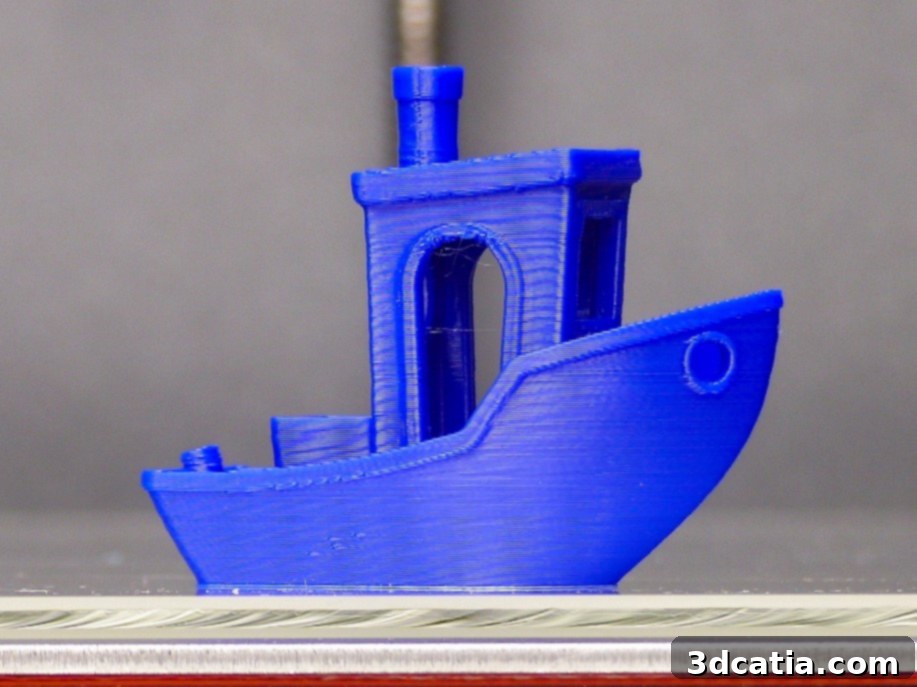
A pristine 3D benchy from Creative Tools, expertly printed on the Epsilon W50.
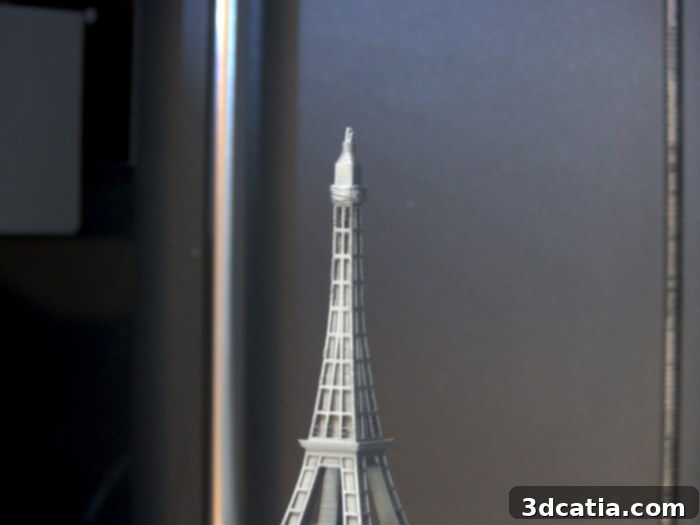
The print head fan, however, struggles to adequately cool PLA, resulting in reduced quality on the intricate details of this Eiffel Tower, modeled by MiniWorld3D.
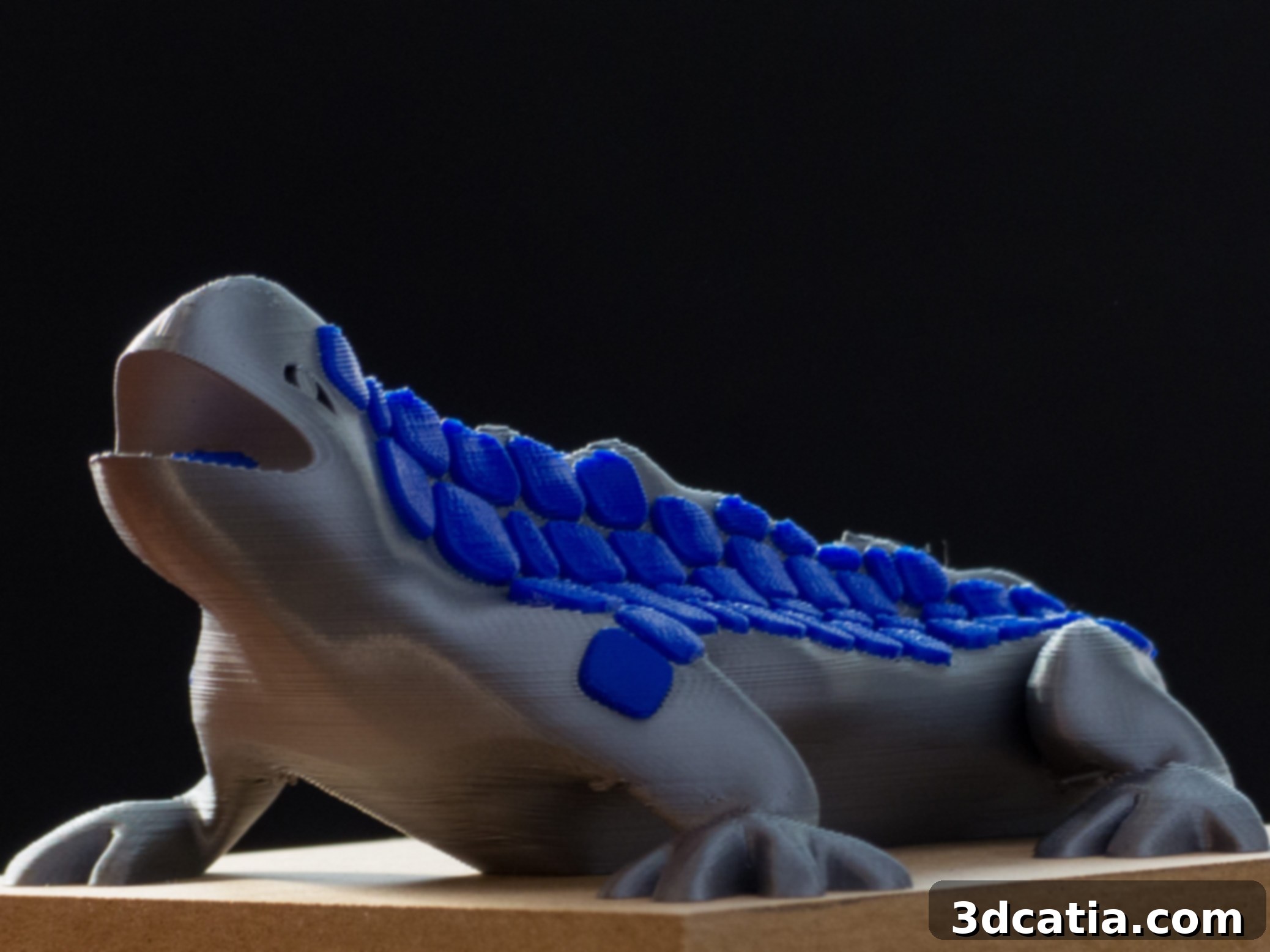
A striking bicolor PLA rendition of the Park Güell Dragon, a dual-extrusion design by BCN3D.
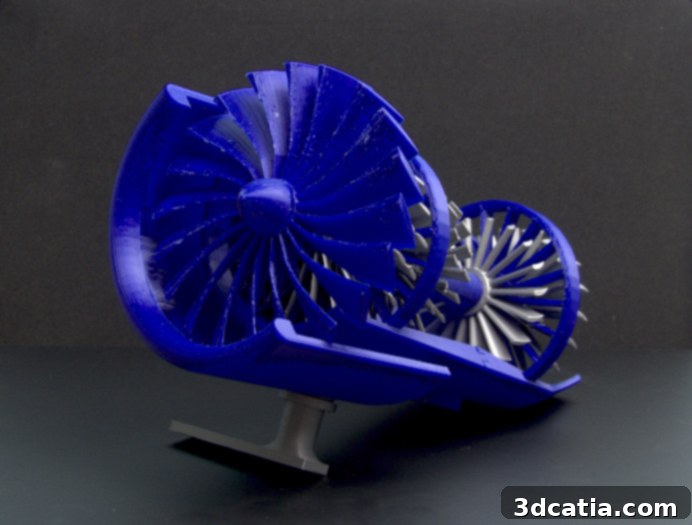
An intricate aircraft engine model in PLA, created by Jack Imakr.
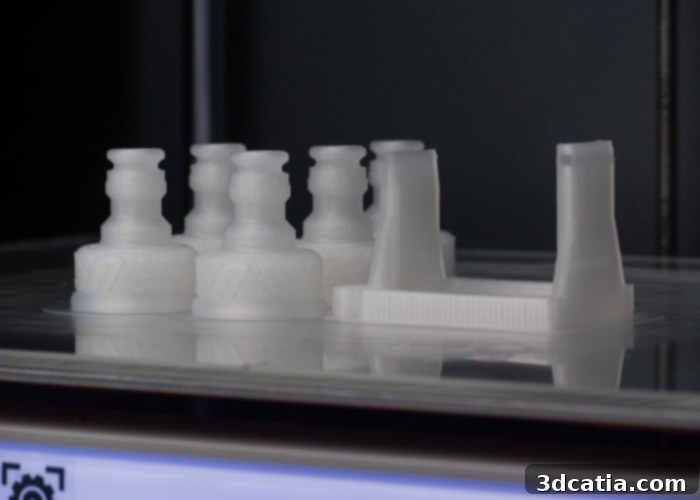
Functional parts for water rockets and launchers, expertly printed in polypropylene by US Water Rockets and Racketfued Rockets.
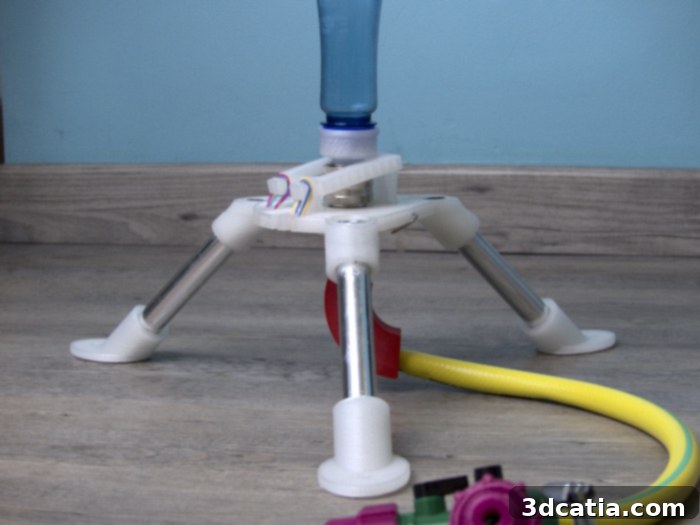
A robust water rocket launcher, designed by Racketfued Rockets and printed in resilient polypropylene.
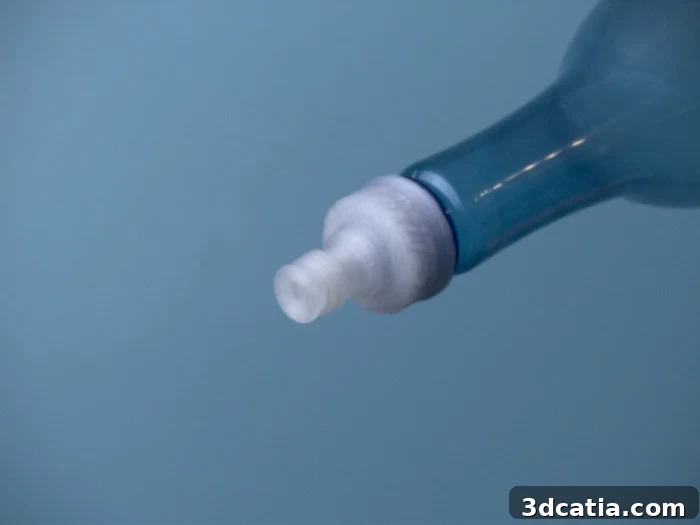
The water rocket nozzle, meticulously modeled by US Water Rockets, featuring a precisely reproduced thread for secure attachment to a bottle.
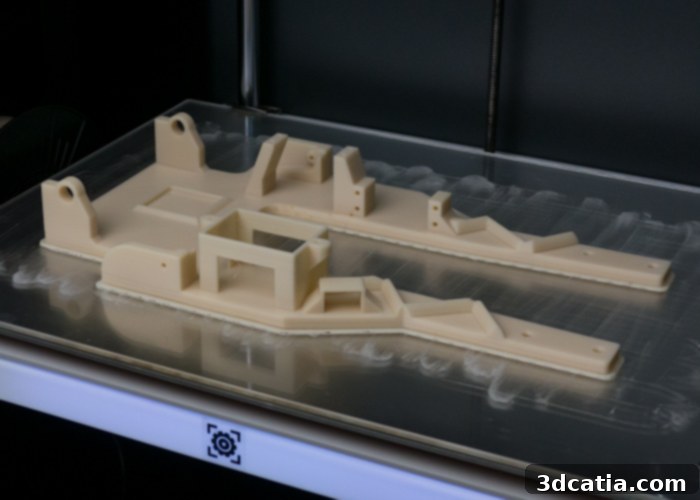
A detailed model car chassis, printed in durable ABS by Elliot Projets.
Conclusion: A Powerful Contender for Industrial FDM
The BCN3D Epsilon W50 positions itself as a robust and highly capable industrial FDM 3D printer, particularly for professional environments that demand high productivity, material versatility, and consistent quality. Its flagship IDEX technology truly shines, offering unique advantages through Mirror and Duplication modes, which significantly boost throughput by enabling simultaneous printing of identical or mirrored parts. This innovative dual extrusion system also facilitates multi-material printing, including soluble supports, expanding the range of geometries and applications achievable.
The machine’s impressive hardware specifications – including the large 50-liter build volume, high-quality components from Hiwin, Bondtech, and E3D, a fully enclosed and heated build chamber, and a maximum extrusion temperature of 300°C – underscore its ability to handle a wide array of engineering-grade thermoplastics without common issues like warping or layer separation. This makes the Epsilon W50 an excellent choice for functional prototyping, manufacturing aids, and end-use parts in challenging materials like ABS, nylon, and polypropylene.
While the initial setup involved a few minor quirks, such as the initial Wi-Fi connectivity issue and the somewhat vague instructions for “e-shims,” these were ultimately resolved with clear guidance from BCN3D support or through online resources. The integrated touch screen interface provides an intuitive user experience, guiding users through critical calibration steps. The BCN3D Cura software, while based on an older Cura version, is well-optimized for the IDEX system, and the BCN3D Cloud offers valuable remote management capabilities for modern industrial workflows.
The primary area for improvement identified during our tests was the cooling performance for PLA, particularly on overhangs, due to the rapid temperature increase within the enclosed chamber. For users primarily focused on PLA, some optimization in cooling or chamber management might be beneficial. However, for its intended industrial audience, where engineering materials are paramount, the heated chamber is a significant advantage, ensuring optimal conditions for high-performance filaments.
Overall, the BCN3D Epsilon W50 delivers on its promise of professional-grade FDM 3D printing. It offers a compelling combination of large build volume, advanced dual extrusion capabilities, broad material compatibility, and a sturdy, reliable build. For businesses and professionals seeking a high-performance, high-throughput FDM solution that can tackle demanding industrial applications and scale production, the Epsilon W50 stands out as a strong and highly recommended contender in its price segment.
Discover More In-Depth Reviews at the 3Dnatives Lab