
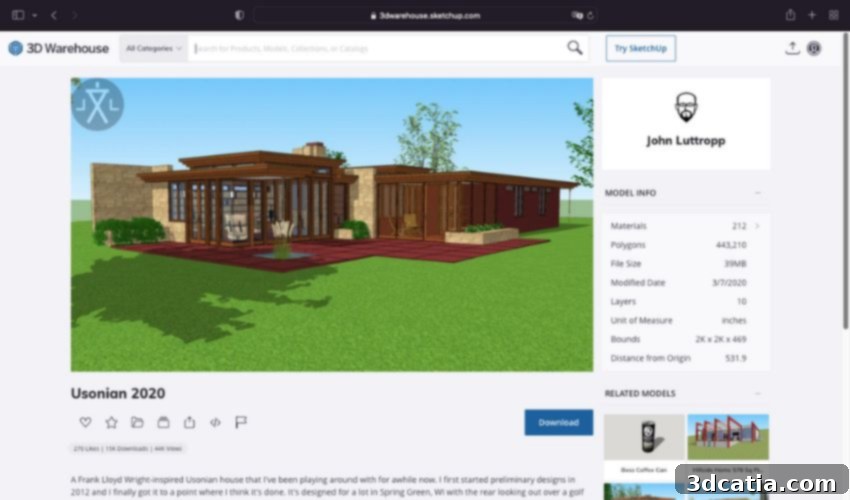
3D Warehouse: Your Ultimate Hub for Free 3D Models, SketchUp Resources, and Collaborative Design
Every ambitious 3D printing project, whether for personal enjoyment, academic pursuit, or professional development, fundamentally begins with a crucial first step: acquiring or crafting a high-quality 3D model. While the excitement of seeing a design come to life through additive manufacturing is palpable, many enthusiasts often overlook or underestimate the intricate and sometimes challenging design phase that precedes the actual printing. For newcomers to the world of 3D design, the initial complexity of developing a model from scratch can be daunting. This hurdle can be particularly discouraging for those embarking on their very first project, leading to frustration and even abandonment before they’ve had a chance to truly begin. Recognizing this significant barrier to entry, SketchUp, a renowned producer of intuitive 3D modeling software, embarked on a mission to simplify and democratize access to 3D content. Their solution, proudly hailed as the world’s most popular 3D sharing website today, is known as 3D Warehouse. Since its inception, 3D Warehouse has experienced exponential growth, evolving into an immense digital library featuring millions of diverse 3D models. This thriving platform empowers both beginners and seasoned professionals to seamlessly share their creations with a global audience, fostering a vibrant community and even paving the way for exciting new business ventures. Join us as we delve deeper into the mechanics of 3D Warehouse, exploring its functionality and uncovering the myriad reasons behind its invaluable utility for the 3D design and printing community.
Discovering 3D Warehouse: An Unparalleled Collection for Every Creative Endeavor
At its core, 3D Warehouse stands as a vast, publicly accessible online repository for 3D models, designed with user accessibility and ease of integration in mind. While it is meticulously optimized for seamless compatibility with SketchUp software, ensuring a fluid workflow for its primary user base, the platform thoughtfully extends its reach. Users can effortlessly access its extensive content directly through any standard web browser, making it a truly universal resource. The journey into this expansive world of 3D begins with a simple process: creating a free account. Once registered, makers, designers, architects, and hobbyists can immediately immerse themselves in the rich selection provided by this powerful database. The website itself is characterized by a remarkably simple and intuitive design, making it easy to comprehend and navigate even for those new to 3D environments. Depending on their specific objectives, users have two primary pathways: they can either explore the vast collection, which is logically organized into distinct categories for efficient browsing, or they can contribute by uploading their own meticulously crafted creations, making them readily available to a worldwide community of designers and creators. This dual functionality not only provides an immense resource but also cultivates a dynamic, collaborative ecosystem.
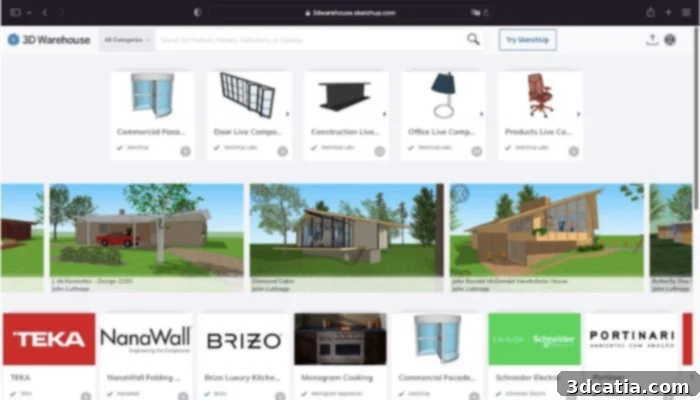
The interface’s simple design makes it easy to use
The versatility and convenience of 3D Warehouse are particularly beneficial for professionals in fields such as architecture, interior design, and product development. The platform offers the invaluable capability to directly import available models into ongoing projects. This feature translates into significant time savings, especially when tackling large-scale, complex tasks that would otherwise require countless hours of modeling individual components. Imagine an architect needing to furnish a virtual building; instead of designing every chair, table, or fixture, they can simply browse 3D Warehouse, select suitable models, and integrate them into their SketchUp design with unparalleled efficiency. This capability accelerates the design process, allowing professionals to focus on broader creative visions and intricate details rather than repetitive basic modeling. Furthermore, the platform boasts remarkable compatibility with a diverse array of SketchUp extensions, amplifying its utility. Take, for example, extensions like Warehouse Blueprint, which furnish users with a wealth of dynamic components. These intelligent, pre-programmed objects can be easily modified and adapted to various design specifications, further streamlining workflows and enhancing design flexibility within the SketchUp environment.
Navigating Model Quality: Tips for Optimal Results
While 3D Warehouse proudly hosts a colossal library containing millions of downloadable 3D models, offering an almost endless wellspring of inspiration and practical assets, it’s important to approach the selection process with a discerning eye. The open-source nature of the platform, where any registered user can upload their creations, means that a consistent standard of professionalism and model quality cannot always be guaranteed. This diversity in contribution can sometimes lead to scenarios where a downloaded model, despite appearing suitable onscreen, might result in a 3D printed object of inferior quality or one that is difficult to work with in other software applications. Such outcomes can understandably lead to disappointment and frustration, particularly after investing time and resources into a project. To mitigate this, users are encouraged to develop strategies for identifying high-quality models. Key indicators often include checking the creator’s profile for a history of well-received uploads, reviewing user ratings and comments, and carefully examining model details like polygon count (excessively high or low poly counts can both be problematic for different reasons), file size, and the clarity of accompanying descriptions and images. Engaging with the community features can also provide valuable insights into a model’s suitability and integrity. By exercising a degree of caution and applying these simple vetting techniques, users can significantly enhance their chances of selecting models that will lead to satisfying and successful 3D printing and design outcomes.
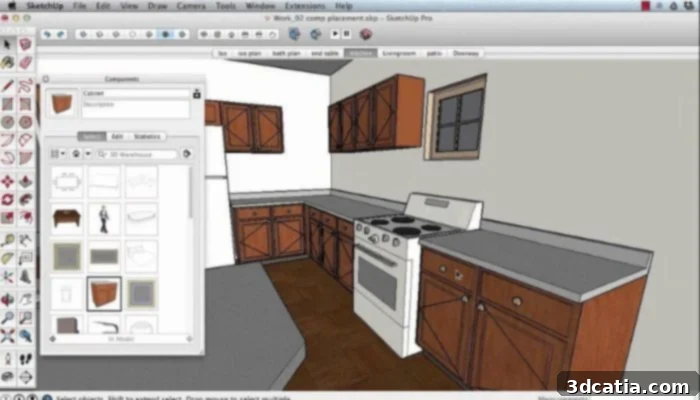
The online platform works best with Sketchup
The Core Advantage: A Growing Ecosystem of Models and Cross-Platform Compatibility
The primary, undisputed aspect that solidifies 3D Warehouse’s position as an exceptional choice for 3D model acquisition is, without a doubt, its sheer size and the continuous expansion of its library. The colossal amount of available 3D models provides users with an unparalleled variety of options across virtually every conceivable category – from architectural components and interior furnishings to intricate mechanical parts and whimsical characters. The fact that this library is not static but continuously grows, thanks to the active contributions of its global user base, firmly entrenches its position as one of the leading, if not the leading, platforms for accessible 3D model files. This ever-replenishing resource ensures that designers always have fresh content at their fingertips, keeping their projects innovative and relevant.
Those who have chosen to work with SketchUp software particularly benefit from this synergistic relationship. The platform’s deep compatibility with SketchUp and its rich ecosystem of extensions, as previously mentioned, dramatically streamlines the entire working process. Features like dynamic components, facilitated by extensions such as Warehouse Blueprint, transform complex modeling tasks into simple drag-and-drop operations, making the design process significantly easier, more efficient, and far less labor-intensive. This tight integration means designers spend less time wrestling with software and more time on creative exploration and refinement. For SketchUp users, 3D Warehouse isn’t just a library; it’s an extension of their design environment, a direct portal to enriching their projects.
However, 3D Warehouse’s utility extends far beyond just the SketchUp community. Recognizing the diverse software landscape of 3D design, the platform offers crucial cross-compatibility. While its native file format is .skp (SketchUp Project), users are also able to download and save files in a multitude of other industry-standard formats. These include, but are not limited to, .DWG (for AutoCAD users, popular in architecture and engineering), .3DS (a common format for 3ds Max and general 3D scene exchange), and .STL (the ubiquitous stereolithography file format, essential for 3D printing and rapid prototyping). This broad spectrum of export options significantly widens the platform’s appeal, making it a valuable resource for professionals and hobbyists working with various CAD, BIM, and rendering software. This flexibility ensures that the wealth of models available on 3D Warehouse can be integrated into almost any design pipeline, making it a truly versatile and indispensable tool in the modern 3D ecosystem.
Whether you’re a seasoned architect seeking to populate a complex urban plan, an aspiring product designer needing a quick prototype model, or a hobbyist eager to bring a unique creation to life on your 3D printer, 3D Warehouse provides an accessible, robust, and continuously expanding resource. If you’re intrigued by the possibilities and eager to explore this vast collection of digital assets, we highly encourage you to visit the official 3D Warehouse website and discover its potential for yourself.
What are your thoughts on 3D Warehouse? Do you currently integrate it into your 3D design or printing workflow? We’d love to hear about your experiences, insights, and any tips you might have for fellow users. Share your comments below or engage with us on our social media channels: find us on LinkedIn, Facebook, and Twitter! To stay at the forefront of the latest developments and breakthroughs in the dynamic world of 3D printing, don’t forget to sign up for our free weekly Newsletter here, delivering the most relevant news straight to your inbox. You can also explore all our insightful videos and tutorials on our dedicated YouTube channel for more in-depth content.
*All Photo Credits: 3D Warehouse