
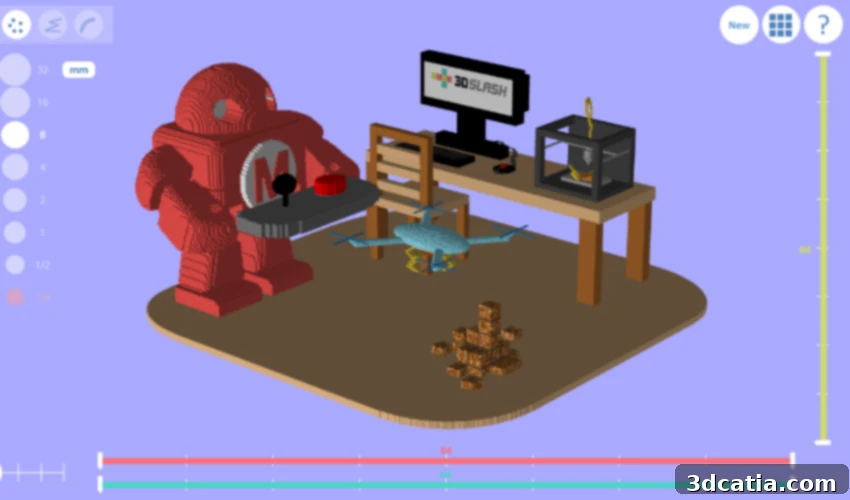
Mastering 3D Modeling with 3D Slash: The Intuitive and Fun Software Inspired by Minecraft
In the rapidly evolving world of additive manufacturing, efficient and accessible 3D software plays an absolutely critical role. These tools are the foundation upon which innovative designs come to life, allowing users to conceptualize, modify, and prepare models for 3D printing. Among the various categories of software, modeling programs stand out as indispensable for crafting the intricate parts and prototypes that will eventually be materialized. However, the steep learning curve associated with many traditional CAD (Computer-Aided Design) applications often presents a significant barrier to entry for beginners, hobbyists, and even some professionals. This is where 3D Slash brilliantly steps in.
Emerging as one of the most user-friendly and popular 3D printing modeling software solutions available, 3D Slash was conceived by Sylvain Huet, an imaginative French engineer. His vision was profoundly inspired by the widespread appeal and intuitive block-building mechanics of the beloved online game, Minecraft. Recognizing the potential for a similar simplified approach in 3D design, Huet launched 3D Slash in 2014, collaborating with co-founder Quentin Jacomet. Their shared goal was ambitious yet clear: to democratize 3D design and make the often complex and challenging initial steps of 3D printing enjoyable and accessible to everyone, regardless of their prior technical expertise.
With 3D Slash, Jacomet and Huet aimed to transform the perception of 3D modeling from a daunting technical task into an engaging creative process. This revolutionary simplification is achieved through a core design philosophy centered around digital blocks. Users manipulate these foundational elements to sculpt complex shapes and designs with remarkable ease. This block-based approach not only makes the design process more intuitive but also fosters a sense of playfulness and experimentation. Furthermore, to enhance user experience and foster a vibrant community, 3D Slash is directly linked to prominent online platforms like MyMiniFactory, making it incredibly convenient for users to effortlessly share their creations, discover new designs, and collaborate with others in the burgeoning world of 3D printing.
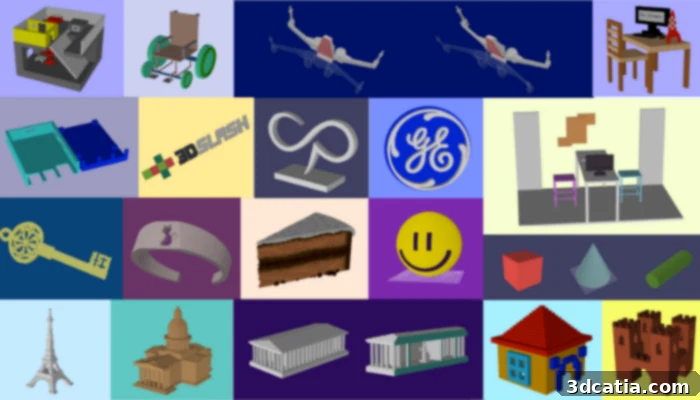
Visualize some of the imaginative designs you can craft using the intuitive tools of 3D Slash (photo credits: 3D Slash)
Unleashing Creativity: Exploring the Intuitive World of 3D Slash
It’s unequivocally clear why 3D Slash has earned its reputation as one of the easiest and most enjoyable 3D design software solutions on the market. Its brilliance lies in transforming the often-intimidating process of 3D modeling into an engaging, game-like experience. Much like its inspiration, Minecraft, the platform adopts the humble cube as its fundamental building block. This simplifies complex geometric challenges, allowing users to think in terms of adding and removing volume rather than intricate mathematical coordinates or complex Bézier curves. This intuitive paradigm immediately makes 3D design accessible to a broader audience, including children and those with no prior CAD experience.
Users are equipped with a diverse array of virtual “tools” designed to manipulate these cubes with precision and creativity. The foundational tools include the **hammer**, which allows for the straightforward deletion of individual cubes or selected groups, effectively chipping away at a design. Conversely, the **trowel** serves as its counterpart, enabling users to add cubes, building up structures block by block. For more refined shaping, the **chisel** tool comes into play, masterfully removing thin slices of cubes, perfect for creating smooth surfaces, intricate details, or angled cuts. The **wall function** provides an efficient way to add entire lines or planes of cubes, ideal for constructing barriers, platforms, or separating sections of a model. Perhaps the most satisfying and dramatic tool is the **drill**, which offers the power to remove an entire piece or a defined volume at once, often culminating in a spectacular ‘explosion’ of disappearing cubes, providing instant gratification and efficient workflow for larger removals. This thoughtful suite of tools ensures that the entire platform remains intuitive and genuinely enjoyable to use, effectively stripping away much of the stress and complexity traditionally associated with the creative process of 3D design.
Seamless Integration and Enhanced Versatility: The Connected Ecosystem of 3D Slash
Beyond its user-friendly interface, 3D Slash stands out for its impressive compatibility and integration capabilities within the broader 3D printing ecosystem. Thanks to its rising popularity and forward-thinking development, the program integrates seamlessly with many other leading 3D software sites and platforms, providing unparalleled convenience for its users. For instance, 3D Slash can be directly integrated into both Thingiverse and MyMiniFactory, two of the largest online repositories for 3D printable models. This robust integration means users can effortlessly download existing STL or OBJ files directly from these sites and immediately begin modifying them within 3D Slash, completely circumventing the need to design from scratch every time. This feature is particularly valuable for remixing existing designs, personalizing objects, or simply learning through practical application.
3D Slash also holds the distinction of being the very first 3D creation tool to be fully integrated into Google Drive. This groundbreaking integration revolutionized collaborative 3D content creation, making it simple for teams to work together on designs in real-time or asynchronously. By leveraging the cloud capabilities of Google Drive, projects can be shared, edited, and accessed from anywhere, fostering a truly collaborative environment crucial for educational institutions, design teams, and hobbyist groups. Furthermore, demonstrating its commitment to versatility and accessibility, a recent version of the software was specifically released to be compatible with Raspberry Pi. This opens up 3D modeling to an even wider audience, including enthusiasts of embedded systems and affordable computing, further lowering the barrier to entry for creative design.
The continuous evolution of 3D Slash is exemplified by its newest version, 3.1.0, which introduces advanced functionalities designed to streamline workflows and enhance creative control. With this update, users can now modify a specific part of a design with a single click, drastically improving efficiency for complex models. Additionally, its sophisticated engraving feature simplifies the process of reproducing intricate patterns, textures, or even personalized names directly onto 3D models. These continuous improvements ensure that 3D Slash remains at the forefront of accessible 3D modeling, consistently empowering users with intuitive yet powerful tools to bring their digital visions to tangible reality.
Flexible Options for Every User: Unlocking Potential with 3D Slash’s Tiered Plans
While 3D Slash is widely celebrated for its robust and feature-rich free option, which provides a fully functional web version, generous online storage for designs, and a palette of 8 standard colors, the platform also offers a range of paid subscription plans tailored to meet diverse user needs and aspirations. These premium options start at an incredibly affordable rate of approximately $2 per month, making advanced 3D modeling capabilities accessible to virtually everyone.
The **Premium version**, available for just $24 annually (with flexible monthly subscription options also offered), significantly expands the creative horizons for users. Subscribers to this plan gain the ability to render their designs in high resolution, ensuring professional-grade output for detailed models. Furthermore, they enjoy an unlimited color palette, allowing for unparalleled artistic expression and realistic material representation. A key advantage of the Premium plan is the ability to export models without facing any queue, ensuring immediate access to finished files – a crucial feature for time-sensitive projects. Additionally, Premium users benefit from dedicated access to the 3D Slash App on their mobile devices, enabling design on-the-go and seamless continuity across platforms. These comprehensive benefits are not exclusive to individual users; they are also thoughtfully integrated into the specialized **School plan** and the **Professional plan**, ensuring that advanced functionalities are available across all user segments that require them.
The **School plan**, specifically designed with educational institutions and young learners in mind, starts at an accessible $12 per month for up to 50 users. This plan is an ideal solution for classrooms and workshops, offering not only all the advantages of the Premium version but also including a dedicated team management feature that simplifies administration and project oversight for educators. The educational discount further enhances its appeal, making high-quality 3D modeling instruction more affordable for schools. 3D Slash’s intuitive, block-based interface makes it incredibly suitable for children as young as 5 years old, providing a playful yet powerful introduction to fundamental concepts of 3D modeling, spatial reasoning, and basic engineering skills. It’s an invaluable tool for fostering STEM education from an early age.
Finally, for entrepreneurs, small businesses, and professional designers, the **Professional program** commences at $20 per month. This top-tier plan encompasses all the previously mentioned benefits found in the Premium version, with the crucial addition of allowing designs to be used for commercial purposes. This means businesses can confidently create and sell products designed with 3D Slash, making it a viable tool for product development, prototyping, and custom manufacturing. Whether you’re a hobbyist looking to experiment, an educator inspiring young minds, or a professional bringing new products to market, 3D Slash offers a flexible and powerful solution. You can delve deeper into the features and capabilities of 3D Slash by watching the insightful video below, or by visiting their comprehensive website HERE.
Have you experienced the intuitive world of 3D Slash in your own projects or classrooms? We would love to hear about your creative endeavors and insights! Please share your thoughts and experiences in a comment below or connect with our vibrant community on our Facebook and Twitter pages. To stay fully informed on all the latest innovations and news in the exciting realm of 3D printing, don’t forget to sign up for our free weekly newsletter, delivered directly to your inbox!
*Thumbnail Photo Credits: 3D Slash