
Mastering MeshMixer: Essential Tools for 3D Printing, Modeling, and Digital Sculpting
In the rapidly evolving landscape of additive manufacturing, the availability of powerful and free 3D software is invaluable for empowering innovators across all skill levels. Among these robust offerings, Autodesk’s MeshMixer stands out as an exceptionally versatile and indispensable tool, specifically engineered to assist users not only in sophisticated 3D modeling but also in streamlining the entire 3D printing workflow. Fully compatible with both Windows and Mac OS, the latest version, MeshMixer 3.5, leverages surface modeling techniques to enable the design and modification of virtually any part based on existing models, all meticulously rendered on a triangular mesh structure. This unique approach allows users to seamlessly combine various geometric shapes, precisely modify them to fit exacting requirements, conduct thorough pre-printing analyses, and export their finished designs in the correct, widely recognized formats. Characterized by its relatively intuitive interface and powerful capabilities, this free software serves as an ideal entry point for individuals, students, and budding professionals new to the complexities of 3D modeling, while also offering advanced functionalities cherished by experienced users.
Within the dynamic and competitive 3D printing market, the initial stage of accurate 3D modeling is paramount to the successful design and fabrication of any physical part. Indeed, this foundational step is critical for minimizing the potential for part failure, optimizing the quantity of material utilized, determining the most effective orientation for printing, and much more. Today, the digital ecosystem offers an extensive array of modeling and CAD software packages, catering to diverse expertise levels and specific needs. However, MeshMixer distinguishes itself through its specialized focus on modifying and refining an existing model rather than demanding a design from scratch. This unique characteristic positions it slightly differently from more traditional CAD solutions, which typically require users to begin their designs on a blank canvas. This capability makes MeshMixer particularly adept at tasks like repairing scanned data, remixing designs from online repositories, or creatively combining multiple components. But how exactly does MeshMixer operate, and what extensive range of features does it offer to enhance your 3D design and printing processes?
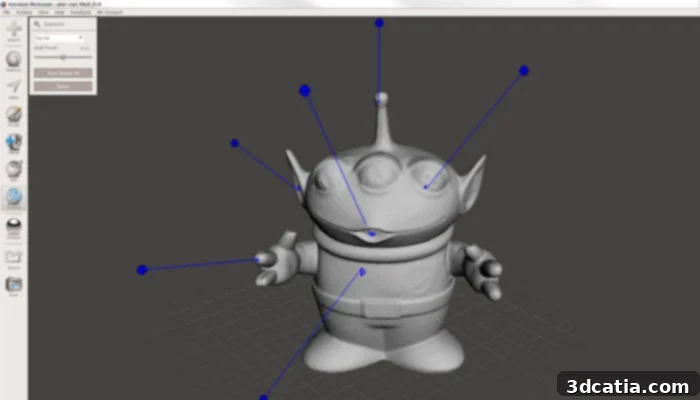
MeshMixer boasts a comprehensive set of functions designed for various stages of 3D model manipulation and print preparation.
Unlocking Creativity: The Core Features of MeshMixer for 3D Model Editing
As previously emphasized, MeshMixer’s primary strength lies in its comprehensive suite of tools specifically crafted for the editing and refinement of existing 3D models. The typical workflow commences with a straightforward import process, where users can load their 3D files directly into the software. MeshMixer offers impressive compatibility with a broad spectrum of industry-standard formats, including STL (Stereolithography), OBJ (Wavefront Object), PLY (Polygon File Format), and AMF (Additive Manufacturing File Format). This extensive format support ensures that models originating from virtually any source—be it other CAD programs, 3D scanning devices, or online design repositories—can be seamlessly integrated. Once a model is imported, MeshMixer unveils its true potential, providing intuitive controls to modify, resize, precisely measure, and diligently repair any imperfections that might hinder a successful print or further design.
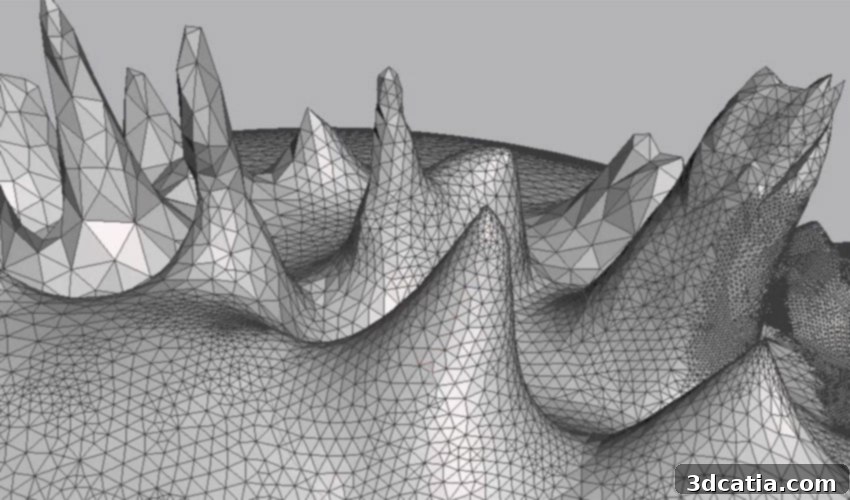
At a fundamental level, MeshMixer operates by manipulating triangular meshes, which constitute the underlying geometry of most 3D models. These meshes are composed of three intrinsic elements: vertices, edges, and faces. Vertices are the individual points that precisely define positions within the 3D space; edges are the lines that connect any two vertices; and faces (often referred to as triangles) are the planar surfaces formed by the association of three vertices. A clear understanding of this foundational structure is key to appreciating the granular level of control MeshMixer affords over your digital creations. The software’s intuitive tools empower users to interact directly with these elemental components, facilitating intricate adjustments and sophisticated modifications that would be considerably more challenging in less specialized programs.
MeshMix: Seamlessly Combining and Kitbashing 3D Models
The very name of the software, MeshMixer, is inspired by one of its most innovative and frequently utilized capabilities: the MeshMix feature. This powerful tool is a cornerstone of MeshMixer’s unique functionality, empowering users to effortlessly blend and combine disparate types of meshes using a simple, intuitive drag-and-drop interface. Imagine the boundless creative opportunities this presents: you can seamlessly graft a highly detailed arm onto a previously imported character model, integrate intricate architectural elements onto a basic structural foundation, or even merge functional components from one object onto another to create a composite design. This “kitbashing” capability proves exceptionally valuable for rapid prototyping, artistic endeavors, and deeply customizing existing models without the need for the often-complex Boolean operations typically found in traditional CAD software. The MeshMix feature truly empowers designers and hobbyists alike to unleash their creativity, providing an accessible yet powerful method to construct unique and complex models from a diverse library of existing parts or imported geometries.
Sculpture Tool: Intuitive Digital Sculpting for Organic Forms and Fine Details
The second pivotal feature within MeshMixer’s arsenal is its advanced Sculpture tool, which effectively transforms the software into a dynamic digital sculpting environment. This powerful tool empowers users to modify and personalize their 3D models with remarkable artistic freedom, leveraging an array of customizable brushes. For example, you can intuitively move, pull, or push individual vertices or entire regions of the mesh to enlarge specific sections of a part, create intricate deformations, or meticulously smooth out rough surfaces with precision. The Sculpture tool offers two distinct categories of brushes, meticulously designed to cater to different sculpting methodologies: volume tools and surface tools. Volume tools, typically visualized as 3D spheres, influence a localized region of the mesh as if working with a pliable material like clay, allowing for broader, more structural alterations such as inflating, flattening, or smoothly blending entire areas. In contrast, surface tools, usually represented as 2D disks, provide more precise control, enabling detailed work such as creasing sharp edges, refining subtle contours, or adding intricate textures. This dual approach grants users exceptional control, whether they are undertaking large-scale artistic transformations or focusing on minute, intricate details, thereby positioning MeshMixer as an excellent choice for organic modeling, character design, and artistic expression.
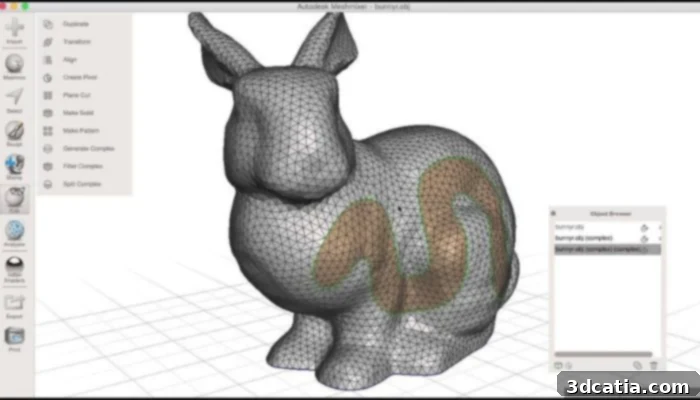
Photo Credits: Autodesk 123D/YouTube – MeshMixer’s digital sculpting tools allow for intricate detailing and organic model creation.
MeshMixer’s Indispensable Role in Optimizing 3D Printing Workflows
Our profound interest in this free 3D software extends beyond its impressive modeling capabilities to its comprehensive and critical features specifically tailored for preparing models for 3D printing. MeshMixer effectively bridges the crucial gap between initial digital design and successful physical fabrication, offering an extensive suite of editing and analysis tools that are absolutely essential for ensuring a high-quality, successful print every single time. It proactively addresses common challenges and potential pitfalls encountered in 3D printing, ultimately saving users valuable time, precious material, and considerable frustration.
Advanced Model Repair for Enhanced Printability
One of MeshMixer’s most highly regarded and utilized capabilities is its robust model repair toolkit. Imperfections in 3D models, such as open holes in the mesh, non-manifold geometry (where edges or faces exist without a clear inside or outside), or inverted normals (faces pointing the wrong way), are common issues that can lead to failed prints or errors within slicing software. MeshMixer allows you to effortlessly patch holes, ensuring your model is “watertight”—a fundamental requirement for most 3D printers and slicers. Beyond simple patching, sophisticated tools like the “Inspector” can automatically detect, highlight, and often fix a wide array of common mesh errors with minimal user intervention. Furthermore, the powerful “Make Solid” feature is invaluable for converting complex or inherently non-manifold meshes into a truly print-ready, solid volume. This effectively resolves intricate geometry issues that would otherwise confuse a slicer and inevitably lead to printing failures. This comprehensive repair functionality means that you can confidently take almost any 3D model, irrespective of its origin or initial quality, and meticulously prepare it for reliable and successful additive manufacturing.
Optimizing Models: Hollowing, Solidifying, and Scaling for Efficiency
MeshMixer provides intelligent and highly practical tools for optimizing your models to significantly enhance print efficiency and material economy. The ability to meticulously hollow out your model is a game-changer for substantially reducing material consumption, decreasing overall print time, and lightening the weight of the final printed part. This feature is particularly advantageous for larger prints or when utilizing more expensive or exotic printing materials. Conversely, if a model requires maximum structural integrity and robustness, MeshMixer offers dedicated functions to ensure it is completely solid throughout its volume, thereby guaranteeing a strong, durable print that is less prone to collapse or deformation under stress. Additionally, its precise scaling and transformation tools allow users to accurately adjust models to fit specific build volumes, meet particular design constraints, or integrate perfectly into larger assemblies, ensuring that the physical print matches the intended dimensions flawlessly.
Pre-Print Analysis and Intelligent Support Generation
Beyond mere repair and optimization, MeshMixer truly excels in its comprehensive analysis functions, which are absolutely vital for identifying and preempting potential printing problems before they ever manifest on the print bed. It can meticulously check for critical structural factors such as part thickness, highlighting areas that might be too thin to print reliably or those that require additional reinforcement for structural integrity. It actively assists in determining the optimal print orientation, a crucial factor that profoundly impacts print quality, mechanical strength, the need for support structures, and even surface finish. Furthermore, the software can perform basic assessments of the overall strength of various sections of your model, providing invaluable insights into potential weak points that might require design adjustments. Perhaps one of its most celebrated features for 3D printing is its highly advanced capability to generate optimal print supports. MeshMixer’s intelligent support generation system creates efficient, often tree-like support structures that not only minimize material waste but are also significantly easier to remove post-print compared to conventional linear supports, ultimately leading to cleaner models and substantially less post-processing effort.
A Streamlined Path to Successful 3D Prints
Ultimately, MeshMixer is meticulously designed to make the entire 3D printing process as seamless, efficient, and intuitive as possible for its users. It empowers the user to configure settings that are specific to their chosen 3D printer and compatible materials, thereby allowing for a highly tailored approach to each unique printing project. Crucially, the software provides a direct and highly accurate visual representation of how the model will be positioned and printed on the printer’s build plate. This invaluable “plate view” is essential for optimizing model placement, arranging multiple parts efficiently to maximize build volume, and preventing any potential collisions or printing issues related to physical constraints. Once all necessary preparations are meticulously completed, MeshMixer offers robust export capabilities in widely accepted formats such as .STL and .OBJ, ensuring universal compatibility with virtually all slicing software and 3D printers currently available on the market. This comprehensive and integrated pre-print workflow significantly reduces the likelihood of costly print failures, thereby empowering users to consistently achieve high-quality results with greater confidence and efficiency.
MeshMixer 3.5: Enduring Relevance and Diverse Applications Across Industries
The latest iteration of this powerful and widely acclaimed software is MeshMixer 3.5, which received its most recent significant update in 2021 from Autodesk. While Autodesk has, over time, strategically integrated many of MeshMixer’s core functionalities into its more advanced and comprehensive Fusion 360 platform, the company has made the commendable decision to continue offering MeshMixer as a completely free, standalone download online. This unwavering commitment ensures that its robust and specialized features remain widely accessible to a global community of users who may not require the full, extensive suite of Fusion 360’s broader CAD capabilities, or who simply prefer a dedicated, specialized tool for their mesh editing, sculpting, and print preparation needs.
Today, MeshMixer continues to be one of the most widely utilized and highly regarded tools in the 3D design and printing ecosystem. It’s embraced not only by beginners taking their very first steps into the complex world of 3D modeling but also by seasoned professionals across a multitude of diverse industries. Its applications are particularly prominent and impactful in the medical and dental fields, where it is extensively used for critical tasks such as creating custom prosthetic devices, designing precise surgical guides based on patient scans, and preparing accurate anatomical models for study or pre-operative planning. In the broader design and creative sectors, artists, product designers, and animators leverage MeshMixer for rapid conceptual prototyping, intricate character development, crafting elaborate artistic sculptures, and designing detailed props for various media. Educators frequently recommend it as an excellent and highly effective introductory tool due to its intuitive interface and free access, making often complex 3D design concepts remarkably approachable and engaging for students. Furthermore, a vast community of hobbyists and makers worldwide consistently relies on MeshMixer for creatively remixing existing models from platforms like Thingiverse, diligently repairing faulty or incomplete STL files, or crafting unique, custom components for their myriad personal projects. Its enduring popularity and widespread adoption underscore its sustained value as a specialized, powerful, and exceptionally cost-effective solution for anyone involved in the intricate 3D design and manufacturing pipeline.
If you’re eager to harness the extensive and powerful capabilities of this remarkable software, you can easily download MeshMixer HERE directly from its official source, ensuring you acquire the most up-to-date and stable version available.
Are you considering integrating MeshMixer into your own 3D design and printing workflow, or perhaps you already use it? We’d genuinely love to hear about your experiences, insights, and innovative projects! Please feel free to let us know in a comment below or connect with us on our LinkedIn, Facebook, and Twitter pages! Don’t forget to sign up for our completely free weekly newsletter here to receive the very latest 3D printing news and industry updates directly to your inbox. You can also explore and discover all our insightful videos, tutorials, and expert content on our dedicated YouTube channel.