
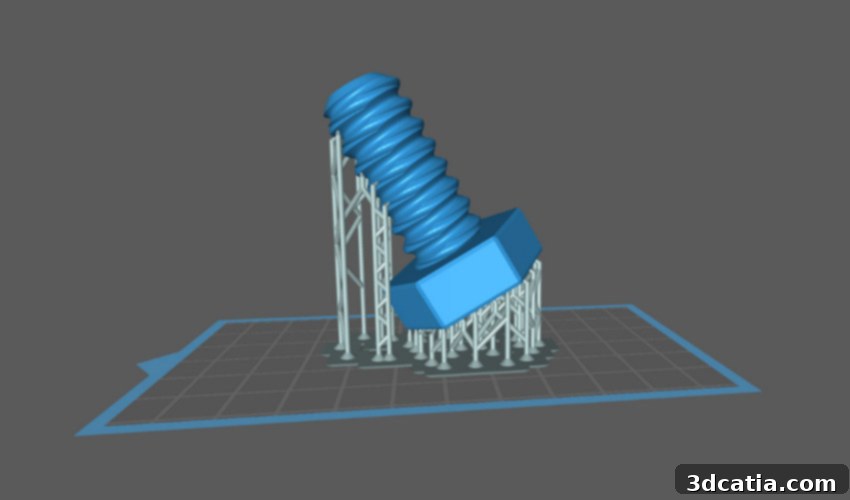
Mastering Resin 3D Printing: A Comprehensive Guide to the Best Slicing Software for SLA, DLP, and LCD Printers
In the dynamic world of additive manufacturing, particularly with resin-based technologies like Stereolithography (SLA), Digital Light Processing (DLP), and LCD 3D printing (collectively known as photopolymerization), a crucial piece of the puzzle often goes unnoticed by newcomers: the slicing software. Slicers are indispensable tools that bridge the gap between your digital 3D model and its physical manifestation. They meticulously “slice” a complex 3D design into hundreds or thousands of thin layers, generating a precise set of instructions (G-code or proprietary data) that your 3D printer understands and executes, layer by layer.
For resin 3D printing, the role of a slicer is even more critical due to the intricate nature of the process. Unlike Fused Deposition Modeling (FDM), where molten plastic layers are extruded, resin printing involves curing liquid photopolymer resin with UV light. This process demands exceptional precision in layer definition, exposure times, and especially, the strategic placement of support structures. Without a robust and intelligent slicer, even the most advanced resin printer would struggle to produce high-quality, successful prints. A good slicer allows users to define optimal print parameters, generate effective supports to prevent print failures, hollow models to save material, and even correct minor mesh errors, making it an absolute necessity for anyone venturing into resin 3D printing.
The market currently offers a diverse array of slicing solutions, each boasting unique functionalities and catering to different user needs, budgets, and printer compatibilities. Some are proprietary, designed exclusively for a specific brand of printer, while others are open-source or broadly compatible with a multitude of machines. Whether you’re a hobbyist seeking ease of use, a professional demanding advanced control for intricate designs like jewelry or dental implants, or a small business looking for efficient workflow management, there’s a slicer tailored for you. To help you navigate this complex landscape, we’ve compiled a comprehensive list of the most prominent slicing software options available for resin 3D printers, presented in alphabetical order, highlighting their key features and ideal use cases.
BuildBee: An Accessible, Cloud-Based Slicer for Seamless Resin Printing
BuildBee has positioned itself as an exceptionally accessible and user-friendly cloud-based slicer, particularly well-suited for SLA and DLP resin printing processes. Its core philosophy revolves around simplifying the 3D printing workflow, significantly reducing the chances of common printing errors through a structured and intuitive interface. This accessibility makes BuildBee an excellent choice for beginners or those who prefer a streamlined, hassle-free experience without compromising on essential functionalities. The software boasts broad compatibility with a wide range of popular resin 3D printers, including well-known brands like Flashforge, Elegoo, Anycubic, and Creality, ensuring that many users can integrate it into their existing setups.
A standout feature of BuildBee is its foundation in artificial intelligence. This AI model aids in optimizing print settings and offers a valuable tool for repairing 3D models, addressing common issues like manifold errors or inverted normals that can lead to print failures. While primarily highlighted for resin printing, BuildBee’s versatility extends to FDM machines as well, offering a unified slicing solution for users with diverse 3D printing arsenals. This cross-compatibility enhances its appeal by providing a consistent user experience across different printing technologies. While a free trial is available for users to explore its capabilities, a subscription costs $6 per month, reflecting its cloud-based service model and continuous development. BuildBee aims to make high-quality 3D printing more approachable for everyone, leveraging cloud computing for convenience and AI for intelligent print preparation.
ChiTuBox: A Dominant Force in Resin 3D Printing Slicers
Launched in 2017 by the Chinese company CBD-Tech, ChiTuBox rapidly ascended to become one of the most popular and widely adopted slicing software solutions for resin 3D printers. Its meteoric rise in popularity can be attributed to a combination of factors: an incredibly user-friendly interface, remarkable efficiency, and extensive compatibility with a vast array of SLA, DLP, and LCD printers available on the market. Many resin 3D printing enthusiasts and professionals alike consider ChiTuBox to be an industry standard, offering a comprehensive suite of tools essential for successful resin printing tasks, from hobbyist projects to more demanding professional applications.
ChiTuBox provides everything required to prepare a 3D model for resin printing. This includes robust support generation capabilities, allowing users to automatically generate supports or fine-tune them manually for optimal print success. It also features hollowing functions, which can significantly reduce resin consumption and print time, as well as tools for infill patterns, anti-aliasing for smoother surfaces, and model repair. While the software was initially entirely free, offering all its crucial tools without charge, CBD-Tech later introduced a “Pro” version. This premium iteration expands upon the free offering with additional advanced features, allowing for more detailed adjustments and specialized functionalities, catering to users who demand the utmost control and precision. The premium version is available for an annual subscription of $169, providing a powerful upgrade for dedicated professionals and advanced users seeking to push the boundaries of their resin 3D printing capabilities. Its enduring popularity stems from its balance of ease of use and powerful features, making it a go-to choice for a broad spectrum of resin printer owners.
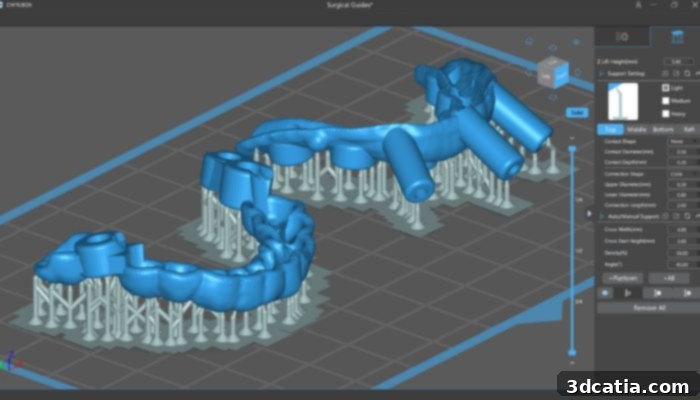
Formware: The Professional’s Choice for Advanced Resin Slicing
Formware stands out as a high-end, powerful slicing software engineered specifically for professionals and demanding resin printing applications. Unlike many entry-level or free slicers, Formware offers an extensive suite of advanced features designed to tackle complex and high-precision tasks. Beyond the standard SLA slicing tools, Formware integrates a variety of unique functionalities that are particularly beneficial for specialized industries. For instance, its robust capabilities make it an excellent choice for crafting intricate jewelry designs, where fine details and perfect surface finishes are paramount, or for producing highly accurate dental implants and models, requiring meticulous dimensional precision.
The software provides sophisticated support generation algorithms, allowing users unparalleled control over support structures, including options for custom geometries, densities, and attachment points. This level of control is crucial for preventing print failures on delicate or geometrically challenging models. While many resin slicer programs offer free versions, Formware operates on a different model, providing a generous 30-day trial period. This allows potential users to thoroughly evaluate its comprehensive toolset before committing to a purchase. Following the trial, users can opt for a single-user license priced at approximately $154.95 (€129.95), or for businesses requiring broader usage, a commercial license is available for around $359.95 (€299.95). In essence, Formware is an exceptional investment for professionals who require a premium slicing solution that provides a full, uncompromised package of tools to achieve superior results in their resin 3D printing endeavors.
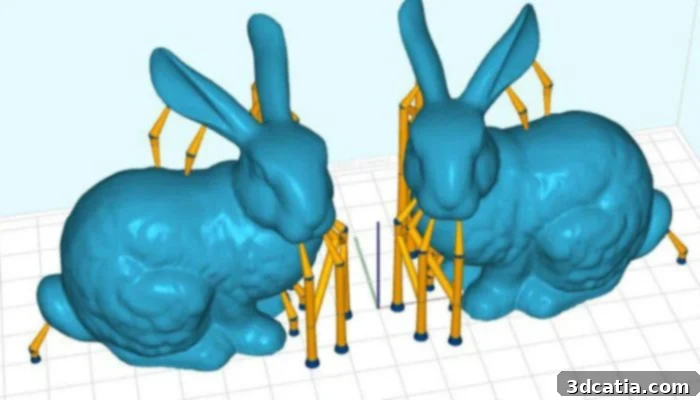
Lychee Slicer: Pixel-Perfect Precision for Resin Layers
Developed by the innovative manufacturer Mango 3D, Lychee Slicer is not just another tropical fruit, but a highly regarded slicing software for resin 3D printing, now in its third generation. This slicer distinguishes itself with a strong focus on delivering unparalleled accuracy and reliability, particularly through its unique approach to layer curing. Although initially compatible with a specific list of 3D printers, Mango 3D is dedicated to continuously expanding this list, making Lychee Slicer accessible to a growing community of resin printer owners. Its commitment to compatibility and ongoing development ensures it remains a relevant and powerful tool in the market.
One of Lychee Slicer’s most celebrated features is its powerful and intelligent support algorithm. This advanced system allows for the creation of incredibly robust and effective support structures, even for the most demanding and complex 3D models. The ability to generate reliable supports is crucial in resin printing, where delicate overhangs and intricate geometries can easily fail without proper reinforcement. Beyond its superior support generation, Lychee Slicer places a special emphasis on the “pixel pipeline” approach. Unlike traditional vector-based slicing, Lychee processes each layer pixel-by-pixel. This meticulous pixel-based workflow guarantees that every single resin layer is precisely and fully cured during the printing process. This attention to detail dramatically reduces the likelihood of under-cured areas, ensuring higher print success rates, superior dimensional accuracy, and smoother surface finishes. For users who prioritize precision and reliability in their resin prints, Lychee Slicer offers an intelligent and highly effective solution.
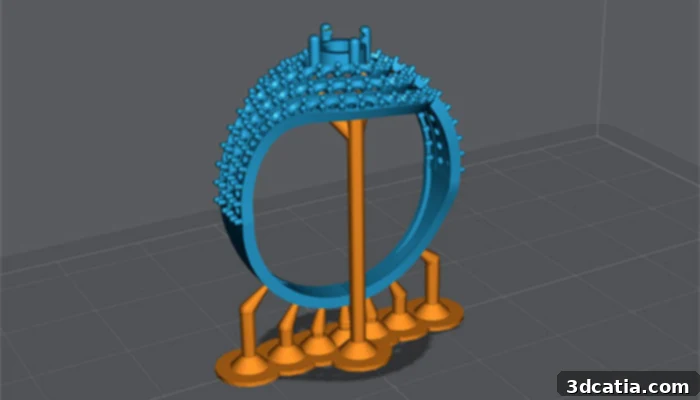
NanoDLP: A Unified Web Platform and Slicer for Resin 3D Printers
NanoDLP offers a unique and highly integrated solution for resin 3D printing enthusiasts and professionals alike. It’s more than just a slicing software; it’s a comprehensive web platform that empowers users to not only prepare their 3D models but also to conveniently monitor and control their 3D printers remotely. This integrated approach significantly enhances the user experience, providing flexibility and peace of mind, especially for longer prints or when managing multiple machines. The ability to check print progress, adjust settings, or even pause a print from anywhere with an internet connection is a significant advantage in modern 3D printing workflows.
The NanoDLP slicing component is remarkably compatible with the vast majority of resin 3D printers available on the market, making it a versatile choice for a broad user base. While the core NanoDLP platform offers extensive slicing capabilities, users seeking highly customized support structures can leverage NanoSupport, a complementary tool also available for free. This separation allows NanoDLP to remain lean for general slicing while offering advanced support options for those who need them. The feature set of NanoDLP is impressive, including crucial tools like masking for precise exposure control, various infill patterns to optimize material usage and print strength, and even anti-aliasing support to produce smoother, higher-quality surfaces by reducing jagged edges common in pixelated prints. This combination of robust slicing features and remote control capabilities makes NanoDLP a powerful and flexible choice for managing resin 3D printing operations efficiently.
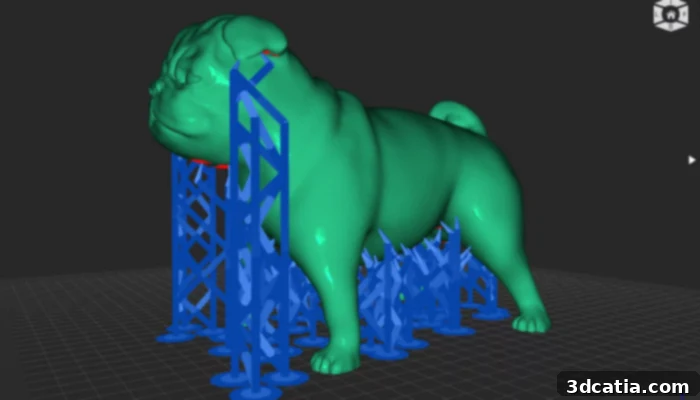
Photo Credits: NanoDLP
Photon Workshop: Anycubic’s Tailored Slicer for Resin Printers
For anyone familiar with Anycubic’s popular lineup of resin 3D printers, the name Photon Workshop will come as no surprise. This proprietary slicing software is meticulously designed and developed by Anycubic itself, specifically optimized to work seamlessly with its own range of resin 3D printers, most notably the acclaimed Photon Series. This tight integration ensures that users of Anycubic printers can expect a smooth and efficient workflow, with settings and profiles pre-configured for their specific machines, maximizing print success rates straight out of the box.
Photon Workshop is freely available for download, making it an accessible option for all Anycubic printer owners. While it might offer a more streamlined set of functionalities compared to some of the more feature-rich, universal SLA slicers on the market, its strength lies in its simplicity and user-friendliness. The interface is intuitive, allowing both beginners and experienced users to quickly set up and slice their models. It is compatible with both Windows and macOS operating systems, broadening its accessibility. Despite its focused feature set, Photon Workshop includes essential functionalities vital for resin printing. These include reliable automatic and manual support generation, enabling users to efficiently add necessary supports to their models. Additionally, it offers hollowing features, which are critical for saving resin and reducing print times, alongside other basic print preparation tools. For users of Anycubic Photon series printers, Photon Workshop serves as the ideal, purpose-built slicing companion, guaranteeing optimal performance and a straightforward printing experience.
PreForm: Formlabs’ Integrated Print Preparation and Slicing Solution
Continuing the trend of brand-specific software, PreForm is an advanced print preparation and slicing software developed by Formlabs, exclusively compatible with their range of resin 3D printers. For Formlabs users, PreForm is not merely a slicer but an integral part of their entire printing ecosystem, designed to optimize every step from model import to final print. This deep integration ensures that the software understands the unique characteristics of Formlabs printers and resins, leading to highly reliable and consistent print results. Its exclusive compatibility means it’s the definitive choice for Formlabs printer owners, though it does not extend to machines from other manufacturers.
PreForm is provided free of charge to Formlabs users and is compatible with both Windows and macOS operating systems, making it accessible across common computing environments. One of its most acclaimed features is “One-Click Print,” which embodies its commitment to ease of use. This functionality allows even those new to 3D printing to quickly and efficiently set up all necessary print parameters, including orientation, support generation, and resin type, with minimal input. The software intelligently analyzes the model and suggests optimal settings, significantly lowering the barrier to entry for complex resin printing. Beyond slicing, PreForm includes robust print preparation tools such as automatic orientation optimization, sophisticated support generation with customizable settings, and model repair capabilities. It also offers monitoring features, providing users with real-time feedback and control over their print jobs. Formlabs has designed PreForm to be incredibly user-friendly while offering powerful, professional-grade capabilities, making it an indispensable tool for achieving high-quality prints with their acclaimed SLA and LFS (Low Force Stereolithography) printers.
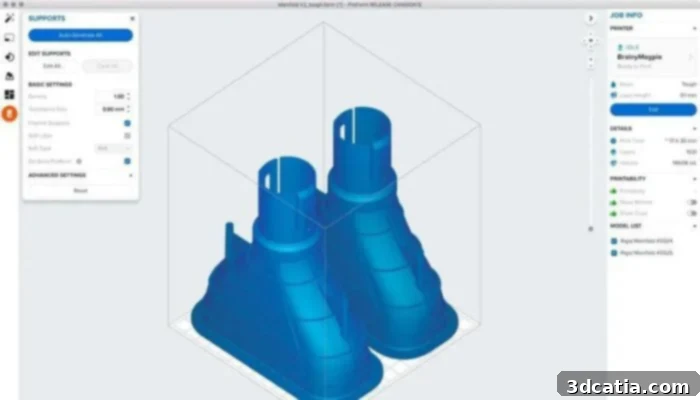
Photo Credits: Formlabs
PrusaSlicer: A Versatile Open-Source Slicer for FDM and SLA
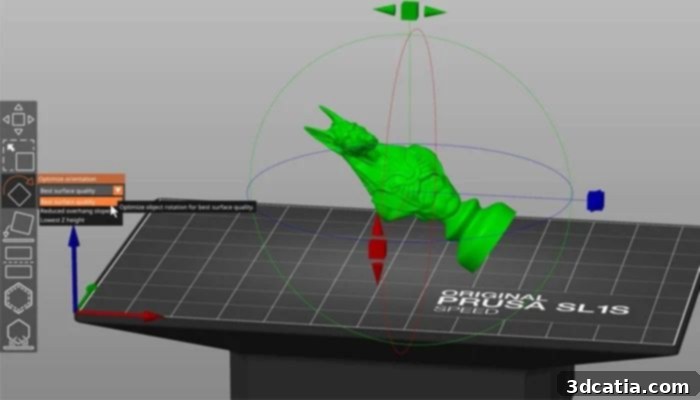
PrusaSlicer stands as a testament to the power of open-source development in the 3D printing community. Developed by the renowned 3D printer manufacturer Prusa Research, this free software is a highly versatile slicing solution compatible with both FDM and SLA 3D printers. Building upon the foundations of the popular open-source slicer Slic3r, Prusa Research has meticulously refined and enhanced it, incorporating numerous improvements and features specifically tailored to meet the evolving needs of its FDM and SLA printer users, as well as the broader 3D printing community.
One of PrusaSlicer’s significant advantages is its commitment to accessibility and user customization. It is available in an impressive 14 languages, catering to a global user base. Furthermore, it offers three distinct versions, each free and designed to match the user’s skill level: Beginner, Intermediate, and Advanced. This tiered approach allows new users to start with a simplified interface and gradually unlock more complex controls as their expertise grows, making it an ideal tool for learning and professional application alike. For SLA printing, PrusaSlicer includes robust features for support generation, hollowing, and optimizing exposure settings, drawing on Prusa’s extensive experience with their own resin printers like the SL1S Speed. As an open-source project, PrusaSlicer benefits from continuous development and community contributions, ensuring it constantly evolves to integrate the latest advancements, address user challenges, and support new hardware and materials. This active development cycle ensures that PrusaSlicer remains at the forefront of slicing technology, offering a powerful, flexible, and free solution for a wide range of 3D printing needs.
Vlare: Intuitive Slicing with Exposure Control and Expert Options
Vlare Slicer presents itself as a user-friendly yet powerful free slicing software for resin 3D printers, with its latest version continuously bringing improvements to the table. Its development emphasizes a balance between ease of use for new entrants into resin printing and detailed control for seasoned professionals. The software is particularly noted for its built-in exposure control, a critical feature in resin printing that directly impacts print quality, curing speed, and material consumption. Precise exposure management is key to preventing print failures and achieving fine details, and Vlare provides tools to manage this effectively.
Another core strength of Vlare is its reliable automatic support generation. The software comes equipped with built-in profiles that help users quickly generate effective supports for a wide array of models. For those requiring more granular control, expert options are available, allowing for detailed customization of support structures to ensure successful printing even with challenging geometries. This flexibility makes Vlare suitable for diverse applications. Furthermore, Vlare Slicer boasts an intuitive interface, which is particularly beneficial for new users who might otherwise be overwhelmed by the complexities of resin slicing. For professionals, the expert mode unlocks deeper settings, enabling fine-tuning for specific resins, printers, and desired print outcomes. Among its many features, the ability to add text directly to 3D models is a notable addition, useful for labeling parts, adding serial numbers, or integrating branding directly onto prints. Vlare continues to be a compelling free option, offering robust features for both beginners and experienced users in the resin 3D printing community.
Z-Suite: Zortrax’s Ambitious Slicer for LCD 3D Printers
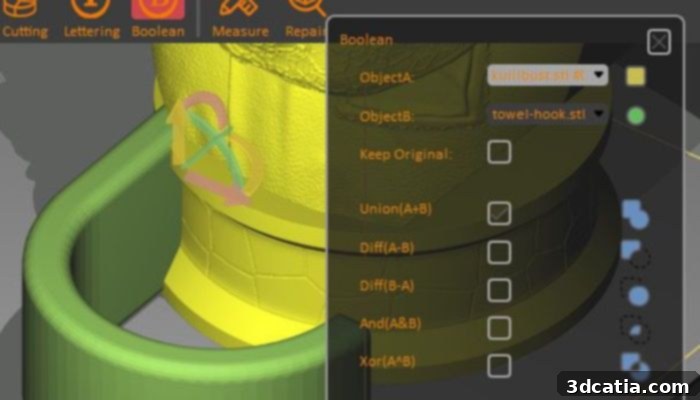
Z-Suite is the sophisticated slicing software developed by Zortrax, primarily designed to complement and optimize the performance of their Zortrax Inkspire line of LCD 3D printers, as well as being compatible with other third-party LCD 3D printers optimized by Zortrax. This software goes beyond basic slicing, offering a comprehensive suite of features aimed at ensuring high-quality prints and an efficient workflow, especially for more ambitious and complex projects. Zortrax has packed Z-Suite with functionalities that cater to both precision and convenience, making it a powerful tool for professional environments.
Among its many robust features, Z-Suite allows for automatic generation of support structures, critical for resin printing, along with advanced options such as filling gaps within models to ensure structural integrity. It also includes functions for smoothing edges (anti-aliasing) to improve surface quality and additional exposure settings for supports, enhancing their adhesion and reliability. One of the most compelling aspects of Z-Suite is its integrated WIFI module, which facilitates the connection and management of multiple Zortrax Inkspire printers simultaneously. This capability transforms a single workstation into a command center, allowing users to efficiently oversee and control an entire farm of printers from a single computer. This is invaluable for production environments or educational institutions running multiple print jobs. Furthermore, Z-Suite incorporates intelligent options like automatic detection of the final material (resin type), updated extruder profiles, and construction platform settings, which streamline the print preparation process. The inclusion of a camera feed for real-time monitoring further enhances reliability, allowing users to promptly detect and address any potential risks or issues during printing. Z-Suite stands as an ambitious and highly capable slicer, particularly for users within the Zortrax ecosystem or those seeking advanced management features for LCD resin printing.
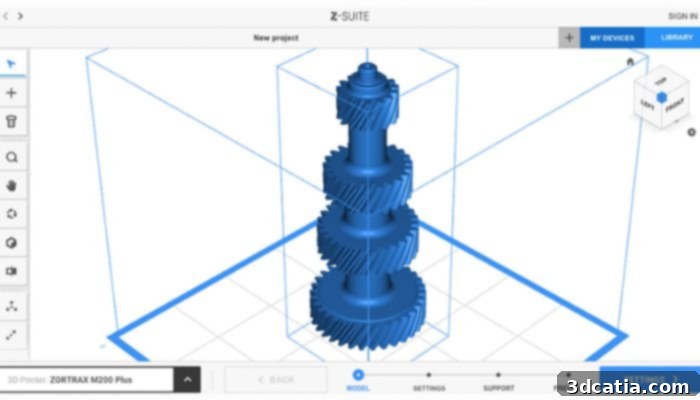
Photo Credits: Zortrax
Selecting the right slicing software is as crucial as choosing the right 3D printer itself, especially for resin-based additive manufacturing. Each slicer presented here, from the user-friendly BuildBee to the professional-grade Formware and the integrated Z-Suite, offers a unique set of features and caters to different user profiles and requirements. Whether you prioritize ease of use, advanced control, specific printer compatibility, or comprehensive remote management, there is a powerful tool available to optimize your resin 3D printing experience. We hope this comprehensive overview has provided valuable insights into the best slicing software options on the market, helping you make an informed decision to achieve flawless and efficient 3D prints.
What do you think of our selection of slicers for resin 3D printers? Let us know in a comment below or on our LinkedIn, Facebook, and Twitter pages! Don’t forget to sign up for our free weekly Newsletter here, to get the latest 3D printing news straight to your inbox! You can also find all our videos on our YouTube channel.