
ZBrush: The Ultimate Digital Sculpting Software for High-Detail 3D Models and Additive Manufacturing
In the realm of modern manufacturing and creative design, the journey from concept to tangible object often begins with a meticulously crafted 3D digital model. This foundational step is critical for a multitude of applications, from video game development and film visual effects to product prototyping and, most notably, 3D printing. While Computer-Aided Design (CAD) has long been the industry standard for precision engineering and architectural modeling, a distinct category of software has emerged to cater to the needs of artists and designers focused on organic, highly detailed, and free-form sculptures. Among these, ZBrush stands out as a pioneering and dominant force.
Developed by Pixologic (now part of Maxon) and first introduced in 1999, ZBrush revolutionized digital sculpting by offering a workflow that closely mimics traditional artistic methods. Unlike the geometric and parametric constraints often found in CAD programs, ZBrush provides artists with virtual brushes and a digital “clay” environment, empowering them to sculpt, model, and paint intricate details with unparalleled artistic freedom. Its extensive feature set and intuitive approach have solidified its position as a go-to tool for creating high-fidelity digital sculptures and textures across various professional industries.
ZBrush vs. Traditional CAD Software: A Deep Dive into Modeling Paradigms
While both ZBrush and CAD software like Sketchup, FreeCAD, or 3D Builder aim to create three-dimensional models, their underlying methodologies and primary applications diverge significantly. Traditional CAD software is built on principles of precision, measurement, and geometric accuracy. It’s ideal for designing parts with exact dimensions, mechanical components, architectural structures, and objects that require strict engineering tolerances. Users typically work with primitives, sketches, and parametric features that can be easily modified and refined based on numerical inputs.
In contrast, ZBrush embraces an organic, artistic approach. It’s not designed for precise measurements or parametric control in the same way CAD is. Instead, ZBrush allows artists to push, pull, smooth, and pinch a mesh as if it were actual clay, focusing on form, texture, and intricate surface details. This makes it the preferred choice for professionals and 3D printing enthusiasts aiming to create highly realistic organic sculptures, characters, creatures, and objects where aesthetic detail takes precedence over engineering exactitude. The ability to manage millions of polygons with ease allows for an incredible level of artistic expression, making it perfectly suited for additive manufacturing where fine details can truly shine.
Real-World Impact: Sculpting the Impossible with ZBrush
The versatility and power of ZBrush are evident in its widespread adoption across numerous creative industries. Its capacity to handle extremely high-polygon models with fine details makes it indispensable for bringing complex visions to life.
For instance, the Californian design studio Aaron Sims Creative famously leveraged ZBrush and 3D printing to realize the terrifying Demogorgon, the iconic creature from Netflix’s hit series *Stranger Things*. ZBrush was instrumental in sculpting the creature’s detailed anatomy, intricate textures, and menacing features, which were then translated into physical models through additive manufacturing for costume and prop creation. This showcases ZBrush’s critical role in visual effects pipelines and physical production design.
Beyond Hollywood monsters, ZBrush empowers individual artists to express their unique visions. Designer Eddie Christian, for example, utilized ZBrush to meticulously reproduce a mask bearing the chilling smile of the Joker, demonstrating the software’s capability for capturing nuanced human expressions and intricate prop designs. Its applications extend far beyond these examples:
- Film & TV: Used for creature design, character modeling, digital doubles, props, and environments in major blockbusters and television series.
- Video Games: Essential for creating high-resolution character models, environmental assets, and detailed textures for both in-game assets and cinematic cutscenes.
- Collectibles & Figurines: Artists and studios rely on ZBrush to sculpt highly detailed statues, action figures, and resin kits, often preparing these digital models directly for 3D printing and mold making.
- Jewelry Design: Allows designers to craft intricate and organic jewelry pieces that would be challenging or impossible to create with traditional CAD or hand-sculpting methods.
- Medical & Dental: Used for creating anatomical models, custom prosthetics, and surgical guides that require intricate detailing and customization.
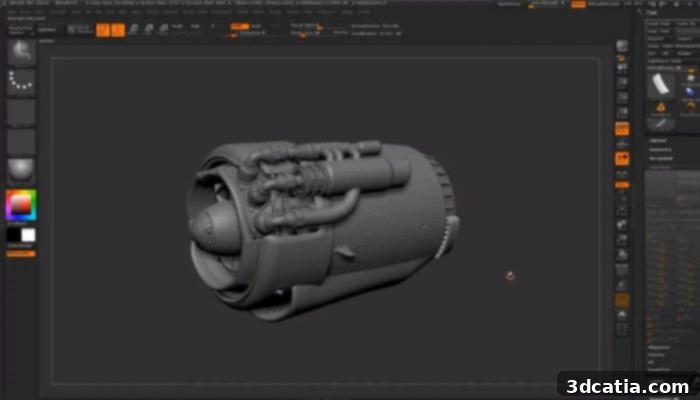
Modeling in ZBrush (photo credits: Formlabs)
Exploring ZBrush’s Powerful Feature Set: The Digital Sculptor’s Toolkit
ZBrush’s extensive array of tools and features is what truly sets it apart, enabling users to create models with extraordinary realism and detail. The platform is designed to emulate the intuitive workflow of analog artists, where brushes are the primary interface for shaping and refining digital clay. When you delve into ZBrush, you gain access to the same professional-grade features utilized by leading film studios, renowned jewelry designers, and countless artists worldwide.
The Brush System: Your Digital Chisel and Clay
At the heart of ZBrush is its unparalleled brush system. Users can choose from hundreds of customizable brushes, each designed for specific sculpting tasks. From standard brushes that push and pull the surface to specialized tools like Clay Buildup (which adds volume like real clay), Dam_Standard (for crisp cuts and wrinkles), and Orb_Cracks (for creating intricate surface damage), the possibilities are endless. These brushes can be modified in size, intensity, and falloff, offering granular control over every stroke and enabling the creation of extremely fine details, organic forms, and hard surfaces alike.
Dynamic Topology Management: Dynamesh and ZRemesher
One of ZBrush’s most revolutionary features is its intelligent mesh management. Dynamesh allows artists to sculpt freely without worrying about polygon stretching or topology limitations. As you add or remove volume, Dynamesh automatically reconstructs the mesh to maintain an even distribution of polygons, making the sculpting process incredibly fluid and iterative. Once the high-detail sculpting is complete, ZRemesher steps in to automatically retopologize the model, creating a clean, animation-friendly, and lower-polygon mesh while preserving the sculpted details through normal maps. This combination ensures artists can focus on creativity without getting bogged down by technical mesh constraints.
Sculpting with Precision: Subdivision Levels and Layers
ZBrush utilizes subdivision levels to manage detail effectively. Artists can start with a low-polygon base mesh and progressively subdivide it, adding finer details at each level without affecting the broader forms. This hierarchical approach allows for both major structural changes and minute surface imperfections within a single model. Additionally, ZBrush’s layer system provides a non-destructive workflow, allowing artists to sculpt details on separate layers, similar to Photoshop, making it easy to adjust, blend, or even remove specific details without impacting the underlying sculpture.
Painting and Texturing: Polypaint and Spotlight
Beyond sculpting, ZBrush offers robust tools for painting and texturing directly onto the 3D model. Polypaint enables artists to paint color information directly onto the polygons of their mesh, providing an intuitive way to add vibrant textures and detailed patterns without needing UV maps initially. For more advanced texturing, Spotlight allows users to project image textures onto their models with precision, making it easy to blend photorealistic details and complex patterns directly onto the sculpted surface.
Latest Innovations: ZBrush 2023 and Beyond
Maxon’s commitment to continuous innovation ensures that ZBrush remains at the forefront of digital sculpting technology. The latest version, ZBrush 2023, introduced a suite of powerful new features designed to give artists even greater creative freedom and accelerate their workflow.
For example, the innovative Mask Region function automatically fills the contours of complex masks with a single click, saving artists countless hours previously spent manually masking intricate areas. The groundbreaking Slime Bridge feature offers a unique tool for procedural generation, allowing users to effortlessly create organic, slime-like structures, branching networks, or intricate tendrils by simply marking different components of a network. This is particularly useful for creature design, environmental details, or fantastical elements. Furthermore, the enhanced Dynamic Symmetry function extends local symmetry capabilities, allowing models to be moved, scaled, and rotated while perfectly maintaining their symmetry, which is invaluable for character sculpting and maintaining proportional accuracy during complex transformations.
Looking ahead, the next version of ZBrush is already scheduled for release in November 2024, promising further advancements. Anticipated changes include significant updates to the Anchor brush, providing even greater control and flexibility for precise surface manipulation, and expanded possibilities for the Knife Brush function, enhancing its capabilities for clean cuts, slices, and hard-surface modeling. These continuous updates underscore ZBrush’s dedication to evolving with artists’ needs and pushing the boundaries of what’s possible in digital sculpture.
ZBrush for Additive Manufacturing: From Digital Sculpture to Tangible Object
ZBrush’s strengths make it exceptionally well-suited for preparing models for 3D printing, a process often referred to as additive manufacturing. Its ability to create intricate details translates directly into high-quality physical prints. However, transitioning a ZBrush sculpt to a printable file requires specific considerations:
- Watertight Meshes: For successful 3D printing, models must be “watertight” – meaning they have no holes or unjoined edges. ZBrush provides tools like Dynamesh and various mesh repair functions to ensure the model is a solid, continuous volume suitable for printing.
- Polygon Count Management: While ZBrush handles millions of polygons with ease, 3D printers and slicer software may perform better with optimized meshes. ZBrush’s Decimation Master is an invaluable tool for intelligently reducing the polygon count of a high-detail sculpt without significantly compromising visual fidelity, ensuring faster processing and smaller file sizes for printing.
- Export Formats: ZBrush can export models in widely accepted 3D printing formats such as STL (Stereolithography), OBJ, and VRML (for color printing), ensuring compatibility with virtually all 3D printers and slicing software.
- Scale and Wall Thickness: Artists must consider the physical scale of the intended print and ensure that all features, especially thin walls or delicate protrusions, meet the minimum wall thickness requirements of the chosen 3D printing technology to prevent breakage during printing or post-processing.
- Printing Technologies: ZBrush models are perfect for resin-based (SLA/DLP) 3D printers that excel at capturing fine details, making them ideal for miniatures, jewelry, and detailed figurines. They can also be adapted for FDM (Fused Deposition Modeling) for larger, more robust prints, or SLS (Selective Laser Sintering) for complex geometries without support structures.
The combination of ZBrush’s artistic freedom and precision 3D printing technologies offers an unparalleled workflow for bringing highly detailed digital creations into the physical world, empowering artists, designers, and engineers to explore new frontiers in tangible design.
Accessibility and Investment: ZBrush Pricing and Learning Resources
While ZBrush is a professional-grade tool, Maxon offers various purchasing options to make it accessible to a wider audience. The current ZBrush software is available in its full version starting from $29.91 per month or $359.00 per year for a subscription, offering flexibility for individual artists and studios. Perpetual licenses are also often available for those who prefer to own their software outright. Educational licenses and student discounts are typically offered, further lowering the barrier to entry for aspiring digital sculptors.
Learning ZBrush can involve a steep curve due to its unique interface and vast feature set, but the rewards are significant. A thriving online community, extensive tutorials from Maxon’s official ZClassroom, and numerous third-party artists on platforms like YouTube provide an abundance of learning resources. These communities and tutorials offer invaluable guidance, making the journey to mastering ZBrush an engaging and ultimately empowering experience.
Join the ZBrush Community and Share Your Creations
ZBrush is more than just a software; it’s a creative ecosystem that continues to inspire artists and innovators worldwide. Its unique approach to digital sculpting has redefined how complex, organic, and highly detailed 3D models are created, making it an indispensable tool for anyone serious about digital art, character design, visual effects, and high-quality 3D printing. Whether you’re a seasoned professional or just starting your journey into the world of digital sculpting, ZBrush offers the tools and flexibility to bring your most ambitious ideas to life.
Have you ever used ZBrush for your 3D modeling or 3D printing projects? We’d love to hear about your experiences and see your amazing creations! Let us know in a comment below or connect with us on our LinkedIn, Facebook, and Twitter pages! Don’t forget to sign up for our free weekly Newsletter here to get the latest 3D printing news straight to your inbox! You can also find all our videos, including more insights into digital design and additive manufacturing, on our YouTube channel.