Software
All You Need to Know About Halot Box From Creality
Halot Box is a slicer developed by Creality, a well-known affordable 3D printer manufacturer. This software has been specially designed to optimize the use of the brand’s range of resin 3D printers. Previously, we mentioned another Creality software, Creality Print,…
- 3 min read
- Software
- Six more stories
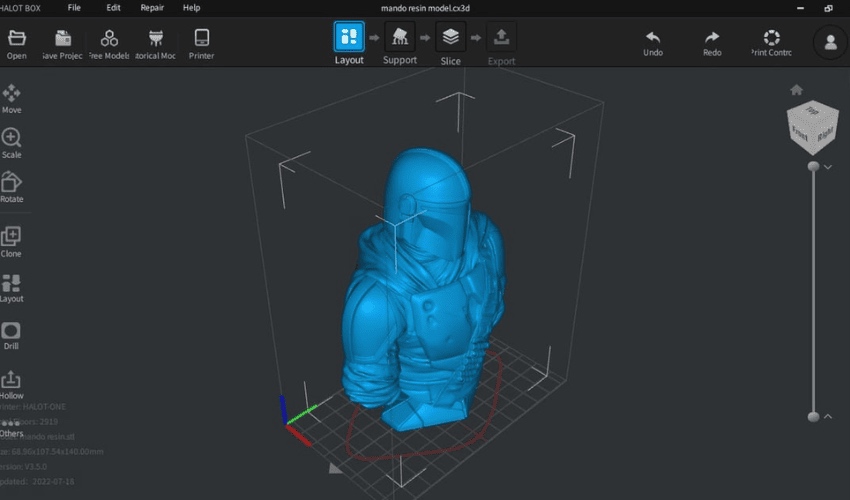
Halot Box is a slicer developed by Creality, a well-known affordable 3D printer manufacturer. This software has been specially designed to optimize the use of the brand’s range of resin 3D printers. Previously, we mentioned another Creality software, Creality Print, which is dedicated to FDM 3D printers. Launched in 2022, Halot Box is accessible to an international audience thanks to its interface available in 14 different languages. Creality’s long-term objective is to enhance Halot Box’s functionalities to make it an even more versatile and powerful tool.
We’ve already come across a number of slicers for resin 3D printing, such as ChiTuBox, Vlare and Lychee, but they don’t always perfectly match the specific requirements of each 3D printer. It is precisely in this context that Creality introduces Halot Box. Creality, well known for its wide range of FDM printers, is also making a name for itself in the resin printer sector. Halot Box is the slicing software specially designed by Creality for its Halot series and other resin printer models. Available as a free download from the manufacturer’s website, the slicer stands out for its user-friendliness, making it intuitive to use for beginners and experienced users alike. But what are its features?
The Features of Halot Box
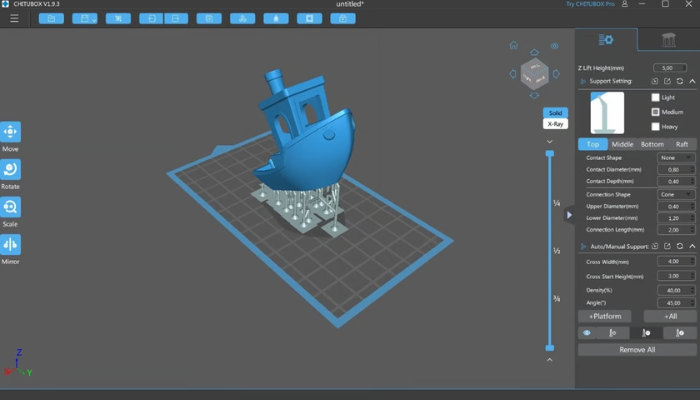
Creality Halot Box boasts a modern, uncluttered interface, making it particularly accessible to beginners in resin 3D printing. In terms of functionality, it offers a full range of adjustable parameters essential for resin printing, including exposure time, layer thickness and print speed. In addition, Halot Box integrates basic 3D modeling tools, enabling parts to be moved, resized, drilled and hollowed directly within the software. One of its special features is its ability to manage multiple models or models made up of several parts on the printing plate. Using the “Clone” tool, you can easily duplicate models and position them on the printing plate. This feature is particularly useful when printing complex projects requiring the simultaneous printing of several different parts.
More from the desk
Six other notes from the rest of the bench.
 MaterialsPLA vs ABS: Which Material Should You Choose?When it comes to 3D printing polymers, it can be hard to decide which one to use. This is the case for pretty much any 3D printing technology, but especially for beginners or hobbyists using FDM/FFF 3D printing for whom…
 Applications3DExpress: World’s Largest 3D Printed Pharmaceutical Facility Opening in ChinaSince its founding in 2015, pharmaceutical company Triastek has repeatedly made headlines with its advances in 3D printed drugs—including treatments for ulcerative colitis, bowel disease, and more. Now, the company has announced the opening of the world’s largest 3D printed&helli
 News‘Elicit Ti’ Cycling Goggles: The Fusion of Quality and SustainabilityAdditive manufacturing, also known as 3D printing, is being used in a wide range of fields, including construction, medicine, and space exploration. In the world of sports, 3D printing has already made an impact, creating customized bicycle grips, helmets, and…
 NewsThe QR3D House: Four Floors of Futuristic DesignAdditive manufacturing has once again demonstrated its agility in the construction sector, this time in Singapore! The country recently opened a multi-story house with 3D printed walls. The project was called QR3D and it was designed by architectural firm Park…
 News3D Daily Show #3: Moving Towards Industrialization of AMHow is additive manufacturing industrializing? Though a dream for many years, it has been at this Formnext that we have truly started to see the full realization of AM for industrial purposes such as manufacturing. To accomplish this impressive feat,…
 NewsCanadian Innovator Improves Accessibility Through 3D PrintingIn the city of Warman, Saskatchewan, located in Western Canada, one maker is using 3D printing technology to help create practical solutions that improve accessibility and independence for people with disabilities. After experiencing a life-altering car accident in 2020, Nicolas&