
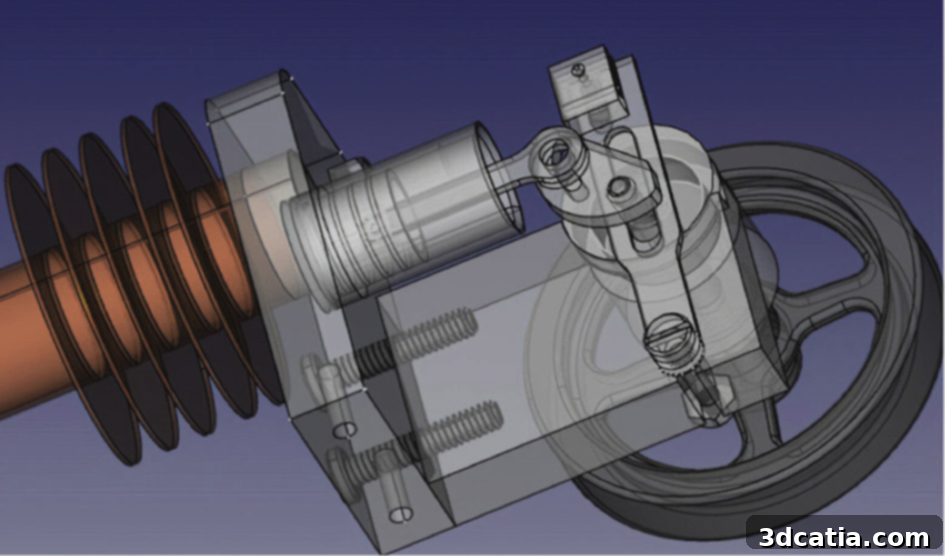
FreeCAD: Master Open-Source Parametric 3D Modeling for All Your Design Needs
In the exciting world of 3D printing and manufacturing, the journey from a conceptual idea to a physical object typically begins with a 3D model. Before this model can be brought to life by a 3D printer, it must first be processed by a slicer – software that translates the 3D design into printer-understandable instructions. Many aspiring creators and professionals alike turn to platforms such as Thingiverse, which host vast libraries of ready-to-download models. However, for those who wish to embark on their own unique designs, a dedicated 3D modeling software is indispensable. Among the myriad of options available, FreeCAD stands out as a powerful, versatile, and highly accessible choice. Developed collaboratively by Jürgen Riegel, Werner Mayer, and Yorik van Havre, FreeCAD is celebrated for being an open-source and entirely free parametric 3D CAD modeler, empowering users to create designs without financial barriers.
FreeCAD has rapidly ascended to become one of the most widely recognized and utilized modeling programs on the market. Its appeal lies in its robust capabilities, allowing users to design objects of virtually any size and complexity, from intricate mechanical components to sprawling architectural structures. What truly sets it apart, as its name suggests, is its zero-cost barrier to entry, making professional-grade CAD tools accessible to everyone. The strength of FreeCAD is further amplified by its thriving global community; currently, the official forum alone boasts over 25,000 active members. This vibrant community regularly engages in discussions, shares insights, provides support, and collaborates on new features and solutions to design challenges. While the exact number of software downloads remains unquantified, it is undoubtedly significantly higher than its active forum users, pointing to its widespread adoption across various industries and educational settings.
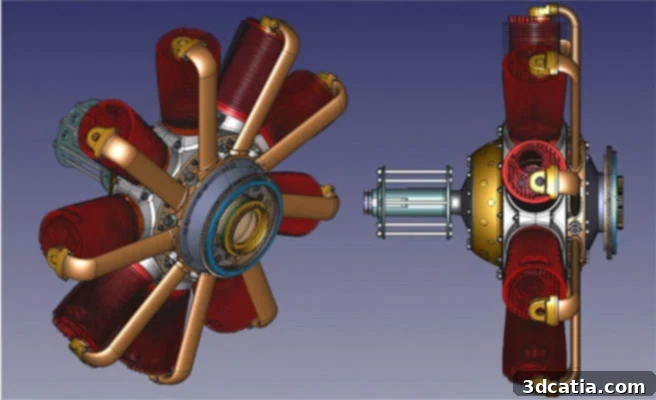
FreeCAD is an open-source parametric 3D modeler made primarily to design real-life objects of any size.
FreeCAD’s exceptional flexibility makes it a preferred tool across diverse sectors, particularly in product design, mechanical engineering, and industrial applications where precision and adaptability are paramount. Beyond professional environments, its intuitive design also makes it highly suitable for personal use, empowering hobbyists, students, and educators to bring their creative visions to life. Catering to both beginners and advanced users, FreeCAD extends far beyond basic CAD modeling. It offers an expansive suite of features, including capabilities for complex simulations, which are crucial for analyzing stress, strain, and material behavior in designed parts. A core defining characteristic of FreeCAD is its parametric nature. This means that every individual element of a design, and more importantly, its relationships to other elements, can be precisely defined and adjusted programmatically. Users essentially model by setting up parameters and constraints, rather than just directly manipulating geometry. This powerful approach allows for dynamic modifications; by altering a single parameter, an entire complex structure can intelligently update, leading to the efficient creation and iteration of highly sophisticated designs. A key advantage of this parametric workflow is the user’s permanent access to original sketches and historical operations, enabling seamless modifications at any stage of the design process without rebuilding from scratch.
The extensive utility of FreeCAD is further enhanced by its broad support for a multitude of file formats, ensuring seamless interoperability with other CAD software and manufacturing pipelines. It natively supports industry-standard formats such as STEP, IGES, STL (essential for 3D printing), SVG, DEX, OBJ, IFC (critical for Building Information Modeling), and DAE. This wide compatibility ensures that designs created in FreeCAD can be easily shared, modified, and used in various professional workflows. Furthermore, FreeCAD is a truly cross-platform application, offering full compatibility with Windows, Linux, and Mac operating systems, removing barriers for users regardless of their preferred computing environment. What truly makes FreeCAD exceptionally versatile is its open-source philosophy, which grants users an unparalleled degree of freedom. Users are not just consumers of the software but active contributors and extenders. The software’s capabilities can be significantly expanded through a vast ecosystem of various plug-ins and workbenches developed by the community. The sheer choice of free plug-ins is enormous, enabling FreeCAD to be optimally tailored for diverse specialized tasks and user groups. This adaptability makes FreeCAD an invaluable tool for a wide range of professionals and learners: from product designers creating innovative prototypes, mechanical engineers designing precision parts, and architects visualizing complex structures, to teachers educating the next generation of engineers and students honing their design skills. Moreover, a wealth of high-quality tutorials, documentation, and community-driven guides are readily available online, making it straightforward for anyone, from novices to experts, to improve their proficiency and unlock the full potential of this powerful software.
Key Features and Workflows in FreeCAD
Within FreeCAD, users have access to several powerful modeling paradigms, often categorized into distinct “Workbenches.” The primary method for creating robust solid models is through Solid Construction Geometry (SCG), predominantly facilitated by FreeCAD’s “Part” Workbench. SCG is a foundational technique that involves building a complex 3D model by combining and manipulating a set of simpler, pre-defined “primitive” shapes. These primitives include basic geometric forms such as cubes, cylinders, spheres, cones, and tori. The power of SCG lies in its Boolean operations: these primitive shapes can then be combined using logical operations to produce the desired intricate geometry. For instance, one shape can be precisely subtracted from another (e.g., drilling a hole), two shapes can be united to form a single, larger object, or the intersection of two shapes can be extracted. Beyond Boolean operations, shapes can also be refined and modified in various ways, for example, by applying fillets (rounded edges) or chamfers (beveled edges) to enhance aesthetics or functionality, all while maintaining a parametric history that allows for easy modifications.
Another cornerstone of FreeCAD’s modeling capabilities is its sophisticated 2D sketching environment, typically found in the “Sketcher” Workbench. This powerful tool allows users to create precise 2D sketches, which serve as the foundation for complex 3D models. The 2D sketch essentially describes the cross-sectional profile or footprint of the subsequent 3D shape. This process involves the user carefully placing various points, lines, arcs, and other geometric entities and connecting them together on a 2D plane. FreeCAD’s intuitive interface allows the sketch to be viewed and manipulated from different angles, ensuring accuracy. Crucially, it is possible to define complex geometric and dimensional relationships (constraints) between these lines and points, such as parallelism, perpendicularity, tangency, specific angles, and fixed lengths. When a size or a position is subsequently changed, the defined relationships between the lines and points remain intact, preserving the design intent. Once a fully constrained 2D sketch is complete, it can be effortlessly transformed into a three-dimensional model using operations like “Pad” (extrusion) to add a user-defined thickness, or “Revolve” to rotate the sketch around an axis. Based on this highly constrained sketch, a precise three-dimensional structure is created in a remarkably short time, allowing for rapid prototyping and iteration.
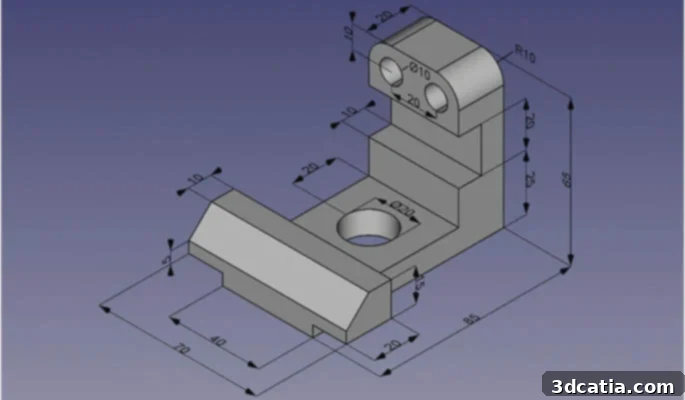
The software is a parametric software, which means that individual elements and their relationship to other elements can be adjusted.
Once a 3D model has been created, it can be freely rotated, zoomed, and panned within the FreeCAD environment, much like its 2D counterpart, allowing for comprehensive visualization from all angles. Various modifications can then be applied directly to the 3D model, such as drilling holes, adding pockets, or applying cuts, all of which are managed parametrically. One of FreeCAD’s most praised attributes is its particularly ergonomic and user-friendly interface. This thoughtful design ensures that the user can always revert to the initial sketch or any prior operation in the design history and modify it easily. This non-destructive workflow is incredibly powerful, as it allows creativity to flourish, facilitates extensive experimentation, and encourages multiple design iterations without fear of losing progress or having to restart. Finally, once the design is finalized, the 3D model can be saved in one of the many available file formats suitable for various purposes. For 3D printing, it is often exported as an STL file, which can then be sent directly to a slicer software like Cura for preparation, before finally being transmitted to the 3D printer for physical fabrication. For more in-depth information and resources, users are encouraged to visit the official FreeCAD website.
The Latest Version of the Software: FreeCAD 0.21
FreeCAD is under continuous development, with a dedicated community constantly pushing its boundaries and enhancing its features. To date, the most recent stable release is FreeCAD 0.21, which was officially launched in August 2023. This version brought with it a host of significant improvements and new capabilities designed to refine the user experience and expand the software’s functionality. Notable enhancements include substantial improvements to the user interface (UI), making the software even more intuitive and efficient to navigate. One key UI update is the revamped navigation cube, which provides a more ergonomic and fluid way to orient and view models in 3D space. Additionally, FreeCAD 0.21 introduced the ability to effectively section overlapping objects, a crucial feature for precise assembly design and analysis. Beyond UI refinements, the update delivered new features and optimizations across various core aspects of the software. This includes enhancements to the core system, providing a more stable and powerful foundation. The Application Programming Interface (API) also received significant updates, empowering developers and advanced users to integrate FreeCAD’s functions with other applications and create custom scripts. The Addon Manager, which handles the vast array of community-contributed plug-ins, was also improved, making it easier for users to discover, install, and manage extensions. Furthermore, the numerous Workbenches, which organize specialized tools for different design tasks (e.g., Part Design, Arch, TechDraw), received specific improvements, broadening their capabilities and streamlining workflows. A comprehensive overview of all the detailed changes, bug fixes, and new features introduced in this release can be found in the official FreeCAD 0.21 release notes, which are available HERE.
Are you already an active user of FreeCAD? If so, we’d love to hear about your experiences! What innovative models have you designed, or what challenging projects have you tackled using this powerful open-source software? Share your insights and creations in a comment below, or engage with our community on our Facebook and Twitter pages! Don’t forget to sign up for our free weekly Newsletter to receive all the latest news, updates, and innovations in the world of 3D printing delivered directly to your inbox!