
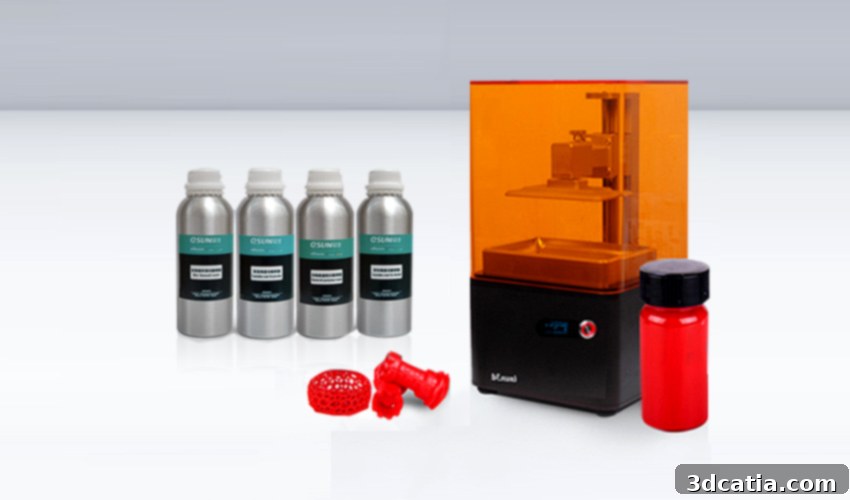
eSun Isun3D L120: An In-Depth Review of an Affordable & Open LCD Resin 3D Printer
eSun, a prominent Chinese manufacturer widely recognized for its diverse range of high-quality filaments for FDM3D printers, has recently made a significant entry into the rapidly expanding resin 3D printing market. Their new offering, the Isun3D L120, arrives with an impressive promise: professional-grade resin printing capabilities at a price point well under 1,000€ (approximately $1,130 USD). This aggressive pricing strategy is undoubtedly one of the L120’s most compelling features, positioning it as a formidable contender against more established and often significantly more expensive SLA 3D printers, such as the widely acclaimed Formlabs Form 2 or the powerful Uniz3D Slash +. The L120 aims to democratize access to high-resolution resin printing, bringing this advanced technology within reach of a broader audience, from enthusiastic hobbyists to small businesses and educational institutions.
The Isun3D L120 leverages advanced light-curing technology, specifically an LCD-based masked stereolithography (MSLA) process. This method involves using an LCD screen to selectively block UV light, hardening liquid resin layer by layer. On paper, the printer boasts truly impressive performance specifications, featuring an X/Y accuracy of 0.05mm and a Z-axis accuracy of 0.02mm. These exceptional precision levels are largely attributable to its high-resolution 2K LCD screen, which provides a detailed display of 1440 x 2560 pixels. Such precision allows for the creation of intricate models with remarkably fine details and smooth surface finishes, qualities that are paramount in resin 3D printing. Furthermore, a significant advantage of the Isun3D L120 is its commitment to being an open solution. This means users are not locked into proprietary resin systems; instead, they benefit from broad compatibility with a vast selection of third-party resins available on the market. This openness offers greater flexibility, competitive pricing on materials, and the freedom to experiment with various resin types tailored to specific application needs, making it a truly versatile and user-friendly resin 3D printer.
To thoroughly evaluate the performance, usability, and overall value proposition of this remarkably affordable and open resin 3D printer, the eSun Isun3D L120 underwent rigorous testing in the 3Dnatives Lab. Our comprehensive assessment aimed to uncover its strengths, identify any potential drawbacks, and determine how it truly stacks up against its competitors and user expectations. The findings from this in-depth test are detailed below, providing potential buyers with an unbiased and exhaustive overview of what to expect from this exciting new entry into the resin 3D printing landscape.
1. Unpacking the Isun3D L120 and First Impressions
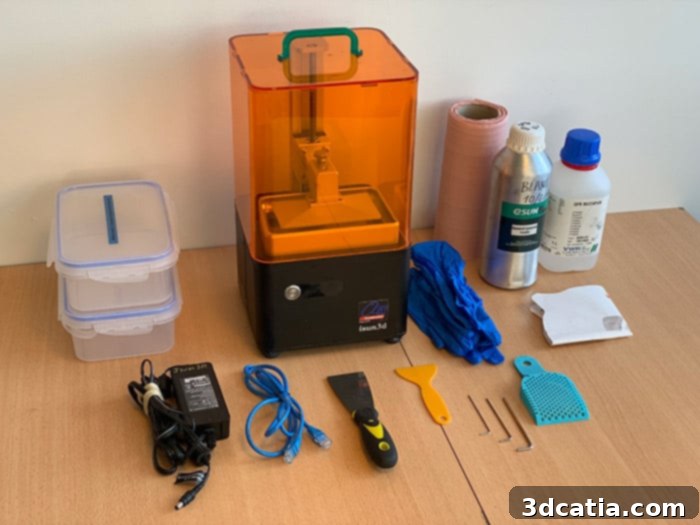
Upon removal from its packaging, the eSun Isun3D L120 immediately impresses with its compact and practical design. Boasting dimensions of only 210 x 210 x 386 mm and a remarkably light weight of just 8 kg, it is undeniably a true desktop 3D printer. This compact footprint makes it an ideal choice for users with limited workspace, seamlessly integrating into home offices, workshops, or educational environments without demanding excessive room. Despite its small stature, the L120 offers a maximum build volume of 120 x 60 x 135 mm. While this is indeed smaller when compared to more expensive professional-grade SLA machines like the Formlabs Form 2 (145 x 145 x 175 mm) or the Uniz3D Slash+ (192 x 122 x 200 mm), it’s crucial to contextualize this. Resin 3D printers, particularly those employing LCD technology, typically feature smaller build volumes than their FFF/FDM counterparts. For the intricate, high-detail parts that resin printing excels at, this build volume is often more than sufficient for a wide range of applications, including jewelry, dental models, miniatures, and small functional prototypes. The L120’s build volume is perfectly adequate for most hobbyist and professional needs where precision outweighs sheer size.
The Isun3D L120 comes thoughtfully packaged with a standard set of accessories designed to get users started quickly. The core components include the printing tray (build plate) and the resin vat, both essential for the printing process. Accompanying these are the necessary power cord and an Ethernet cable, ensuring initial connectivity options. For assembly and minor adjustments, a set of three Allen keys is provided. A distinctive orange UV protection cover is also included; this cover is designed to simply “sit” on top of the machine, safeguarding the liquid resin from ambient UV light, which could prematurely cure it. While the basic package covers the essentials, our test unit arrived with several additional items that, while not standard, greatly enhanced the unboxing experience and readiness for printing. We received a bottle of eSun’s white resin, allowing us to immediately begin testing with a compatible material, and a bottle of isopropyl alcohol, crucial for post-processing and cleaning printed parts. Furthermore, a comprehensive post-treatment kit was supplied, which included protective gloves for safe handling, a resin filter for reclaiming unused resin, two rinsing tanks for thorough cleaning, and a rake specifically designed for cleaning the resin vat. It’s important for prospective buyers to note that these supplementary items, though highly beneficial, are typically not included in the basic package. However, they are readily available for purchase from various online and physical stores, making it easy for users to acquire a complete setup for an optimal resin printing workflow.
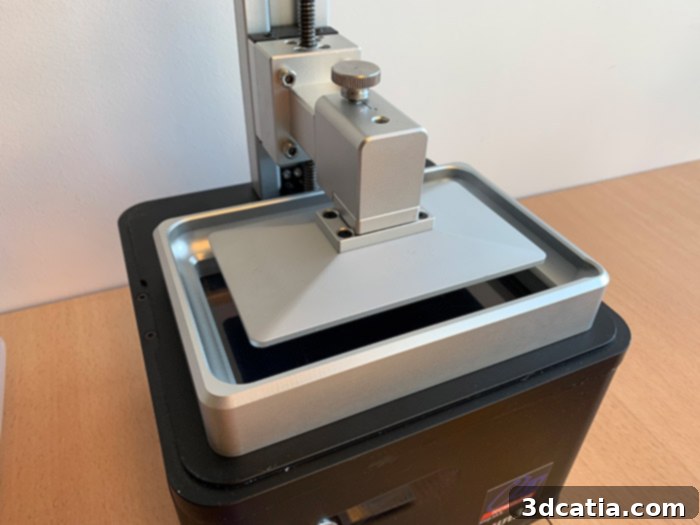
A close-up view showcasing the compact design and detailed features of the Isun3D L120 3D printer.
2. Installation and Connectivity of the Isun3D L120
After the initial unpacking of the eSun Isun3D L120, the first crucial step in preparing the machine for operation is establishing its connection to a control device. While the printer does feature a front-panel display for basic information, its standout characteristic is the innovative ability to be controlled directly via a web browser. This unique approach allows for flexible management from a variety of devices, including PCs, smartphones, iPads, or any other web-enabled gadget. To initiate this connection, the printer must first be linked to a network using the provided Ethernet cable. This wired connection is typically required for the initial setup, ensuring a stable and reliable transfer of network settings. Once connected, users simply navigate to the IP address displayed on the Isun3D’s screen through their web browser (Chrome is highly recommended for optimal compatibility). This action directs them to the printer’s dedicated management page, an intuitive interface available exclusively in English. This page is logically segmented into several tabs: “Print Jobs,” “Printables,” “Printers,” and “Settings.” The “Print Jobs” section is particularly vital, enabling users to effortlessly import prepared sliced files or initiate print operations, offering a streamlined workflow from file preparation to physical output.
During the installation and initial setup phases, two points emerged that warrant consideration. Firstly, the management of the printer and the crucial file slicing process are handled within separate interfaces. This necessitates users to switch between their chosen slicing software and the web browser interface, which, while not a major impediment, can become slightly cumbersome over extended use. A more integrated ecosystem would undoubtedly enhance user convenience. Secondly, establishing the initial connection to the printer’s web management interface can occasionally be a bit inconsistent or “hazardous,” as noted in our testing. While persistent, users might encounter minor hitches during the initial pairing process. Once successfully connected, however, users can then input their WiFi settings directly into the printer, effectively eliminating the need for the Ethernet cable for subsequent operations and providing greater freedom in printer placement. The next vital step after connectivity is the meticulous calibration of the machine. This process ensures that the build platform is perfectly parallel to the LCD flash screen, a critical alignment for successful first-layer adhesion and overall print quality. The user manual, comprehensively detailed by A4 Technologie and available in both French and English, provides clear, step-by-step instructions for this quick yet essential operation. It’s important to note that this calibration should be repeated whenever the machine is physically moved or if print adhesion issues begin to manifest, guaranteeing consistent and reliable printing results.
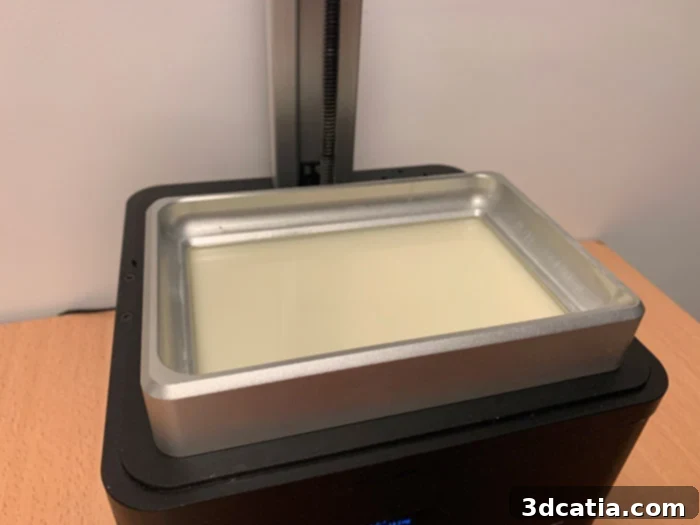
The resin vat of the Isun3D L120, designed for manual filling with a diverse array of compatible resins.
Following calibration, the next practical step involves installing the resin vat, a straightforward process that precedes the manual filling of the vat with the chosen resin material. This manual filling method is characteristic of many open resin 3D printers, akin to the process found on a Slash+ 3D printer for reference. A notable distinction of the Isun3D L120 is the absence of an automated resin filling system or a proprietary cartridge-based resin insertion mechanism. While this design choice diverges from a more “Plug & Play” experience offered by some closed systems, which might initially deter users accustomed to such conveniences, it presents no real difficulties in practice. The manual filling offers unparalleled flexibility, allowing users to experiment with a vast array of third-party resins, each with unique properties and price points. This openness fosters innovation and cost-efficiency, empowering users to select materials best suited for their specific projects without vendor lock-in. While it might require a slightly more hands-on approach and careful handling to prevent spills, the trade-off in terms of material freedom and reduced operating costs is often highly valued by the resin 3D printing community.
3. Slicing Software for the Isun3D L120
The eSun Isun3D L120 printer distinguishes itself by offering compatibility with not one, but three free slicing software options, providing users with flexibility in preparing their 3D models for printing. These include Isun3D’s proprietary slicer, SmartMaker, and NovaMaker. These specialized tools are designed to convert 3D models into a format recognizable by the L120, specifically the .CWS format, rather than the more common G-code. For the purpose of our comprehensive review, we primarily focused on testing the Isun3D software due to its direct association with the printer. The Isun3D slicer presents a clean, intuitive, and straightforward interface, making it accessible even for those new to resin 3D printing. Its user-friendly layout ensures that essential functions are easily identifiable and operable, contributing to a smoother preparation process for various models.
Beyond fundamental functions such as moving, scaling, and rotating the 3D model, the Isun3D slicing software empowers users to generate their own 3D printing supports. This manual control over support structures is crucial for resin printing, where intricate details and delicate overhangs require precise support placement to prevent print failures and ensure optimal quality. Additionally, the software includes an “Add support auto smart” option, which attempts to intelligently generate supports, simplifying the process for beginners. However, as confirmed by the team at A4 Technologie, this intelligent support generation feature is still in development and not yet fully optimized. Our testing corroborated this, indicating that while it offers a starting point, relying solely on automatic supports might sometimes lead to less-than-ideal outcomes, such as insufficient support in critical areas or excessive supports that are difficult to remove without damaging the model. Therefore, for critical or complex prints, the most reliable approach for support creation remains manual intervention, drawing on the user’s experience and understanding of resin printing mechanics. A future software update is anticipated to refine this automatic support generation, potentially making it a more dependable feature down the line, but for now, hands-on support placement remains the best practice for achieving consistently high-quality prints.
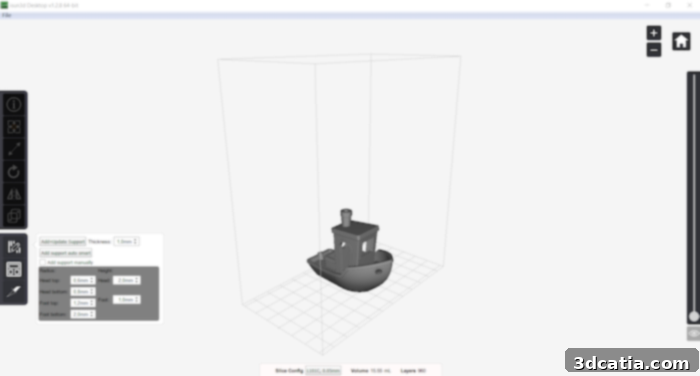
The Isun3D slicing software by eSun, one of three compatible options for preparing models for the Isun3D L120.
The final and arguably most critical step before initiating a print is configuring the parameters within the “Slice Configuration” menu. This stage is paramount for tailoring the printing process to the specific material being used and ensuring successful adhesion and print quality. Within this menu, users can adjust a range of vital parameters, including the layer thickness, which directly impacts print resolution and speed; the number of bottom layers, essential for strong adhesion to the build plate; and crucially, the exposure time for both the initial “burn-in” layers and the subsequent regular layers. The exposure time is particularly important in resin printing as it dictates how long each layer of resin is exposed to UV light, influencing curing depth, part strength, and dimensional accuracy. These parameters are not static; they must be carefully calibrated and often experimented with based on the specific resin brand, color, and desired print characteristics. Different resins have varying reactivity to UV light, necessitating adjustments to achieve optimal results. Proper calibration of these settings is key to avoiding common issues like delamination, warping, or failed prints, ultimately ensuring that the 3D printer is perfectly configured for the material used and the intricate geometries being produced. This level of control, while requiring some user input and understanding, empowers users to achieve consistently high-quality results from their Isun3D L120.
4. First Impressions and Print Performance
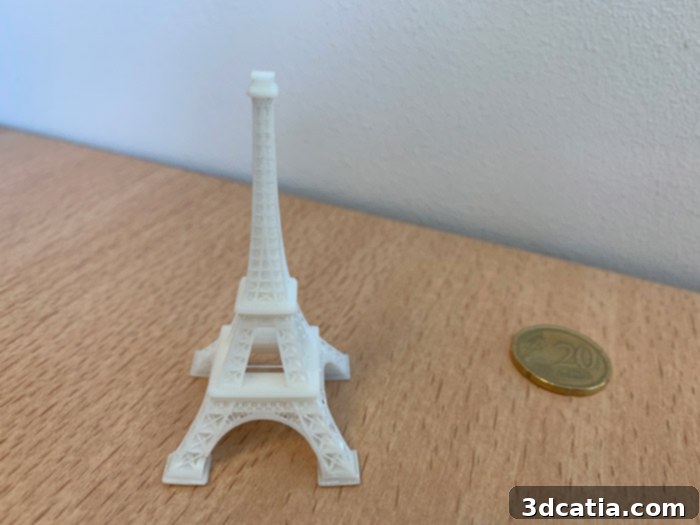
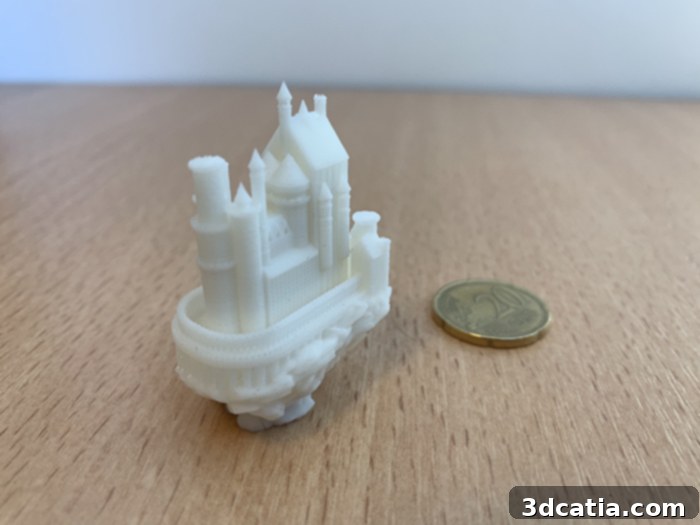
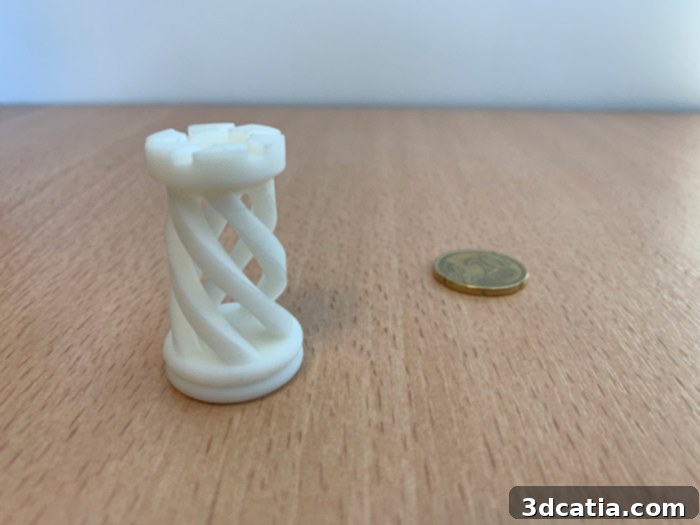
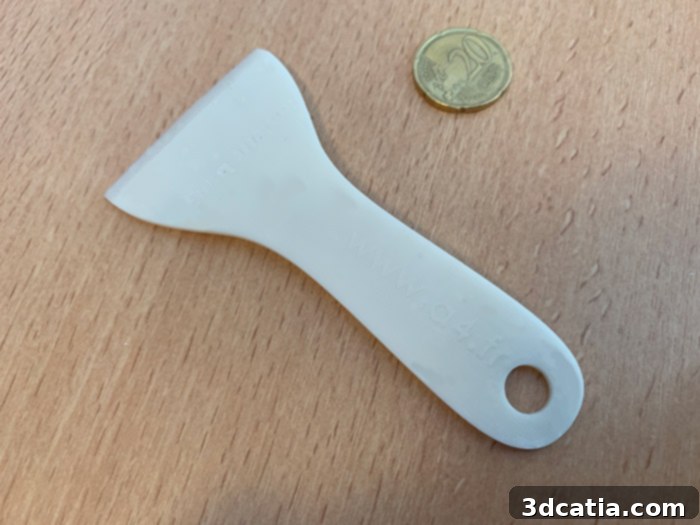
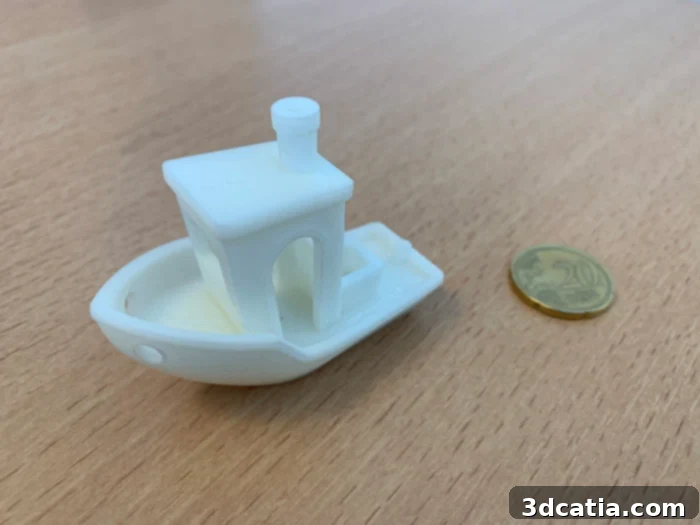
With the Isun3D L120 meticulously prepared, calibrated, and 3D files expertly sliced, the moment of truth arrived: initiating the first prints directly from the printer’s web-based management interface. For our initial assessment, we chose the iconic CreativeTools 3D Benchy, a globally recognized benchmark model often referred to as a “torture test” in the 3D printing community. This miniature boat is designed to challenge a 3D printer’s capabilities, allowing us to thoroughly verify the machine’s calibration and its proficiency in handling intricate details, complex curves, steep overhangs, and fine surface textures. The successful completion of a detailed 3D Benchy provides a strong indicator of a printer’s overall performance and precision. Beyond the Benchy, our test suite included a variety of models to further explore the L120’s versatility: a practical spatula generously provided by A4 Technologie, which proves invaluable for cleaning the resin vat post-print; a finely detailed BigBadBison chess piece, showcasing the machine’s ability to render intricate artistic designs; a medieval castle from TobyCWood, challenging its capacity for structural complexity; and an iconic Eiffel Tower from B9Creations, testing its precision on tall, slender geometries. Each model served to push the printer’s limits and reveal its true capabilities across different design types.
Throughout the printing process, the few challenges we encountered primarily revolved around the management and optimization of support structures. While resin 3D printers generally require fewer and less robust supports compared to filament extrusion (FDM) machines, finding the ideal balance of support density, contact points, and detachment ease can be tricky. It sometimes required several iterations to determine the perfect amount and placement of supports to ensure successful prints without damaging the model upon removal. This learning curve is common in resin printing and often relies on user experience and understanding of print orientation. However, a significant positive aspect that immediately stood out was the remarkably low noise level during operation. The Isun3D L120 is almost completely silent while printing, a truly delightful characteristic that makes it perfectly suited for use in quiet environments such as a living room, office, or shared workspace, without causing any disturbance. This silent operation greatly enhances the user experience, allowing for discreet background printing.
Crucial to maintaining optimal print quality and ensuring the longevity of the machine is diligent post-print maintenance. It is highly recommended to meticulously inspect and carefully remove any potential solidified resin deposits that may have accumulated within the resin vat between each print. Neglecting this step can lead to significant issues, including damage to the FEP film at the bottom of the vat or, more commonly, interference with subsequent prints, resulting in deformations or outright failures. Once a print is successfully completed and removed from the build plate, thorough cleaning is equally important. All excess uncured resin must be carefully washed away from the printed part. This typically involves rinsing the part in isopropyl alcohol (IPA) or a specialized resin cleaner. Inadequate cleaning can leave sticky residues, attract dust, and lead to the appearance of small, unsightly stains on the final model, compromising its aesthetic quality and finish. Proper cleaning and post-curing (if required for desired material properties) are integral steps in the resin 3D printing workflow, transforming a raw print into a finished, functional, and aesthetically pleasing object.
The eSun Isun3D L120 offers a compelling package for anyone looking to enter the world of high-resolution resin 3D printing without breaking the bank. Its combination of affordability, an open resin system, and a 2K LCD screen delivers impressive precision and detail, making it a strong contender in the budget-friendly MSLA printer segment. While some aspects like the split software interface and the “smart” support generation could benefit from further refinement, these are minor hurdles that do not detract significantly from the overall positive experience. The silent operation and the freedom to choose from a wide array of resins are significant advantages that enhance its appeal. For hobbyists, designers, and small businesses seeking to produce intricate models with excellent surface finish, the L120 represents a truly valuable and accessible tool.
What are your thoughts on this affordable resin 3D printer? Share your opinions in a comment below or connect with us on our Facebook and Twitter pages! Don’t forget to explore more detailed 3D printer tests HERE and utilize our comprehensive comparison tool to evaluate hundreds of 3D printers HERE, helping you make an informed decision for your next additive manufacturing investment.