
Unlock Precision 3D Printing: A Deep Dive into Z-Suite Slicer Software
In the dynamic realm of additive manufacturing, the journey from a digital design to a tangible 3D print is heavily reliant on sophisticated software. The quality and success of your final product hinge not only on the capabilities of your 3D printer hardware but, crucially, on the intelligence and precision of the software that prepares your files. This is where Z-Suite, the advanced slicer developed by Zortrax, distinguishes itself. More than just a utility, Z-Suite is an intuitive and powerful software package meticulously crafted to bridge the often-complex gap between your creative designs and their physical realization through 3D printing. While initially optimized for seamless integration with Zortrax’s own line of innovative printers, this versatile slicer extends its compatibility to a broad spectrum of other extrusion-based (FDM/FFF) and even resin printers, making it a truly flexible tool for diverse 3D printing needs.
Since its official launch in October 2021, Z-Suite has undergone a remarkable evolution, receiving approximately seven significant updates and numerous minor refinements. This continuous improvement trajectory is a testament to Zortrax’s commitment to innovation, largely fueled by invaluable, ongoing user feedback collected through the active BETA version of the software. Beyond its accessibility as a free download, one of Z-Suite’s most compelling attributes is its dual functionality: it serves as both a high-performance laminator (slicer) and a comprehensive print management platform. This integrated approach allows users to connect and manage multiple 3D printers via a unified Wi-Fi network, significantly optimizing operational efficiency and streamlining workflows, especially in professional or educational environments. But what are the underlying technical aspects that make Z-Suite stand out? Let’s explore the core features that differentiate this powerful slicer from its competitors in the ever-growing landscape of 3D printing slicers.
The Hallmark Features and Benefits of Z-Suite 3D Printing Software
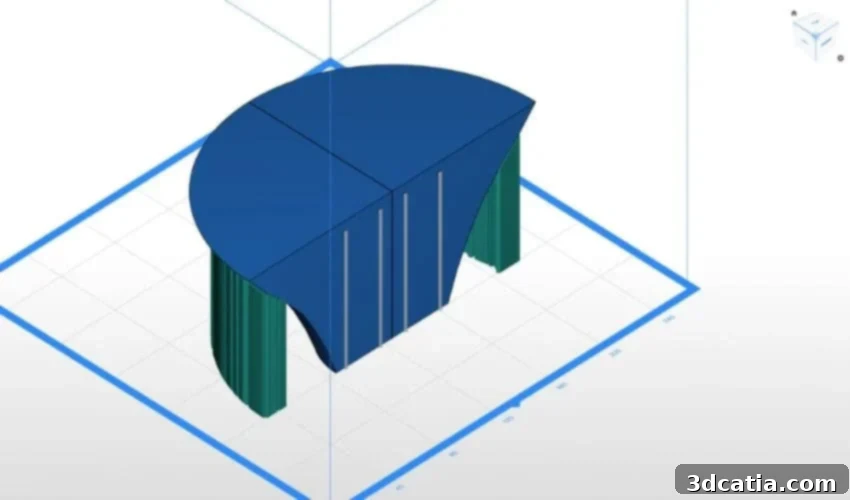
At the heart of Z-Suite’s appeal lies its exceptionally intuitive user interface, meticulously designed to empower users to effortlessly configure their 3D models for printing. Despite its advanced technical capabilities, the software’s design prioritizes accessibility, making it an ideal entry point for 3D printing beginners while still offering the depth and control demanded by seasoned professionals. One of its most celebrated features is its intelligent ability to automatically generate optimal support structures. This automated process meticulously analyzes the model’s geometry to identify overhangs and complex features that require support during printing. Furthermore, Z-Suite provides the flexibility to fine-tune or completely adjust these supports manually, offering an unparalleled degree of control over the entire printing process. This granular control is crucial for mitigating common printing challenges, such as minimizing material waste from excessive supports or ensuring adequate support in critical areas to prevent print failures and enhance structural integrity.
Beyond support generation, Z-Suite excels in ensuring the printability of your models by addressing potential defects. If a 3D model contains common flaws such as small holes, non-manifold edges, or irregular surfaces that could compromise print quality, Z-Suite is equipped to automatically repair these damaged meshes. This proactive mesh repair functionality saves users valuable time and prevents printing errors, ensuring that only robust and complete models proceed to the printing stage. What’s more, the invaluable layer-by-layer preview function provides an exhaustive visual analysis of the model before the actual printing commences. This not only allows users to meticulously inspect for any potential errors or hidden issues but also empowers them to make informed adjustments. This pre-print optimization can drastically improve material utilization, reduce overall printing time, and ultimately lead to a more successful and efficient printing experience.
Advanced Model Preparation and Customization
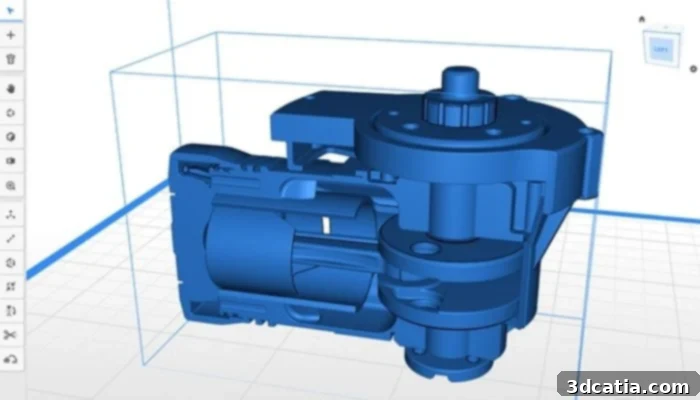
Z-Suite supports .stl, .obj, .dxf and .3mf file formats, ensuring broad compatibility for 3D designs.
Z-Suite further enhances user control through its advanced model manipulation capabilities. Users can precisely cut models on specific planes, a crucial feature for dividing large objects into manageable parts for printing on smaller build volumes or for creating multi-component assemblies. This functionality also allows for the removal of unwanted sections or the preparation of models for specific functional requirements. The software can intelligently detect thin walls prior to printing, a common source of print failure, alerting users to potential structural weaknesses and enabling them to make necessary adjustments to ensure print success and part integrity. Furthermore, Z-Suite offers the ability to reproduce the G-code of an already processed model, ensuring consistency across repeated prints. When it comes to internal structures, the software provides a comprehensive range of infill options, from low-density, lightweight structures designed for speed and material savings, to solid, high-density patterns engineered for maximum strength and durability, allowing users to tailor prints to specific application requirements.
Material compatibility is another area where Z-Suite shines brightly. The software is fully optimized for seamless integration with Zortrax’s proprietary materials, including popular filaments like Z-ABS, Z-ULTRAT, and Z-HIPS. This tight integration means that pre-configured profiles are available, ensuring optimal printing parameters and consistent results when using Zortrax materials. However, recognizing the diverse needs of the 3D printing community, Z-Suite also robustly supports a wide array of third-party materials for compatible printers. This flexibility is invaluable, granting users the freedom to experiment with different material properties, colors, and brands, thereby opening up greater possibilities for customized projects and potentially reducing material costs without sacrificing print quality. Finally, Z-Suite demonstrates excellent interoperability with all major 3D modeling software packages, supporting widely accepted file formats such as .stl (Stereolithography), .obj (Wavefront Object), .dxf (Drawing Exchange Format), and .3mf (3D Manufacturing Format), ensuring that designers can easily transition their creations from design to print preparation.
Staying Ahead: Updates, Connectivity, and Community
Zortrax is deeply committed to ensuring that Z-Suite remains at the forefront of 3D printing technology, offering regular and impactful updates that equip users with the very latest tools and enhancements. These continuous improvements are not arbitrary; they are meticulously developed based on direct, invaluable feedback gleaned from the vibrant community of users actively participating in the Z-Suite BETA version program. By downloading and engaging with this BETA version, users gain an exclusive opportunity to test cutting-edge features and functionalities before their official public release. This participatory approach transforms users into active contributors to the software’s evolution, allowing them to provide critical opinions and shape the development trajectory of future Z-Suite iterations, fostering a true sense of community and shared progress.
Z-Suite is more than just a standalone slicer; it’s a meticulously engineered software solution designed to significantly optimize the performance of both Zortrax’s own printers and a wide range of third-party machines. Its comprehensive feature set, coupled with an intuitive user experience, makes it an ideal tool for a diverse audience, from entry-level enthusiasts embarking on their first 3D printing projects to seasoned professionals managing complex production workflows. The software’s unparalleled ability to optimize models for printability, combined with its inherent ease of use, positions it as an exemplary choice for applications across various sectors. Whether it’s facilitating innovative learning experiences in educational institutions, accelerating prototyping and production in industrial settings, or empowering artists and designers in creative fields, Z-Suite provides the reliable foundation needed to bring digital visions to life with remarkable precision and efficiency. The integrated print management capabilities further solidify its position as a holistic solution, enabling users to monitor, control, and queue multiple print jobs seamlessly from a single platform, enhancing productivity and oversight.
In essence, Z-Suite transcends the traditional definition of a mere slicer; it stands as a comprehensive ecosystem designed to profoundly simplify and enhance the entire 3D printing process. With its thoughtfully crafted intuitive interface and an array of sophisticated technical features, this powerful software empowers users at every skill level to transform their ideas into high-quality physical objects with unparalleled precision, efficiency, and confidence. For individuals and organizations seeking total control over their 3D prints, aspiring for consistent and reliable results, and valuing a continually evolving software platform, Z-Suite unequivocally stands out as a premier choice in the competitive and innovative world of 3D printing.
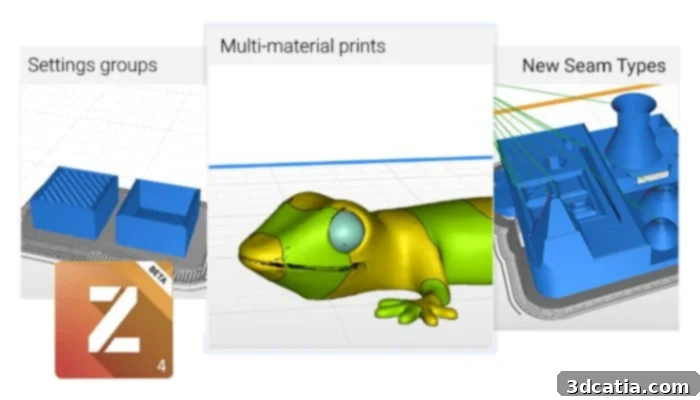
The Z-Suite beta version allows users to test new features and contribute to the software’s development before their official launch.
What are your thoughts on Z-Suite? Have you had the opportunity to use this innovative 3D printing software in your projects? We invite you to share your experiences and insights in a comment below, or join the conversation on our LinkedIn or Facebook pages! Moreover, to stay abreast of the latest developments and breakthroughs in additive manufacturing, don’t forget to sign up for our free weekly Newsletter, delivering the most relevant 3D printing news directly to your inbox. You can also discover a wealth of educational content and industry insights by visiting our YouTube channel.
*All Photo Credits: Zortrax