
Revolutionizing 3D Printing: A Comprehensive Guide to AI 3D Model Generators for Additive Manufacturing
Artificial intelligence (AI) has seamlessly integrated into our daily lives, fundamentally reshaping industries and individual workflows. Its unparalleled ability to optimize processes, predict outcomes with remarkable accuracy, and adapt in real-time is a powerful catalyst for innovation across various sectors, including the dynamic field of additive manufacturing. Leading companies like Nike, for instance, have harnessed AI to conceptualize and generate groundbreaking shoe designs, pushing the boundaries of athletic footwear. Similarly, advanced manufacturers such as 3DCeram are leveraging AI-driven solutions to automate intricate processes and significantly boost overall productivity in their operations. For users of 3D printers, AI-powered machine learning systems enable machines to rapidly analyze vast datasets and make autonomous, informed decisions. This capability not only streamlines complex operations but also unlocks entirely new possibilities in design, material optimization, and production efficiency. Amidst these advancements, one of the most exciting and transformative developments currently emerging is the advent of AI 3D model generators, poised to become the next frontier for innovation in digital design and manufacturing.
While the concept of AI-driven design tools has existed for several years, their primary applications were traditionally confined to digital domains such as animation, video game development, and other virtual content creation. These tools were not initially conceived with the specific requirements of physical 3D printing in mind. However, the immense potential of this technology within additive manufacturing has captured the widespread attention of both dedicated enthusiasts and innovative developers. This burgeoning interest has led to a surge in the market, with dozens of new and significantly improved AI 3D model generators being introduced. Earlier this year, Bambu Lab made a notable entry by launching a generator through its MakerWorld platform, empowering users to create intricate, 3D-printable fantasy creatures simply by providing a picture or a text prompt. Further underscoring the rapid growth and investment in this evolving sector, in December 2024, Backflip—an innovative generator developed by the visionary founders of the acclaimed 3D printing company Markforged—successfully secured a substantial $30 million Series A investment. This significant capital infusion signals robust confidence and considerable momentum in the development and adoption of AI solutions for physical product design and manufacturing.
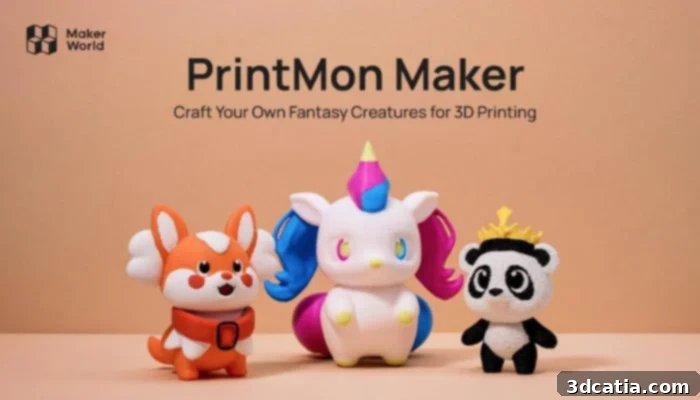
Bambu Lab’s PrintMon Maker allows users to generate fantasy creatures based on text or image prompts
Why Utilize AI 3D Model Generators?
3D printing offers an unparalleled capability to create unique and complex objects that are often challenging, if not impossible, to produce using conventional manufacturing techniques. Integrating AI-generated 3D models with this technology represents an ideal synergy, unlocking unprecedented creative possibilities. These powerful tools enable users to rapidly conceive and develop smart, innovative designs—or, at the very least, serve as an invaluable source of inspiration to kickstart the design process. AI-powered 3D model generators can produce initial design concepts within minutes, leading to significant savings in both time and financial resources compared to the arduous process of manual design or the expense of hiring a professional designer for every iteration. Currently, these AI tools demonstrate exceptional proficiency in generating basic conceptual models and igniting creative ideas. However, it’s important to note that they are generally not yet suitable for directly producing parts that require extreme mechanical precision, critical tolerances, or highly intricate functional details without further refinement.
As AI technology continues its rapid advancement, we can anticipate a future where AI-generated models will be print-ready straight out of the virtual box, requiring minimal to no post-generation editing. For the time being, these sophisticated models serve as an excellent starting point—a robust foundation that typically necessitates further refinement and optimization in traditional CAD software to ensure their suitability for 3D printing. In this comprehensive guide, you will delve into the practical aspects of utilizing AI 3D model generators: exploring the diverse services available, understanding their operational mechanics, and discovering expert tips to harness this transformative technology to its fullest potential within your 3D printing endeavors.
How to Integrate AI Generators into Your 3D Printing Workflow:
Choosing the Right Service
Beyond envisioning your final creation, the initial and perhaps most challenging step in using an AI 3D model generator is selecting the appropriate service. The market is burgeoning with dozens of generators, with new platforms continuously emerging as AI becomes increasingly popular and accessible. Notable software options currently available include Rodin Gen1, 3D AI Studio, PrintMon Maker from Bambu Lab, Meshy.ai, OpenAI Point-E, DreamFusion from Google, and Magic3D from Nvidia. Each platform offers unique features, interfaces, and underlying AI models, catering to different user needs and design complexities.
However, not all of these generators consistently produce models of sufficient quality for direct 3D printing. A common issue encountered is the presence of “AI bumps,” which are small, irregular imperfections or protrusions on the model’s surface. These artifacts can significantly impact print quality and often necessitate extensive post-generation editing. This critical limiting factor helps narrow down the selection process, though as these services mature and their generative capabilities improve, such imperfections are expected to become less prevalent. Currently, DeemosTech’s Rodin Gen1 and PrintMon Maker stand out as top contenders for generating models intended for 3D printing due to their higher fidelity outputs. If it lives up to its early promises, Backflip is also expected to join these ranks, offering even more advanced capabilities.
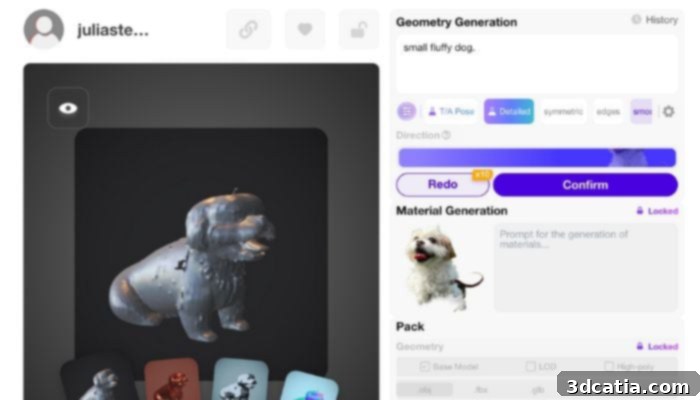
3D model based on an image in Rodin Gen 1. It needs editing for sure, but the details are strong.
Technically, all listed services are capable of creating a model that can be exported for 3D printing, as most, if not all, provide options to export designs as STL files or other common 3D-printable formats like OBJ or STEP. The core distinction, however, lies in the intrinsic quality and printability of the generated model. Some AI models may emerge with vague details, overly smoothed features, or rough, bumpy finishes, resembling an impressionist painting rather than a photorealistic render. Others, such as those from Rodin Gen1, are often capable of articulating details with remarkable precision, producing designs that are genuinely worth 3D printing and require considerably less post-processing or manual editing.
Many of these AI services offer free-tier options or trial periods, allowing users to experiment before committing. However, they typically provide paid upgrades and subscription models that unlock advanced features, higher generation quotas, or improved model quality. Before making a long-term commitment, it is highly recommended to conduct thorough research, compare different services, and especially consult community reviews and video demonstrations. Evaluate which platforms have yielded the most successful 3D prints for other users and, crucially, which service best aligns with your specific design needs, budget, and desired level of detail.
Crafting Your Prompt for Optimal Results
A critical factor to consider when working with AI 3D model generators is their interpretation and response to prompts. Universally, all platforms accept text prompts, with most also supporting image prompts, and a select few even incorporating video input. The key to successful generation lies in meticulous prompt engineering. For text prompts, the more descriptive and specific you are, the better. Instead of a vague instruction like, “a superhero with a cape,” strive for greater detail: “a defiant, cartoon-style female superhero with a dynamic cape flapping dramatically in the wind, her right hand powerfully stretched out in front of her, ready for action, rendered in a vibrant, futuristic material.” Being highly specific, and including crucial details such as style, texture, material properties, color palettes, and precise positioning, can significantly enhance the AI’s ability to produce the desired outcome. The true magic—and the most enjoyable aspect—of prompt crafting is the iterative process of play and experimentation. Don’t be afraid to let your imagination run wild and refine your prompts based on the generated outputs.
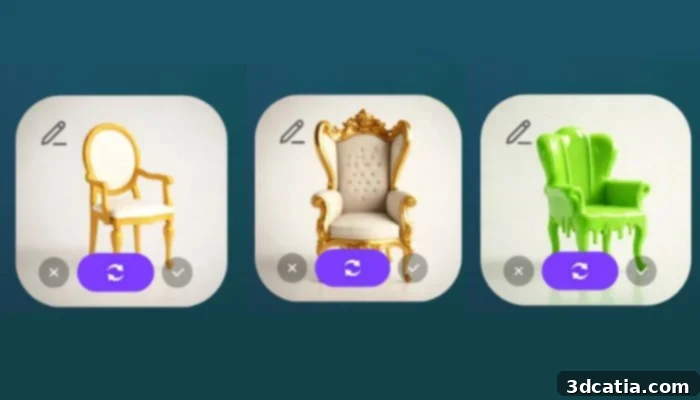
These images were generated from three separate prompts. Chair (left), Royal chair with winged-back (center), and ugly chair covered in slime (right). Created in Rodin Gen 1
Image prompts offer an equally experimental avenue or can be used for more literal design recreations. If your goal is to create a miniature 3D model of a building you admired during a vacation, you can upload multiple photographs taken from various angles to provide the AI with comprehensive visual data. Some advanced generators allow for the combination of several photos to create a cohesive design, which can be immensely useful for both generating highly accurate, real-life objects or for fusing unrelated images to produce truly unique and imaginative designs. For example, feeding the AI a photo of a human figure alongside an image of a bird could yield fascinating results, such as a man with beautifully rendered wings or a creature with a bird’s head atop a human body, opening doors to fantastical and surreal creations.
Generating the Design Iterations
Once you’ve meticulously crafted and refined your prompt, proceed to initiate the generation process by clicking “generate” or executing the program-specific command. Most of the aforementioned services will then present you with several distinct iterations or variations of your requested design. This multi-option approach allows for greater creative freedom and flexibility. From these initial outputs, you have several choices: you can re-attempt the prompt with minor modifications to see if different designs are generated, extensively modify your existing prompt to steer the AI in a new direction, or, if one of the initial designs satisfies your vision, select it and move forward with refinement. After choosing a preferred design concept, the generator will proceed to convert this initial iteration into a more detailed and fully rendered 3D model, which often can be further refined within the platform itself before export.
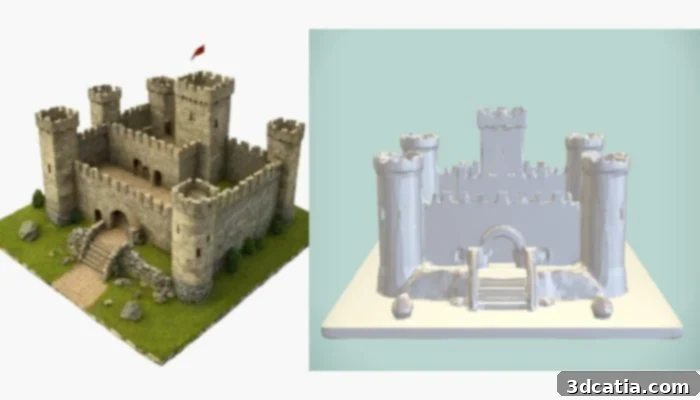
Sometimes, the initial model (left) is more refined than the generated 3D file (left), which then requires further adjustment. Generated in Rodin Gen 1
Exporting, Editing, and Preparing the 3D File for Print
When you are satisfied with the generated 3D model—or at least deem it a promising foundation for further work—you can proceed to export it in your chosen file type. Common formats include STL (stereolithography), OBJ, and occasionally more advanced formats suitable for CAD software. After exporting, it is highly probable that your AI-generated model will require at least some degree of editing and preparation in a dedicated 3D modeling or CAD program. A crucial first step is to ensure the model has a perfectly flat bottom surface, which is essential for ensuring proper adhesion to the 3D printer’s build plate. This often involves slicing off a thin layer from the base of the design to create a stable, planar surface. Depending on the complexity and intended function of your design, you may need to perform other critical edits to ensure the print is both functional and successful. These edits can include repairing non-manifold edges, making the mesh watertight, scaling the model to the correct dimensions, adding or subtracting material for specific features, smoothing out any remaining “AI bumps” or surface irregularities, and optimizing the geometry for the chosen 3D printing process (e.g., FDM, SLA, SLS). After your design is thoroughly refined and prepared, the remainder of the 3D printing process follows the usual steps: slicing the model into layers, sending it to the printer, and finally, post-processing the physical print to achieve the desired finish.
The development of AI 3D model generators is still in its nascent stages, and industry experts anticipate a dramatic acceleration in technological advancements within the next few years. These tools are rapidly evolving, integrating more sophisticated algorithms and learning from increasingly diverse datasets. Therefore, familiarizing yourself with this transformative technology now is not merely advantageous, but essential, as it is undeniably poised to become an indispensable component of the future landscape of 3D printing and additive manufacturing.
Are you ready to explore the possibilities of AI 3D model generators in your projects? Share your thoughts in a comment below or join the conversation on our LinkedIn or Facebook pages! Don’t forget to sign up for our free weekly Newsletter here, bringing the latest 3D printing news straight to your inbox! You can also find all our insightful videos on our YouTube channel.
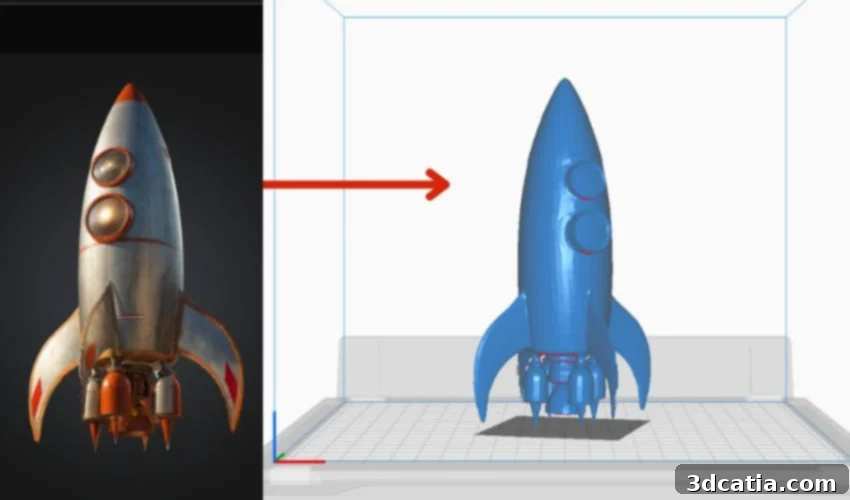
*Cover Image: A 3D model and STL file based on the prompt “vintage rocketship” generated in Meshy AI