
LeoCAD: Unleashing Creativity with Free, LEGO-Inspired 3D Modeling Software for Beginners and Beyond
For aspiring designers and those just beginning their journey into the captivating world of 3D modeling, LeoCAD presents an exceptionally accessible and engaging platform. Drawing direct inspiration from the iconic principle of building with LEGO blocks, this innovative software allows users to construct intricate digital designs using a familiar system of interlocking virtual bricks. Its intuitive interface is meticulously crafted to ensure that even novices can effortlessly embark on their creative endeavors, generating impressive models from their very first attempts. This ease of use positions LeoCAD as an excellent choice not only for individual hobbyists but also for educational institutions seeking robust yet straightforward design software for teaching fundamental 3D concepts. Despite its beginner-friendly nature, LeoCAD is far from basic. It boasts a rich array of features that cater to more experienced users, enabling them to conceptualize and realize increasingly sophisticated models. As a free and open-source application, it fosters an environment of limitless creation, supporting the design and assembly of remarkably large figures composed of countless digital parts, making it a powerful tool for diverse projects.
The legacy of LeoCAD is rooted in its enduring presence in the 3D design landscape, having first emerged in 1997. Over the decades, it has undergone consistent development and regular updates, reflecting a dedicated commitment to improving its capabilities and user experience. As of the current review, the software is at version 23.03, a release from 2023, showcasing its ongoing evolution and relevance. Acquiring LeoCAD is a straightforward process, as it is readily available for download across major operating systems, including Windows, Linux, and macOS, ensuring broad accessibility. Furthermore, the official LeoCAD website is a valuable resource, offering comprehensive and easy-to-follow tutorials that guide users through every step, from installation to advanced modeling techniques. It’s crucial to clarify a common misconception: while deeply inspired by the LEGO toy principle, LeoCAD is an independent software and is not affiliated with the LEGO Group. This distinction is important, especially considering that the LEGO Group itself once offered its own CAD software, Lego Digital Designer, which was ultimately discontinued in 2019. LeoCAD, therefore, stands as a testament to independent innovation, providing a vibrant and continually updated alternative for virtual LEGO building.
Core Features and Intuitive Design of LeoCAD Software
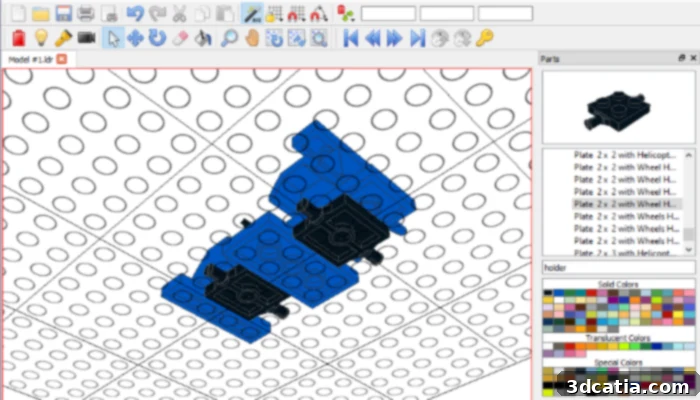
The graphic interface of LeoCAD is designed for immediate recognition and ease of use, making it exceptionally welcoming for beginners. Upon launching the application, users are greeted with a familiar virtual “plate” — a textured workspace reminiscent of a real LEGO baseplate, complete with characteristic assembly circles that intuitively guide part placement. This visual metaphor immediately sets the stage for a creative building experience. On the right-hand side of the screen, a comprehensive library panel houses all available parts, neatly categorized for efficient browsing. To commence a design, users simply drag and drop selected parts directly from this library into their main work area. Within the same section, handy functionalities allow for instant previews of parts and the selection of various colors, though the flexibility to change these aesthetic choices at any point during the design process is always maintained. Adjacent to these primary controls are additional windows offering advanced tools, such as detailed properties for each individual part, providing granular control over every component. Another notable feature is the Timeline, which offers a unique capability we’ll delve into later. The top section of the interface is dedicated to traditional menus and action buttons, offering standard functionalities like saving, undoing, and redoing actions. This well-organized and visually intuitive layout ensures that most users can quickly familiarize themselves with LeoCAD, making it an ideal platform for children and adult beginners alike to explore the exciting realm of 3D computer-aided design.
Staying true to its LEGO inspiration, LeoCAD intelligently employs familiar toy vocabulary to categorize and name its extensive collection of 3D parts. Users will find intuitively named sections for “bricks,” “plates,” “slopes,” and “tiles,” mirroring the physical components that have sparked imagination for generations. While this nomenclature is charming and immediately recognizable for LEGO enthusiasts, it can occasionally lead to minor confusion when searching for a very specific, obscure part amidst the vast library. Recognizing this, LeoCAD smartly incorporates a robust search bar within the “Parts” section. This essential feature allows users to quickly locate desired components by typing keywords, dramatically streamlining the design workflow, particularly in projects that involve a high volume and variety of parts. The software’s comprehensive library is truly impressive, enabling the construction of sophisticated 3D models using over 6,000 different unique parts. This immense variety ensures that designers are rarely limited by available components, allowing for unparalleled creative freedom. Another fundamental feature integral to any effective CAD software, and expertly implemented in LeoCAD, is model rotation. This capability allows users to view and work on their designs from any conceivable angle, providing crucial spatial understanding and precision during the assembly process. For instance, if a designer needs to fine-tune a detail on the underside of a complex model, they can simply rotate the entire structure, adding or removing fragments with ease and accuracy. This rotational flexibility is especially practical given that the digital parts behave as solid, tangible objects within the virtual environment.
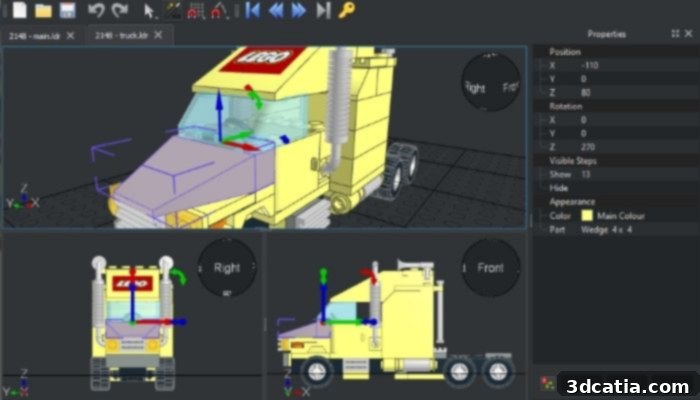
LeoCAD also enables rendering to give a more realistic idea of designs, especially when you want to print them (photo credits: LeoCAD)
Beyond basic construction, one of LeoCAD’s most ingenious and advanced features is its capacity for creating step-by-step tutorials, effectively translating digital models back into instructions for building physical objects with real LEGO blocks. This remarkable functionality is powered by the “Timeline” feature. As a user meticulously builds their digital model, every single step — each part added, moved, or removed — is automatically recorded and saved within this dedicated Timeline space. This allows designers to not only review their entire construction sequence but also to consult each individual part used, precisely in the chronological order of its integration into the model. A significant advantage of this feature is the ability to automatically generate and print out detailed building instructions. These generated manuals are highly comparable to the professional instruction booklets supplied with official LEGO sets, making LeoCAD an invaluable tool for educators, parents, or anyone looking to document their creations or share building guides with others. This unique blend of digital design and practical instruction generation elevates LeoCAD beyond a simple modeling tool, transforming it into a comprehensive creative and educational platform.
LeoCAD and the Realm of 3D Printing
LeoCAD’s capabilities extend seamlessly into the exciting domain of 3D printing, making it a highly valuable tool for enthusiasts looking to bring their virtual LEGO creations into the physical world. Designs crafted within LeoCAD can be saved in its native LDR or LCD formats, preserving the integrity of the LEGO-style build. Crucially for 3D printing, the software also offers robust export options, allowing models to be converted into a variety of widely recognized file types such as 3D Studio (.3ds), Bricklink, Collada (.dae), and OBJ (.obj). These formats are universally compatible with most 3D slicing software and printers, forming a critical bridge between digital design and physical fabrication. The OBJ format, for instance, is a standard for exporting 3D geometry and is easily imported into slicers to prepare for printing. Collada provides a richer interchange format, capable of carrying more scene data. This versatility ensures that models designed in LeoCAD can be easily prepared for printing on a multitude of 3D printers, from FDM to SLA technologies. If you possess a passion for both LEGO building and innovative design, and are keen to explore the possibilities of additive manufacturing, LeoCAD is undeniably a software worth exploring. Its intuitive interface and powerful export features make it an ideal starting point for designing custom parts, unique minifigure accessories, or even entire modular structures that can be realized through 3D printing. For comprehensive information on installation procedures, keyboard shortcuts, in-depth tutorials, and to explore its extensive part library, users are encouraged to visit the official LeoCAD website HERE, where a wealth of resources awaits to guide your creative journey.
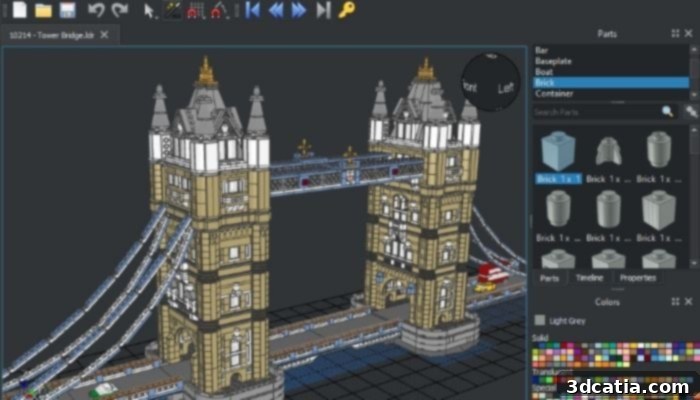
Photo Credits: LeoCAD
What are your thoughts on LeoCAD? Have you used it for your 3D modeling projects or to create instructions for physical builds? We’d love to hear your experiences! Let us know in a comment below or join the conversation on our LinkedIn, Facebook, and Twitter pages! Don’t forget to sign up for our free weekly newsletter here for the latest 3D printing news straight to your inbox! You can also find all our videos, including tutorials and insights into CAD software and 3D printing technologies, on our YouTube channel.
*Cover Photo Credits: Pixabay