Software
Formware 3D: Slicer & Support Generation Software for 3D Printing
File preparation is an important step in the creation of parts using additive manufacturing. The slicer is the ideal tool for cutting models, configuring the 3D printing process and generating the necessary supports. Suppors particularly essential for complex designs or…
- 3 min read
- Software
- Six more stories
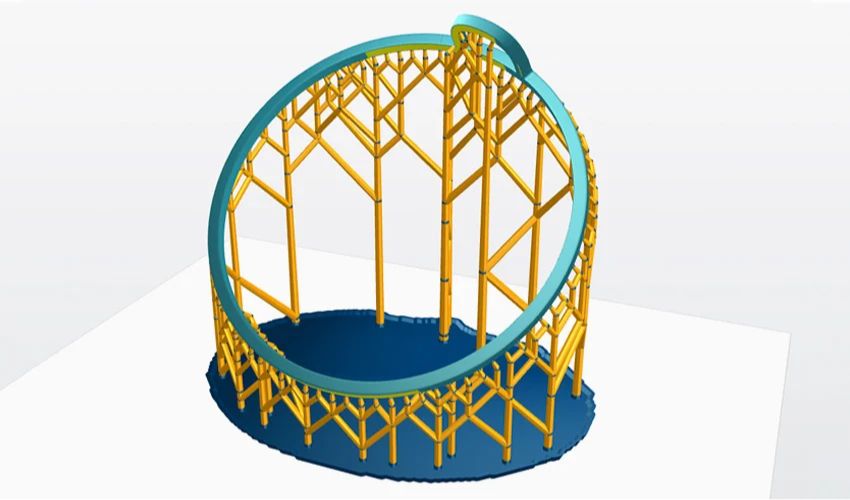
File preparation is an important step in the creation of parts using additive manufacturing. The slicer is the ideal tool for cutting models, configuring the 3D printing process and generating the necessary supports. Suppors particularly essential for complex designs or for technologies such as resin-based ones, where they play a decisive role. Today, several solutions are available, such as Formware 3D. This is a powerful software package for slicing and preparing files in additive manufacturing. Let’s take a look at its features and how it simplifies the production of 3D printed parts.
As mentioned above, the choice of slicer for resin 3D printers is vast, sometimes making it difficult to select the one best suited to each machine or user level. For companies looking for a high-performance solution for media generation and print setup, Formware 3D offers many features, while remaining simple to use. Developed by Formware, this software is renowned for optimizing the process of orientation, media generation and cutting of additive manufacturing models, particularly suited to resin and inkjet 3D printers.
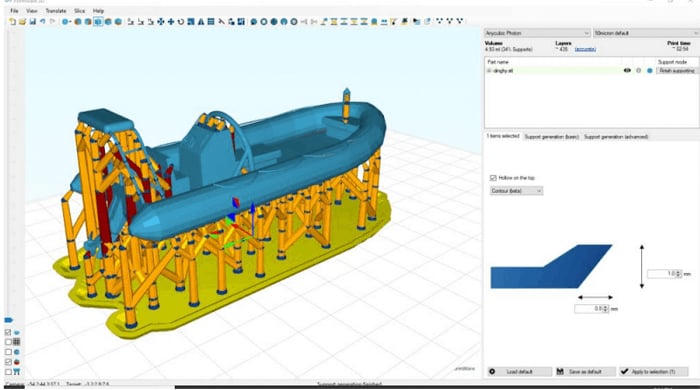
This program is specifically designed for resin and inkjet 3D printers.
The Functions of Formware 3D
This slicer is divided into four functional units dedicated to stratification. The first unit concerns the creation and editing of manufacturing supports. It features automatic generation of supports, the ability to move them, as well as a mode for adjusting them, and advanced options for editing critical surfaces and edges. The second unit focuses on rapid mesh editing, including model hollowing to save material, mesh filling to reinforce parts, and mirroring and scaling tools to speed up production by duplicating parts. Thirdly, there’s the user-friendly interface. It includes simple model manipulation, object copying, file import/export and, last but not least, a host of time-saving keyboard shortcuts. The fourth and final element is the powerful slicing engine.
More from the desk
Six other notes from the rest of the bench.
 NewsVelo3D’s Metal 3D Printing Technology, Ideal for the Aerospace IndustryVelo3D provides customers with a fully integrated metal additive manufacturing solution for performance-optimized parts in the aerospace, semiconductor, energy, oil and gas, defense and automotive industries. Unlike conventional metal 3D printing solutions or traditional manufact
 ApplicationsFrom 30% to 5%: How SLS Surgical Guides Reduce Alignment Errors in OrthopedicsOrthopedic surgery is a field that demands extreme precision. During an operation, deviations in bone cuts or implant positioning by just a few millimeters can have serious consequences. To address this issue, AK Medical turned to additive manufacturing: the company…
 News3D Printed Meals From Plastic Waste Ready for SpaceFor some years now, the aerospace industry has been turning to additive manufacturing in the hope and expectation of conquering space. The technology is being used to build rockets, engines or even houses to live on the moon. NASA has…
 NewsEurope’s First 3D Printed School Opens in UkraineAdditive manufacturing, also known as 3D printing, is playing an increasingly significant role in the field of construction. The construction industry has recognized the numerous benefits offered by this technology, including the ability to create intricate designs, as well as&he
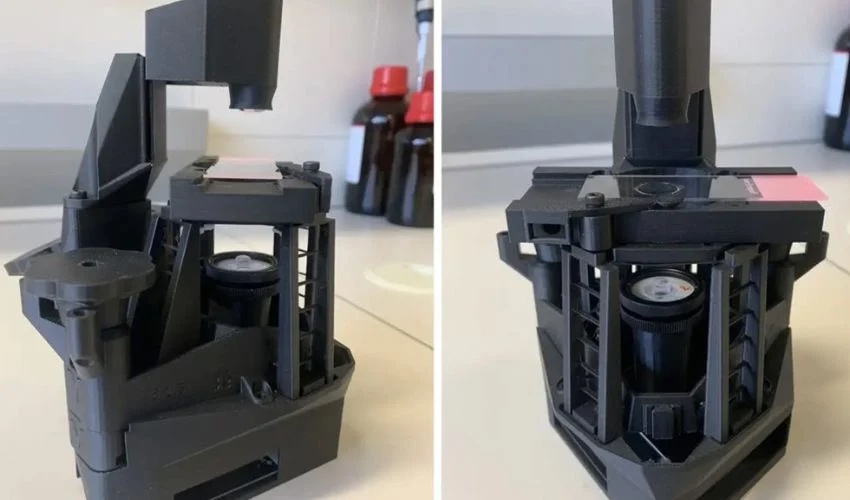 ApplicationsA 3D Printed Microscope Made in Under Three HoursAt the University of Strathclyde, in Glasgow, Scotland, a team of scientists has embarked on a crazy challenge to produce their own equipment at an unbeatable cost – less than £50 or around $63. This microscope has a body that…
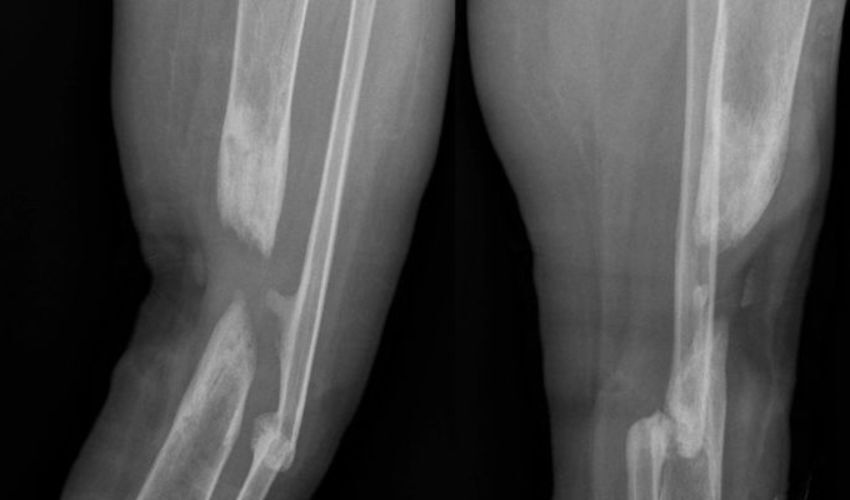 ApplicationsCustom 3D Printed Cage Successfully Treats Infected Tibial ShaftA recent case report published in Cureus journal highlighted the use of a novel 3D-printed titanium mesh cage to treat an infected tibial shaft ‘non-union’, a medical term for fractures that takes an extended period of time to heal. The…