
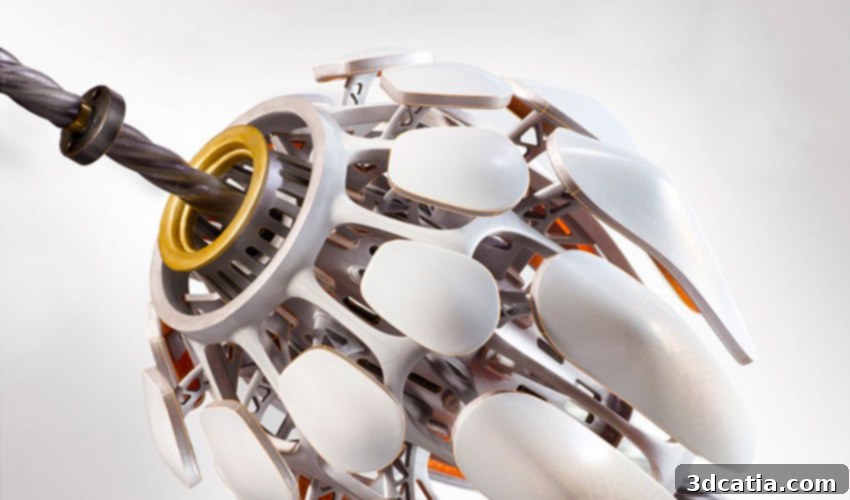
Autodesk Inventor: Your Complete Guide to Parametric 3D CAD Design and Advanced Manufacturing
In the dynamic world of product design and manufacturing, the journey from concept to creation invariably begins with a robust digital design. This foundational step leverages an extensive array of design tools available on the market, catering to a spectrum of users from enthusiastic beginners to seasoned industry professionals. Among these sophisticated solutions, Autodesk Inventor stands out as a premier choice. Developed by Autodesk, a global leader in design and make technology, Inventor is a powerful computer-aided design (CAD) software meticulously crafted for comprehensive modeling, simulation, visualization, and documentation. Its core strength lies in its ability to seamlessly integrate both 2D and 3D data within a unified environment, allowing engineers and designers to construct an intricate virtual representation of the final product. This virtual prototyping capability is invaluable, enabling users to rigorously validate the form, fit, and function of their designs long before committing to physical manufacturing. Autodesk Inventor is further distinguished by its advanced design methodologies, including parametric modeling, direct editing, and versatile free-form tools, all complemented by robust multi-CAD translation capabilities for standard DWG (DraWinG) computer drawings. This comprehensive guide will delve deeper into the functionalities, benefits, and latest advancements of this exceptional software, illuminating why it remains a cornerstone for mechanical engineering and product development.
At its technological heart, Inventor utilizes ShapeManager, Autodesk’s proprietary geometric modeling kernel. This powerful foundation underpins the CAD software’s diverse design capabilities, enabling a flexible approach that combines parametric design, direct manipulation, free-form modeling, and rule-based automation. Such versatility empowers designers to choose the most efficient method for any given task, from concept sketching to detailed part modeling. Furthermore, Autodesk Inventor provides an extensive suite of integrated tools designed to streamline complex engineering processes. These include specialized environments for sheet metal design, frame generator for structural assemblies, tube and pipe routing, cable and harness design, sophisticated layout and rendering engines for realistic visualizations, advanced simulation capabilities for performance analysis, and dedicated tools for machine design, among many others. The software also boasts comprehensive support for TrustedDWG® files, ensuring seamless collaboration and data integrity across different design platforms. Its powerful model-based definition (MBD) features enable the direct embedding of manufacturing information—such as annotations, GD&T (Geometric Dimensioning and Tolerancing), and surface finishes—into the 3D model itself, drastically improving communication between design and production. Consequently, Autodesk Inventor is widely adopted by mechanical engineers who require specialized, highly automated tools to not only design but also thoroughly prepare their products for efficient and precise manufacturing processes.
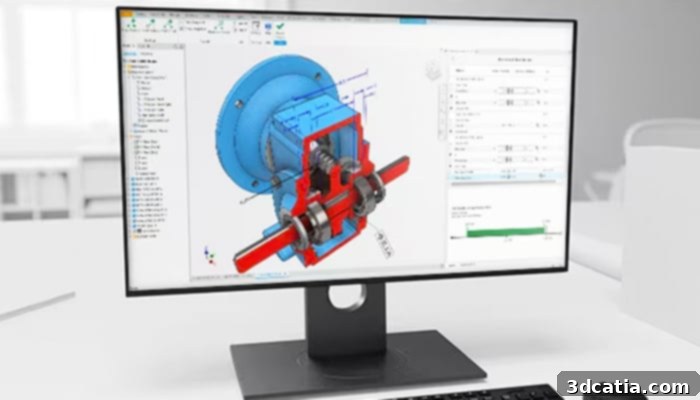
Inventor provides the tools needed to control and manage the data generated by complex assembly designs (Photo credits: Autodesk Inventor)
Key Features and Core Workflow of Autodesk Inventor
The Features of Autodesk Inventor
At its operational core, parts serve as Inventor’s fundamental building blocks. The creation of these parts is achieved by defining distinct features, which are themselves meticulously based on underlying sketches, essentially 2D drawings. These working drawings can be strategically employed to produce sketches at various points within the workspace, allowing for intricate and precise geometric definition. A significant advantage of this parametric design method is the unparalleled flexibility it offers: all sketches and features can be easily revised and corrected at any subsequent stage of the design process, eliminating the tedious and time-consuming need to recreate the entire design from scratch. This intuitive modeling system represents a substantial leap forward compared to older, more rigid design tools, where even minor modifications to basic dimensions often necessitated starting the project anew. To continue the product development process, individual parts are then intelligently linked together to form complex assemblies. Through this interconnected approach, by modifying the constituent parts and their relationships within the assemblies, designers can effortlessly generate and evaluate different product variants. Parts are meticulously assembled by adding geometric constraints between their surfaces, edges, planes, points, and axes, ensuring that components fit together as intended in the real world. This robust modeling methodology empowers users to efficiently create and manage even the largest and most intricate assemblies, facilitating detailed design and analysis.
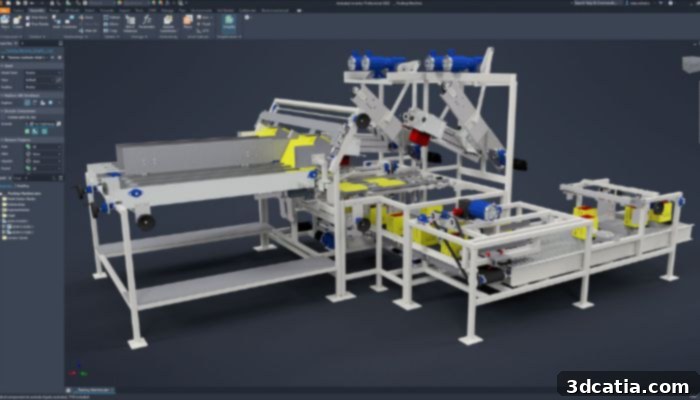
Example of a model in Autodesk Inventor (Photo credits: Autodesk Inventor)
Integrating Autodesk Inventor with 3D Printing Workflows
Using Autodesk Inventor for 3D Printing
Autodesk Inventor is globally recognized as one of the most extensively utilized 3D mechanical CAD design programs, instrumental in crafting highly accurate 3D digital prototypes. These prototypes are crucial for comprehensive product design, realistic visualization, and rigorous simulation, particularly within mechanical engineering fields. Its inherent strength lies in its employment of parametric solid modeling techniques, which allow for the rapid modification and adaptive adjustment of a product design’s geometric characteristics through a highly intuitive and efficient workflow. For the realm of 3D printing, the paramount objective is to generate correctly meshed models that can be reliably exported as industry-standard STL files. A 3D model meticulously created within Autodesk Inventor software inherently results in a closed, watertight design with perfect meshing, which is critical for ensuring successful and error-free additive manufacturing processes.
To further facilitate additive manufacturing, Autodesk Inventor incorporates a specialized 3D printing tool directly within its interface. Users can easily locate this powerful functionality by navigating to the top bar and accessing the “Environment” panel. Clicking on this dedicated tool transforms the workspace, presenting a visual representation of a printer’s build plate. This integrated environment is designed to work seamlessly with various 3D printers, including Autodesk’s own Ember printer, as well as a wide range of other commercially available additive manufacturing systems. Within this dedicated 3D printing environment, users gain precise control over several critical aspects of print preparation. They can define the optimal orientation of their part on the build plate, which is essential for minimizing support material, optimizing print time, and enhancing the final part’s mechanical properties. Furthermore, direct modeling capabilities within this environment allow for minor geometric adjustments or scaling, should a slightly larger or modified part be required for printing without altering the original design. Beyond these direct adjustments, Inventor offers flexible export options, allowing users to send the prepared part directly to Autodesk Print Studio for further fine-tuning, to Meshmixer for advanced mesh editing, or directly to their chosen 3D printer for immediate fabrication. The “Print Options” tool provides granular control over output settings, enabling users to fine-tune mesh structure for resolution, specify units for dimensional accuracy, and even define the desired color for multi-material or multi-color printing processes, ensuring precise control over the final printed output.
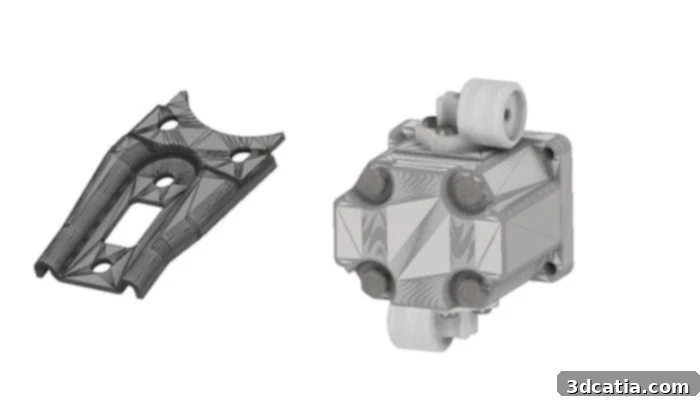
Example mesh created with the software, demonstrating readiness for 3D printing (photo credits: Autodesk Inventor)
Innovations and Enhancements: The Latest Version, Inventor 2024
The Latest Version, Inventor 2024
The latest iteration of Inventor® 3D CAD software, Inventor 2024, represents a significant leap forward, packed with substantial updates and enhancements that cater to the diverse needs of a wide array of industries. These improvements are not arbitrary; rather, they are directly inspired by valuable user feedback and specific requests, demonstrating Autodesk’s commitment to creating a user-centric design solution. The collective impact of these changes is profound, greatly facilitating efficient design management, significantly reducing repetitive and mundane tasks, and ultimately accelerating engineering workflows across the board. Among the numerous innovative features introduced in this new version is the groundbreaking ability to streamline the design inspection process by seamlessly sending models directly to Fusion 360. This integration allows for more comprehensive and collaborative design validation, ensuring higher quality and accuracy in the final product.
Inventor 2024 also introduces a powerful new feature that enables the direct application of iLogic code in conjunction with Vault. This integration revolutionizes data management and automation, allowing users to perform complex operations such as intelligent file copying, defining sophisticated numbering schemes, and efficiently extracting documents, thereby enhancing data consistency and reducing manual errors. Furthermore, Autodesk has meticulously optimized model-based definition (MBD) capabilities specifically for documentation workflows within the 3D environment. This means that manufacturing information is even more tightly integrated into the 3D model, providing clearer, more precise instructions for production and inspection without relying solely on traditional 2D drawings. Beyond these functional enhancements, this release places a strong emphasis on performance and productivity. Users will experience noticeable improvements in graphics performance, leading to smoother interaction and faster rendering, especially when working with complex visualizations. Crucially, large assembly management has seen significant optimization, resulting in quicker loading times, more stable navigation, and enhanced overall responsiveness when handling extensive and intricate product designs. These continuous improvements underscore Inventor’s position as a cutting-edge tool designed to meet the evolving demands of modern engineering.
Autodesk Inventor: Accessibility and Investment
For those considering the powerful capabilities of Autodesk Inventor, the software is available through a flexible subscription model. Prospective users can embark on a journey with Inventor via a free 30-day trial, offering ample opportunity to explore its extensive features and ascertain its suitability for their specific design and engineering needs. Following the trial period, access transitions to a subscription basis. To begin utilizing Autodesk Inventor on a monthly commitment, the subscription is priced at $305. For users seeking a more cost-effective long-term solution, an annual subscription is available for $2,440, offering a significant saving compared to the monthly option. Furthermore, for maximum value and uninterrupted workflow, a three-year subscription can be secured for $7,320. These flexible pricing tiers are designed to accommodate various budget requirements and project durations. If you are contemplating acquiring this robust software solution, comprehensive and up-to-date information regarding licensing, features, and system requirements can be found directly on Autodesk’s official website, accessible HERE. Investing in Autodesk Inventor means investing in a proven platform that empowers engineers and designers to bring their most innovative ideas to life with precision and efficiency.
What are your thoughts on Autodesk Inventor? Have you integrated it into your engineering toolkit, or do you rely on it as your primary CAD software for complex mechanical designs and 3D printing preparations? We invite you to share your experiences and insights in a comment below, or engage with our community on our Linkedin, Facebook, and Twitter pages! Don’t miss out on the latest advancements and news in the world of 3D printing – sign up for our free weekly Newsletter here, delivered directly to your inbox! Additionally, you can explore all our in-depth videos and tutorials on our YouTube channel for more visual learning and updates.