
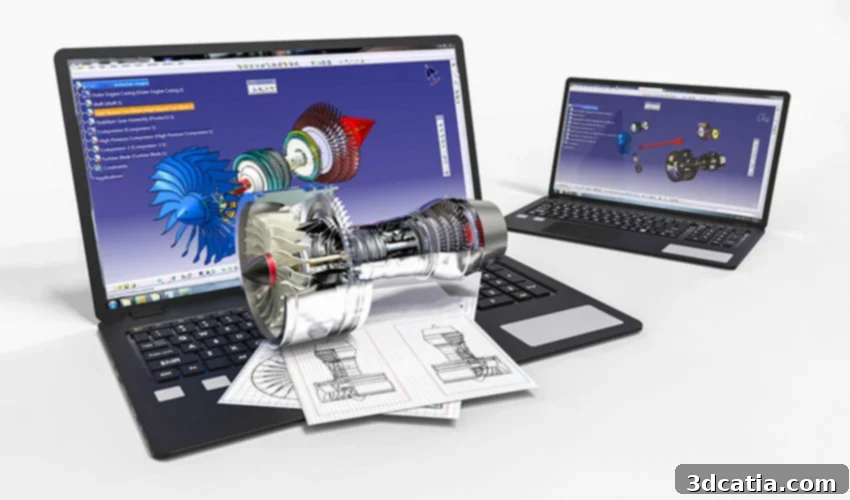
Choosing the Right CAD Software for 3D Printing: A Definitive Guide for Beginners, Intermediate, and Professional Users
The world of 3D printing is continuously evolving, and at its core lies the crucial process of design. The software you choose to create a 3D printable part is paramount, directly influencing the complexity, detail, and functionality of your final product. Generally, software for 3D design can be broadly categorized into CAD (Computer-Aided Design) software and 3D modeling software. While both enable the creation of three-dimensional objects, CAD software typically focuses on precision, engineering accuracy, and the incorporation of complex mechanisms, making it a staple in industrial, mechanical, architectural, and aeronautical fields. These powerful programs allow users to generate, modify, and optimize designs with meticulous control. This comprehensive guide will explore a range of CAD software specifically tailored for modeling 3D printed parts, segmented by expertise level: beginner, intermediate, and professional. This structured approach aims to help you navigate the vast options and find the perfect tool to bring your additive manufacturing visions to life, whether you’re just starting or a seasoned expert.
CAD Software for Beginners
Starting your journey in 3D design for additive manufacturing can be exciting, but choosing the right software is key to a smooth learning curve. These beginner-friendly CAD programs offer intuitive interfaces and simplified tools, allowing new users to grasp fundamental concepts without being overwhelmed by advanced features.
ZWCAD
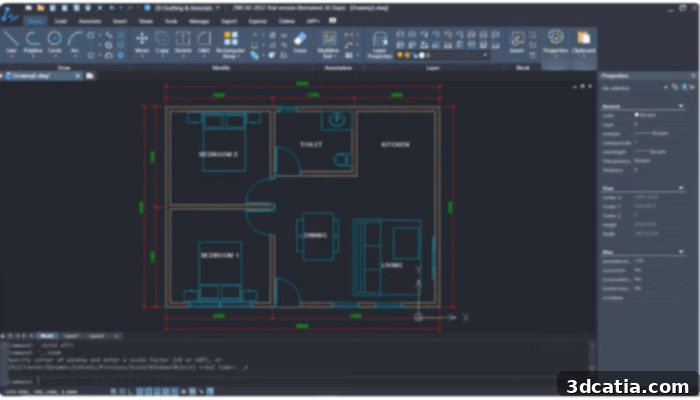
ZWCAD stands out as an easy-to-use and user-friendly CAD solution, catering to both 2D drafting and 3D modeling. Its lightweight nature is a significant advantage, requiring only 2 GB of RAM for seamless operation, minimizing lag and interruptions. While perfectly suited for novices who might not possess in-depth CAD knowledge, ZWCAD also incorporates advanced functionalities like Smart Mouse and Smart Select, appealing to more experienced designers looking for efficiency. For 3D modeling, ZWCAD facilitates the creation of basic 3D models, offers material customization, and supports integration with third-party plugins, boasting impressive 3D rendering capabilities. Furthermore, its high compatibility with DWG formats and support for various file types, including the widely used STL for 3D printing, make it a versatile choice. With competitive pricing, ZWCAD presents an attractive option for budget-conscious users, excelling in compatibility, ease of use, and cost-effectiveness. It’s an ideal tool for projects that require a blend of 2D and foundational 3D CAD functionalities.
– Beginner to Professional
– Unconditional 30-day free trial
– One-time purchases (starting from $899) and yearly subscriptions provided
TinkerCAD
Tinkercad, a 100% free online 3D design application from Autodesk, is specifically crafted for beginners. Its web-based nature eliminates the need for installation, making it accessible from any operating system. Available in 16 languages, Tinkercad employs a block-based construction method, allowing users to build models from a library of fundamental shapes like cylinders, triangles, circles, and cones. Users can easily manipulate these shapes, adding existing elements or creating new ones, with intuitive tools for movement, rotation, and viewing to construct detailed and complex models. Beyond basic modeling, Tinkercad offers additional features such as adding electronic circuits or writing simple programs. Designs can be saved in various formats, including STL, OBJ, GLTF, USDZ, or SVG, facilitating 3D printing. While its simplistic approach might limit some advanced designs, it’s an excellent starting point for those new to 3D modeling. A significant benefit is the ability to transfer Tinkercad designs seamlessly to Autodesk Fusion, providing a natural progression as users gain confidence and are ready for more professional CAD applications.
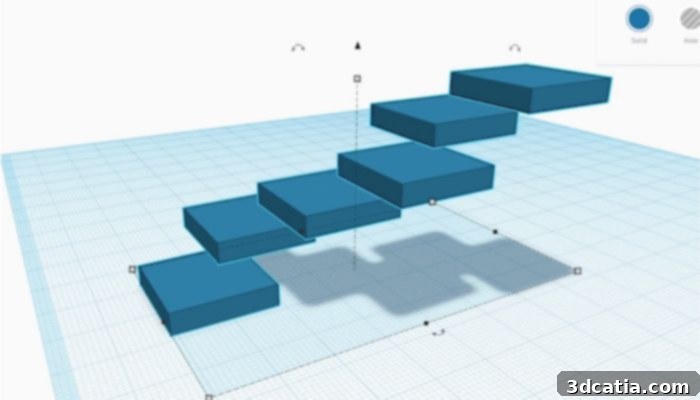
Photo Credits: TinkerCAD
– Beginner level
– Free
FreeCAD
FreeCAD is a powerful, entirely free, and open-source parametric modeling tool suitable for designing objects of any scale. Its parametric capabilities are a standout feature, enabling users to easily modify designs by reviewing the model’s history and adjusting parameters to generate different iterations. This continuous control over creations, through permanent access to original sketches, is a core strength. FreeCAD is a highly versatile tool, engineered to serve a broad spectrum of applications, from intricate product design to comprehensive engineering projects and architectural planning, while remaining perfectly accessible for personal hobbyist use. The latest iteration, FreeCAD 0.21, launched in August 2023, introduced notable improvements. These include an enhanced user interface with an updated navigation cube for better ergonomics, alongside new features in the core system, the Application Programming Interface (API), the Addon Manager (for plugins), and various Workbenches. FreeCAD offers robust functionalities for anyone keen on exploring parametric design without a financial investment.
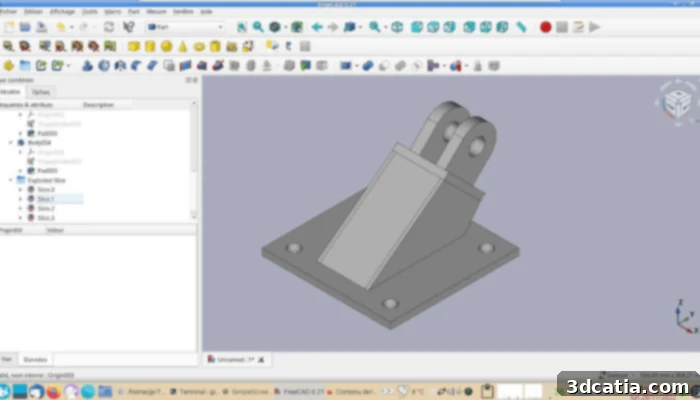
Photo Credits: FreeCAD
– Beginner Level
– Free
BlocksCAD
BlocksCAD was specifically developed with educational purposes in mind, particularly for classroom settings. Its design philosophy centers around preparing users for a seamless transition to more professional CAD software like OpenSCAD. Today, it remains a dedicated educational tool, employing a unique approach where commands for object development and transformations are represented by colorful blocks, akin to LEGO. This visual, block-based system makes it highly engaging and intuitive, especially for younger learners. BlocksCAD boasts full code compatibility with OpenSCAD, allowing users to fine-tune their models in the more advanced software. It supports export formats in both OpenSCAD and STL, making it suitable for 3D printing. To further aid learning, BlocksCAD provides a dedicated YouTube channel with various 3D modeling tutorials and offers a free introductory course on its website, ensuring comprehensive support for new users.
– Beginner Level
– Free (with options to upgrade lessons)
Modeling Software for Intermediate Users
For designers who have mastered the basics and are ready to tackle more complex projects, intermediate CAD software offers a robust set of features. These tools strike a balance between advanced capabilities and a manageable learning curve, making them ideal for developing intricate designs and preparing them for diverse manufacturing processes, including advanced 3D printing applications.
CREO
Creo is a sophisticated 3D CAD solution engineered to accelerate product innovation, enabling the rapid development of superior products. It adopts a model-based approach, which the manufacturer highlights as intuitive and easy to learn despite its advanced capabilities. Creo CAD solutions encompass a wide array of classic functions, including comprehensive assembly modeling, multi-body design, and structural-mechanical analysis. Furthermore, it supports cutting-edge functionalities such as generative design, real-time simulations, and augmented reality, pushing the boundaries of what’s possible in product development. The latest versions, Creo 10 and Creo+, introduce crucial enhancements for broad-ranging part production. Notable new features include specialized functions for designing parts with composite materials, facilitating the creation of stable yet lightweight components, and improved design tools for cable and pipe routing. The introduction of ergonomic part design further enhances its versatility. Both new versions are available as a SaaS product, with Creo+ specifically designed for cloud-based collaboration, bundling a desktop license with its cloud capabilities. Existing Creo users can upgrade for free, and new customers can benefit from a free trial. Pricing for Creo products is not publicly listed on their website, requiring interested parties to contact the company directly to tailor a package that best suits their specific needs.
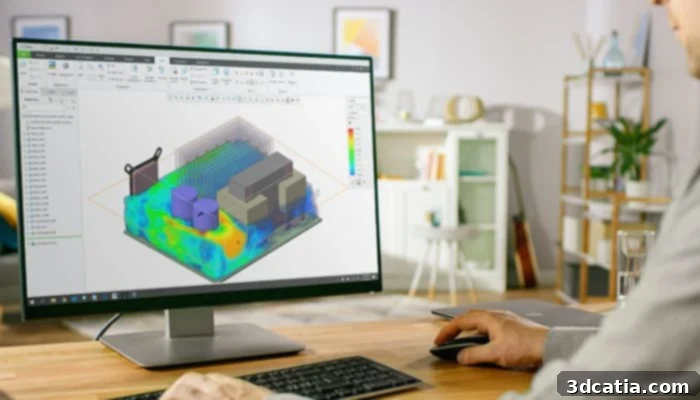
Photo Credits: CREO
– Intermediate to Professional
– Price available on demand
Solid Edge
Solid Edge is a robust CAD software known for its blend of ease of learning and powerful features, making it suitable for both beginners and seasoned professionals. Originally launched in 1996 by Intergraph and later distributed by Siemens, it has been continually refined, establishing itself as a reliable choice across various industries. A key innovation of Solid Edge is its proprietary synchronous technology, a modeling technique that seamlessly merges parametric and direct modeling. This approach simplifies the design process while retaining high-level control through history-based modeling, though traditional parametric and direct modeling are also fully supported. Other significant features include an AI-powered user interface, exceptional processing speed, and extensive cloud capabilities, allowing users to access CAD functionalities from any device. For its 2024 version, Siemens has emphasized “unleashing the power of intelligent product design.” This includes exciting new features such as the ability to visualize, pan, zoom, and rotate even the largest assemblies up to 9 times faster, along with an even more robust integration of artificial intelligence, enhancing efficiency and design intelligence.
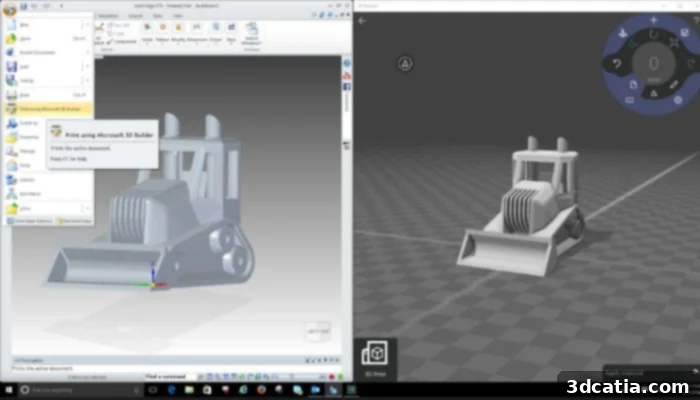
Photo Credits: Solid Edge
– Beginner to Professional
– Different prices depending on the version, starting at $85/Month
Fusion 360
Fusion 360, offered by Autodesk, is a comprehensive cloud-based software platform for design, engineering, electronics, and manufacturing. It aims to provide a unified, streamlined workflow from initial concept to final production. Beyond its powerful 3D CAD tools, Fusion 360 integrates CAM (Computer-Aided Manufacturing), CAE (Computer-Aided Engineering), and PCB (Printed Circuit Board) design capabilities. Its functionality extends to 3D simulation, exploratory generative design, 2D drawing, rendering, and animation. As a cloud-native platform, Fusion 360 offers distinct advantages, including robust version history control, secure cloud data storage, and effortless collaboration with other users. It supports a wide array of file types, such as STEP, DWG, DXF, OBJ, STL, and IGES, ensuring broad compatibility for various design and manufacturing ecosystems. The platform’s versatility makes it suitable for amateur users, experienced designers, and professional engineers alike, enabling seamless transitions between different stages of the product development lifecycle.
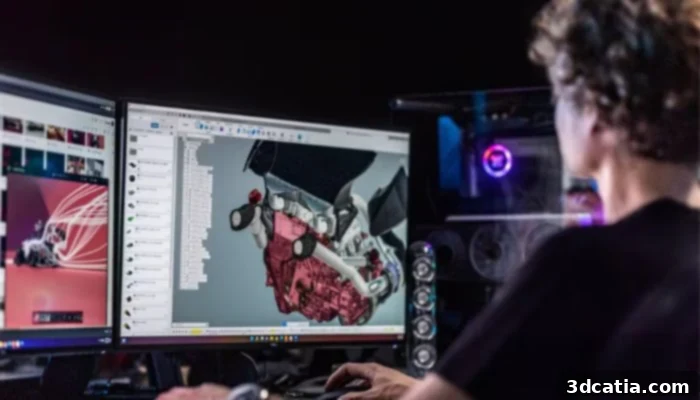
Photo Credits: Fusion 360
– Intermediate to Professional
– Price: $60/month or $495/year
4D_Additive
Developed by the Franco-German company CoreTechnologie, 4D_Additive is specialized software designed for the optimized preparation of CAD models for additive manufacturing. It offers users the capability to repair all types of models and enables precise modeling in exact geometry. Its extensive suite of functions includes advanced analysis tools that can determine the optimal orientation of a part for printing and efficiently fill the printing plate. 4D_Additive supports the preparation of CAD models from 24 different formats, including industry standards like Catia. Key features encompass 2D and 3D nesting functions with multiprocessor calculation for efficient material usage, a texture module boasting over 5,000 surface structures, and robust tools for checking, repairing, and preparing models using a B-Rep geometry kernel, alongside comprehensive geometry analyses. With export capabilities to .3mf, .amf, .obj, and .stl formats, CoreTechnology’s software also provides access to a wide variety of support structures that can be generated manually or automatically. Through regular updates, 4D_Additive consistently evolves, integrating the latest advancements in additive manufacturing preparation.
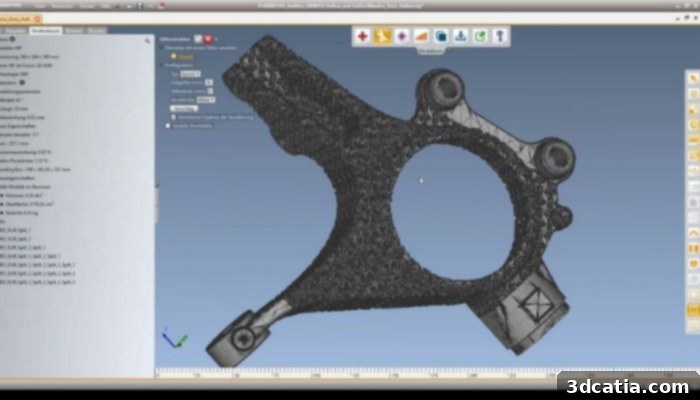
Photo Credits: 4D_Additive
– Intermediate to Professional
– Price available on demand
SketchUp
SketchUp is a versatile CAD design software primarily targeting the professional sector, though its free version makes it accessible to everyone. Initially launched in 2000 as Last Software, it has grown significantly over the years to become one of the most widely adopted CAD solutions globally, particularly prominent in the architecture industry. Currently, SketchUp offers four distinct versions: Free, Go, Pro, and Studio (with Studio being exclusive to Windows). The Free version provides basic functionalities, ideal for personal use but quite limited for professional tasks. The Go version, priced at $119 per year, empowers users to create designs on the go and export them in various file formats. The Pro version, starting at $349 annually, is the most comprehensive and advanced, unlocking a broader spectrum of features for professional designers. Finally, the Studio version, at $749 per year (Windows only), is tailored for users seeking even more advanced functionalities, enhanced quality, and greater detail beyond what the Pro version offers. SketchUp’s intuitive interface and extensive library of extensions contribute to its enduring popularity across a diverse user base.
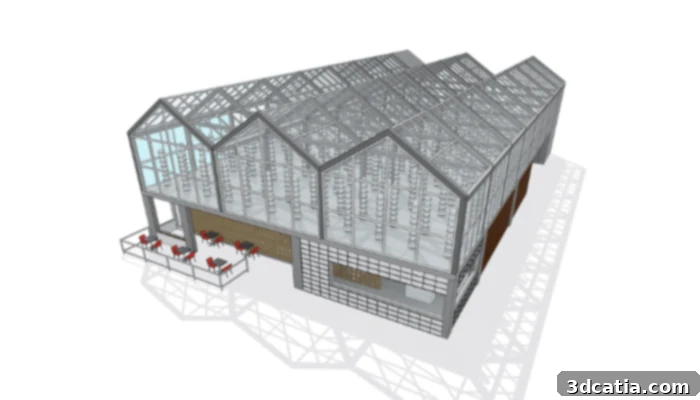
Photo Credits: SketchUp
– Beginner to Professional
– Starting at $119/year
Blender
Blender is a highly feature-rich 3D modeling software, renowned for its extensive capabilities, particularly within the animation and video production industries. Its distinguishing characteristic is being 100% free and open-source, making it accessible to a global community of creators. While Blender primarily utilizes a polygonal modeling approach, which differs from the solid modeling typically found in CAD software, it remains a viable option for additive manufacturing. It offers the crucial ability to export 3D models into formats compatible with 3D printing technologies, such as STL and OBJ files, which are standard for communicating mesh data to 3D printers. Although it may not initially appear as the most obvious choice for technical 3D printing applications compared to dedicated CAD programs, Blender’s vast functionality, including sculpting, texturing, and rendering, is deeply appreciated by users. Its versatility allows for creative freedom in design, and with proper workflow adjustments, it can effectively generate print-ready models.
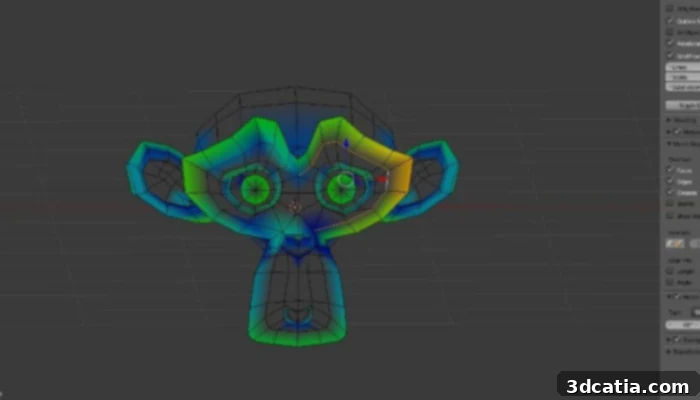
Photo Credits: Sculpteo
– Intermediate
– Free
SelfCAD
SelfCAD is a rapidly gaining popularity as an intuitive and user-friendly CAD software that nonetheless incorporates advanced tools for modeling, sculpting, and preparing designs for 3D printing. It offers a free version, and a Pro version with enhanced features such as mesh modeling, advanced sculpting tools, and an ImageTo3D function. A notable advantage of SelfCAD is its integrated STL slicer, which supports most 3D printers, streamlining the entire 3D printing workflow by eliminating the need for external slicing software. The company’s vision for SelfCAD is to cater to the 3D printing needs of a diverse user base, ranging from independent designers and small to medium-sized enterprises (SMEs) to manufacturers and educational institutions. This comprehensive approach ensures that users at various skill levels and professional capacities can leverage SelfCAD for efficient and hassle-free 3D design and printing.
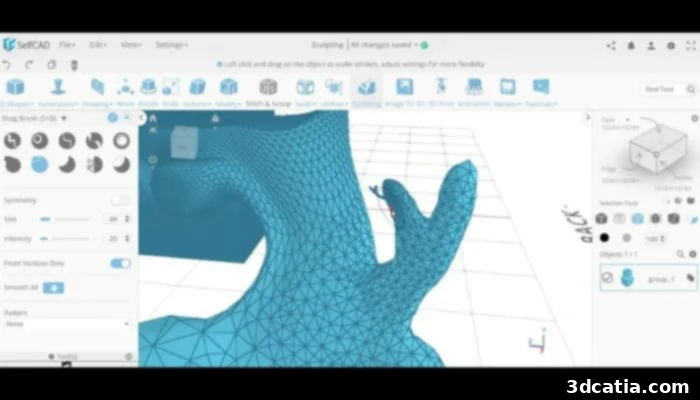
Photo Credits: SelfCAD
– Intermediate Level
– Free version suitable for students and hobbyists
– SelfCAD Pro is also available with even more tools starting from $14.99/month or $139.99/year
Software Solutions for Professionals
For professionals operating at the forefront of engineering, manufacturing, and design, specialized CAD software offers unparalleled precision, advanced functionalities, and robust integration capabilities. These tools are designed to handle the most complex projects, streamline workflows, and ensure the highest quality output for industrial-grade 3D printing and beyond.
AutoCAD
AutoCAD, pioneered by Autodesk in 1982, holds a distinguished place as one of the earliest CAD solutions, establishing itself across numerous industries. While celebrated for its widespread use, particularly in 2D drafting, its adoption within the 3D printing community has seen a recent shift. Many users find its 3D modeling interface less intuitive compared to other specialized 3D CAD programs, often citing complexity when dealing with macros and scripts. This presents a significant learning curve beyond its basic functionalities. AutoCAD is primarily geared towards seasoned professionals who excel in algorithmic modeling, leveraging their programming expertise to harness its full potential and unlock virtually limitless design possibilities. Critically, AutoCAD supports the conversion of 3D models into STL files, ensuring seamless integration with the 3D printing process. Since 2010, Autodesk has enhanced AutoCAD’s accessibility by introducing AutoCAD 360, a mobile and web-based application, extending its utility beyond traditional desktop environments.
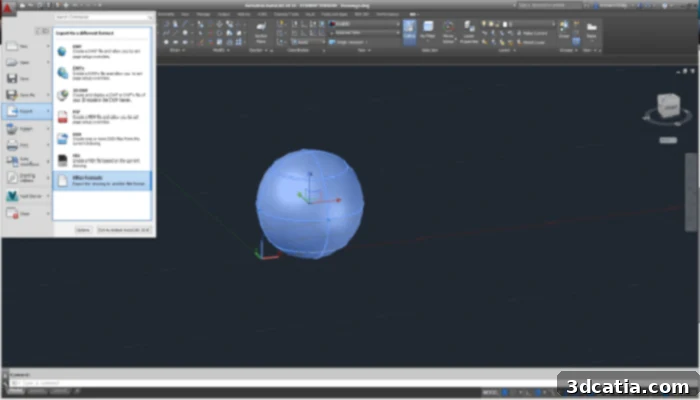
Photo Credits: Autodesk
– Professional Level
– From $255/month or $2030/year
– Free and fully functional version to download for students and faculties.
CATIA
CATIA, developed by the French company Dassault Systèmes, is an advanced suite of applications designed to empower companies across a wide spectrum of industries in product development. As a premier CAD software solution, it enables architects, engineers, mechanical designers, and construction professionals to create highly complex 3D models with unparalleled precision. From the initial conceptualization phase through to the final design revisions, CATIA effectively overcomes the limitations often imposed by traditional project delivery methods. The software is powered by the innovative 3DEXPERIENCE platform, which provides an extensive array of 3D modeling tools covering every stage of design and construction. This integrated environment fosters complete digital continuity, significantly enhancing collaboration among teams and facilitating secure file storage within a cloud-based infrastructure. CATIA is particularly valued in automotive, aerospace, and industrial equipment sectors for its robust capabilities in product lifecycle management.
– Professional Level
– Price starting at $2268/3 months or $7560/year
OpenSCAD
OpenSCAD is a unique software for creating solid 3D CAD models, distinguished by its completely free and open-source nature. It is available across various operating systems, including GNU/Linux, Microsoft Windows, and Mac OS. Unlike many other free 3D modeling software, such as Blender, OpenSCAD deliberately shifts its focus from the artistic aspects of 3D modeling to the precise, programmatic control inherent in CAD. Models can be constructed using two primary techniques: constructive solid geometry (CSG) or the extrusion of 2D contours. OpenSCAD supports reading and opening 3D models in STL, DXF, and OFF file formats. Its non-interactive platform ensures that the user maintains absolute control over the model and its parameters through code, making it an ideal choice for technical users who prefer a programmatic approach to design. Interested parties can download OpenSCAD directly from its official website, making it highly accessible for professional and technical users who prioritize accuracy and script-based design.
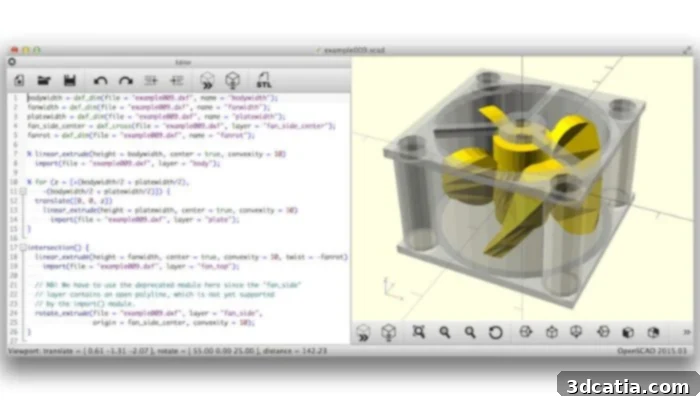
Photo Credits: OpenSCAD
– Professional Level
– Free
Onshape
Onshape is an innovative, cloud-native CAD software platform that redefines how users create, modify, collaborate on, and distribute 3D models and design projects in real time. Developed by former SolidWorks executives, Onshape distinguishes itself with a highly intuitive user interface and powerful collaborative functionalities, allowing multiple users to work simultaneously on a single design from anywhere in the world. A key differentiator for Onshape is its direct integration of CAD data management, which eliminates the traditional complexities associated with file-checking procedures, accidental overwrites, and the need for expensive Product Data Management (PDM) software. Being entirely cloud-based, Onshape removes the burden of constant software updates and installations, as it operates directly through a web browser, ensuring users always have access to the most current version regardless of their device or location. This platform is an excellent choice for professionals aiming to significantly boost productivity through seamless team collaboration and secure data sharing, making it ideal for modern, distributed design teams.
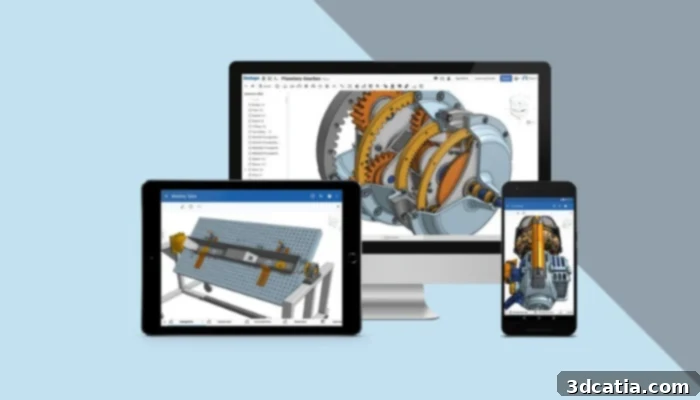
– Professional Level
– Free for students otherwise starting at $1,500 a year
Rhino
Rhinoceros 3D, commonly known as Rhino, is one of the most widely recognized and popular 3D modeling software packages. It is founded on NURBS (Non-Uniform Rational Basis Splines) geometry, enabling precise manipulation of points, curves, meshes, surfaces, and solids. This robust capability makes Rhino a preferred choice across a multitude of industries, including architecture, product prototyping, engineering, and jewelry design. The strength of Rhino3D lies in its extensive array of design features, offering considerable versatility for creating highly complex 3D models with organic and free-form shapes. However, being designed for professional-grade applications, mastering Rhino requires substantial practice and dedication. Its powerful toolset provides professionals with the flexibility to realize intricate designs that might be challenging in other CAD environments, making it a go-to for designers pushing the boundaries of creativity and precision.
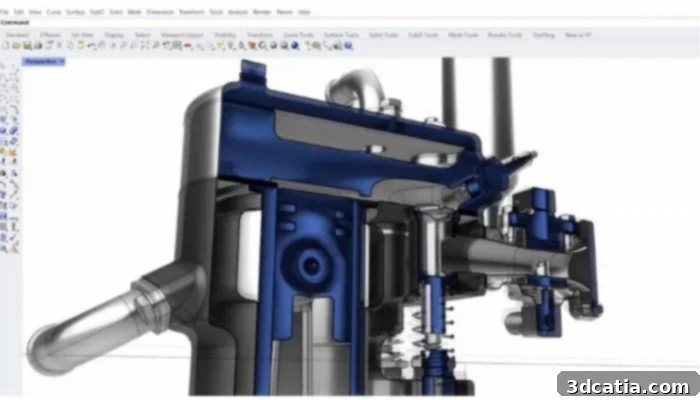
Photo Credits: Rhinoceros
– Professional Level
– Includes different bundles; Rhino 7 starts at US$ 995 for Windows and Mac (one-time purchase)
Siemens NX
Siemens, a global multinational conglomerate and one of the largest industrial manufacturing entities, also maintains a significant presence in the additive manufacturing sector. It is no surprise, then, that the company offers its own highly integrated CAD software solution: Siemens NX. This professional-grade offering uniquely combines CAD, CAM (Computer-Aided Manufacturing), and CAE (Computer-Aided Engineering) functionalities within a single software platform, with features varying based on the specific pricing tier. Siemens emphasizes that NX is engineered to support every facet of product development, from initial concept design (CAD) through detailed engineering and manufacturing. It achieves this through a comprehensive, integrated toolset that streamlines the entire process, enhancing efficiency and reducing time-to-market. Key features include advanced tools for 3D model creation, in-depth product analysis, sophisticated simulation capabilities, and integrated manufacturing functionalities, making it an indispensable asset for complex industrial design and production environments.
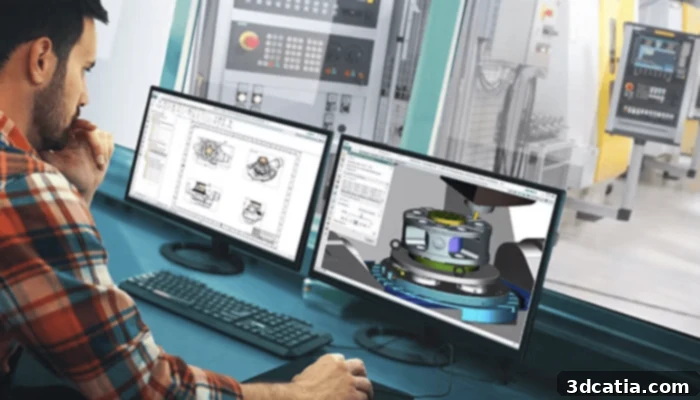
Photo Credits: Siemens
– Professional Level
– Starting from USD $3,444
Solidworks
SOLIDWORKS, another flagship CAD software developed by Dassault Systèmes, stands as one of the most popular and widely adopted programs across numerous industries, including the rapidly expanding field of additive manufacturing. It operates on a parametric design philosophy, generating three core file types: parts, assemblies, and drawings, which collectively define a complete product. SOLIDWORKS boasts a comprehensive suite of features, encompassing robust design validation tools and advanced reverse engineering options. Crucially for 3D printing, it includes specialized tools that address the unique requirements of additive manufacturing, such as the generation of optimized support structures and the prediction and mitigation of potential distortions during the printing process. This makes it an invaluable tool for professionals dealing with complex industrial parts. Unlike many CAD programs that approximate curves with faceted structures, SOLIDWORKS utilizes a NURBS (Non-Uniform Rational B-Spline) system, ensuring highly detailed and smooth curvatures, which is essential for precision engineering and aesthetics.
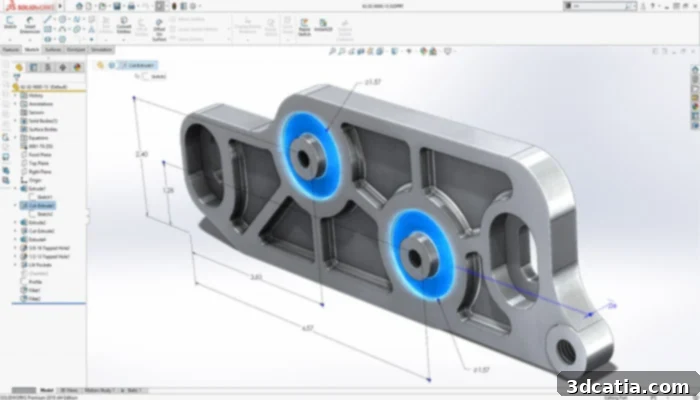
Photo Credits: Dassault Systèmes
– Professional Level
– Price on demand
Inventor by Autodesk
Autodesk Inventor is a powerhouse CAD software specifically designed for mechanical design and one of the most recognized professional tools in 3D design. Inventor leverages a versatile combination of parametric, direct, free-form, and rule-based design functions, providing users with integrated tools for sheet metal, frame, tube, and power design. It enables the creation of exceptional designs through industry-specific toolsets and facilitates design automation via iLogic. Furthermore, this CAD software supports seamless connectivity between designs and incoming customer data, as well as collaborative idea exchange through a secure cloud-based service. After a free trial, users can access Inventor through three payment models: a monthly subscription at $315, a popular annual subscription at $2500, or a three-year fee of $7500. The three-year option is designed to offer price stability, safeguarding buyers against potential future price increases. It’s important to note that pricing may vary by region, with some areas, such as the United States, offering more competitive rates.
– Professional Level
– Starting at $315/month
TurboCAD
TurboCAD, from IMSI/Design, is renowned for its extensive design palette and diverse functionalities, enabling the creation of intricate 3D designs. Compatible with both Microsoft Windows and Mac OS, TurboCAD excels in loading, processing, and rendering very large CAD files efficiently. The software is available in three main versions: TurboCAD 2D 2022/2023 for 2D drafting, a 2D/3D version for mixed projects, and the Pro Platinum 2022/2023 version. The Pro Platinum version is highly recommended for 3D printing and professional applications, offering a comprehensive suite for design, ACIS® 3D solid modeling, photorealistic rendering, and advanced CAD tools tailored for architecture, construction, and engineering. It supports a broad range of file formats, including IGES, STEP, OBJ, and STL, ensuring cross-platform compatibility. TurboCAD is also praised for its easily customizable user interface, allowing professionals to tailor their workspace for optimal efficiency. The full TurboCAD Pro Platinum version is available for a one-time purchase price of $1499.99 from the company’s online store, with upgrade options available at a lower cost for owners of previous versions or other editions.
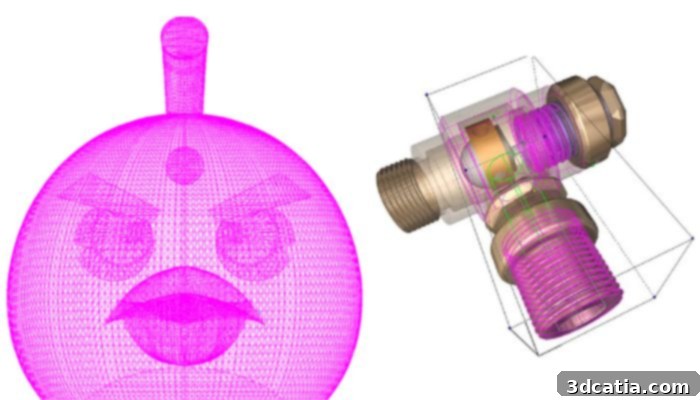
Photo Credits: TurboCAD
– Professional Level
– Starting at $499.99 for a subscription
BricsCAD
BricsCAD is a professional CAD solution that facilitates both 2D and 3D designs, serving a broad spectrum of users including mechanical engineers, architects, surveyors, product developers, general contractors, and civil engineers. It provides all the familiar CAD functions such as extensive editing tools, advanced modeling capabilities, realistic rendering materials, and integrates AI-controlled tools for enhanced efficiency. The core objective of BricsCAD is to enable rapid technical detailing, thereby boosting production output while simultaneously reducing costs. Depending on the specific application area, BricsCAD offers several versions: Lite, Pro, Mechanical, BIM, and Ultimate, with prices ranging from $708 to $2646. It is important to note that the Lite version is limited to 2D design and has significant restrictions. A key advantage of BricsCAD is its ability to seamlessly open and edit drawings created with other software, ensuring broad interoperability. The official website provides a free trial version and a wealth of complimentary resources, including tutorials and problem-solving guides. BricsCAD is compatible with Windows, Linux, and Mac operating systems, offering flexibility for diverse professional environments.
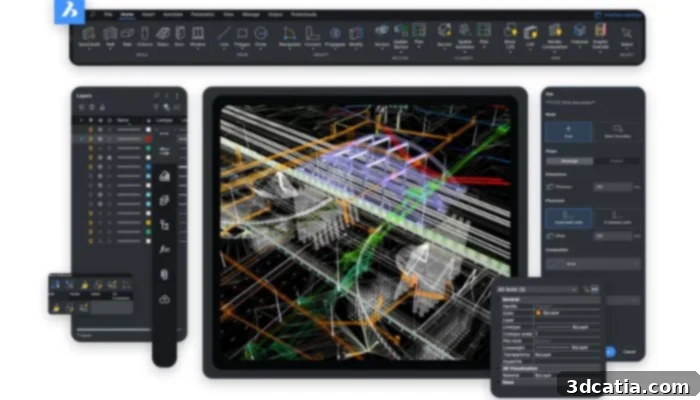
Photo Credits: BricsCAD
– Professional Level
– Starting at $708 (perpetual license)
Choosing the right CAD software for 3D printing is a critical decision that impacts your design workflow, the complexity of your models, and ultimately, the success of your additive manufacturing projects. From beginner-friendly platforms like Tinkercad to professional powerhouses like CATIA and Solidworks, there’s a tool tailored for every skill level and industry need. Consider your current expertise, project requirements, budget, and desired level of collaboration when making your choice. Investing time in understanding each software’s strengths will empower you to create innovative and high-quality 3D printed parts. Which software will you choose to elevate your 3D printing journey? Let us know in a comment below or on our Linkedin, Facebook, and Twitter pages! Don’t forget to sign up for our free weekly Newsletter here to receive the latest 3D printing news straight to your inbox! You can also find all our videos on our YouTube channel.