UltiMaker S7 Review: The Evolution of Professional Desktop FDM 3D Printing
The landscape of desktop Fused Deposition Modeling (FDM) 3D printing has been significantly shaped by a handful of pioneering companies, with UltiMaker standing prominently among them. The journey began in 2010 when a dedicated team of Dutch enthusiasts, deeply immersed in the RepRap movement, embarked on building their own FDM printer, the Elserbot, within a vibrant Fablab environment. This collaborative spirit and technical ingenuity quickly blossomed into a commercial venture. Just a year later, in 2011, this same group of founders – Martijn Elserman, Erik de Bruijn, and Siert Wijnia – officially established Ultimaker. Their inaugural commercial product, the Ultimaker Protobox (later known as the Original), marked the true genesis of a company that would soon become synonymous with high-quality, accessible FDM 3D printing for professionals and enthusiasts alike. Since its inception, Ultimaker has consistently pushed the boundaries of what’s possible with desktop 3D printing, evolving from a community project into a global leader.
Over the years, the company’s commitment to innovation has been relentless. Ultimaker didn’t just expand its FDM 3D printer portfolio; it also developed one of the most widely adopted and celebrated slicer software solutions to date: Cura. This open-source software has democratized access to advanced print preparation, offering unparalleled control and flexibility to users of Ultimaker machines and many other brands. Alongside its hardware and software advancements, Ultimaker recognized the growing need for streamlined workflow management in professional settings. To address this, the firm introduced powerful remote control interfaces like Management Console (formerly Cura Connect) and Digital Factory, enabling users to efficiently monitor and manage their entire fleet of 3D printers from anywhere.
A pivotal moment in UltiMaker’s history occurred recently with its merger with historical competitor Makerbot. This strategic alliance, bringing together two giants of the desktop 3D printing world, resulted in the formation of the new UltiMaker brand. The highly anticipated UltiMaker S7, unveiled on January 24th, stands as the flagship product emerging from this significant merger. While it represents the first printer under the unified UltiMaker banner, the S7 proudly continues the legacy of the acclaimed S-series, building upon the proven success and reliability of its predecessors, the S3 and the immensely popular S5 models. Essentially, the S7 is presented as a meticulously refined and improved iteration of the S5. Following a year of intensive research and development, UltiMaker’s objective was clear: to address any perceived shortcomings of the S5 and to elevate the accessibility and ease of use of professional FDM 3D printing to new heights. This focus on user experience, combined with enhanced technical capabilities, positions the S7 as a significant leap forward in the professional desktop 3D printing market.
To truly understand the advancements brought by this new machine, our 3Dnatives Lab had the exclusive opportunity to put the UltiMaker S7 through its paces a few days prior to its official release. This comprehensive review aims to uncover all the intricate features, innovative characteristics, and real-world performance of the UltiMaker S7, offering an in-depth look for anyone considering this professional-grade FDM 3D printer.
Unwrapping and First Impressions of the UltiMaker S7 3D Printer
Our evaluation of the UltiMaker S7 began with the unpacking process, a critical first step that often sets the tone for user experience. We were pleased to find that the S7 comes almost entirely pre-assembled, a significant advantage for professional users who prioritize quick setup and minimal downtime. The only component requiring installation is the spool holder, making the initial unboxing incredibly straightforward. Once the printer was carefully removed from its robust packaging and freed from all transport protections, we positioned it on our test bench. Our immediate visual assessment revealed a strong resemblance between the S7 and its predecessor, the S5, albeit with the S7 being slightly taller. This similarity is not superficial; it stems from the S7 judiciously reusing many core components that have proven reliable and effective in the S5. For instance, both printers share the same robust Cartesian movement system, the innovative interchangeable print core system, and the high-quality manufacturing standards that Ultimaker is renowned for. Furthermore, the S7 maintains the generous build volume of 330 x 240 x 300 mm (approximately 19.5 x 23 x 31.5 inches), providing ample space for a wide range of applications, from rapid prototyping to functional end-use parts. This continuity in fundamental design elements ensures a familiar and dependable experience for existing UltiMaker users, while setting the stage for the S7’s specific enhancements.
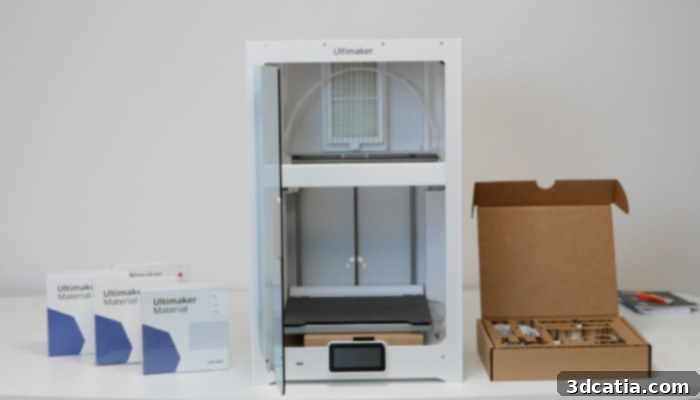
The UltiMaker S7 leverages established components from the S3 and S5 FDM printers, ensuring consistent quality and performance.
Opening the enclosure door revealed a well-organized array of accessories accompanying the machine. The accessory box contained essential items, including three print cores (two AA cores for standard materials and one BB core for support materials), a dual spool holder equipped with an RFID/NFC reader for automatic filament recognition (a crucial feature for optimizing print profiles and material tracking), a screwdriver for minor adjustments, an RJ45/Ethernet cable for network connectivity, a blank USB flash drive for print file transfer, and tubes of grease and lubricant for routine maintenance. While the provision of maintenance essentials is commendable, during our testing, we felt that the inclusion of a few additional tools, such as a pair of cutting pliers for filament, fine needle-nose pliers for delicate tasks, or tweezers for support removal, would have further enhanced the out-of-box experience for users. Inside the print chamber itself, we also located the new build plate and two spools of filament, allowing for immediate printing upon setup.
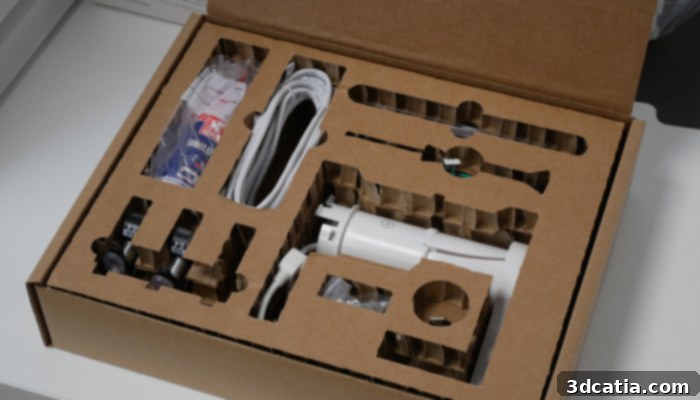
A comprehensive set of accessories is supplied with the UltiMaker S7, supporting immediate operation and maintenance.
Key Innovations and Enhancements in the UltiMaker S7
Despite its visual similarities to the S5, a closer inspection of the S7 reveals several significant and thoughtful improvements designed to elevate the user experience, enhance print reliability, and expand material compatibility. These distinctions underscore UltiMaker’s commitment to continuous product evolution:
- Firstly, the S7 boasts a fully enclosed print chamber, a critical upgrade from the S5’s open-top design. This enclosure is seamlessly integrated with an advanced Air Manager system, providing superior temperature control and robust air filtration. The Air Manager actively monitors the print chamber’s temperature via an integrated thermometer and intelligently adjusts the extraction fan speed to maintain optimal thermal conditions. This precise environmental control is vital for printing engineering-grade materials like ABS, Nylon, and Polycarbonate, which are prone to warping and delamination without stable temperatures. The integrated HEPA filter also captures ultra-fine particles, ensuring a safer working environment.
- Secondly, UltiMaker has equipped the S7 with a new flexible magnetic steel print tray featuring a durable PEI (Polyetherimide) coating. This innovative, reversible plate replaces the traditional glass build plate found in previous UltiMaker 3D printers. The rationale behind this change is a direct response to customer feedback and aims to dramatically increase print reliability. UltiMaker’s research indicated that approximately one in six failed prints was attributable to poor first-layer adhesion. With its new textured PEI-coated surface, the S7 promises a remarkable 50% reduction in print defects related to insufficient first-layer bonding, making part removal significantly easier and safer after printing.
- Thirdly, the UltiMaker S7 incorporates an inductive sensor for highly accurate and consistent bed leveling. While the S3 and S5 utilized capacitive sensors for probing, UltiMaker recognized that these could occasionally be susceptible to electromagnetic interference, leading to inconsistent leveling data. The S7’s transition to inductive sensors mitigates this issue, as these sensors are far less sensitive to electrical noise and electromagnetic interference, thereby ensuring more precise and reliable data acquisition for perfect first layers every time. This translates to fewer failed prints and more consistent results, especially in varied industrial environments.
- Fourthly, the S7 integrates a series of smart sensors and alignment pins to minimize handling errors and improve operational safety. Before initiating a print, the printer automatically verifies that the flexible build plate is correctly installed and that the front cover is securely closed. Additionally, the build plate features precisely aligned holes at its four corners, which engage with small metal studs on the print bed, guaranteeing perfect alignment and stability of the plate throughout the printing process. This attention to detail significantly reduces human error and enhances the overall reliability of the printing workflow.
- Fifth, the integrated camera on the S7 has been upgraded with a wider viewing angle and increased resolution. This enhancement provides users with significantly better visibility of their ongoing prints, facilitating more effective remote monitoring through the Digital Factory interface. Professionals can confidently check print progress and detect potential issues from anywhere, improving workflow efficiency.
- Sixth, a streamlined design choice sees the front of the S7 featuring a single, elegant glass door, departing from the double swinging door configuration found on the S5. This design not only contributes to a more modern aesthetic but also simplifies access to the print chamber.
- Seventh and finally, the S7 now includes 5 GHz Wi-Fi connectivity, supplementing the 2.4 GHz capability already present on the S3 and S5. This upgrade ensures faster and more stable wireless connections, particularly in busy network environments, enabling quicker file transfers and more reliable remote control.
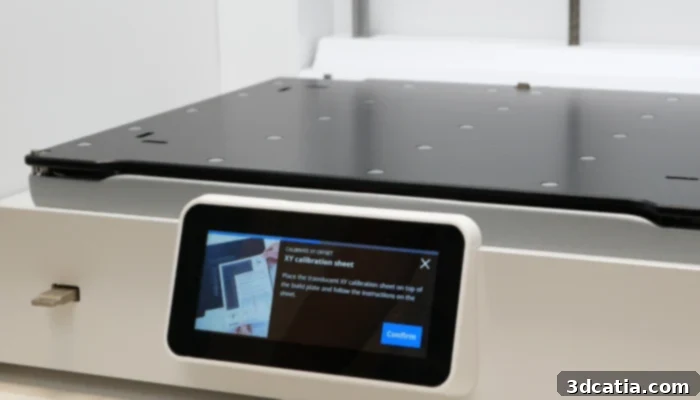
The S7’s innovative flexible magnetic plate is secured by powerful magnets during printing, ensuring stability and ease of removal.
Beyond these seven notable differences, the UltiMaker S7 reinforces the formidable UltiMaker S-line, standing proudly alongside the S3 and S5. This family of Cartesian FDM 3D printers is distinguished by several core features designed for high performance and versatility. All S-series printers feature dual Bowden extruders, allowing for multi-material or multi-color printing, and interchangeable proprietary print heads known as “print cores.” This print core system is a cornerstone of UltiMaker’s design philosophy, enabling users to quickly swap between different nozzle sizes and material types (e.g., standard, abrasive, support) without complex recalibration. This modularity drastically reduces setup time and expands the range of applications the printer can handle. Furthermore, all printers in the S-series share a consistent set of premium specifications:
- A vibrant 4.6-inch color touch screen, providing an intuitive interface for printer control and status monitoring;
- A robust motion system meticulously engineered with precision steel rods and high-quality ball bearings, driven by three Nema 17 stepper motors, synchronized with pulleys and belts. This configuration ensures smooth, accurate, and repeatable movements, essential for producing high-fidelity 3D prints;
- A durable chassis constructed from precision-machined aluminum sheets and sturdy acrylic panels, complemented by strategically placed injection-molded plastic components. This composite construction strikes an excellent balance between structural rigidity, weight, and aesthetics, ensuring long-term reliability in demanding environments.
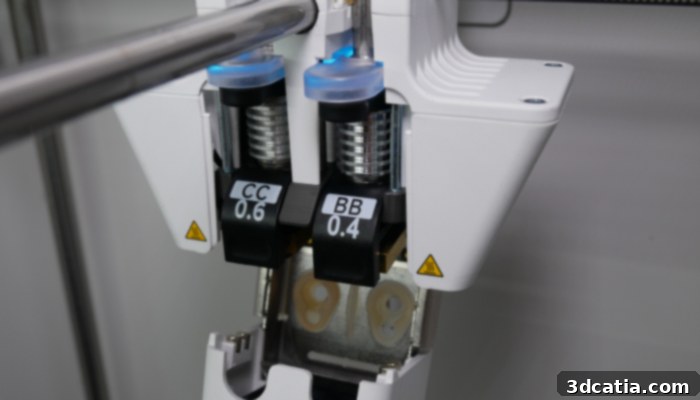
UltiMaker S-series 3D printers utilize innovative interchangeable print heads, allowing for quick material and nozzle changes.
Effortless Installation and Extended Capabilities of the UltiMaker S7
One of the hallmarks of the UltiMaker S7 is its remarkable ease of installation, reflecting a design philosophy focused on minimizing user intervention and maximizing operational readiness. As mentioned, the printer is almost ready to use straight out of its box, significantly reducing the setup time typically associated with new 3D printers. The primary tasks involve simply installing the magnetic printing plate, inserting the second print core, attaching the filament holder, and loading the chosen filament. This streamlined process is a major benefit for professional users who require their equipment to be operational quickly and reliably. During our initial inspection of the S7, however, we did notice a couple of minor issues: the printer we received for testing was not as sufficiently lubricated as expected, and the steel rods of the Y-axis exhibited a slight looseness. We promptly addressed these minor imperfections before proceeding with our comprehensive tests to ensure optimal performance and prevent any potential printing anomalies. It’s worth noting that such minor adjustments are typically easy to rectify and could occasionally occur on any S-series printer during transit, but they do not detract from the overall robust build quality.
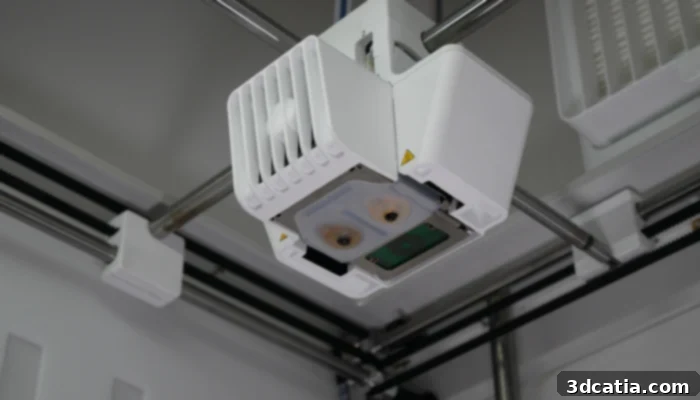
The S7’s print head smoothly traverses along precision steel rods, contributing to high-accuracy printing.
A significant time-saving feature, and one of the most appreciated by users, is the elimination of manual bed leveling. This step, often a source of frustration and calibration errors for both novice and experienced users, is entirely removed from the S7’s installation and operational workflow. This is thanks to the meticulous factory calibration performed by UltiMaker during assembly. The printer’s induction sensor then continuously monitors and ensures that the print surface remains perfectly parallel to the print head, guaranteeing impeccable first-layer adhesion and consistent print quality without any manual intervention from the user. This ‘set it and forget it’ approach to bed leveling dramatically reduces setup time and enhances overall print reliability, allowing users to focus more on design and less on machine maintenance.
Mirroring the capabilities of the S5, the S7 will also be fully compatible with the metal expansion kit, a groundbreaking accessory released by UltiMaker a few months prior. This innovative kit empowers users to produce “green metal parts” on their FDM printer, which can then be sent to a certified partner service for sintering. The sintering process transforms these green parts into solid, functional metal 3D prints, opening up entirely new applications for desktop FDM technology in industries requiring strong, durable components. While our review did not include hands-on testing of this specific kit, we had the opportunity to examine both green and fully sintered metal parts. This firsthand observation undeniably showcased the impressive performance of UltiMaker S printers when working with metal-filled filaments, highlighting their potential for industrial applications beyond traditional plastics.
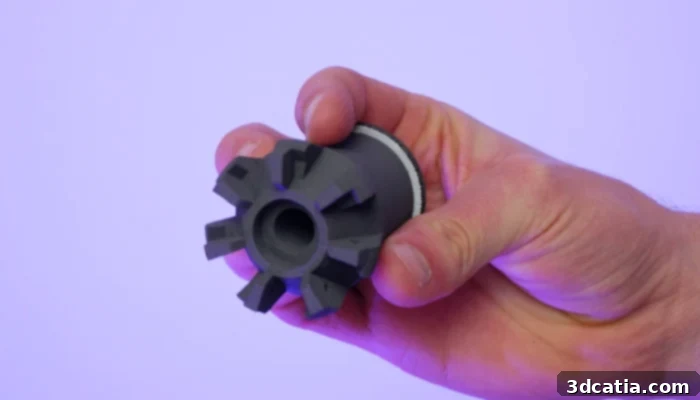
The metal expansion kit allows users to print “green parts” which are then sintered by a network of specialized partners to create functional metal components.
It’s important to note that while the S7’s integrated features, particularly the Air Manager, bring it very close to the functionality of an S5 equipped with the optional Pro Bundle, achieving a fully comparable, top-tier offering would still require the addition of UltiMaker’s Material Station. The Material Station provides automated filament handling, including storage in ideal, humidity-controlled conditions and automatic filament loading and changing capabilities. For high-volume production or multi-material applications where continuous operation and material protection are paramount, combining the S7 with the Material Station would create an exceptionally robust and efficient FDM 3D printing ecosystem, rivaling much larger and more expensive industrial solutions.
UltiMaker Cura Software & Digital Factory Interface: The Ecosystem Advantage
The cohesive nature of the UltiMaker S-line extends beyond hardware, reinforcing similarities in its software ecosystem. All three printers in the S-series leverage UltiMaker’s powerful, in-house, open-source slicing software, Cura. This unified software approach ensures a consistent user experience and broad compatibility across the product line. Furthermore, all S-series machines can be controlled and monitored remotely, whether locally or across continents, through the intuitive UltiMaker Digital Factory web interface. This comprehensive software suite is a significant differentiator for UltiMaker, providing a seamless workflow from design to finished print.
While all three printers now utilize the same core version of Cura, the software itself has undergone a tremendous transformation and continuous refinement since the launch of the S5 3D printer in 2018. UltiMaker’s commitment to expanding material compatibility is evident; over 280 third-party materials have been added to Cura’s extensive profile library, alongside its robust lineup of 12 proprietary filaments. This diverse material portfolio empowers users to tackle a vast array of applications, from engineering prototypes to aesthetic models. Beyond material support, Cura is regularly updated with performance enhancements designed to improve print speed, optimize pre-print sequences (such as heating and probing routines), bolster reliability, and fine-tune print profiles for various materials and geometries. It’s critical to acknowledge Cura’s dominant position in the market; it is widely regarded as the most popular slicer available today. Its open-source nature fosters a vibrant community and ensures compatibility with an extensive range of FDM machines. Cura also delivers a comprehensive set of features, from fundamental slicing parameters to advanced functionalities like innovative tree supports, which use minimal material and are easy to remove, and lightning infill, which intelligently fills internal volumes with minimal material while maintaining structural integrity.
For the introduction of the UltiMaker S7, a timely new Cura update, version 5.2.2, was released on the very day of its launch. This update specifically incorporated optimized print profiles for the S7, ensuring that users could immediately leverage the printer’s full potential from day one. In addition to regular updates for its Cura slicing software, UltiMaker is equally dedicated to ensuring the long-term longevity and performance of its machines through consistent firmware updates. When we first powered on our S7 for review, we were prompted to install the latest available firmware, a clear indication of ongoing development. Although we observed some minor bugs and occasional slowdowns in the S7’s firmware during our testing period, we were reassured by the knowledge that UltiMaker actively addresses these issues through frequent updates, demonstrating a commitment to refining the user experience.
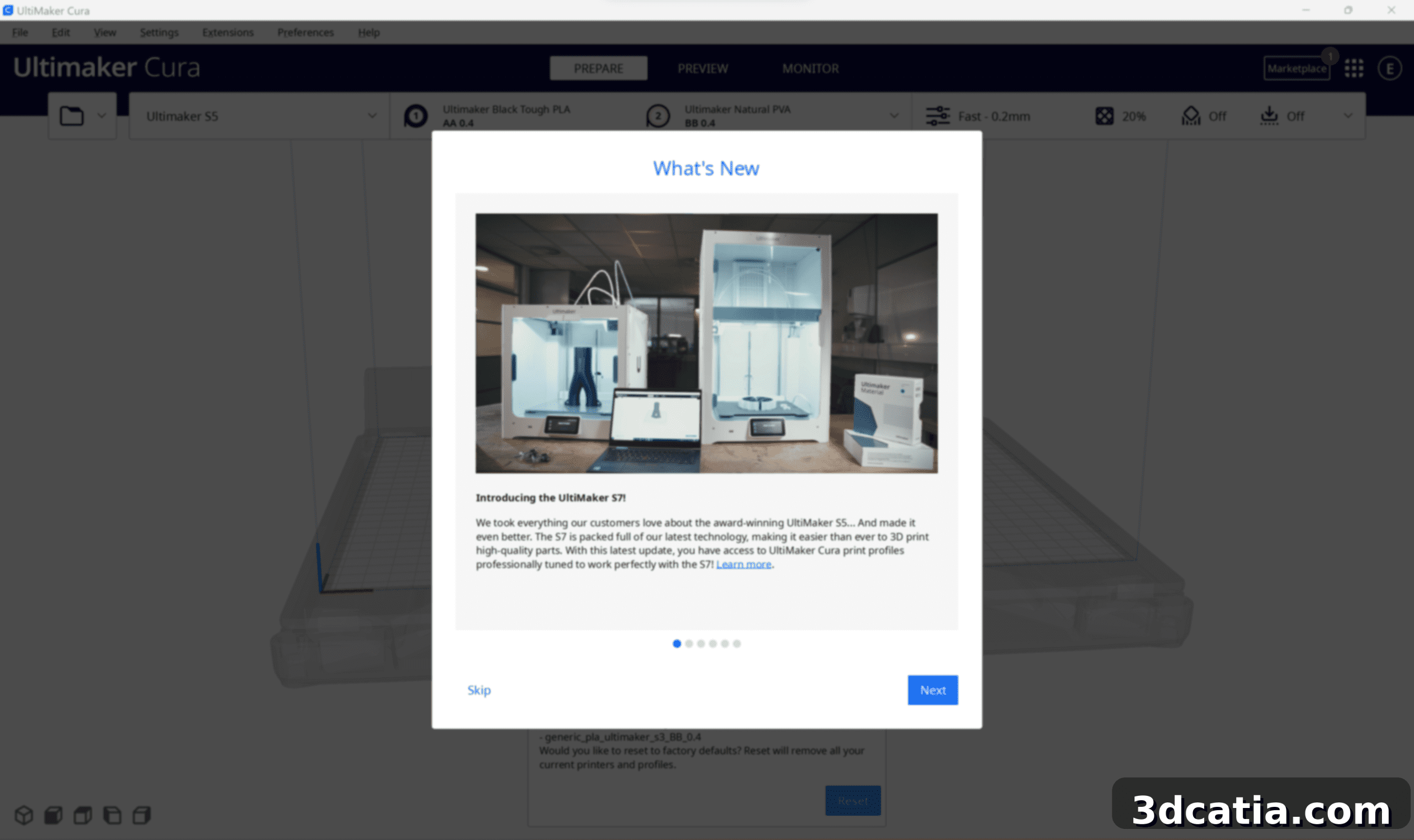
Cura received a dedicated update on the S7’s release day, integrating optimized print profiles for the new machine.
Finally, supplementing Cura, the UltiMaker Digital Factory offers users a powerful cloud-based platform for enhanced workflow management. Through this interface, UltiMaker 3D printers can be efficiently controlled and monitored remotely, serving both individual professional use and collaborative team environments. The Digital Factory extends beyond simple remote control; it also provides valuable insights and proactive recommendations to users regarding machine maintenance, helping to ensure the optimal and sustained operation of their 3D printers over extended periods. This integrated ecosystem of hardware, slicing software, and cloud-based management tools truly empowers users with a comprehensive and intelligent 3D printing solution.
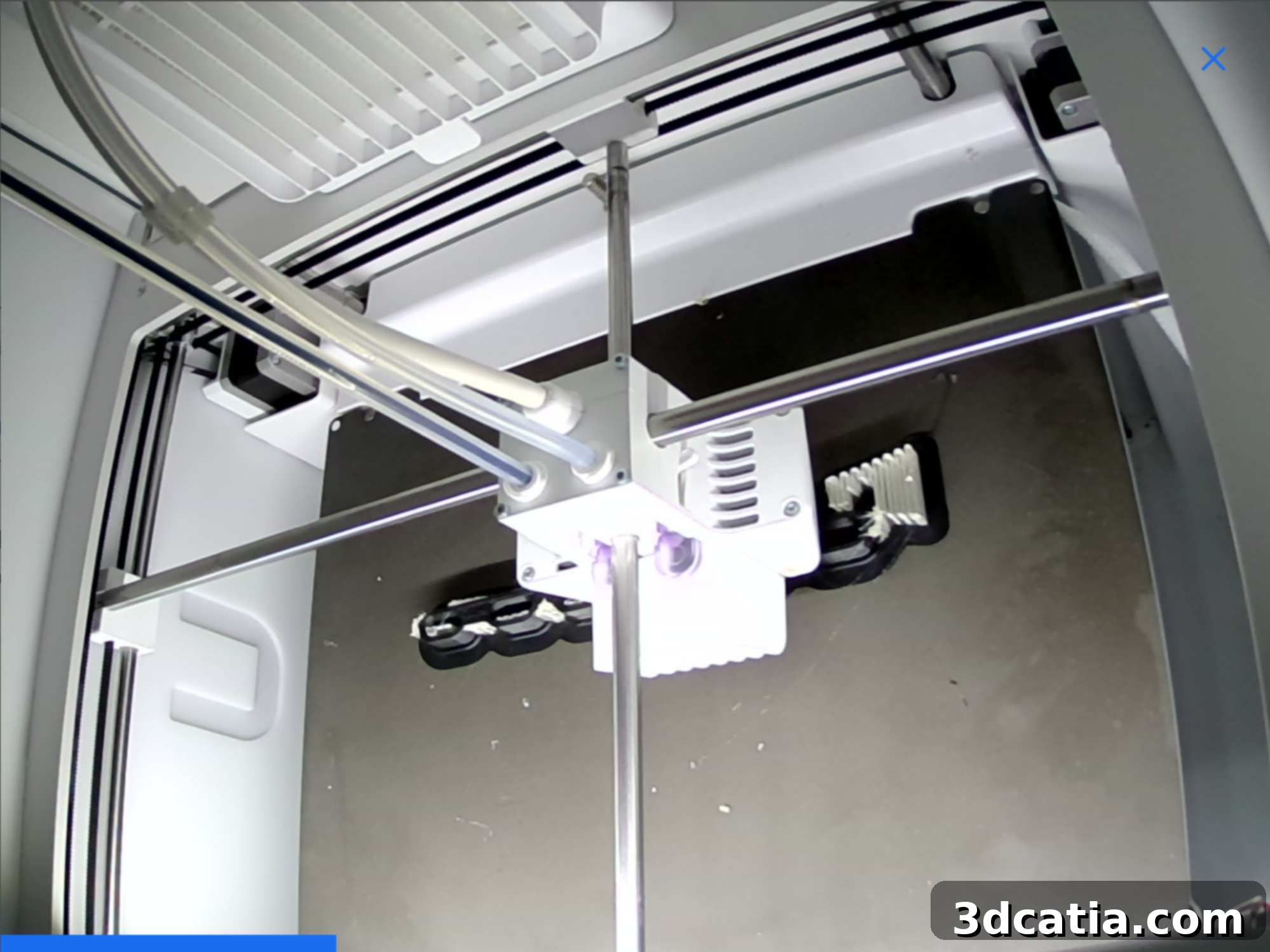
An upgraded camera system provides superior remote monitoring capabilities, enhancing workflow flexibility.
Real-World Performance: First Prints and Material Versatility
Our initial foray into printing with the UltiMaker S7 involved importing our first test file, slicing it in Cura, and initiating the print via the supplied USB drive, using the PLA Tough filament spool included with the S7. Unfortunately, this first attempt resulted in a failed print, with several models detaching from the build plate. This occurred because our initial test was conducted before the S7’s official release, meaning we were using a pre-update version of Cura that lacked specific S7 profiles, forcing us to rely on default S5 settings. First-layer adhesion is notoriously critical in FDM 3D printing; if the initial layer doesn’t adhere properly, the entire print is jeopardized. It’s the foundation upon which the rest of the object is built.
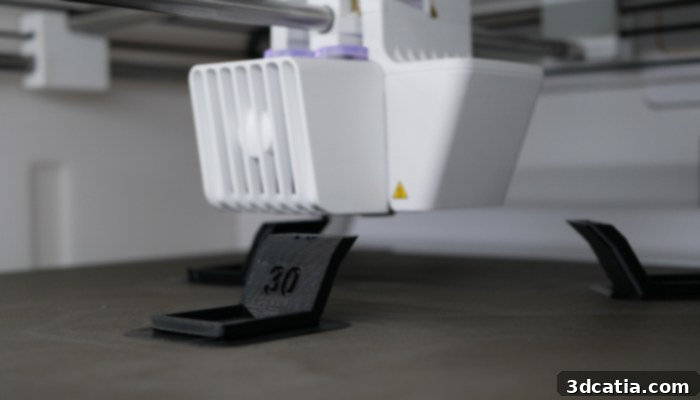
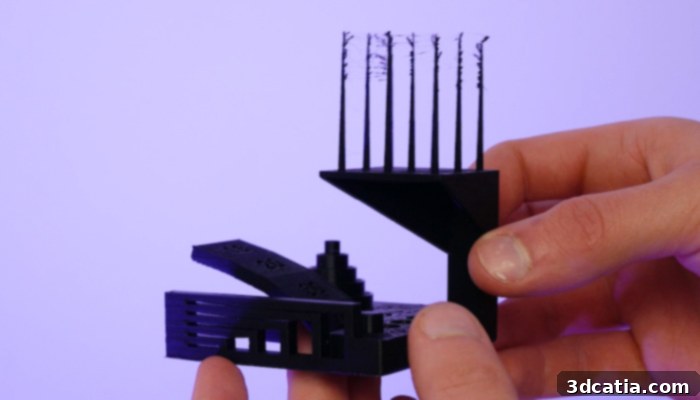
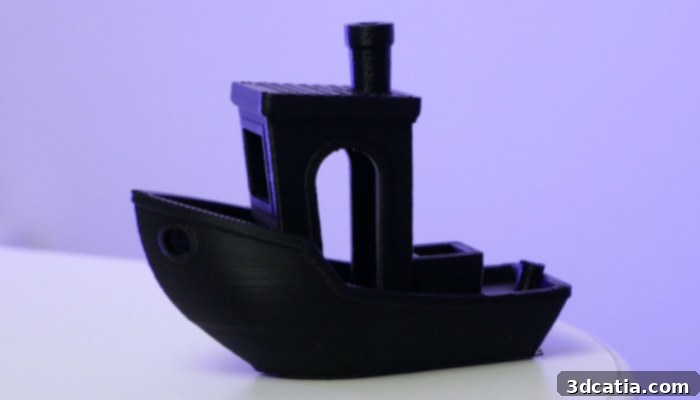
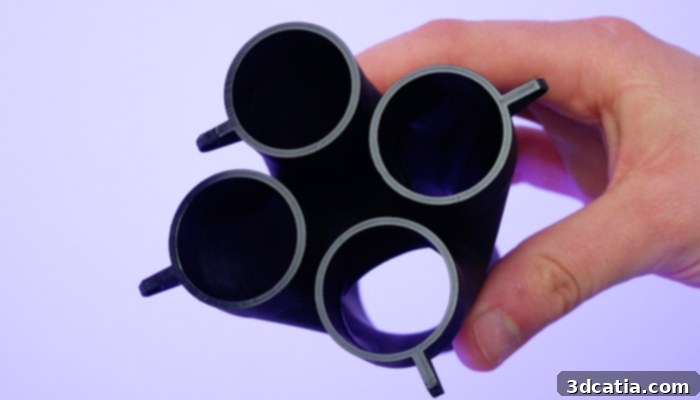
Upon the release of the updated Cura version, which included the optimized S7 profiles, we repeated the test. Crucially, we also meticulously cleaned the print plate with isopropyl alcohol, a vital step often overlooked but essential for ensuring excellent adhesion. This time, the printing process unfolded flawlessly, and the models were reproduced with remarkable fidelity, exhibiting validated tolerances down to 0.2 mm. We did observe some minor ‘spaghetti’ artifacts in certain areas, a common phenomenon indicating that fine-tuning of extruder retraction settings could further optimize print quality and reduce stringing, but overall, the result was a testament to the S7’s precision with the correct profiles and preparation.
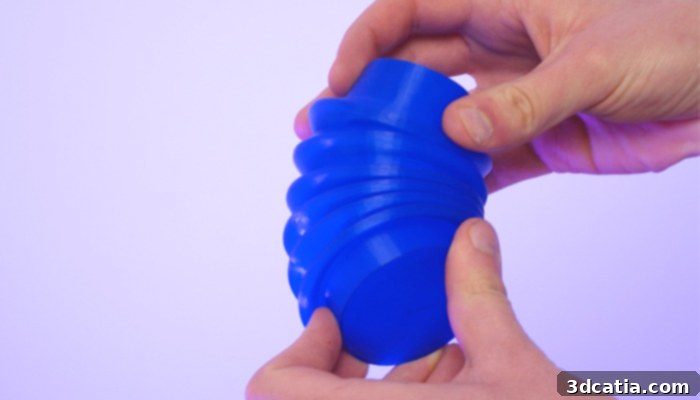
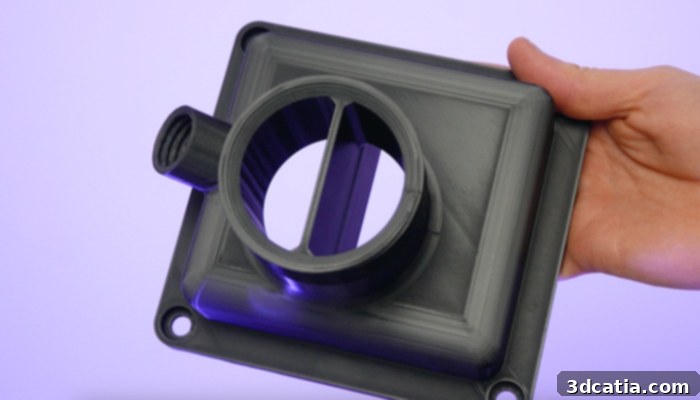
Throughout our extensive testing, we explored the S7’s capabilities with a diverse array of materials, truly showcasing the versatility of this professional FDM 3D printer. Printing with PLA Tough allowed us to rigorously assess the machine’s fundamental performance parameters, including dimensional accuracy, bridging capabilities, cantilever performance, and overall geometric compliance. Beyond standard materials, we challenged the S7 with more complex engineering filaments such as PA-HT CF15 (Nylon with carbon fiber). This test was particularly illuminating, demonstrating the broad compatibility offered by the interchangeable print cores and highlighting the significant advantages of the S7’s fully enclosed print chamber and integrated Air Manager. The ability of UltiMaker S printers to reach extrusion temperatures of up to 300°C, combined with a heated print plate capable of 110°C, makes them highly compatible with advanced fibrous materials and even certain metal-filled filaments, pushing the boundaries of what desktop FDM can achieve.
Our initial print with PA-HT CF15 encountered considerable ‘spaghetti’ and layer delamination, classic indicators of wet filament. This issue is often identifiable by a subtle “boiling” sound during extrusion as moisture vaporizes. Recognizing this, we paused our tests, properly dried the hygroscopic PA-HT CF15 filament, and then restarted the printing process. With the filament thoroughly dried, subsequent prints ran successfully, faithfully reproducing intricate details of the sliced models without any particular printing defects. This experience underscores the critical importance of proper filament storage and preparation, especially for technical materials. Furthermore, to evaluate the dual extrusion capabilities, we printed more intricate designs requiring soluble support structures. Once these prints were complete, post-processing was remarkably simplified by immersing the parts in UltiMaker’s “PVA Removal Station.” This dedicated unit agitates the water, significantly accelerating the dissolution of the soluble PVA supports, making complex geometries with internal supports easy to clean and ready for immediate use. This dual extrusion functionality, combined with efficient post-processing, truly enhances the S7’s utility for advanced professional applications.