
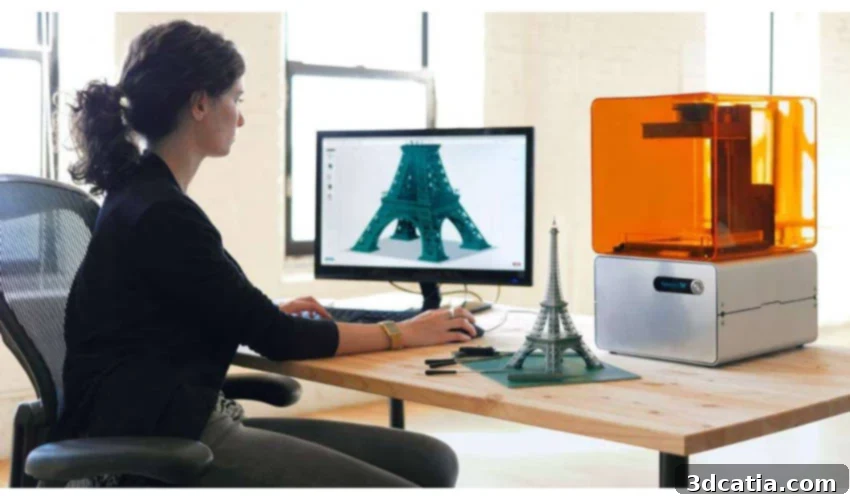
The Ultimate Guide to Choosing the Right 3D Design Software for Additive Manufacturing
In the rapidly evolving world of additive manufacturing, the choice of 3D design software is paramount to the success of any project. Just as selecting the right 3D printer, filament, or scanner is crucial, so is identifying the perfect 3D technology and its accompanying design tools. The landscape of 3D design software is vast and can often be overwhelming for both beginners and seasoned professionals alike. To navigate this complexity, we’ve gathered invaluable insights from three leading experts in the field of 3D printing and design.
We had the privilege of speaking with Simon Indrele, a 3D Printing and Scanning Application Engineer at Fisher Unitech, a prominent provider of 3D design software tools and 3D printers across the United States. Our discussions also included Raymond Wang, Lead Product Engineer at PrintAWorld, a New York-based company offering comprehensive additive manufacturing services such as 3D printing, 3D scanning, and 3D modeling. Finally, we consulted Giovanni Avallone, the visionary Founder of the Italian design studio Caracol, known for its innovative exploration of new production possibilities unlocked by 3D printing technologies. Their collective expertise offers a comprehensive perspective on how to select the ideal 3D design software tailored to your specific needs.
-

- Simon Indrele, 3D Printing and Scanning Application Engineer at Fisher Unitech

-
- Raymond Wang, Lead Product Engineer at PrintAWorld

-
- Giovanni Avallone, the Founder of the design studio Caracol

Understanding 3D Design Software: CAD vs. 3D Modeling
The first crucial step in selecting the right software involves understanding its fundamental purpose. Broadly speaking, 3D design software can be categorized into two main types: CAD (Computer-Aided Design) software and 3D modeling software. While these terms are often used interchangeably in casual conversation, they represent distinct tools with unique capabilities and applications. Both can certainly be employed for 3D printing, but their strengths lie in different areas, making one more suitable than the other depending on your project’s specific requirements.
CAD software is predominantly utilized in fields where precision, mechanical functionality, and engineering integrity are paramount. Industries such as automotive, aerospace, architecture, and mechanical engineering heavily rely on CAD for designing parts that must fit together accurately, withstand specific loads, and adhere to strict technical specifications. CAD tools excel at creating parametric, dimensionally controlled models that are easy to modify iteratively and are ideal for producing detailed engineering drawings for manufacturing. The emphasis here is not merely on creating a visual representation, but on developing a functional, real-world component.
In contrast, 3D modeling software offers greater artistic freedom and is primarily used for creating designs where aesthetic appeal, organic forms, and visual fidelity are the main objectives. This category of software is popular in areas like video game development, film production, digital sculpting, and character design. Unlike CAD, designs produced with 3D modeling software do not necessarily need to be mechanically functional or precisely fit into a real-world assembly. Instead, they allow for intricate, free-form, and often highly detailed sculptural creations, prioritizing visual artistry over engineering precision.
Tailoring Your Choice: Industry and Application Specifics
A primary consideration when choosing your 3D software should always be the industry or specific application you intend to use it for. Simon Indrele from Fisher Unitech emphasizes this point, stating, “The first thing I would recommend is to take a look at what software is used by the particular industry you are in. Whether it’s manufacturing, jewelry design, toy design, etc., the industry will typically use a particular type or set of software. Evaluating those makes sense, as it’s possible you’ll have to transfer files between your vendors and clients. Being able to provide the type of files and file formats they’re accustomed to is good practice.” This insight highlights the importance of compatibility and collaboration within professional ecosystems.
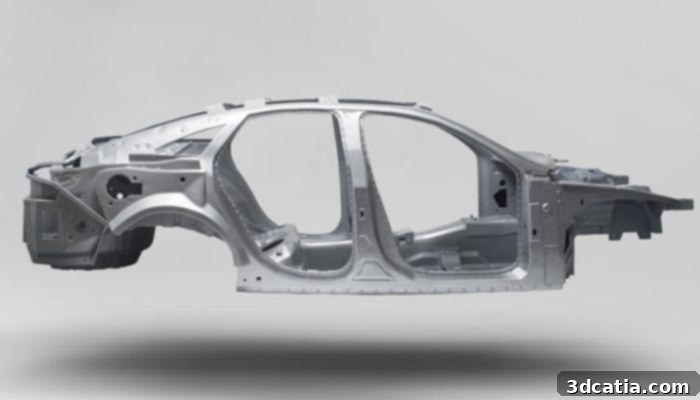
3D modeled and 3D printed car chassis | Credits: PrintAWorld
Raymond Wang from PrintAWorld further elaborates on software choices based on specific project types. “For animation work, Maya is great for making rigs and tweaking them to make different positions for the model. For sculptural work, we like using Zbrush for digital sculpture. It’s also very useful when dealing with larger files and organic forms. For product design, we choose Rhino since it has many tools for measuring distance and finding out the optimal locations for analysis. Finally, for engineering purposes, Solidworks is used to simulate and build parts with high accuracy. Sometimes we combine software for projects that involve different aspects of design.” This demonstrates that even within a single company, a versatile toolkit is often necessary to address diverse client needs.
Giovanni Avallone from Caracol emphasizes the significant value of parametric software, particularly for design studios handling a broad range of projects. “In our daily workflow we design technical parts for automotive as well as furniture for kids. And sometimes we use the same software for both! I recommend choosing parametric software that allows you to have a dynamic approach to the design development.” Parametric software, like SolidWorks or Fusion 360, allows designers to define relationships and parameters within a model, enabling easy modifications and iterations. Changing a single parameter can automatically update the entire design, saving immense time and ensuring consistency, which is invaluable when balancing technical components with more aesthetically driven designs.
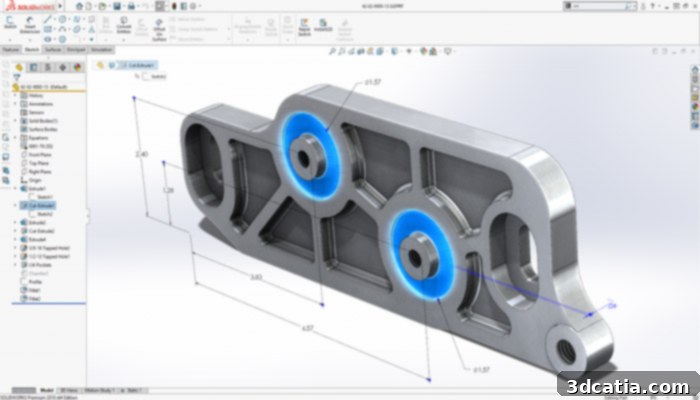
Solidworks by Dassault Systèmes is one of the most popular CAD software for engineering parts
The Nuance of 3D Modeling for Additive Manufacturing
Beyond industry and application, the specific type of 3D models you are creating dictates the software choice. As previously highlighted, CAD software is favored over 3D modeling software for industries requiring precise, functional components. Simon Indrele clarifies this further, explaining, “CAD software provides ease of iterative redesign and provides accurate drawing for manufacturing.” This precision is critical when components need to integrate seamlessly into larger assemblies or perform under specific mechanical conditions. CAD systems inherently manage geometry with mathematical precision (NURBS or solids), ensuring dimensional accuracy and surface integrity essential for engineering applications.
Conversely, 3D modeling software shines when the goal is digital sculpting and the creation of complex, organic geometries that are difficult or impossible to achieve with parametric tools. Software like ZBrush, Blender, or Maya utilize polygonal or subdivision surface modeling techniques, allowing artists to sculpt forms as if working with digital clay. This freedom is crucial for artistic projects, character design, or highly aesthetic product prototypes where fluid shapes and intricate details are prioritized over strict dimensional constraints.
Giovanni Avallone expands on this, highlighting a common dilemma: “Usually good software for solid modeling is not friendly for free-form and organic design modeling, but the trend today is to have one powerful tool for as many applications as possible. Think about generative design applied to mechanical applications, the really important aspect concerns the level of details and engineering you need to reach and also the technology you want to use for your prototypes or production. Since we are talking about 3D printing, to get good results it’s recommendable to be careful in the way you model, you are not modeling for 3D rendering, you are modeling for a real-life product, made with a specific material which has to work and follow precise physical rules.” This powerful statement underscores a critical distinction: designing for 3D printing is not merely about creating a model, but about creating a *printable* model that respects material properties, build processes, and functional requirements. Designers must consider factors like wall thickness, overhangs, support structures, tolerances, and the anisotropic nature of 3D printed parts. A beautiful digital sculpt might be unprintable without careful consideration of these manufacturing realities.
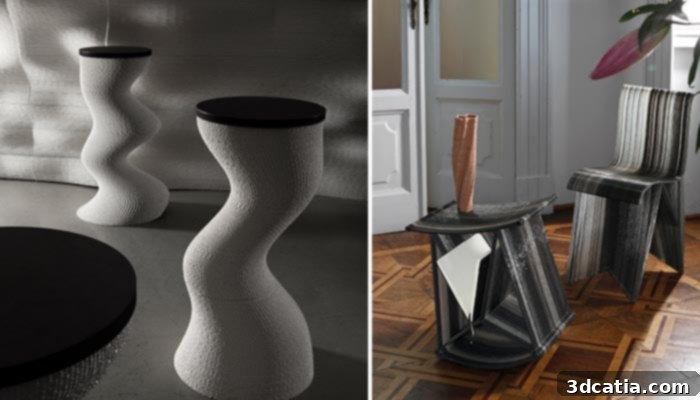
Some of Caracol’s pieces using 3D modeling and 3D printing | Credits: Caracol
Key Differences: CAD vs. 3D Modeling Software
While we’ve touched upon their general applications, it’s vital to delve deeper into the core differences between CAD and 3D modeling software. Simon Indrele provides a concise distinction: “CAD software is primarily used by engineers to create 3D models and drawings of parts and assemblies for manufacturing where precision, tolerancing, redesign, simulation and other engineering based aspects are important factors. 3D modeling software is generally used by designers and artists to create models for video games, movies, toys, etc. where control over the geometry is given the highest priority. I think either type of software is easiest for their proper use.” This highlights that ease of use is subjective and depends entirely on the intended application and the user’s skill set.
Raymond Wang further illustrates this point by stating, “They are two very different ways of developing 3D objects. CAD software requires part mating and confirmation. 3D modeling software requires artistic ability and attention to sculptural detail. To say which one is easier is comparing apples to oranges.” This analogy perfectly encapsulates the divergent philosophies behind these tools. CAD typically relies on solid modeling or surface modeling using mathematical equations (NURBS), ensuring watertight, manifold geometries ideal for manufacturing. 3D modeling, particularly polygonal modeling, offers direct manipulation of vertices, edges, and faces, providing unparalleled creative control over complex, non-mathematical shapes, but often requiring manual cleanup for 3D printing to ensure “manifoldness” (no holes or disconnected geometry).
Giovanni Avallone adds an intriguing perspective: “It may sound paradoxical but 3D modeling software is probably easier and more intuitive to use for a non-expert user, we perceive the world in 3D, not 2D.” This observation points to the more direct, visual, and tactile interface often found in 3D modeling tools, which can feel more natural to individuals without a technical engineering background. While CAD requires understanding constraints, dimensions, and feature trees, many 3D modeling applications offer a ‘what you see is what you get’ approach, appealing to artists and new users.
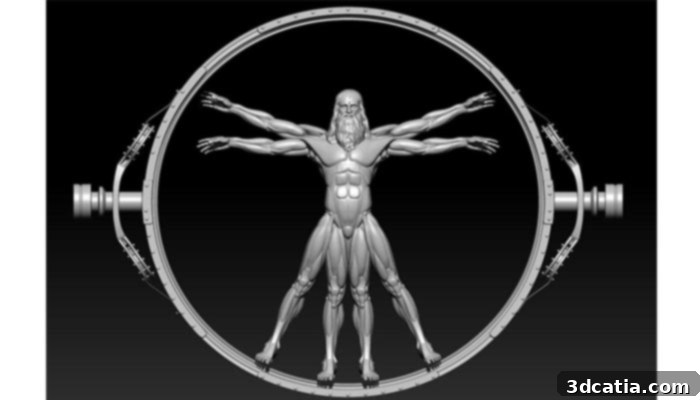
An original 3D model based on Westworld and Da Vinci’s ‘The Vitruvian Man’ | Credits: PrintAWorld
Choosing Your First 3D Software: Expert Advice for Beginners
For those just embarking on their 3D design journey, the choice of a first software can be particularly daunting. Our experts provide valuable guidance to help beginners make an informed decision. Simon Indrele advises, “Whether you own a company and are considering software packages or an employee/student looking at software to learn for your field, my answer to this question is simple. Pick the software most widely used by your industry. For one reason over any others, when it’s time to hire more employees or to start looking for prospective employers, you will have many to choose from. That is more valuable than you may consider at this time.” This emphasizes the practical benefits of learning an industry-standard tool: enhanced collaboration opportunities, a larger community for support, and significantly improved career prospects.
Raymond Wang from PrintAWorld offers more concrete examples of beginner-friendly software. “Google Sketchup is quite easy to use and understand, making it an excellent starting point for basic modeling and visualization. For beginner engineers, I would recommend the online platform, OnShape, which has many tutorials and is cost-efficient, often offering free tiers for hobbyists or educational purposes. It’s a full-cloud CAD system that is accessible from any device. For artists and creatives, I would recommend using Meshmixer to manipulate shapes and get comfortable working in a 2.5D space, which is fantastic for preparing models for 3D printing by adding supports or optimizing geometry.” He also highlights the importance of leveraging free and open-source software, especially when you are trying to grasp the foundational logic behind 3D modeling without significant financial investment. Tools like Blender (for advanced modeling and animation) or FreeCAD (for open-source CAD) offer powerful features at no cost, though they may have steeper learning curves.
Giovanni Avallone echoes the recommendation for Sketchup, adding, “It’s so intuitive that in less than one hour you are already designing! I think it may be a good starting point.” The simplicity and immediate gratification offered by Sketchup make it ideal for building confidence and understanding core 3D spatial concepts. Other excellent beginner tools include Tinkercad, a web-based platform perfect for absolute novices and educational settings, which focuses on constructive solid geometry for creating simple yet functional designs. These accessible tools allow aspiring designers to experiment, learn, and develop their skills before investing in more complex and specialized software.
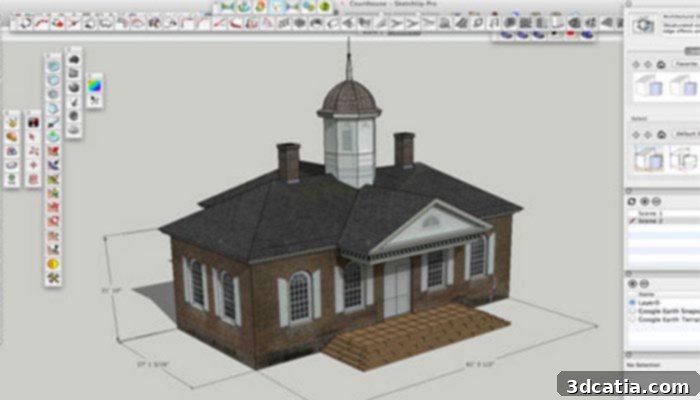
Sketchup 3D modeling software
Conclusion
Choosing the right 3D design software is a pivotal decision that directly impacts the efficiency, accuracy, and creative potential of your additive manufacturing projects. As our experts, Simon Indrele, Raymond Wang, and Giovanni Avallone, have eloquently explained, the selection process hinges on a clear understanding of your industry, the specific application, the type of models you intend to create, and the critical distinction between CAD and 3D modeling software. While CAD excels in precision engineering and mechanical functionality, 3D modeling offers unparalleled artistic freedom for organic and aesthetic designs. For beginners, the advice is clear: start with industry-relevant, intuitive tools and gradually explore more advanced options as your skills and project needs evolve.
By carefully considering these expert insights, you can make an informed choice that will streamline your workflow, enhance your design capabilities, and ultimately lead to more successful 3D printed outcomes. For more detailed information, you can visit the websites of our esteemed experts’ companies: Fisher Unitech, PrintAWorld, and Caracol Studio.
We hope this comprehensive guide has been useful in your journey to master 3D design for additive manufacturing. Let us know your thoughts in the comments below or connect with us on our Facebook and Twitter pages! Don’t forget to sign up for our free weekly Newsletter to receive all the latest news in 3D printing directly in your inbox!