
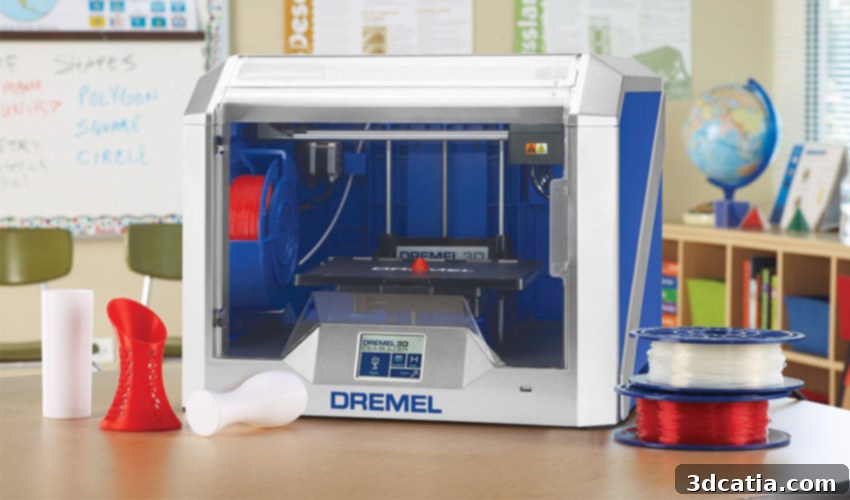
Dremel Idea Builder 3D40 Review: Pioneering 3D Printing in Education and Beyond
Dremel, a globally recognized name synonymous with high-quality rotary and versatile power tools for makers, artisans, and DIY enthusiasts, has quietly built a formidable presence in the additive manufacturing sector over the past half-decade. Their journey into the world of 3D printing began in 2014 with the introduction of their inaugural Fused Deposition Modeling (FDM) machine, the Idea Builder 3D20. This initial foray demonstrated Dremel’s commitment to innovation and accessibility in a rapidly evolving technological landscape. Following its success, Dremel continued to refine and expand its lineup of 3D printers, leading to the launch of the enhanced Idea Builder 3D40 and its more advanced counterpart, the premium DigiLab 3D45. These models signify Dremel’s strategic vision to not only cater to hobbyists but also to establish a significant foothold in educational institutions, fostering a new generation of critical thinkers and innovators through practical, hands-on learning experiences.
To gain a deeper understanding of Dremel’s advancements in 3D printing technology and their specific applications, the 3Dnatives Lab team embarked on a comprehensive evaluation of their two latest and most prominent models. Our in-depth testing begins today with the Dremel Idea Builder 3D40, a machine specifically engineered with user-friendliness and educational environments in mind.
A particularly noteworthy aspect of the Dremel Idea Builder 3D40 is its explicit targeting of the educational sector. Dremel has consistently highlighted its ambition to integrate this model into classrooms, a commitment clearly articulated in their promotional materials and embedded within the printer’s core design philosophy. As stated on the printer’s own instruction sheet, “Dremel DigiLab works with primary schools to help students develop their critical thinking skills by improving their ability to visualise a concept, build prototypes, test and adapt their ideas.” This mission underscores a broader goal: to equip students with the essential skills for problem-solving and innovation in the digital age. By providing a reliable and intuitive tool, Dremel aims to transform abstract concepts into tangible realities, empowering young learners to design, create, and iterate effectively.
Given its stated educational ambitions, critical questions arise: How does the Dremel Idea Builder 3D40 truly stack up against other FDM 3D printers currently available on the market? Does its design and functionality genuinely make it suitable for a dynamic classroom environment? And, most importantly, what are its standout features and limitations that users, particularly educators, should be aware of?
1. Unboxing the Dremel Idea Builder 3D40: First Impressions and Included Accessories
The unboxing experience of the Dremel 3D40 is designed to be as straightforward and visually engaging as the printer itself. The packaging is robust and aesthetically pleasing, featuring vibrant images of the machine and prominently highlighting its key features, making it clear what users can expect. Weighing in at a manageable 16kg, the machine is easy to handle, ensuring that unpacking is a hassle-free process even for a single individual. The careful presentation suggests a product ready for immediate use, a crucial factor for educational settings where time and ease of setup are paramount.
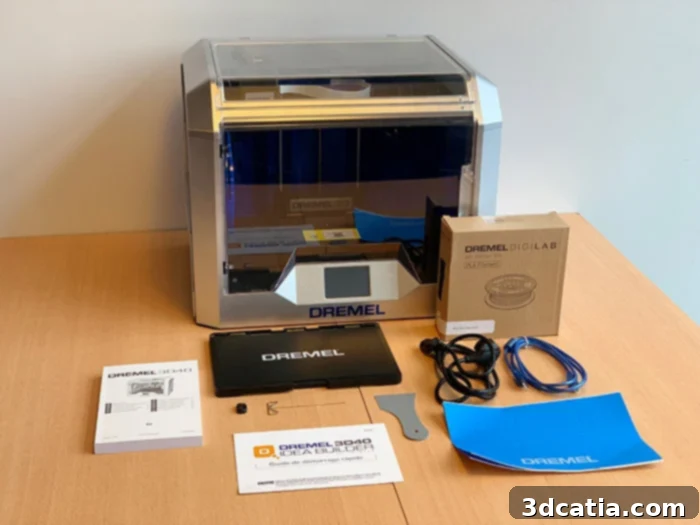
Upon opening the box, users are greeted with a thoughtfully curated selection of accessories, all geared towards simplifying the 3D printing journey. The list of included items is comprehensive yet uncluttered: a durable, removable plastic print bed, essential blue painter’s tape sheets designed to significantly enhance print adhesion, a detailed multi-language instruction manual, and a quick start guide specifically in French (for the European market, though English is also readily available). Additionally, a 500g roll of white PLA filament is provided to kickstart printing right out of the box. Connectivity is assured with a USB key and a USB cable. Practical tools for post-processing and maintenance are also included: a sturdy scraper for safely detaching prints from the build plate and a specialized tool for clearing nozzle clogs, ensuring continuous operation and minimizing downtime—an invaluable feature in a busy classroom or workshop.
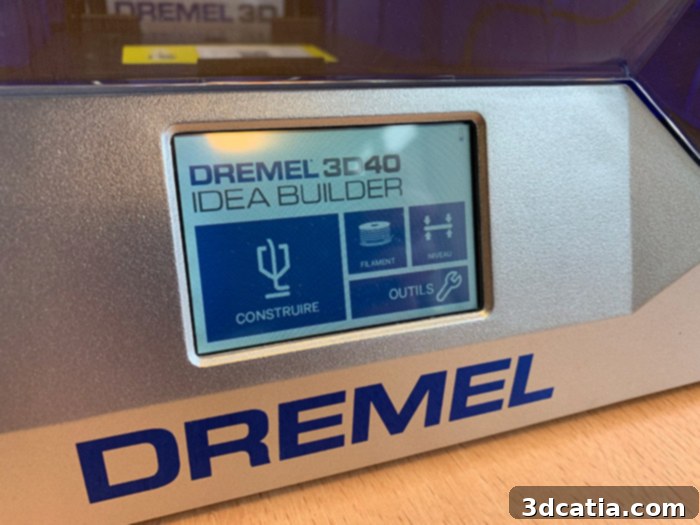
In terms of its physical design, the Idea Builder 3D40 represents a significant evolutionary step from its predecessor, the 3D20. While retaining the signature Dremel robustness, it boasts several key enhancements. Most notably, it offers a substantially larger printing volume of 255x155x170 mm, a marked improvement over the 3D20’s 230x150x140 mm, allowing for the creation of more ambitious and complex projects. The user interface has also been upgraded with a slightly larger, more responsive LCD touch screen, enhancing user interaction and navigation. Connectivity options have been expanded to include Wi-Fi, in addition to the traditional USB cable and USB key, offering greater flexibility in how users send their print files. Consistent with the 3D20, the machine features a fully plastic exterior, which, despite its material, feels incredibly sturdy and durable, capable of withstanding the rigors of frequent use in various environments.
One of the Dremel 3D40’s most compelling design features, particularly for educational and home use, is its fully enclosed printing chamber. This crucial design choice provides several advantages. While it does not include a heated print bed—a common feature in more advanced FDM printers—the enclosed chamber with transparent windows on the front and top maintains a remarkably constant internal temperature. This controlled environment significantly optimizes the printing process by minimizing warping and improving layer adhesion, especially with PLA filament. Furthermore, the transparent panels offer excellent visibility of the ongoing print, making it an engaging tool for learning and observation. Easy access to both the extruder and the print plate ensures that maintenance and material changes are straightforward. Beyond print quality, the enclosed design offers a vital safety benefit, preventing curious hands from touching moving parts or hot components, making it exceptionally well-suited for classrooms and public spaces.
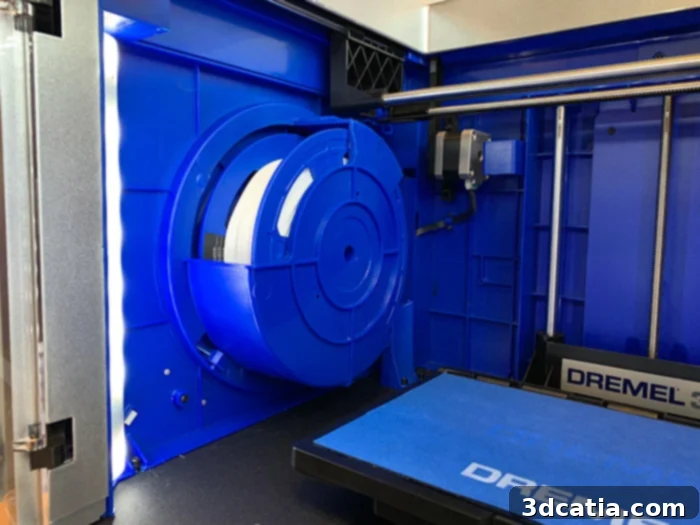
The filament reel is integrated inside the printing chamber.
2. Installing the Dremel Idea Builder 3D40: A Seamless Setup Experience
The installation process for the Dremel Idea Builder 3D40 is designed with user-friendliness at its core, reflecting Dremel’s commitment to accessibility. The first step involves installing the filament reel. Uniquely, the reel is positioned directly within the printing chamber. This integrated design offers the distinct advantage of reducing the overall external footprint of the machine, making it more compact and suitable for smaller workspaces or classrooms where desk space is often limited. However, it’s worth noting that this internal placement slightly reduces the maximum available printing volume, a minor trade-off for the integrated design. Loading the filament itself is an intuitive process, guided effectively by clear instructions displayed on the printer’s control screen, streamlining what can often be a cumbersome step for newcomers to 3D printing.
An important consideration for potential users is that the Dremel 3D40 3D printer is officially designed to accept only filament reels in Dremel’s specific format. This technical limitation can be a point of concern for users who prefer the flexibility of sourcing filament from various manufacturers. However, this restriction can often be circumvented by employing a simple workaround: attaching an external filament holder. This modification allows users to utilize any standard PLA filament (or other compatible cold plate materials) with a diameter of 1.75mm, thereby opening up a wider range of material choices and potentially more cost-effective options, while still benefiting from the printer’s enclosed chamber for optimal printing conditions.
The next crucial step in the installation sequence is preparing the printer tray. This involves clipping the removable plastic tray securely into the machine. Prior to this, users must apply one of the provided blue adhesive films to the tray’s surface. This blue tape serves a vital function, acting as a crucial print adhesion layer. Given that the 3D40 is not equipped with a heated print bed, this adhesive film is essential for ensuring that prints stick firmly during the process, preventing warping and detachment, and ultimately optimizing the overall success rate of prints—a particularly important factor in preventing frustration in educational settings.
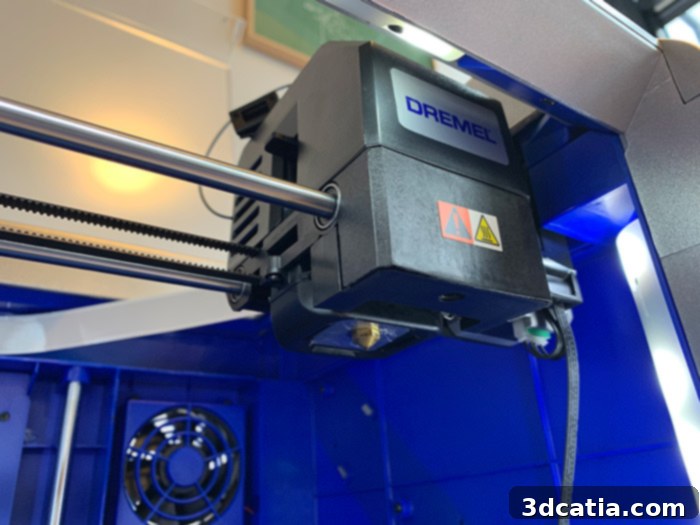
The third and final step of the initial setup is calibrating the 3D40 printer’s print bed. This process, accessible through the intuitive control screen menu, is semi-automatic. A sensor strategically positioned at the extruder meticulously moves to two distinct points on the printing surface, a classic approach to bed leveling. What truly sets Dremel’s calibration apart, however, is its intelligent simplification. At each calibration point, instead of requiring guesswork or tedious trial-and-error, the user is explicitly instructed on precisely how many turns, and in which direction (right or left), the adjustment screws located under the plate need to be made. This clear, guided feedback is a significant improvement over many other 3D printers where calibration can be a laborious and frustrating experience, especially for beginners. This “idiot-proof” calibration is a major advantage for Dremel, underscoring its commitment to making 3D printing accessible and reducing potential barriers to entry for new users and students alike.
3. DigiLab 3D Slicer Software: Streamlined for Education and Ease of Use
A significant and highly commendable aspect of the Dremel 3D40 ecosystem is the manufacturer’s thoughtful approach to the slicing software. Dremel has developed a dedicated application called DigiLab 3D Slicer, and crucially, this software has been intelligently built upon the robust and widely acclaimed open-source platform, Cura. This decision to leverage an existing, proven engine rather than “reinventing the wheel” is a testament to Dremel’s pragmatic design philosophy. By basing their slicer on Cura, Dremel has ensured a reliable, feature-rich, yet simplified user experience.
The DigiLab 3D Slicer functions as a streamlined, “light” version of Cura, specifically tailored to the Dremel 3D40 and its target audience. This means that users benefit from the core functionalities and reliability of Cura without being overwhelmed by its more advanced, often complex settings. The result is a software interface that significantly simplifies and accelerates the learning curve for new users, students, and educators. There’s no need to spend time searching for and downloading specific printer profiles for the Idea Builder 3D40, as they are pre-integrated. Furthermore, users don’t have to re-learn an entirely new slicing paradigm, as the fundamental workflow will feel familiar to anyone with even a passing acquaintance with Cura or similar slicers.
Once a 3D model has been prepared, oriented, and sliced within the DigiLab 3D Slicer, users have multiple convenient options for sending their files to the 3D printer. The inclusion of Wi-Fi connectivity allows for seamless wireless transfers, offering unparalleled flexibility in a classroom or multi-user environment. For more direct connections, the provided USB cable or USB key can also be utilized. An especially thoughtful feature, particularly valuable in an educational setting, is the ability to save the 3D file directly to the printer’s internal memory. This proves incredibly useful for recurring projects or common assignments, enabling students to quickly select and print pre-loaded models without needing constant computer access or file transfers, promoting efficiency and autonomy.
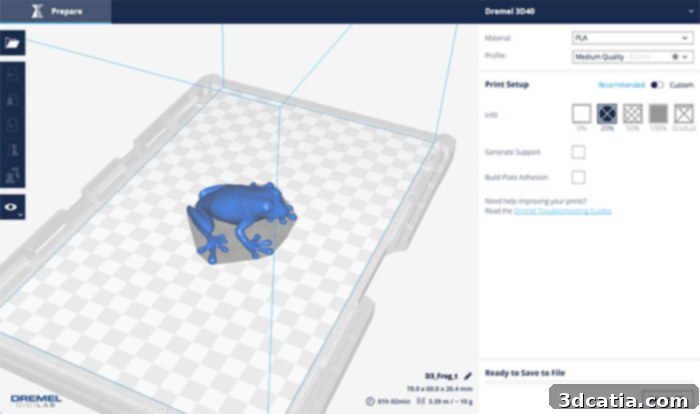
4. First Impressions and Performance: Putting the Idea Builder 3D40 to the Test
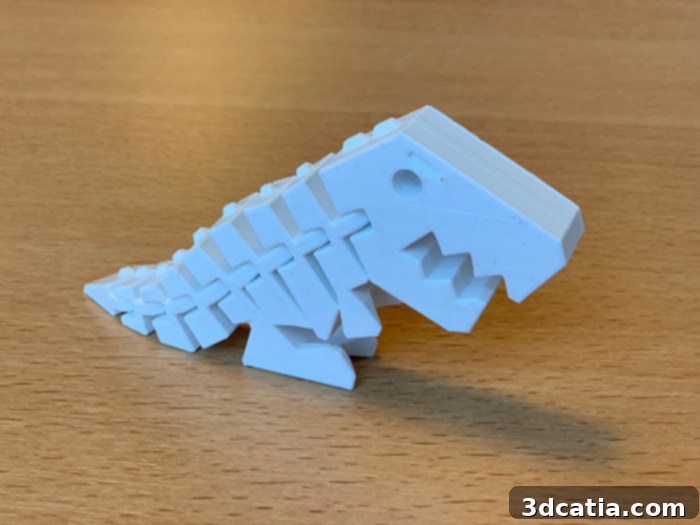
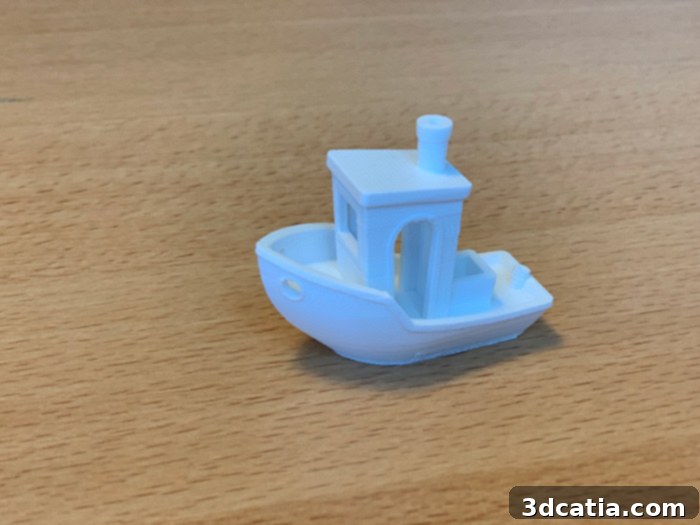
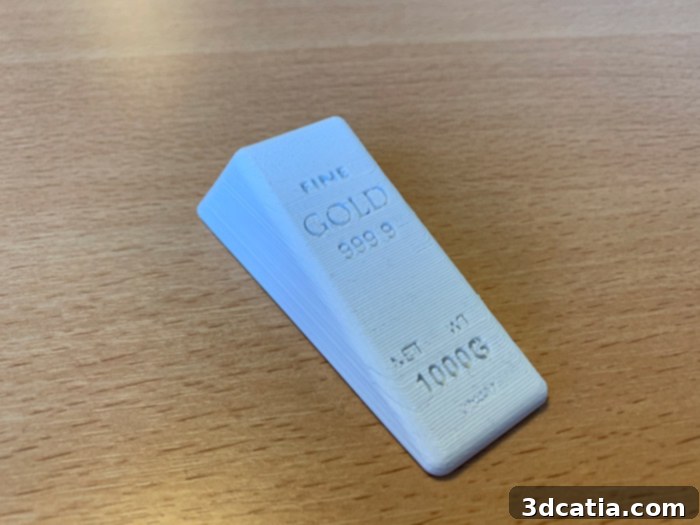
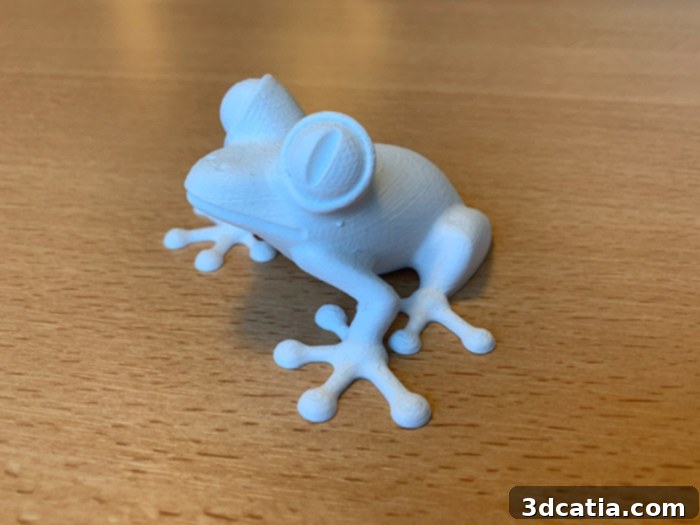
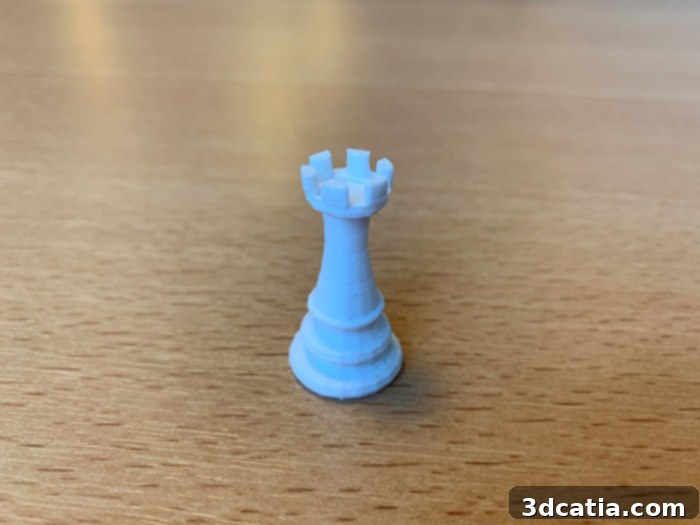
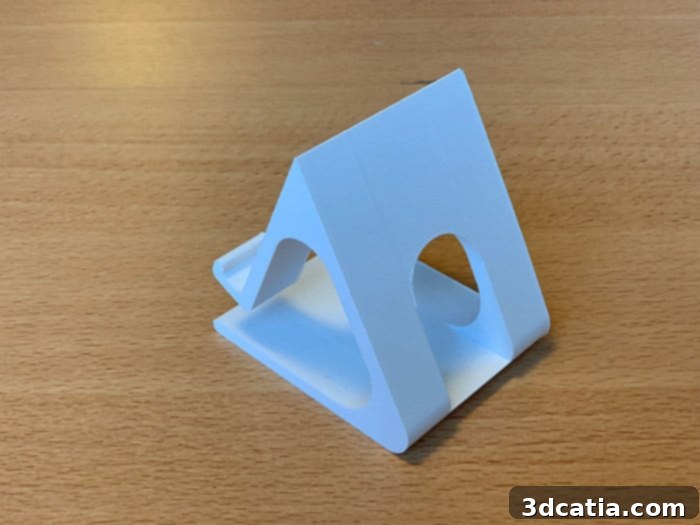
With the Dremel Idea Builder 3D40 successfully installed and meticulously calibrated, it was time to move on to the most anticipated phase: initiating the first prints and evaluating its performance. Our testing regimen began with a selection of pre-loaded models conveniently stored on the included USB key, offering an immediate glimpse into the machine’s capabilities with optimized settings. Following these initial successful prints, we subjected the 3D40 to a more rigorous challenge: the ubiquitous 3DBenchy torture test. This detailed benchmark model is specifically designed to push 3D printers to their limits, revealing strengths and weaknesses across various geometric features.
Across a series of prints, the Idea Builder 3D40 demonstrated remarkable consistency and reliability. Models were successfully printed one after another with minimal fuss, reflecting the machine’s user-friendly design. A significant advantage observed was the relatively short heating time required for the extruder to reach optimal temperature, allowing for quicker initiation of prints—a valuable asset in a classroom setting where time is often limited. Furthermore, the operational noise level of the 3D40 proved to be notably low when compared to many other FDM machines currently on the market. This quiet operation is a considerable benefit, as it minimizes disruption in educational environments or shared workspaces, allowing for a more conducive learning and working atmosphere.
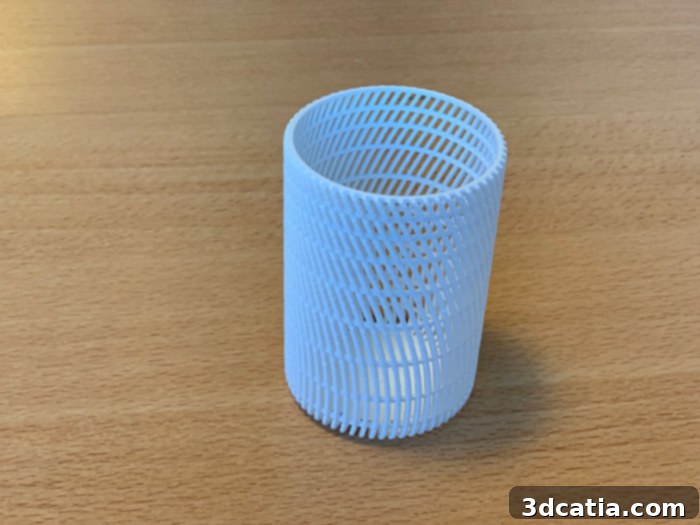
However, during our extensive testing, one particular observation emerged regarding the print quality: while generally good, there was an occasional lack of regularity in the surface finish of some parts. This manifested as a somewhat inconsistent superposition of printing layers, leading to a surface that, while structurally sound, sometimes exhibited a more or less random texture rather than a perfectly smooth and uniform finish. It’s important to clarify that this issue was not catastrophic or print-failing, but rather an aesthetic inconsistency. In practical terms, experienced users can often mitigate such surface irregularities through careful adjustments to printing parameters within the slicing software, such as optimizing print speed, adjusting layer height, or modifying part orientation on the build plate. While this requires some user intervention and understanding, it’s a common characteristic even among more advanced desktop 3D printers and doesn’t detract significantly from the Dremel 3D40’s overall reliability and educational utility for prototyping and learning purposes.
Conclusion: Dremel Idea Builder 3D40 – An Ideal Companion for Education
The Dremel Idea Builder 3D40 positions itself as a strong contender in the desktop 3D printer market, particularly excelling in its targeted niche: educational institutions and users seeking a reliable, user-friendly entry into 3D printing. Its seamless unboxing and installation process, coupled with intelligent design choices like the integrated filament and semi-automatic bed leveling, significantly lower the barrier to entry, making it an excellent tool for beginners and students. The robust, enclosed build chamber is a standout feature, ensuring consistent print quality and, crucially, providing a safe operating environment—a paramount concern in schools. Furthermore, the integration of a Cura-based slicing software (DigiLab 3D Slicer) offers a powerful yet simplified interface, empowering users to easily prepare their models without extensive technical knowledge.
While the occasional surface finish irregularity was noted, this is a minor drawback that can often be addressed with simple print setting adjustments and does not detract from the printer’s overall reliability or its primary purpose in facilitating learning and prototyping. The initial limitation of proprietary filament can be overcome with readily available external solutions, offering greater flexibility. In conclusion, the Dremel Idea Builder 3D40 is more than just a 3D printer; it is a meticulously designed educational instrument. Its blend of safety, ease of use, quiet operation, and robust construction makes it an exceptionally well-adapted tool for schools looking to integrate additive manufacturing into their curriculum, fostering creativity, problem-solving skills, and a deeper understanding of design and engineering among students.
Find all our 3D Printer Tests from 3Dnatives Lab!