
Dagoma Magis 3D Printer Review: Redefining Ease of Use and Performance for Home 3D Printing
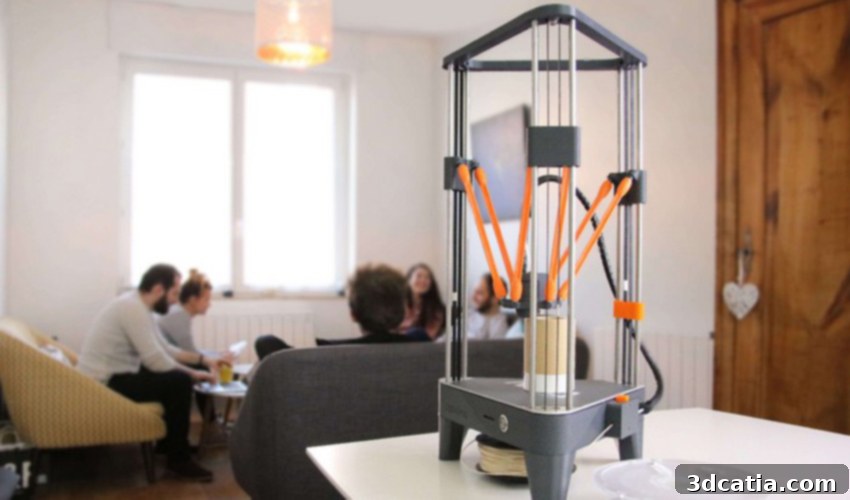
In March 2018, the innovative French manufacturer Dagoma unveiled the Magis 3D printer, a significant evolution in their celebrated lineup. Building upon the strong foundations laid by its predecessors, the Neva model and the widely acclaimed DiscoEasy 200, the Magis was designed with a singular, ambitious goal: to democratize 3D printing, making it as intuitive and accessible as using a conventional paper printer. This commitment to simplicity and user-friendliness immediately positioned the Magis as a compelling option in the rapidly expanding consumer 3D printing market, particularly for those new to the technology.
The Dagoma Magis immediately distinguishes itself with its elegant Delta format, a design choice that not only offers aesthetic appeal but also contributes to its operational efficiency and compact footprint. At the heart of its simplified user experience is a single, multi-function button, streamlining operations and removing the intimidation often associated with complex 3D printing interfaces. Beyond this minimalist control, the Magis integrates a suite of advanced features aimed at enhancing usability: automatic calibration ensures optimal print bed leveling without manual intervention, a Stop & Go function allows prints to be paused and resumed seamlessly, a sophisticated filament end detection system prevents failed prints due to material depletion, and an automatic filament ejection mechanism simplifies material changes. These thoughtful additions collectively underscore Dagoma’s vision of an effortless 3D printing experience, making it highly appealing to beginners and home users alike.
Despite its advanced features and user-centric design, the Magis maintains Dagoma’s tradition of offering highly competitive pricing. Launched at approximately €499 (including taxes), it presents an attractive entry point into the world of 3D printing, challenging established norms for price-to-performance ratios. On the technical front, the Magis boasts a respectable manufacturing volume of 180 x 180 x 200 mm, allowing for a wide range of creative projects. It achieves a minimum layer height of 100 microns, striking a balance between speed and detail, with an X/Y accuracy of 0.2 mm. Printing speeds range from a practical 30 mm/s to a swift 100 mm/s, adapting to different project requirements, while its maximum extrusion temperature of 270°C expands its compatibility beyond basic PLA to include more advanced materials like PETG. This comprehensive technical package, coupled with its user-friendly interface, makes the Magis a promising contender for anyone looking to delve into 3D printing without significant technical hurdles.
Our in-depth review aims to rigorously test the Dagoma Magis 3D printer, evaluating whether it truly lives up to its promise of exceptional ergonomics, unparalleled ease of use, and, crucially, high-quality print output. Join us as we unpack, set up, and put the Magis through its paces, providing a complete assessment for prospective buyers and enthusiasts.
1. Unpacking the Magis: First Impressions and Included Accessories
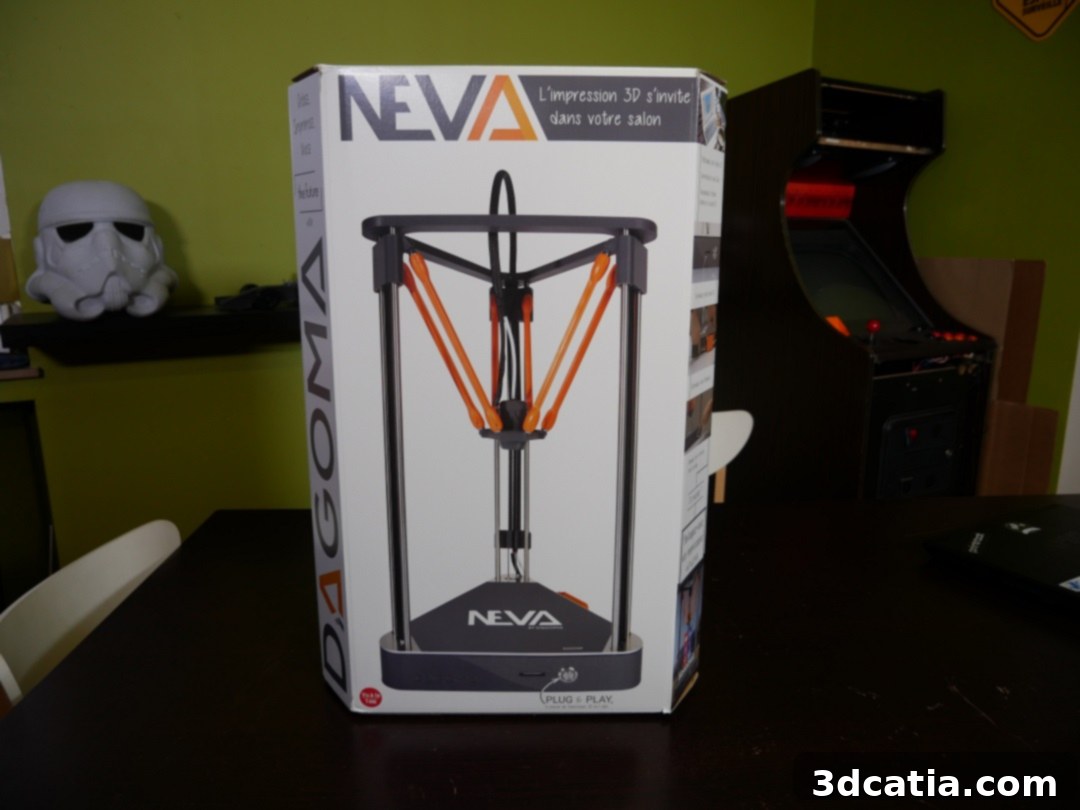
Our journey with the Magis began with its arrival in a robust double package, a detail that immediately conveyed Dagoma’s attention to safeguarding the printer during transit. This thoughtful packaging ensured the printer was pristine upon arrival, setting a positive tone for the unboxing experience. Inside, we discovered the meticulously designed packaging, reminiscent of the NEVA model, proudly displaying Dagoma’s compelling slogan: “L’impression 3D s’invite dans votre salon” (3D printing invited into your living room). This slogan is more than just marketing; it encapsulates Dagoma’s core philosophy of making 3D printing an accessible, integrated part of daily life and home environments.
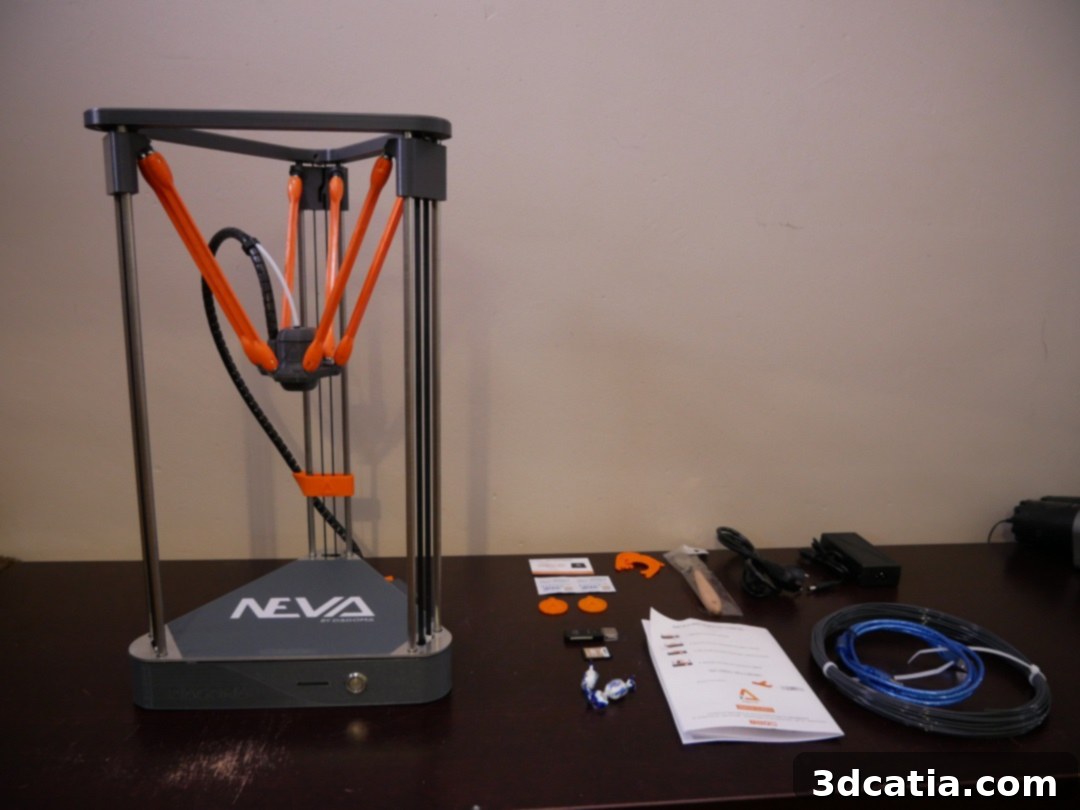
Upon removing the protective layers, the Magis 3D printer itself was unveiled. Its sleek proportions of 305 x 275 x 535 mm and an astonishingly light weight of just 4.3 kg reinforce its suitability for residential settings. This compact and lightweight design makes it easy to place on a desk or shelf without consuming excessive space, aligning perfectly with the “living room” concept. The build quality feels solid, yet the printer remains highly portable, allowing users to easily relocate it as needed.
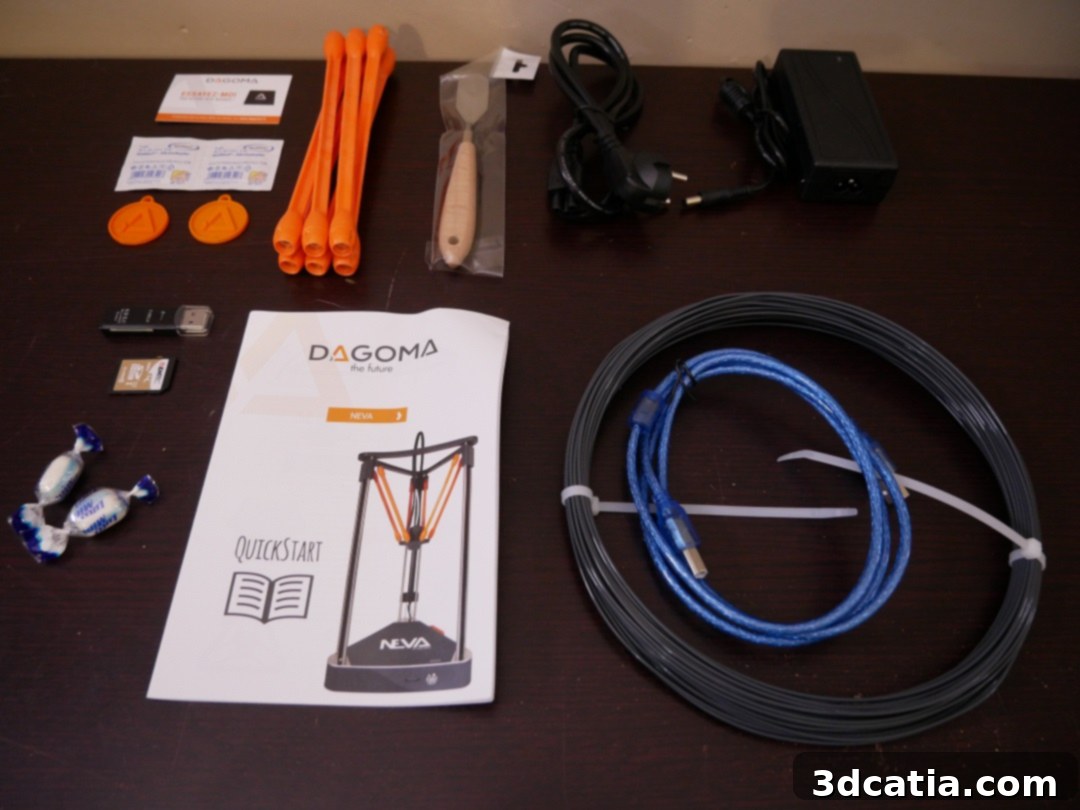
The accessory bundle provided with the Magis is comprehensive, ensuring users have everything necessary for a swift initiation into 3D printing. It includes a sample spool of PLA filament, allowing for immediate first prints, along with essential power and USB cables for connectivity. A spatula is supplied for print removal, though we found it a bit too flexible for our preference, suggesting that some users might opt for a more rigid tool. Wipes designed for cleaning the Buildtak print surface are also included, highlighting the importance of proper bed maintenance for successful prints. Additionally, an SD card and a USB adapter are provided, offering a convenient method for transferring print files. A charming, unexpected touch was the inclusion of candies in the box – a delightful detail that makes reading the instructions a little sweeter and personalizes the brand experience.
It’s also worth noting Dagoma’s recent introduction of an optional protective case, though we did not have the opportunity to test it during our review. This case, priced at €169, is designed to perfectly fit the Magis, enhancing print quality by regulating the internal temperature of the printer. For users printing with temperature-sensitive materials like ABS or PETG, or those operating in drafty environments, this accessory could significantly reduce warping and improve overall print consistency. It also has the potential to reduce operational noise and add an extra layer of safety, further solidifying the Magis’s suitability for home use.
2. Installing the 3D Printer: A Seamless Setup Experience
Once the Magis was unpacked, the next step was installation. Dagoma excels in this crucial phase, guiding users through a straightforward “First steps” guide available online. This comprehensive digital manual covers everything from the initial assembly of the machine to launching the very first print, all explained with remarkable clarity. For beginners, a well-structured and easy-to-follow guide is invaluable, mitigating common frustrations associated with complex assembly processes of many other 3D printers on the market.
The physical installation of the printer is exceptionally rapid, taking less than three minutes to complete. This astonishing speed is largely due to Dagoma’s ingenious design, which requires users only to connect the six orange arms that securely hold the print head. What makes this process truly effortless is that these arms are magnetized and simply clip into place – no tools, no fiddly screws, and no complex wiring are required. This magnetic connection system is a testament to Dagoma’s commitment to user-friendliness, vastly simplifying what can often be a daunting step for new users. However, a word of caution from our experience: ensure the print head is correctly oriented. Installing it upside down can lead to the arms detaching during the initial automatic calibration, a minor hiccup easily avoided by paying close attention to the guide.
Following the physical assembly, the Magis transitions into its calibration phase, a process that is thankfully automated and incredibly user-friendly. Unlike many 3D printers that demand manual bed leveling with a calibration card, the Magis handles this step entirely on its own. The printer automatically checks the precise distance between its nozzle and various points across the print bed, ensuring optimal adhesion and consistent print quality from the outset. This automated calibration feature is a significant advantage, eliminating a common source of error and frustration for novice users and saving valuable time for experienced ones.
The third and final step before printing is loading the filament. This process is equally streamlined: users simply feed the filament into the designated feeder at the base of the machine. The printer then automatically draws the material through to the print head, extruding a small amount to confirm it’s ready. From this point, the Dagoma Magis 3D printer is fully prepared to embark on its first printing adventure, demonstrating a truly plug-and-play experience that few other printers in its class can match. This ease of setup significantly lowers the barrier to entry, inviting more users to explore the exciting world of 3D printing.
3. Cura Software by Dagoma: Optimized Slicing for Effortless Printing
As is customary for Dagoma, the Magis 3D printer operates seamlessly with a customized version of Cura, one of the most widely recognized and powerful slicing software platforms in the 3D printing community. Dagoma’s strategic decision to base their software on Cura is a smart move, as it leverages a robust, open-source engine while tailoring it specifically for their range of printers. What’s particularly commendable is that Dagoma now provides a unified software experience across its entire lineup – whether you own a Magis, a NEVA, or the DiscoEasy 200, you’ll be using the same intuitive slicing interface. This consistency simplifies user workflows and ensures that optimized print profiles are readily available for all Dagoma machines.
The Magis, in particular, benefits from an improved version of the Marlin firmware. While Marlin is already a highly capable firmware, Dagoma’s enhancements likely include optimizations for the Delta kinematics, improved thermal management, and potentially additional safety features or user interface refinements. For owners of previous models, such as the NEVA, Dagoma provides the DAGOM’APP – a dedicated software tool that allows users to easily update their printer’s firmware to benefit from the latest improvements. This commitment to continuous software and firmware development ensures that Dagoma printers remain relevant and performant over time, enhancing the overall user investment.
We took the opportunity to test the firmware update process using the DAGOM’APP, even though it wasn’t strictly necessary for our review unit. Our experience confirmed Dagoma’s emphasis on simplicity: the update was completed in less than two minutes via the supplied USB cable, a stark contrast to the often cumbersome and technically demanding firmware flashing procedures sometimes required by other printer manufacturers, which might involve complex Arduino environments. This user-friendly update mechanism is a significant advantage, empowering users to keep their printers up-to-date without needing advanced technical skills.
The overall user experience with Dagoma’s software ecosystem is truly a success. The customized Cura interface is exceptionally well thought out, presenting essential controls clearly while offering deeper settings for advanced users. Complementing the software, the step-by-step guides available on Dagoma’s website are, in our opinion, among the best we have encountered in the industry. They are meticulously detailed, visually rich, and demystify complex concepts, making them an invaluable resource for both novices and experienced users. This holistic approach, combining intuitive software with comprehensive documentation, greatly reduces the learning curve for 3D printing, enabling users to achieve excellent results with minimal frustration. The ease of setting up prints, manipulating models, and generating G-code files is a testament to Dagoma’s dedication to simplifying the entire 3D printing journey.
4. First Impressions: Print Quality and Performance
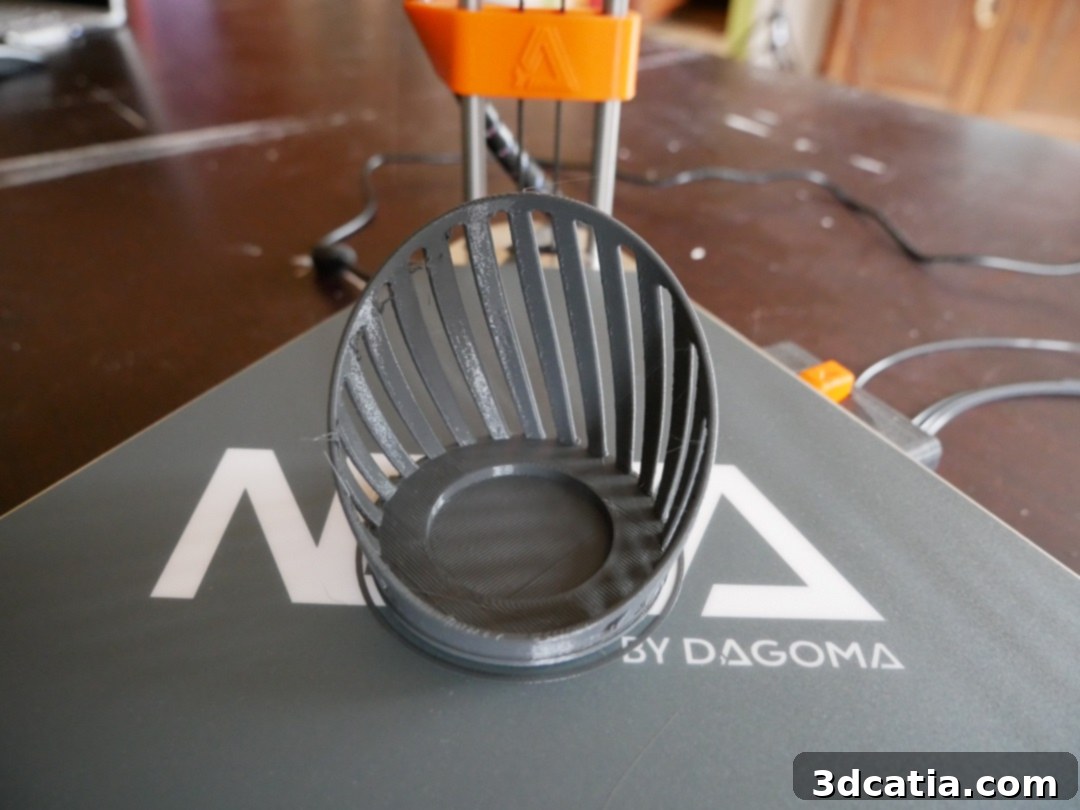
Following Dagoma’s comprehensive guide, our inaugural print on the Magis was a charming candle holder. Utilizing the sample PLA filament that accompanied the printer, this object was completed in under two hours. The results were remarkably satisfying, exhibiting a smooth surface finish, consistent layer adhesion, and impressive detail for an initial print. The candle holder effortlessly detached from the build plate, indicating excellent bed adhesion during printing followed by easy removal post-cooling. This initial success immediately bolstered confidence in the Magis’s capabilities and its readiness for more complex tasks.
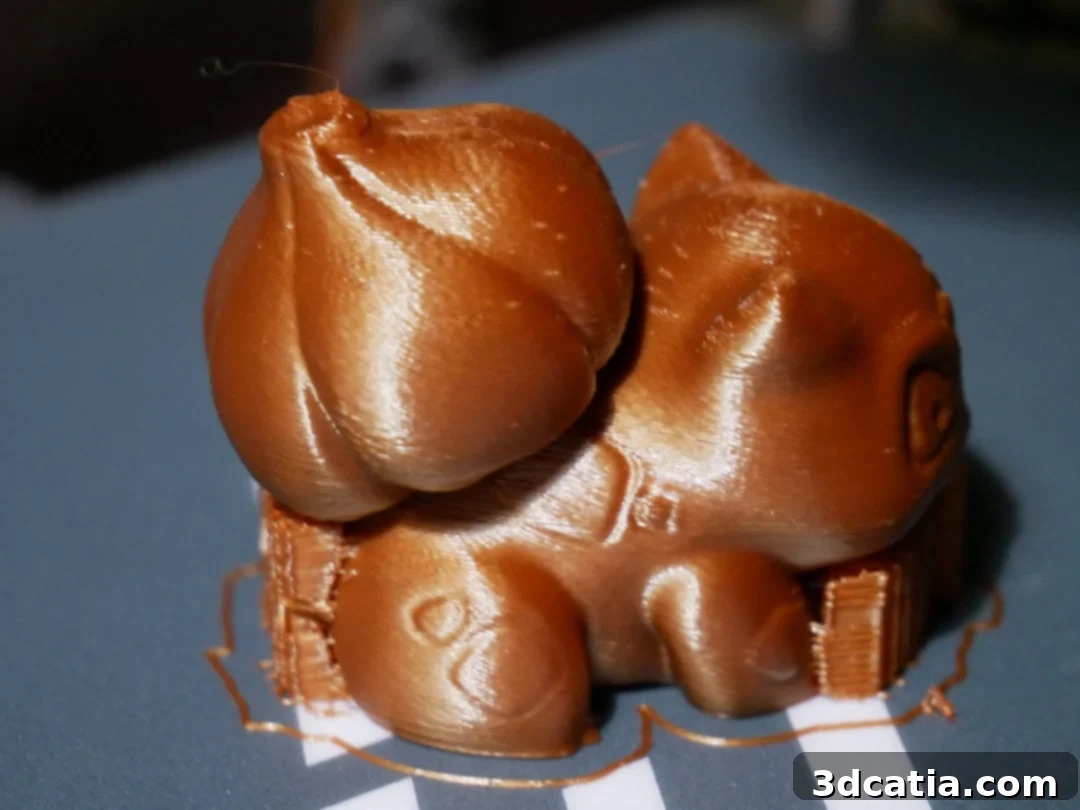
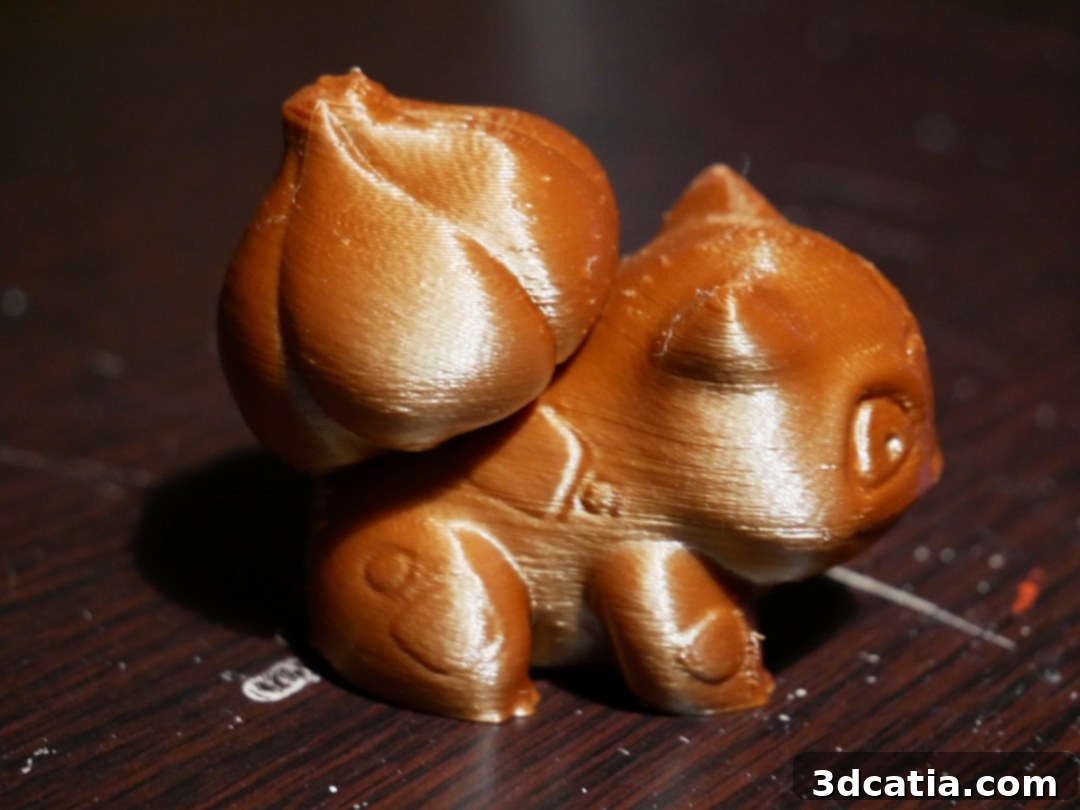
Next, we ventured into printing a more intricate figurine using a different PLA filament. This design necessitated the generation of support structures, a common requirement for objects with overhangs or complex geometries. Cura, with Dagoma’s optimizations, handled the support generation effectively, producing sturdy yet easily removable supports. The Magis tackled the figurine with commendable precision, accurately reproducing intricate details and maintaining consistent wall thickness. Support removal was straightforward, leaving minimal residual marks on the model’s surface, a testament to well-calibrated settings and material compatibility.
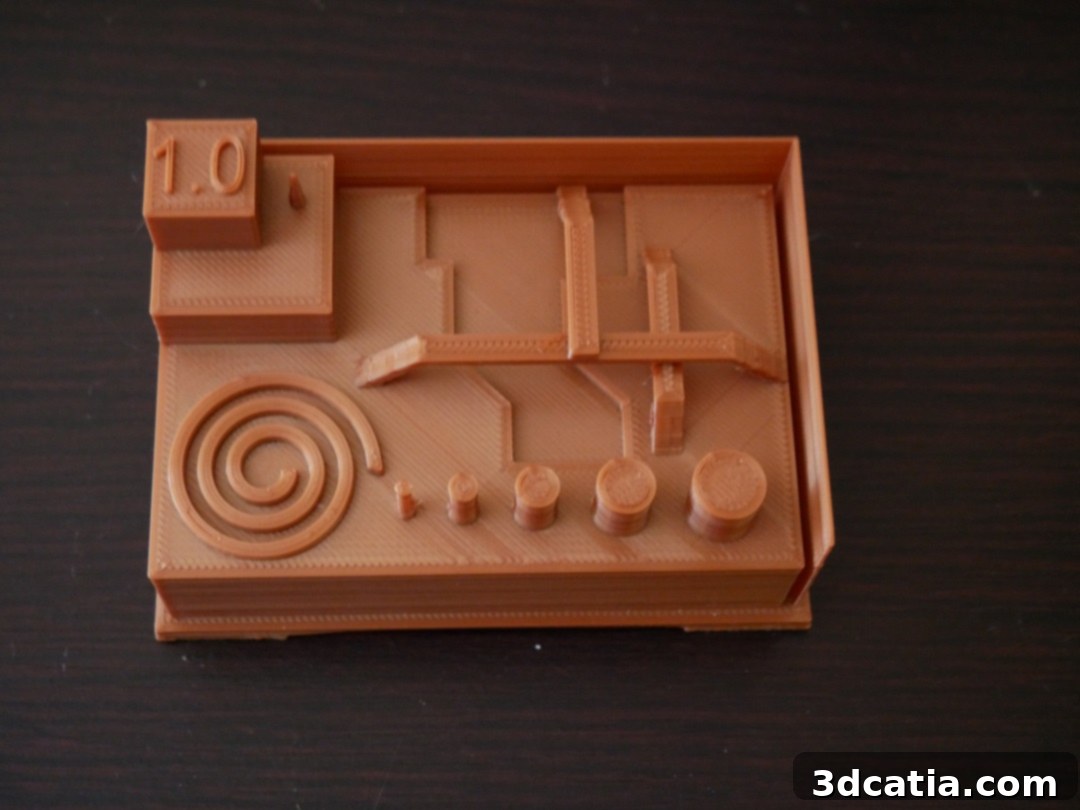
To thoroughly test the printer’s limits, we then moved on to our standard “torture object,” a design specifically crafted to challenge various aspects of 3D printer performance, including bridging, overhangs, retraction, dimensional accuracy, and fine feature reproduction. Initially, we encountered a minor setback where one of the object’s delicate straps detached from its support during printing. This necessitated a second attempt. However, once the strap was correctly re-seated in its designated notches, the print resumed without further issue, showcasing the Magis’s resilience and the effectiveness of its “Stop & Go” function. This incident, while requiring a restart, also provided an opportunity to assess the printer’s troubleshooting capabilities in a real-world scenario.
The results from the torture object were overwhelmingly positive, particularly concerning the Magis’s management of acute angles, vertical walls, and the finest parts of the model. The printer exhibited excellent layer registration, resulting in crisp corners and minimal ghosting. Bridging performance was notably strong, with minimal sagging, while overhangs were handled with impressive competence for a printer in this category. The dimensional accuracy across the test piece was also reassuring, indicating precise control over print movements.

The overall surface condition of the prints remained very good, characterized by smooth textures and consistent extrusion. While some minor defects were observed, such as slight stringing or faint layer lines in specific areas, these are often correctable through fine-tuning parameters within Cura. Adjusting settings like extrusion temperature, retraction distance, print speed, and cooling fan speed can significantly optimize print quality for various filaments and geometries. For beginners, understanding the influence of these parameters on the final aesthetic of the piece will require a little experience, but Dagoma’s guides provide an excellent starting point for experimentation.
The Delta architecture of the Magis contributes significantly to its print performance. The lightweight print head, moved by three arms, allows for faster print speeds and smoother movements compared to Cartesian systems, often resulting in fewer vibrations and therefore cleaner prints. Furthermore, the Magis demonstrated consistent performance over extended print durations, indicating good thermal management and robust mechanical stability. Noise levels during operation were also surprisingly low, making it suitable for its intended “living room” environment without being overly disruptive.
The optional protective hood, recently developed by Dagoma, could further optimize print results. By creating a controlled internal environment, it helps maintain a stable temperature around the print, which is crucial for minimizing warping in larger models and enhancing adhesion for materials prone to shrinkage. This accessory would likely push the Magis’s capabilities even further, enabling more consistent high-quality prints across a wider range of materials and ambient conditions.
Target Audience and Value Proposition
The Dagoma Magis 3D printer is exceptionally well-suited for a distinct segment of the 3D printing market. Its primary audience comprises beginners and first-time 3D printer owners who seek an immediate, hassle-free entry into additive manufacturing. The “plug-and-play” experience, combined with automatic calibration and a simplified interface, removes many of the technical barriers that often deter newcomers. Educators will also find the Magis an invaluable tool for classrooms and workshops, given its robust design, ease of use, and emphasis on safety. Hobbyists who prefer to dedicate their time to design and creation rather than printer maintenance will appreciate its reliability and minimal setup requirements. Furthermore, families looking for a creative, educational, and fun tool will find the Magis’s approachable nature and quiet operation perfectly aligns with home use.
In a competitive landscape dominated by budget Cartesian printers, the Magis distinguishes itself through its Delta design, which offers inherent advantages in speed and a uniquely attractive form factor. While some competitors might offer slightly larger build volumes at a similar price, few can match the Magis’s combination of user-friendliness, sophisticated automated features, and comprehensive software/firmware support. Its competitive price point of €499, considering the suite of features and the quality of the user experience, presents excellent value for money. Dagoma’s clear vision of making 3D printing an accessible “living room” activity is evident in every aspect of the Magis, from its intuitive operation to its compact and appealing design.
Conclusion
The Dagoma Magis 3D printer largely delivers on its ambitious promises, establishing itself as a formidable contender in the entry-level 3D printing market. Its core strength lies in its remarkable ease of use, from the moment of unboxing to the completion of the first print. The streamlined setup process, intuitive single-button operation, and highly effective automated features like calibration and filament management make it incredibly approachable for individuals with no prior 3D printing experience. Dagoma’s commitment to a seamless user journey is further amplified by its well-integrated, customized Cura software and excellent online support documentation, which collectively empower users to achieve impressive results with minimal frustration.
In terms of performance, the Magis consistently produced prints of good to very good quality during our tests. While minor fine-tuning of parameters may be desired for absolute perfection, the printer’s ability to handle intricate details, maintain dimensional accuracy, and manage challenging geometries is commendable for its price point. The Delta kinematics contribute to both speed and print quality, offering a smooth and efficient printing experience. Coupled with its competitive price, compact design, and the thoughtful inclusion of features aimed at simplification, the Dagoma Magis stands out as an excellent choice for anyone looking to enter the world of 3D printing without a steep learning curve. It truly brings the promise of “3D printing in your living room” to life, offering a powerful yet user-friendly tool for creativity and innovation.
Find all our 3D printer tests in the 3Dnatives Lab