

MeshLab: Your Essential Free & Open-Source Toolkit for Advanced 3D Mesh Repair and Optimization
Anyone who has ever embarked on the exciting journey of 3D printing their own designs knows the unique blend of anticipation and potential frustration involved. You’ve meticulously designed an object, or perhaps found the perfect model on one of the numerous platforms offering countless examples created by a vibrant community. You’ve selected a suitable STL file, eager to bring your digital creation into the physical world. However, just as you’re about to initiate the print, an unwelcome error message appears, indicating that your STL file is corrupt or unprintable. This common scenario can quickly turn excitement into significant frustration, leading to wasted time and resources. Fortunately, a powerful solution exists to circumvent these disheartening setbacks: specialized software designed to repair and optimize STL files with remarkable ease. Among the most respected and versatile tools in this category is MeshLab.
MeshLab is a free and open-source 3D mesh processing software that equips users with an extensive suite of tools for a wide array of tasks. Its capabilities span from fundamental operations like cleaning and repairing flawed 3D meshes to more complex assignments such as editing, analyzing, and converting various 3D data formats. This robust platform effectively addresses many of the common challenges faced by 3D printing enthusiasts and professionals alike, ensuring that digital models are print-ready and optimized for desired outcomes. Its comprehensive functionality makes it an invaluable asset in the additive manufacturing workflow, transforming problematic files into perfectly usable assets.
The genesis of MeshLab dates back to late 2005, originating as an ambitious course assignment at the prestigious University of Pisa. What began as an academic exercise quickly evolved into a much larger collaborative project. The mesh processing system underwent significant further development through a dedicated team effort, primarily involving the Visual Computing Lab of the ISTI-CNR, bolstered by the invaluable contributions of many talented students. From its inception, the development team harbored a clear vision: to create a program that was not only easy to use but also robust enough for professional applications. Their goal was to enable efficient production processes and foster greater sustainability within manufacturing by promoting the effective utilization of additive manufacturing technologies.
In the ensuing years, this dedicated team tirelessly worked towards these ambitious objectives. Students continually implemented more and more features, refining the software with each iteration. This sustained effort and commitment eventually culminated in the mature, powerful application we know today as MeshLab. Its open-source nature has allowed for continuous community contributions and improvements, ensuring it remains at the forefront of 3D mesh processing technology, adapting to the ever-evolving needs of the 3D printing and digital fabrication landscapes. The software’s foundation in academic research, combined with a focus on practical application, has resulted in a tool that is both scientifically rigorous and incredibly user-friendly for a broad audience.
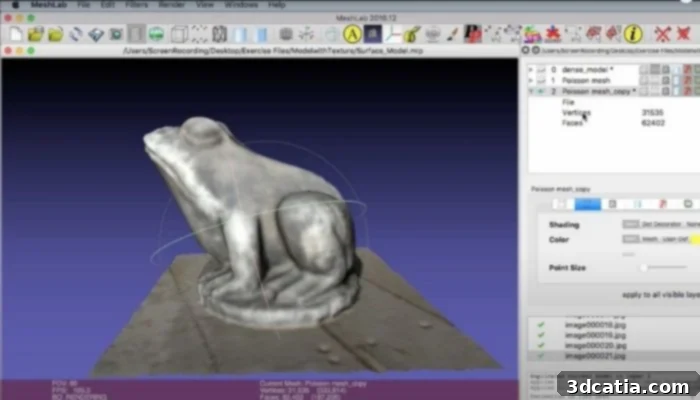
MeshLab offers far more than just basic repair capabilities; it’s a versatile toolkit for 3D mesh processing (photo credits: Meshlab)
Getting Started with MeshLab: Repairing and Optimizing Your 3D Models
As previously highlighted, MeshLab stands out as a completely free and open-source software, making it accessible to everyone. It’s readily available for download and installation across major operating systems, including Windows, MacOSX, and Linux, ensuring broad compatibility for users. While the program boasts an impressive array of functions that warrant deeper exploration, its most frequently utilized and celebrated capability is its unparalleled ability to repair problematic STL files quickly and effortlessly. This is a critical function for anyone involved in 3D printing, as manifold errors, inverted normals, and holes are common issues that can lead to failed prints.
The process for repairing an STL file is straightforward. Upon opening the MeshLab application, you simply need to import the file you wish to repair. This can be done conveniently either by dragging and dropping the file directly into the program window or by manually selecting it through the file menu. Once imported, your 3D model will be displayed, offering a clear visual representation of its current state. From here, you can navigate to the comprehensive repair menu, which presents a variety of repair options. MeshLab intelligently identifies common mesh issues such as non-manifold edges, self-intersections, and boundary holes, providing specific tools to address each problem. Users can choose from automatic repair functions for quick fixes or engage with more granular controls to manually patch holes, unify duplicate vertices, or correctly orient normals. This intuitive workflow empowers users to diagnose and correct mesh errors with precision, ensuring the integrity and printability of their 3D models.
Beyond its renowned repair features, MeshLab distinguishes itself with a wealth of additional tools and functions that significantly enhance the 3D printing preparation workflow. For instance, it includes an integrated 3D modeling environment, allowing users to perform basic mesh manipulation tasks such as simplifying complex models through decimation filters, smoothing rough surfaces, or applying Boolean operations to combine or subtract geometries. These modeling capabilities are incredibly useful for optimizing models for printability, reducing file size without losing critical detail, or preparing intricate designs for support structures.
Furthermore, MeshLab offers sophisticated colorization and inspection filters. These tools are vital for quality control and detailed analysis of your 3D models. Users can visually inspect mesh integrity, analyze surface curvature, detect hidden defects, or even apply vertex colors for aesthetic or functional purposes. These filters provide critical feedback, allowing users to make informed decisions about further adjustments or repairs before sending a model to the printer.
Another powerful set of features within MeshLab relates to 3D acquisition tools. These are particularly valuable for those working with 3D scanned data, which often comes riddled with noise, misalignments, or incomplete geometries. MeshLab makes it possible to accomplish error-free processing of such data, enabling users to clean up point clouds, align multiple scans, reconstruct surfaces from scattered data, and fill in missing parts. This capability transforms raw, imperfect scan data into robust, usable 3D models suitable for manufacturing or further digital processing.
Finally, MeshLab’s conversion and interchange tools are indispensable for any cross-platform workflow. The software supports the export of a wide number of different 3D data formats, including but not limited to OBJ, PLY, OFF, andもちろん STL itself. This extensive format compatibility ensures that users can seamlessly transfer their processed and optimized models between different CAD programs, slicers, and other 3D software applications without compatibility issues. These comprehensive tools represent just a few of the many functionalities packed into the latest versions, such as MeshLab 2022.02, underscoring its role as a Swiss Army knife for 3D mesh processing.
While MeshLab provides intuitive solutions for common issues, it’s important to acknowledge that leveraging its full potential for advanced 3D printing processes and complex model optimization does require a certain level of experience. The software is designed to cater to both novices performing basic repairs and experienced professionals undertaking intricate mesh analysis and manipulation. Users who delve deeper into its functionalities will find powerful tools for advanced tasks like mesh simplification, texture mapping, and complex geometric operations. This is particularly true when dealing with the processing of larger and unstructured 3D models, where MeshLab truly shines. Such models, often originating from 3D scans or intricate CAD designs, can be notoriously difficult to handle due to their sheer complexity and potential for topological errors. MeshLab’s robust algorithms are adept at managing these challenges, efficiently cleaning, optimizing, and preparing even the most demanding models for successful additive manufacturing.
Despite its advanced capabilities, MeshLab remains one of the top choices for 3D printer operators across all skill levels. It offers a free and highly effective solution that significantly streamlines the often-long and sometimes weary task of 3D printing preparation. By providing essential repair, editing, and analysis tools in a single, accessible package, MeshLab drastically reduces the common hurdles associated with preparing 3D models for fabrication. It empowers users to achieve higher print success rates, minimize material waste, and ultimately, unleash the full potential of their 3D printing endeavors. To discover more about this indispensable software and download the latest version, you can visit its official website HERE. Take control of your 3D printing workflow and transform problematic models into perfect prints with MeshLab.

MeshLab’s comprehensive interface allows for detailed analysis and manipulation of 3D models. Photo Credits: Meshlab
What are your thoughts on MeshLab? Do you currently integrate it into your 3D printing or modeling workflow? We’d love to hear about your experiences! Share your insights and comments below or connect with us on our LinkedIn, Facebook, and Twitter pages! And don’t forget to sign up for our free weekly Newsletter here, bringing the latest 3D printing news straight to your inbox! You can also find all our informative videos and tutorials on our dedicated YouTube channel.
*Cover Photo Credits: Meshlab