
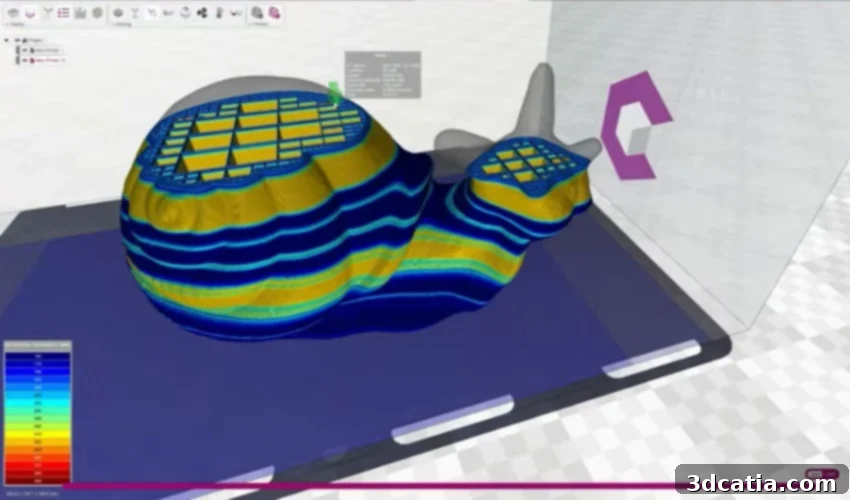
CraftWare Pro: The Versatile 3D Slicer for FDM Printing, Empowering All Skill Levels
The landscape of additive manufacturing is vast, offering an extensive array of slicing software solutions. Navigating this multitude to find the perfect fit can be a daunting task for even experienced users. However, some solutions unequivocally rise above the rest, distinguishing themselves through innovation, user-friendliness, and robust functionality. One such notable contender is CraftWare Pro, the proprietary slicer developed by the acclaimed 3D printing manufacturer, Craftbot – formerly known as CraftUnique.
Founded in Budapest in 2014, Craftbot has established a reputation for delivering high-quality 3D printing solutions. Their commitment extends beyond hardware, culminating in the creation of CraftWare Pro, a sophisticated yet accessible slicing software meticulously designed for FDM (Fused Deposition Modeling) technologies. What sets CraftWare Pro apart is its remarkable versatility, catering not only to the seasoned experts but also to advanced users and absolute beginners alike.
CraftWare Pro is structured into three distinct packages: Standard, Premium, and Premium Enterprise, each offering varying levels of features and tailored cost structures to suit diverse user requirements. This tiered approach ensures that individuals, small businesses, and large enterprises can all find a version that aligns with their operational needs and budget. We’ve conducted an in-depth review of this powerful software to illuminate its core functionalities, explore its diverse applications, and uncover the reasons behind its rapid ascent to popularity since its market introduction.
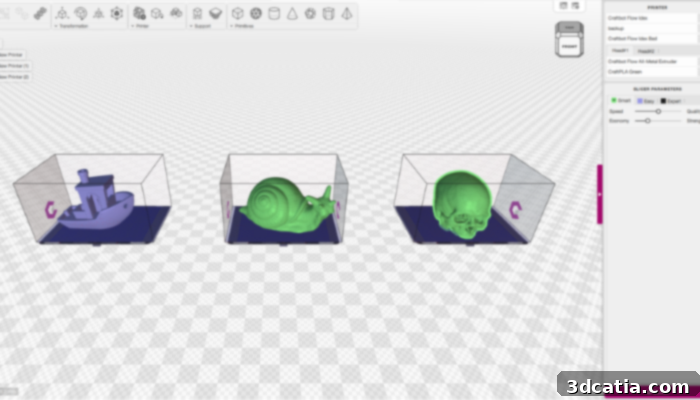
CraftWare Pro boasts innovative features like the multi-tray function, enhancing workflow efficiency (photo credits: Craftbot)
Unveiling the Core Strengths: Key Characteristics of CraftWare Pro
The advantages of integrating CraftWare Pro into your 3D printing workflow are immediate and profound. For beginners, the software provides an exceptionally uncomplicated and intuitive experience, thanks to its intelligent automatic presets. These presets streamline the entire slicing process, significantly reducing the learning curve and enabling new users to achieve successful prints with minimal effort. Concurrently, more intelligent and advanced functions are readily available for experienced users, designed to dramatically boost efficiency, optimize print quality, and unlock complex capabilities.
One of CraftWare Pro’s standout features is its integrated CAD (Computer-Aided Design) functionalities. These tools allow users to modify and personalize 3D objects directly within the slicer environment. This eliminates the need for external CAD software for minor adjustments, enabling quick optimizations during the crucial print preparation phase. Whether it’s scaling, rotation, basic geometric modifications, or adding simple elements, the in-built CAD features provide a remarkable degree of flexibility. Furthermore, CraftWare Pro extends its capabilities to include smart solutions specifically tailored for IDEX (Independent Dual Extruder) printing, offering advanced control over multi-material or multi-color prints.
The software offers a choice of distinct slicing modes – Smart, Easy, or Expert – allowing users to customize their experience based on their comfort level and project complexity. The “Easy” mode offers simplified settings for quick prints, while “Smart” mode intelligently suggests optimal parameters. The “Expert” mode, on the other hand, provides granular control over every imaginable slicing parameter, satisfying the most demanding professionals. A truly innovative feature is the multi-layer contractions capability, which enables users to apply different slicing parameters to various regions within a single 3D object. This level of localized control is invaluable for optimizing specific sections of a print, leading to significant savings in both time and filament usage, and ultimately enhancing print quality in critical areas.
Beyond flexibility in parameters, CraftWare Pro Slicer also provides robust support for diverse hardware configurations. It offers a function to apply different settings tailored for various sized nozzles, a critical feature for users operating IDEX 3D printers or those who frequently swap nozzles for different applications. This functionality ensures that heterogeneous prints – prints involving multiple materials, colors, or varying detail levels – can be executed with precision and efficiency. The slicer intelligently manages the complexities associated with different nozzle diameters, ensuring consistent and high-quality results across the entire print bed.
Another significant highlight of CraftWare Pro is its groundbreaking multi-tray function. This powerful feature allows users to establish and manage profiles for several distinct 3D printers within the same software interface. Each printer’s profile can be individually customized, allowing users to view and modify specific slicing parameters for each “tray” or print bed setup. This is particularly beneficial for users managing a small farm of 3D printers or those who frequently switch between different machines. Complementing this, CraftWare Pro Slicer is also equipped with a sophisticated multiple printing strategy. This means that 3D models of varying shapes, sizes, and complexities can be arranged on the same build plate and then sliced with individual, distinct slicing settings. This maximizes build plate utilization and significantly boosts overall printing efficiency, reducing the need for multiple separate slicing operations. The combination of multi-tray and multiple printing strategy makes CraftWare Pro an exceptionally efficient tool for diverse printing needs.
A Slicer Solution for Every User: From Novices to Industry Veterans
Craftbot proudly positions CraftWare Pro as a universally accessible slicer, equally suitable for beginners just embarking on their 3D printing journey, advanced users seeking optimization, and seasoned experts demanding ultimate control. This broad appeal is a testament to its thoughtful design and comprehensive feature set.
For beginners, the allure of CraftWare Pro lies in its inherent simplicity and user-friendliness. The intuitive interface and the availability of easy-to-use presets mean that new users can personalize their printing experience with just a few clicks and minimal adjustments. This ease of entry significantly lowers the barrier to entry for 3D printing, fostering a more positive and productive initial experience without overwhelming the user with overly complex settings.
Advanced users will find CraftWare Pro particularly exciting due to its powerful print optimization capabilities. The innovative settings and fine-tuned controls empower them to achieve superior print qualities and significantly higher efficiency in their projects. Features like multi-layer contractions and specialized nozzle settings allow for nuanced control that can elevate the quality of intricate prints and optimize material usage, driving better results for complex models or functional prototypes.
Ultimately, experts leverage the software to its fullest potential by meticulously minimizing both cost and time factors in their operations. The ability to manage multiple printers and print strategies on a single platform, coupled with deep control over every parameter, allows for industrial-level optimization. Experts can fine-tune every aspect of the slicing process to reduce material waste, accelerate print times, and ensure consistent, high-quality output across numerous projects, leading to substantial operational savings.
Flexible Subscription Options: Tailored to Your Needs
CraftWare Pro’s commitment to versatility is further reflected in its diverse subscription models, designed to accommodate a wide spectrum of users and organizational sizes. Let’s delve into the specifics of each option:
The Standard Version: Free and Fully Functional
The entry-level offering is the so-called Standard version of the CraftWare Pro slicer. This version is completely free of charge and readily accessible to everyone. Despite being free, it remarkably includes a comprehensive suite of the core slicer functions. This makes it an ideal starting point for hobbyists, students, or anyone wanting to experiment with 3D printing without an initial financial commitment. Users can access essential slicing capabilities, prepare their models, and generate G-code for their FDM printers, providing a solid foundation for their additive manufacturing endeavors.
The Premium Version: Enhanced Productivity for Individuals and Small Organizations
Stepping up, the Premium version offers an enhanced experience with additional features aimed at boosting productivity. This tier is available at an affordable rate: as little as $9.99 for a 30-day subscription or a more economical $99.99 for an annual license, following a simple registration process. The Premium version is perfectly suited for individuals, small businesses, non-profit organizations, and educational institutions looking to optimize their 3D printing operations. Beyond the robust slicer features, Premium subscribers benefit from significant productivity enhancements. These include, for instance, noticeably reduced printing times through advanced algorithms, shorter preparation times due to improved workflows, and a lower number of manual interventions required during the printing process. Furthermore, Premium users gain the flexibility to utilize CraftWare Pro across up to 3 different devices simultaneously, facilitating collaborative work or use across personal and professional setups.
The Premium Enterprise Version: Scalable Solutions for Businesses
At the apex of CraftWare Pro’s offerings is the Premium Enterprise version. As its name implies, this package is meticulously designed for larger businesses and corporations. It comes with a specific prerequisite: companies must demonstrate a net annual revenue from the previous fiscal year of $100,000 or more, ensuring it targets established entities with significant operational scale. While the Premium Enterprise version allows for extensive deployment, supporting up to 10 different devices concurrently, it also carries a higher price point reflective of its advanced capabilities and scalability. Subscriptions are priced at $49.99 for 30 days or $499.99 for a full year. This version provides the comprehensive tools, support, and flexibility necessary for large-scale additive manufacturing operations, including advanced analytics, dedicated support, and integration capabilities that are crucial for enterprise environments.
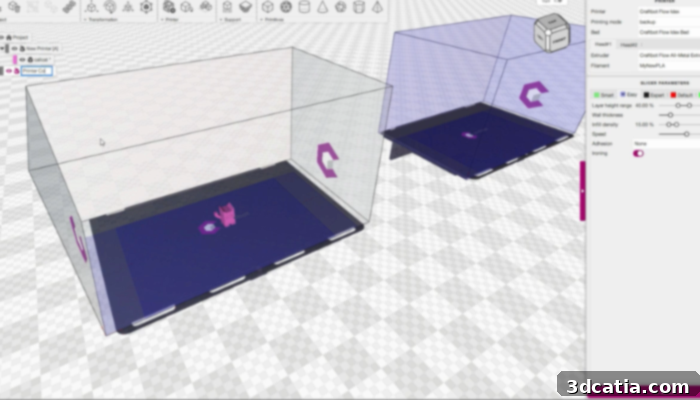
CraftWare Pro offers a clear and intuitive user interface across all its versions. Photo Credits: Craftbot
Broad Compatibility: Seamless Integration Across Operating Systems
CraftWare Pro distinguishes itself with impressive cross-platform compatibility, ensuring a wide user base can leverage its powerful features. The slicer is fully functional across Windows, macOS, LINUX, and CHROME OS environments, minimizing compatibility concerns for most users. However, specific recommendations are provided to ensure optimal performance.
For Windows users, it is crucial to have an operating system of Windows Vista x64 or higher. Craftbot explicitly recommends using Windows 10 x64 for the best and most stable experience, ensuring access to all features and smooth operation. Mac users should run High Sierra (10.13) or a more recent version of macOS; Catalina (10.15) is the recommended operating system for Mac users to ensure full functionality and system integration. LINUX users benefit from even greater flexibility, as CraftWare Pro is designed to work seamlessly with virtually any mainstream Linux distribution, making it a truly open and accessible option for the open-source community. For those utilizing Chrome OS, CraftWare Pro also provides a compatible solution, further broadening its reach.
If you are intrigued by the capabilities of CraftWare Pro Slicer and wish to delve deeper into its features or explore the various subscription options, you can find more detailed information by visiting the official Craftbot website HERE. This resource provides comprehensive insights into each version, assisting you in making an informed decision that aligns with your specific 3D printing requirements.
What are your thoughts on CraftWare Pro? Have you had the opportunity to use this innovative slicer in your 3D printing projects? We encourage you to share your experiences and insights in the comments section below, or engage with us on our social media platforms, including LinkedIn, Facebook, and Twitter! Don’t forget to subscribe to our free weekly Newsletter here to receive the latest 3D printing news directly in your inbox. You can also explore all our engaging videos and tutorials on our dedicated YouTube channel.
*Cover Photo Credits: Craftbot