
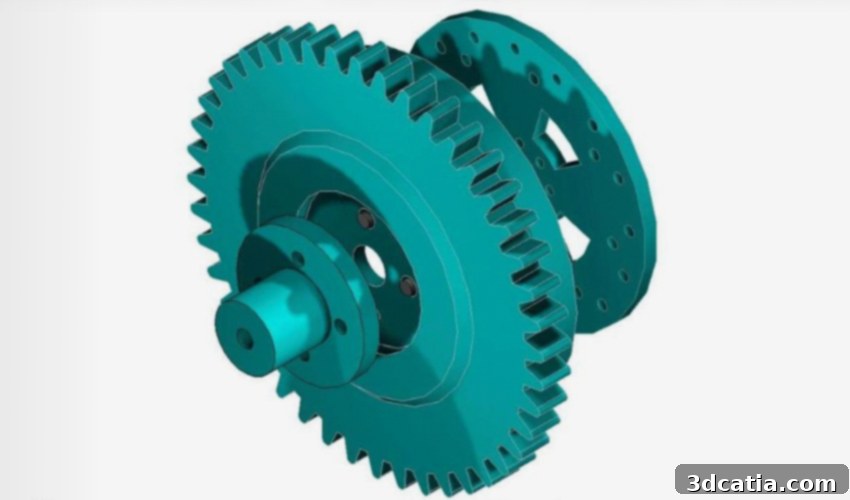
TurboCAD: The Comprehensive 2D/3D CAD Software for Innovative Design, Engineering, and Additive Manufacturing
In the dynamic world of design and engineering, Computer-Aided Design (CAD) software stands as an indispensable tool, empowering professionals to bring their visions to life with precision and efficiency. Among the leading solutions in this domain is TurboCAD, a world-class CAD system developed by San Francisco-based IMSI/Design. Renowned for its powerful design palette and extensive range of functions, TurboCAD offers users the capability to create both intricate 2D drawings and complex 3D models. Its versatility makes it a cornerstone for professionals across various sectors, including architects, draftsmen, carpenters, and product designers in construction, mechanical engineering, and beyond. Significantly, TurboCAD also embraces and actively supports the burgeoning field of additive manufacturing, making it a critical asset for modern production workflows, including 3D printing.
A Legacy of Innovation: The History of TurboCAD
The journey of TurboCAD began in 1985, spearheaded by talented developers Hendrik Vermooten and Hein Oosthuizen. Their pioneering efforts culminated in the release of the software’s first version in 1986 on the South African market, initially under the name “InterCAD.” At its inception, the software was positioned as a revolutionary, accessible alternative, retailing for the equivalent of approximately 90 euros. This strategic pricing reflected the manufacturer’s core objective: to provide a powerful yet more affordable CAD solution compared to the then-dominant AutoCAD. This commitment to accessibility quickly propelled TurboCAD beyond its initial borders, leading to its international expansion, with the software first making its mark on the British market. Over its illustrious history, TurboCAD has demonstrated remarkable staying power and widespread appeal, selling an impressive two million copies worldwide. This commercial success underscores its effectiveness and the continuous value it delivers to a global community of designers and engineers.
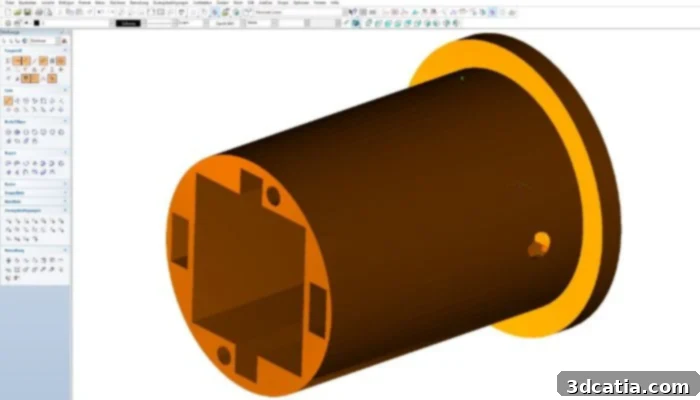
TurboCAD as a CAD software for 3D printing.
Core Functionalities and System Compatibility
TurboCAD is engineered for broad compatibility, ensuring that a wide range of users can leverage its capabilities regardless of their preferred operating system. It seamlessly integrates with Microsoft Windows, supporting versions 11, 10, 8, and 7, as well as Mac OS, from version 10.11 to 11.01 or higher. This cross-platform availability is a significant advantage, promoting flexibility in diverse professional environments. Beyond basic compatibility, TurboCAD is robustly designed to handle the rigorous demands of complex CAD projects. The program excels in loading, processing, and rendering even exceptionally large CAD files, a crucial feature for intricate architectural blueprints, extensive mechanical assemblies, or detailed product designs. Furthermore, its advanced rendering tools empower users to create stunningly realistic visualizations. These tools transform conceptual designs into photorealistic images, allowing for detailed presentations, virtual walkthroughs, and accurate material simulations, which are invaluable for client communication and design validation.
Seamless Integration: File Formats and User Experience
In today’s collaborative design ecosystem, extensive file format support is paramount, and TurboCAD delivers on this front. It supports a myriad of different file formats for 3D models, allowing users to open them directly, import them, or integrate them via XREF (external references). This robust file compatibility is a cornerstone of TurboCAD’s design, ensuring smooth data exchange and seamless collaboration with other CAD platforms, design software, and manufacturing tools. Whether you are working with files from AutoCAD, SolidWorks, SketchUp, or specialized 3D printing formats, TurboCAD facilitates effortless interoperability. This flexibility significantly streamlines workflows, reduces potential compatibility issues, and enhances productivity across interdisciplinary teams.
Beyond its technical capabilities, TurboCAD prioritizes the user experience. The software is equipped with a highly intuitive and user-friendly interface, carefully crafted to cater to both beginners and seasoned professionals. Newcomers will find the learning curve remarkably gentle, benefiting from an interface that often shares similarities with industry-standard platforms like AutoCAD, easing the transition into complex CAD environments. For experienced users, the interface offers customization options and efficient tool access, allowing for rapid design iteration and maximum productivity. The thoughtful design of the user interface minimizes distractions and places essential tools at the user’s fingertips, ensuring that the focus remains on creative design and precise engineering.
Precision and Power: TurboCAD’s 2D and 3D Design Tools
TurboCAD’s core strength lies in its comprehensive suite of 2D and 3D drawing tools, designed to facilitate the creation of exceptionally accurate and detailed models. For 2D drafting, the software provides a rich set of features that empower engineers and architects to produce precise blueprints, schematics, and layouts. These tools include advanced dimensioning capabilities for accurate measurements, an extensive library of symbology for standardized annotations, and robust guidelines for alignment and precision. Users can effectively manage different aspects of their design using paper space, which allows for multiple views of a model on a single sheet, complete with dedicated printing options and scaling. Furthermore, tools for markup and assembly lists enhance collaboration and documentation, providing clear communication of design intent and component breakdowns. The ability for multiple selection streamlines editing processes, allowing for efficient modification of complex geometries and ensuring that design adjustments can be made with speed and accuracy.
In the realm of 3D modeling, TurboCAD offers a versatile environment for generating complex three-dimensional objects. Users can employ a variety of modeling techniques, including solid modeling for robust, watertight objects, surface modeling for intricate organic shapes, and mesh modeling for highly detailed representations. The software’s geometric modeler is particularly powerful, enabling advanced operations such as parametric rounding of edges and shapes. This parametric capability means that design elements are intelligently linked, allowing for easy modifications that ripple through the entire model, saving significant time and effort in iterative design processes. Whether designing individual parts with intricate features or assembling complex multi-component systems, TurboCAD provides the tools necessary to achieve high levels of detail and engineering precision. This integrated approach ensures that designers can seamlessly transition between 2D drafting for documentation and 3D modeling for visualization and analysis, all within a single, powerful application.
TurboCAD for the Future: Applications in Additive Manufacturing
TurboCAD is perfectly positioned to support the revolutionary advancements in additive manufacturing, commonly known as 3D printing. Its capabilities make it an ideal choice for rapid prototyping and on-demand production of spare parts, custom components, and specialized tooling. A key feature is its ability to generate standard tessellation language (STL) files, the universally accepted format for 3D printing. This means that once a 3D drawing is meticulously crafted within TurboCAD, it can be directly exported as an STL file, ready for input into any 3D printer’s host software. The seamless transition from design to print empowers users to quickly iterate on designs, test concepts, and produce functional parts with unmatched efficiency.
The process begins with designing a precise 3D model in TurboCAD. Given the software’s comprehensive toolkit, designers can ensure every curve, dimension, and feature is exactly as intended, which is crucial for successful 3D prints. After design finalization, the model is exported as an STL file. This file represents the 3D model as a series of connected triangles, forming a surface mesh. TurboCAD excels at generating clean, error-free STL files, minimizing issues that can arise during the slicing and printing stages. The STL file can then be integrated into the printer’s host software or a dedicated slicer, where printing parameters are defined. Data transfer to the 3D printer is versatile, supporting modern methods like WLAN, traditional SD cards, or reliable Ethernet connections, ensuring flexibility in various workshop setups. This streamlined workflow from advanced design to tangible output underscores TurboCAD’s significant contribution to the growing field of additive manufacturing, enabling designers to transform digital concepts into physical realities with unprecedented ease and precision.
Advanced Capabilities with TurboCAD Platinum and Pro Platinum
For users demanding the utmost in power and flexibility, TurboCAD offers its Platinum and Pro Platinum editions, which elevate the design experience with a suite of advanced features. A standout characteristic of TurboCAD Platinum software is its easily customizable user interface. This adaptability allows professionals to tailor their workspace to specific project needs or personal preferences, enhancing efficiency and comfort. Furthermore, the AutoCAD®-like design interface is a significant benefit, especially for newcomers transitioning from other CAD platforms. This familiarity drastically reduces the learning curve, allowing users to become productive much faster.
The Platinum versions also excel in iterative design, a critical aspect in prototyping and manufacturing. The software makes it possible to make corrections to an object at high speed and to immediately create a new STL file. This capability is particularly vital when fine-tuning designs for 3D printing, where the need for minor adjustments often only becomes apparent after an initial print. The ability to rapidly modify a model and re-export a print-ready file minimizes downtime and accelerates the development cycle. Once the corrected STL file is generated, it can be seamlessly integrated into the printer’s host software for immediate manufacturing, ensuring that design refinements are quickly translated into improved physical parts. Data transfer flexibility further supports this agile workflow, with options including WLAN, SD cards, or Ethernet.
The Pro Platinum version, in particular, features an exceptionally powerful CAD system that allows for the creation of sophisticated 3D designs leveraging an advanced geometric modeler. This includes highly specialized functions such as parametric rounding of edges and shapes, which ensures precision and flexibility in design modifications. This makes the program exceptionally suitable for both intricate part designs and complex assembly designs, where maintaining relationships between components is paramount. Pro Platinum’s superior file compatibility further extends its utility; it can open, insert, or link an impressive 35 file formats and import 28 file formats. This extensive list includes industry-standard formats critical for 3D printing and advanced engineering such as IGES, STEP, OBJ, and STL. Such broad support guarantees robust interoperability and ensures that files can be shared seamlessly across a multitude of different platforms and software environments. Additionally, TurboCAD Pro Platinum supports the exporting of 3D models to PDF files, allowing for easy sharing and viewing with standard tools like Acrobat Reader, facilitating client presentations and documentation.
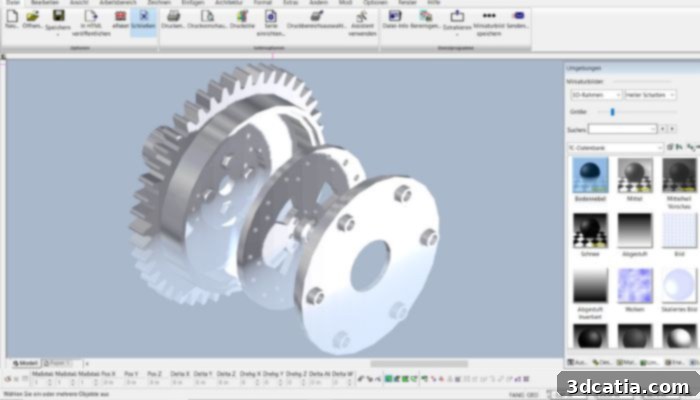
Photorealistic rendering and visualization with TurboCAD Pro Platinum
Unlocking Creativity: Diverse Applications of TurboCAD Pro Platinum
TurboCAD Pro Platinum’s extensive feature set and robust performance make it an invaluable tool across a diverse array of industries and applications. It is exceptionally well-suited for complex design development, enabling engineers and designers to tackle intricate projects with confidence and precision. Its capabilities are particularly beneficial for rapid prototyping with 3D printers, accelerating the product development lifecycle from concept to tangible model. In mechanical design, it facilitates the creation of detailed parts and sophisticated assemblies, ensuring functional accuracy and manufacturability. The software is also a favorite among professionals in furniture design, carpentry, and joinery, allowing for custom creations and precise construction plans. Furthermore, for product and packaging design, TurboCAD Pro Platinum offers the tools needed to visualize, iterate, and refine designs, from initial concept to final presentation.
Among the most striking features included in TurboCAD Pro Platinum is its state-of-the-art photorealistic rendering and visualization capabilities, powered by Turbolux™. This advanced rendering technology is based on Physically Based Rendering (PBR) techniques, which accurately simulate how light interacts with materials in the real world. The result is incredibly lifelike images that bring designs to life, perfect for marketing materials, client presentations, and design reviews, providing unparalleled realism and depth to visualizations.
In the crucial area of 3D modeling and design, the section curve tool has been significantly enhanced with the introduction of the new associative intersection option. This innovative feature allows users to connect created intersection curves directly with 3D objects, meaning that changes to the original 3D object will automatically update the corresponding intersection curves. This associativity dramatically improves efficiency and accuracy when working with complex geometries, especially in tasks requiring detailed cross-sections or profile analysis. Overall, TurboCAD Pro Platinum has seen substantial improvements in speed, user interface responsiveness, and ease of use. These enhancements ensure a smoother, more efficient workflow, where users can effortlessly navigate through various design steps and switch between tools, maintaining focus on creativity and precision.
What do you think of TurboCAD’s comprehensive capabilities? Share your thoughts in a comment below or connect with us on our LinkedIn, Facebook, and Twitter pages! Don’t forget to sign up for our free weekly Newsletter here to get the latest 3D printing news straight to your inbox! You can also find all our videos on our YouTube channel.
*All Photo Credits: TurboCAD