

BQ Witbox 2 Review: Unboxing, Setup, and Performance of BQ’s Advanced Desktop 3D Printer
Building on the considerable success and foundational innovations of its predecessor, the BQ Witbox 1, the Spanish tech brand BQ proudly unveiled its second iteration, the Witbox 2. The original Witbox, launched in 2013, quickly gained recognition for bringing accessible A4-format 3D printing to the desktop, marking BQ’s entry as a serious contender in the burgeoning 3D printing market. While the first version was lauded for its robust design and user-friendliness for basic PLA printing, it faced some criticisms, particularly regarding the challenges of working with more advanced or specialized materials beyond standard PLA.
The Witbox 2 arrives with the explicit aim of addressing these earlier limitations while significantly upgrading overall performance and user experience. At first glance, its specifications are undeniably impressive, boasting a generous print volume of 21 x 30 x 20 cm, which allows for substantial single-part prints or batch production of smaller objects. This large build area, combined with an exceptional minimum layer thickness of 50μm, promises highly detailed and smooth prints, making it suitable for a wide range of applications from prototyping to artistic creations. Priced affordably at €1,700, the Witbox 2 positions itself as an attractive option for both seasoned makers and professional users seeking reliability and quality without breaking the bank. Given these promising features, we decided to put the BQ Witbox 2 through its paces to determine if it truly lives up to its enhanced reputation. Has BQ successfully rectified the identified shortcomings of its previous model? Our comprehensive and in-depth test of the BQ Witbox 2 will reveal all.

The Witbox 2 3D printer by BQ
1. Unboxing and First Impressions
Our initial encounter with the Witbox 2 began with its arrival, and the sheer size of the package immediately made a grand statement. The box itself was quite substantial, hinting at the robust machine contained within. Upon opening, however, it became clear that this apparent enormity was largely due to BQ’s meticulous attention to packaging. The printer is ensconced in multiple layers of high-quality cardboard and custom-fit foam inserts, ensuring that the machine is snugly protected from any knocks or impacts during transit. This thoughtful, double-layered cushioning system provides exceptional security, virtually guaranteeing that any customer purchasing a Witbox 2 will receive their investment in pristine, ready-to-use condition – a truly excellent start to the user experience.

The Witbox 2 comes with various accessories
As we continued the unboxing process, the design continuity with the first Witbox model was evident. The Witbox 2 maintains the signature robust, fully-enclosed build that BQ is known for. Its sturdy chassis exudes high rigidity, suggesting excellent stability during printing, which is crucial for achieving high-quality results. The choice of materials reinforces this sense of quality and durability. The enclosed design not only offers a sleek aesthetic but also helps to maintain a stable internal temperature, which is beneficial for printing with certain filaments, and reduces noise pollution – a welcome feature for any desktop device. Our initial impressions were overwhelmingly positive, confirming that BQ has upheld its reputation for building well-engineered machines. A crucial tip for new users: take a moment to read the provided instructions *before* fully unboxing. This will streamline the process and prevent any unnecessary fumbling.
Accompanying the printer itself is a meticulously organized accessory box, which impressed us with its comprehensive contents. This thoughtfully curated collection guarantees that users have everything necessary for both immediate and long-term, reliable operation. The box includes a generous 1kg spool of BQ’s high-quality PLA filament, allowing users to start printing right out of the box. A thick glass print bed is provided, known for offering excellent adhesion and a perfectly smooth first layer. Essential tools such as a sturdy spatula for print removal, a brush for cleaning the print bed, and a fine needle for unclogging the nozzle are all included. For connectivity and file transfer, BQ provides a 4GB SD card, pre-loaded with test prints, and a USB cable to connect the printer to a PC. Additionally, spare Teflon tubes for the hot end are supplied, a proactive measure that ensures longevity and easy maintenance. Once these accessories are laid out and understood, the next logical step is to consult the installation guide to power up and prepare the machine for its maiden voyage.
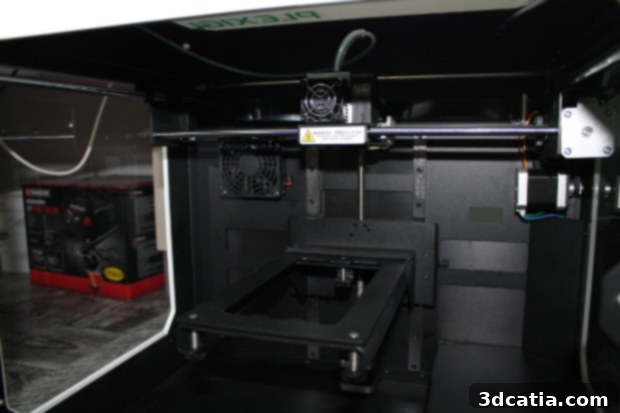
2. Effortless Installation and Calibration
BQ has clearly prioritized user convenience, and this commitment is most apparent in the installation process for the Witbox 2. Fortunately, the brand has simplified what can often be a daunting task for new 3D printer owners by providing a highly customized and incredibly user-friendly installation guide, readily accessible from their official website. This guide is not just a standard manual; it’s a detailed, step-by-step walkthrough that demystifies every aspect of setting up the Witbox 2. Every instruction is presented with remarkable clarity and simplicity, making it easy for even absolute novices to understand and follow. One of the most critical steps in 3D printing is bed leveling or plate calibration, and BQ has streamlined this process to an impressive degree. Users can perform the essential calibrations in less than 5 minutes, a testament to the machine’s intuitive design and BQ’s smart engineering. This ease of adjustment means less time spent on setup and more time spent printing. In total, allowing approximately 15 minutes is sufficient to fully install the printer, including the initial calibrations, ensuring it is perfectly ready to produce its first object.
Further enhancing the user-friendly experience, the Witbox 2 incorporates an internal wizard accessible directly from the printer’s interface. This wizard guides users through various tasks, including the initial setup and calibration, step-by-step, providing on-screen prompts that simplify complex procedures. BQ has also integrated a clever feedback system: a red LED light that illuminates to indicate whether the user’s adjustments, particularly during bed leveling, are correct. This visual cue is exceptionally handy, removing guesswork and instilling confidence in the user that their setup is accurate. The combination of a clear external guide, an internal wizard, and real-time visual feedback makes the Witbox 2 one of the most straightforward FDM 3D printers to get up and running, appealing significantly to those who might be intimidated by the technical aspects of 3D printing. The quick and accurate installation process speaks volumes about BQ’s dedication to a seamless user journey.
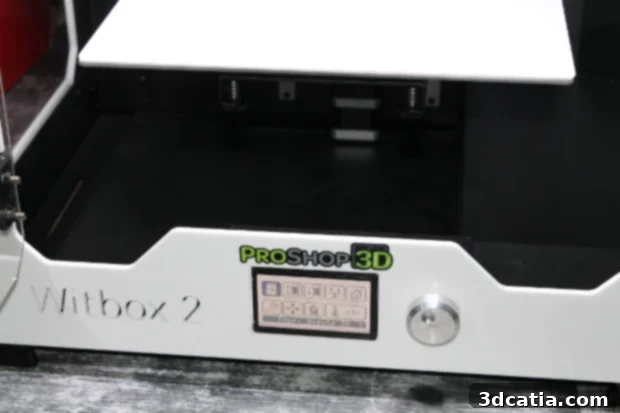
The navigation screen of the Witbox 2
3. Intuitive Software and Seamless User Interface
For slicing and preparing 3D models, the BQ Witbox 2 integrates seamlessly with Cura, one of the most widely recognized and user-friendly slicer software platforms in the 3D printing community. Cura is an excellent choice, particularly for users seeking straightforward operation without being overwhelmed by excessive options. The Witbox 2 comes with pre-loaded, optimized profiles within Cura, meaning that the fundamental settings required to operate the machine efficiently are instantly available, requiring no additional configuration or downloads for basic printing tasks. Beyond these default settings, the online community and BQ’s resources offer a plethora of specific printing profiles, enabling users to achieve high-quality prints rapidly across various scenarios and materials. This ready access to optimized profiles democratizes advanced printing techniques, allowing even beginners to achieve commendable results instantly.
A significant enhancement over many desktop 3D printers is the Witbox 2’s expanded material compatibility. While the Witbox 1 faced challenges with non-PLA filaments, the Witbox 2 comes equipped with printing profiles specifically tailored for a broader range of materials, including ABS, nylon, and even composite filaments that incorporate wood or metal particles. This versatility significantly broadens the creative possibilities for users, enabling them to experiment with different material properties for various applications. Novices will find these pre-configured profiles invaluable for effortlessly producing high-quality objects from diverse filaments, while more experienced users will appreciate the flexibility to fine-tune these parameters, pushing the boundaries of what’s possible and achieving even greater print refinement and specialized outcomes.
Navigating the printer’s on-board menus is an exceptionally simple and intuitive experience, largely thanks to its clear, readable screen and a highly effective rotary knob. The interface is designed for maximum user comfort, making every function, from loading filament to retrieving files from the SD card, feel natural and effortless. This intuitive design ensures that users spend less time deciphering controls and more time focused on their creative projects. However, a minor point of improvement, albeit a non-issue in terms of functionality, is the desire for a full-color LCD screen. As manufacturers like Raise3D or Formlabs increasingly incorporate vibrant, high-resolution color displays into their latest models, a color screen on the Witbox 2 would further elevate the user experience, offering enhanced visual feedback and a more modern aesthetic. Despite this, the current monochrome screen performs its function admirably, providing all necessary information clearly and efficiently.
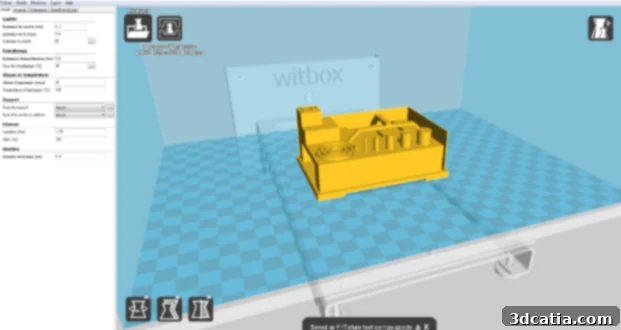
The Witbox 2 is compatible with Cura software
4. Printing Performance and Material Versatility
With the BQ Witbox 2 meticulously calibrated, our 3D model expertly sliced in Cura, and the G-code file loaded onto the SD card, we were eager to initiate our very first print. To begin, we opted for a classic test piece: a chess pawn, printed at an average resolution to gauge both speed and initial quality. Before commencing, it’s crucial to remember a key preparation step: applying an adhesive to the print bed. Unlike many contemporary FDM 3D printers, the Witbox 2 does not feature a heated print plate. This means that to ensure reliable adhesion of the printed part to the glass bed and prevent warping, especially with larger or more sensitive objects, the use of an adhesive such as 3DLac spray is highly recommended. We advise removing the glass tray from the printer to apply the product, ensuring an even coating and preventing overspray within the printer’s chamber. Reattaching the tray is effortlessly achieved thanks to its clever magnetic system, which securely snaps it into place without any risk of disturbing the printer’s meticulous calibration settings. This magnetic design is a thoughtful touch, enhancing user convenience.
Once the print commenced, our immediate impressions centered on the remarkable speed of the Witbox 2. The chess piece, a moderately complex object, was completed in just over 2 hours. This is an impressively fast turnaround, particularly when considering the quality of the resulting print, which exhibited smooth layers and accurate dimensions. A notable and significant improvement over its predecessor is the Witbox 2’s operating volume. The machine proved to be remarkably quieter than the previous model, a welcome characteristic for a desktop 3D printer that may reside in an office or home environment. This reduction in noise pollution makes the printing process far less intrusive. For a first attempt, the Witbox 2 delivered a highly convincing performance, producing a print with no major visible flaws or defects, indicating a strong baseline for quality and reliability.
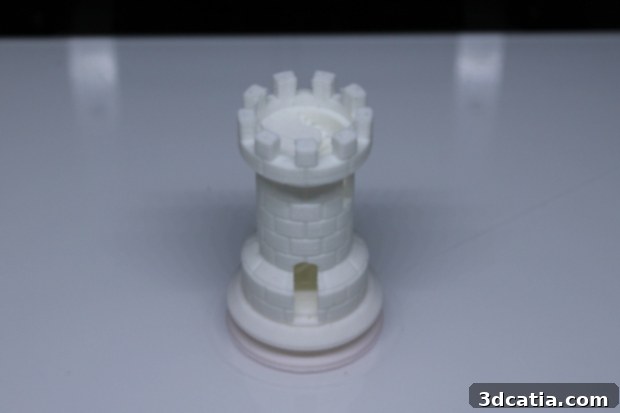
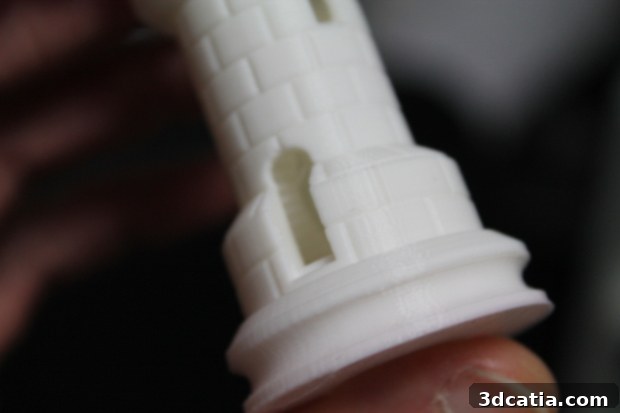
The chess piece we 3D printed
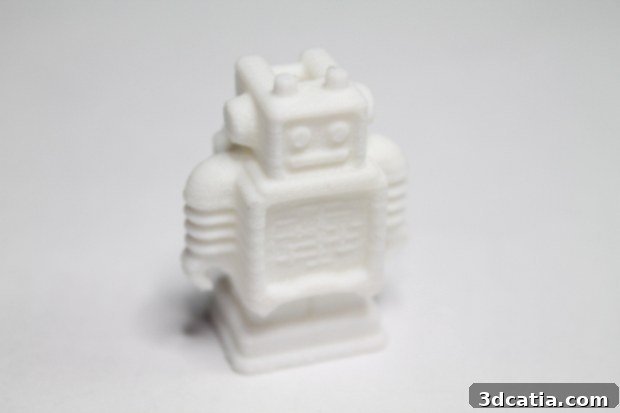
The Ultimaker robot printed in 100 microns in 45 minutes
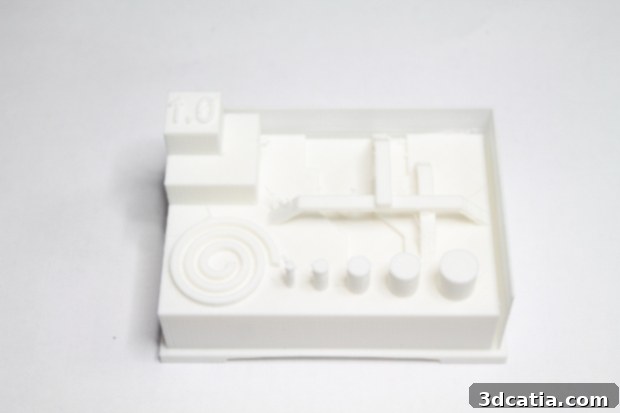
The Witbox 2 printed this precise object with good accuracy
While the Witbox 2 excels with standard PLA, its compatibility with more technical filaments warrants further discussion. We experimented with advanced materials such as ColorFabb’s CO-PET NGen, known for its excellent mechanical properties and ease of use compared to ABS. Even with the diligent application of 3DLac adhesive and careful adjustments of Cura settings, the printer’s ability to consistently and successfully print with these more demanding filaments was notably limited. This limitation stems primarily from the absence of a heated print bed, a feature that has become standard on many professional and even prosumer desktop FDM 3D printers. Materials like NGen, ABS, PETG, and nylon require a heated bed to maintain thermal stability throughout the printing process, preventing warping, ensuring optimal layer adhesion, and mitigating print failures caused by differential cooling. Without this crucial component, even the best adhesion sprays can only partially compensate for the thermal stresses these materials experience. Consequently, while the Witbox 2 delivers outstanding results with PLA and similarly forgiving materials, users intending to regularly print with advanced engineering-grade filaments may encounter challenges and potentially inconsistent results. This points to a clear area where BQ could further enhance the Witbox series, expanding its material versatility to match its otherwise impressive performance.
Conclusion and Overall Verdict
In conclusion, the BQ Witbox 2 represents a significant evolution from its well-regarded predecessor, solidifying BQ’s position as a creator of reliable and user-friendly 3D printing solutions. Its exceptional packaging ensures the machine arrives in perfect condition, setting a positive tone from the outset. The robust build quality and thoughtful design cues, inherited and refined from the Witbox 1, underscore its durability and commitment to stability during operation. The printer’s generous build volume, coupled with a fine layer thickness capability, makes it highly suitable for a broad spectrum of applications, from intricate models to larger prototypes. One of its standout features is the incredibly streamlined installation and calibration process, aided by a clear guide, an intuitive internal wizard, and visual LED feedback. This makes the Witbox 2 remarkably accessible, significantly lowering the barrier to entry for beginners while still offering the precision demanded by more experienced users.
The integration with Cura software, complete with pre-optimized profiles for various filaments, further enhances its ease of use and allows for quick, high-quality prints right out of the box. Its intuitive navigation screen and responsive control knob contribute to a smooth and enjoyable user experience. During our printing tests, the Witbox 2 impressed us with its speed and significantly reduced operational noise, making it an ideal choice for office or home environments where quiet operation is valued. The quality of prints achieved with standard PLA filaments was consistently high, demonstrating precision and smooth finishes on diverse objects.
However, the primary limitation of the Witbox 2 remains its lack of a heated print bed. While effective adhesives like 3DLac can help with some non-PLA materials, this omission significantly restricts its compatibility with more advanced, engineering-grade filaments such as ABS, PETG, and certain nylons, which critically depend on a controlled thermal environment to prevent warping and ensure optimal layer adhesion. This means that users primarily focused on printing with these specialized materials might find the Witbox 2 less versatile than competitors offering heated beds.
Despite this, for its price point of €1,700, the BQ Witbox 2 offers exceptional value. It is an ideal 3D printer for educational institutions, small businesses, designers, and hobbyists who primarily work with PLA and similar forgiving filaments, or those who are just venturing into the world of 3D printing and prioritize ease of use, reliability, and print quality above extensive material versatility. It’s a testament to BQ’s continued dedication to refining its offerings and providing a powerful yet accessible tool for the 3D printing community. For users looking for a dependable, quiet, and high-quality desktop 3D printer that excels with common materials and boasts an impressively user-friendly experience, the Witbox 2 is a highly commendable choice.