
The Best 3D Scanner Apps for iOS and Android: Turn Your Smartphone into a Powerful 3D Scanner
The world of 3D printing and digital modeling has become incredibly accessible, and obtaining a 3D file, the crucial first step, can be achieved in various ways. Whether it’s through free or paid downloads from dedicated platforms, intricate modeling using advanced CAD software, or precise data capture via a physical 3D scanner, the options are plentiful. Traditional 3D scanners, ranging from portable handheld units to larger industrial devices designed for massive objects, offer high precision. However, these dedicated devices often come with a hefty price tag and require specific technical expertise for effective operation. Recognizing these barriers, several innovative companies have developed sophisticated mobile scanning solutions that leverage the power of our everyday smartphones.
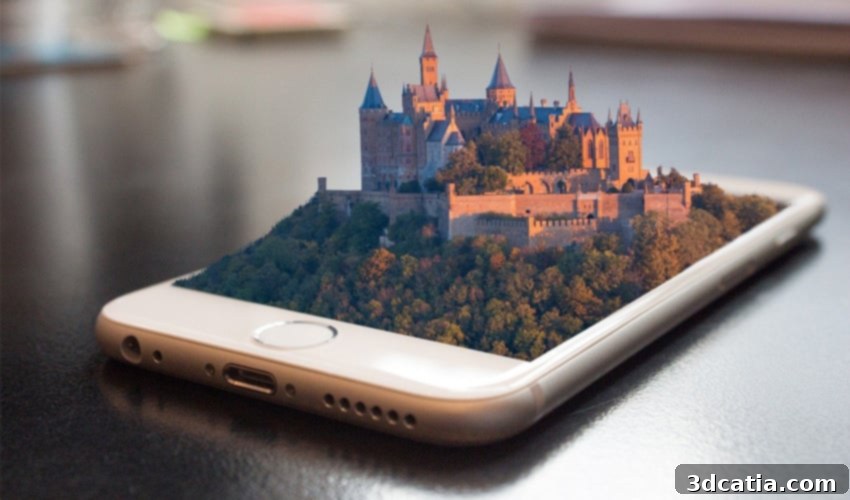
Smartphone 3D scanner apps have revolutionized the field, making 3D scanning practical, easily accessible, and always at your fingertips. Our smartphones are indispensable tools in modern life, and now they can double as powerful 3D capture devices. These apps utilize various technologies, including advanced photogrammetry (creating 3D models from multiple 2D images) and cutting-edge LiDAR sensors (found in newer Apple Pro devices), to convert real-world objects and environments into digital 3D models. But with a growing number of solutions available, how do these different 3D scanner apps work, and which one is the right choice for your needs? To help you navigate this exciting landscape, we’ve compiled a list of some of the best 3D scanner apps currently available for both iOS and Android platforms, presented in no particular order.
Metaroom®: The Advanced 3D Room Scanner for Apple Pro Devices
Developed by Metaroom by Amrax®, the Metaroom Scan App stands out as a professional-grade solution specifically engineered to generate highly accurate, CAD-ready 3D room models. This app exclusively harnesses the power of advanced LiDAR sensors and Simultaneous Localization and Mapping (SLAM) technology found in iPhone Pro and iPad Pro devices. This combination allows users to rapidly create true-to-scale 3D models of rooms, apartments, or even entire buildings with remarkable precision. Beyond basic scanning, Metaroom offers AI-assisted asset segmentation, which streamlines the process of adding elements like furniture, windows, and doors to your scanned 3D models by automatically recognizing them. It also features a GDPR-compliant AWS cloud for secure data storage and processing.
One of its most impressive functionalities is the Multiroom Scanning feature, enabling users to scan multiple rooms, different floors, or an entire architectural structure in a single, continuous workflow, resulting in a cohesive and integrated 3D model. Other notable features include post-scan asset correction, ensuring your digital models are perfect, precise dimensions and measurements for professional use, and the ability to set markers during scanning for detailed annotations. Optional GPS location tracking can be imprinted into the 3D model, and the app automatically recognizes North Heading orientation, which is invaluable for architectural and planning purposes. Once a comprehensive 3D model is captured, users can further edit and refine it using the Metaroom Studio web application, ultimately exporting these polished models to various CAD software for further design and analysis. This robust professional solution is highly recommended for experts across diverse industries, including lighting planning, facility management, architecture and interior design, Wi-Fi networking planning, Building Information Modeling (BIM), and construction, among others.
The Metaroom Scan App is freely available on the Apple App Store, offering unlimited scans without initial cost. For those requiring advanced capabilities and model downloads, a subscription to Metaroom Studio is available, which includes a convenient 30-day free trial. It’s important to note that a subscription is necessary to export and download the CAD models for professional use. For more comprehensive details on the Metaroom Scan App, you can visit their official page HERE.
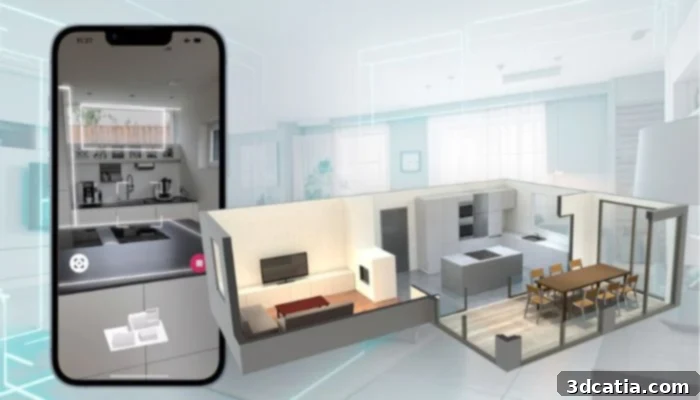
Photo Credits: Metaroom®
Canvas: Turning Rooms into Digital Twins
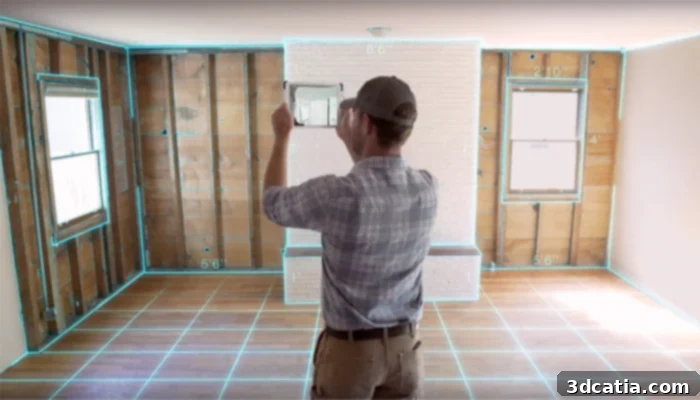
Canvas, developed by the US-based company Occipital, has established itself as a leader in 3D scanning hardware and software. This app is particularly adept at creating immersive 3D models of interiors. It facilitates scans using any Apple device equipped with a LiDAR scanner, such as the iPad Pro models, allowing for rapid and accurate room capture. For users with Apple devices that do not feature an integrated LiDAR scanner, Canvas offers a practical solution: compatibility with Occipital’s Structure Sensor, an external hardware accessory costing approximately $400. This flexibility makes Canvas accessible to a broader range of Apple users.
The app is celebrated for its versatility, catering effectively to both enthusiastic DIYers and professional users in fields like interior design, architecture, and construction. Canvas boasts an exceptionally user-friendly interface and a straightforward scanning process. Users simply need to walk around a room with their iPad, and the app intuitively constructs a real-time 3D model of the space. One of Canvas’s most valuable services is its “Scan to CAD” feature, which allows users to convert their detailed 3D scans into industry-standard CAD files for a fee of just $29 per conversion. This functionality is a game-changer for professionals needing precise measurements and editable models for design work. Additionally, Canvas includes convenient sharing options, enabling users to easily share their scans via email, fostering collaboration and streamlined workflows.
Heges 3D Scanner App for iOS Devices: Privacy and Versatility
Heges is a dedicated 3D scanner app exclusively available for iOS devices, including various iPhone and iPad models. This app distinguishes itself with its impressive scanning capabilities, allowing users to capture a wide array of subjects, from human figures and intricate small parts to large objects like an entire car. The versatility of Heges makes it a powerful tool for diverse applications, whether for personal projects or more professional endeavors requiring detailed digital representations.
Upon completing the scanning process, Heges offers convenient export options, allowing models to be saved as PLY files (which retain color information) or STL files, both widely supported formats crucial for subsequent 3D printing. For sharing the generated 3D models, users have several integrated methods, including a built-in Wi-Fi server, direct access through the iOS file app, or transfer via iTunes. Furthermore, the Heges website provides an extensive FAQ section that includes valuable recommendations for achieving high-quality scans and practical tips for preparing your 3D models specifically for additive manufacturing, guiding users through the entire workflow from capture to print. A significant advantage and key selling point of the Heges 3D scanner app is its strong commitment to user privacy. The app provider explicitly guarantees that no personal data or scan information will leave your device unless you, the user, actively choose to share it, offering peace of mind in an increasingly data-conscious world.

itSeez3D: Effortless Capture and Cloud Processing
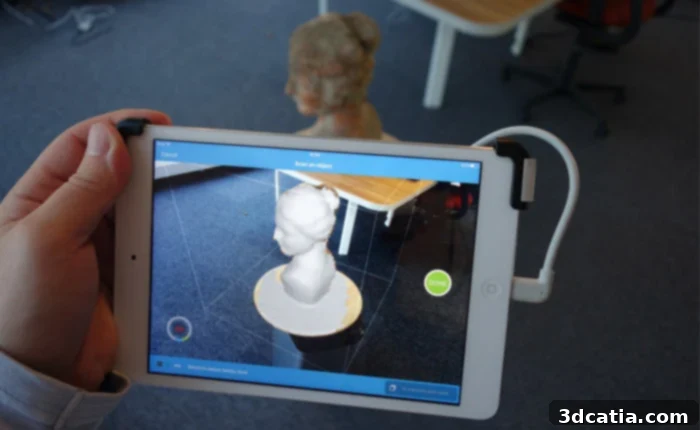
The itSeez3D 3D scanner app offers an intuitive and streamlined solution for easily capturing, processing, and sharing 3D models. To utilize this app, users require a compatible device paired with specific hardware: either a Windows PC with an Intel RealSense 3D camera or an iOS device augmented with a Structure Sensor 3D scanner. Both required hardware components are often available for purchase or information on the app’s official website, ensuring users can get started quickly.
The workflow with itSeez3D is remarkably straightforward, broken down into just three simple steps. The first step involves scanning the desired object, device, or person by following the clear, on-screen instructions provided by the app. This guidance ensures an optimal scan capture. Following the initial scan, users receive a preview of the raw, unprocessed data. The second critical step involves sending this raw scan data to the cloud for advanced processing. This cloud-based approach allows for sophisticated algorithms to enhance the scan quality, reduce noise, and refine details, ultimately generating a high-quality 3D model. Finally, once processed, your polished 3D model becomes readily downloadable and editable through various external modeling software. Furthermore, these refined models are perfectly suited for 3D printing. The application developers note impressive scanning times: a normal-sized object can typically be scanned and processed within 3 to 5 minutes, while a full-body scan, despite its complexity, takes only 5 to 10 minutes, making it an efficient solution for quick digital captures.
KIRI Engine: A Powerful Photogrammetry 3D Scanner App for All Smartphones
Since its launch in 2022, KIRI Engine has rapidly ascended to become one of the most acclaimed and powerful 3D scanner apps available across iOS, Android, and even as a web browser-based platform. This app leverages advanced photogrammetry technology, which reconstructs 3D models from a series of 2D photographs. What sets KIRI Engine apart is its innovative AI-backed algorithm that significantly enhances the quality of 3D scans, even when generated from low-quality photos or images captured under challenging lighting conditions. This intelligent processing makes 3D scanning more forgiving and accessible to users without professional photography setups.
One of its most appealing aspects is the availability of a comprehensive free version. This basic tier offers remarkable functionality, including the ability to initiate and view an unlimited number of projects in 3D, support for up to 70 photos per project, three free exports, access to all essential export formats, and a suite of in-app editing tools. For iOS users, it also includes a LiDAR RoomScan feature for quick room capture. For those seeking even greater capabilities, the professional version of KIRI Engine is available for $14.99 per month or an annual subscription of $59.99. The Pro version unlocks unlimited exports, significantly shorter queuing times for cloud processing, advanced camera settings for meticulous control over capture, and exclusive access to Kiri Engine Web. The latter is a professional photogrammetry platform accessible directly from web browsers, offering enhanced processing power and features for more demanding projects. KIRI Engine truly democratizes high-quality 3D scanning, bridging the gap between amateur and professional applications. You can explore its latest updates and features in the video provided below, showcasing its impressive capabilities.
MagiScan: 3D Scanning With Gamified Elements
MagiScan offers a uniquely engaging approach to 3D scanning, available for both Android and iOS devices. This app is designed for quick and easy object scanning, allowing users to effortlessly capture physical items and transform them into digital 3D models. A standout feature of MagiScan is its robust export functionality, supporting popular formats such as STL and OBJ, among others, making it highly compatible with 3D printing workflows and various 3D modeling software. Built on artificial intelligence, MagiScan provides several scanning modes, including automatic, manual, and hybrid options, catering to different user skill levels and scanning requirements.
What truly sets MagiScan apart is its creative integration of gamified elements. For instance, it features an innovative “Minecraft mode,” a delightful addition for fans of the popular video game. This mode allows users to export their scanned everyday objects directly into their Minecraft adventures, bridging the physical and virtual worlds in a fun and interactive way. This unique feature not only enhances user engagement but also opens up new creative possibilities for digital content creation. For users who desire an even more comprehensive set of tools and features, a Premium version of MagiScan is available, unlocking advanced functionalities that further enhance the scanning and editing experience, catering to those who want to push the boundaries of their 3D creations.
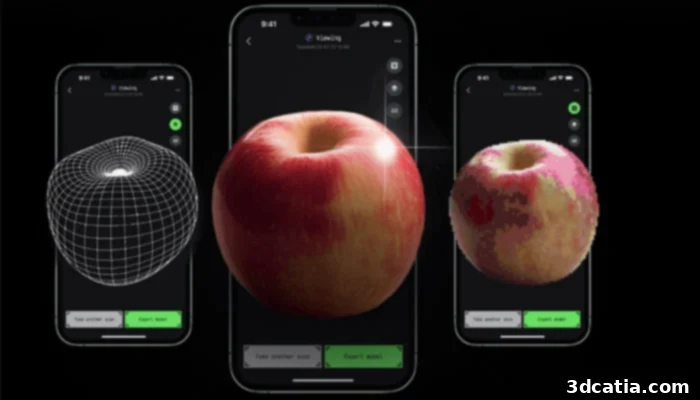
Photo Credits: MagiScan
Polycam: The New Generation LiDAR-Powered 3D Scanner App
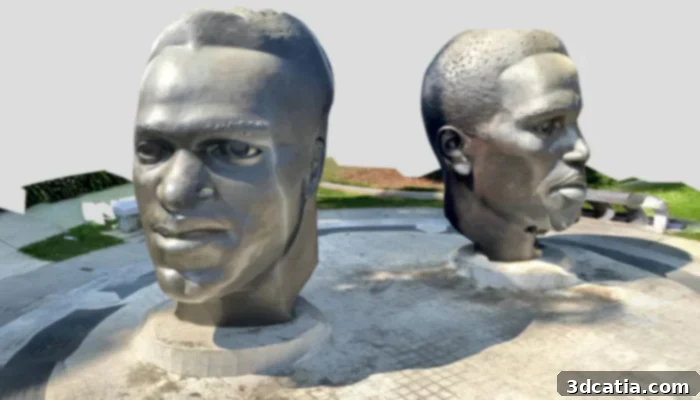
In the rapidly evolving landscape of 3D scanning, a new generation of apps has emerged, heavily leveraging the groundbreaking capabilities of Apple’s integrated LiDAR scanner. While many such apps are continuously being developed, Polycam has notably distinguished itself, particularly for its strong integration with 3D printing workflows. This powerful app is currently compatible with specific Apple devices that feature the LiDAR sensor, including the iPhone 12 Pro, iPhone 12 Pro Max, and the 2020 iPad Pro onwards. Unfortunately, Android users will find that Polycam is not yet available on their devices; however, the developers have expressed their intention to release an Android version should mainstream Android devices incorporate a comparable and reliable sensor technology.
Polycam excels at quickly generating detailed color 3D scans of both objects and entire spaces. Thanks to the speed and accuracy of LiDAR technology, it significantly outperforms many other scanning applications, allowing users to capture a comprehensive scan of an entire room in a matter of seconds. This efficiency makes it an invaluable tool for rapid prototyping, architectural visualization, and digital asset creation. The app supports export to a range of widely used 3D file formats, including OBJ and STL, making the scanned models easily transferable to various 3D modeling software for further manipulation, or directly to 3D printers for physical fabrication. The base version of the Polycam app is available for free, allowing users to explore its scanning capabilities. However, to export your captured 3D models into usable file formats, a one-time in-app payment is required, offering a flexible payment model for occasional or dedicated users.
Qlone: Simple and Effective 3D Scanning for Small Objects
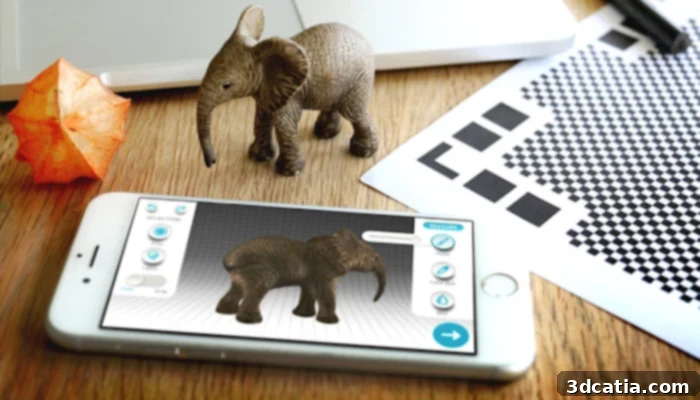
For individuals seeking a straightforward and uncomplicated approach to 3D scanning without the need for complex software or intricate setups, Qlone presents an incredibly user-friendly alternative. This app is specifically designed to make the 3D scanning of small objects remarkably easy and accessible, appealing to both hobbyists and professionals. Qlone originally carved its niche by focusing on the 3D scanning of toys, a testament to its precision with smaller, detailed items. Eyecue Vision Technologies, the innovative company behind Qlone, has a reputable history of collaborating with major manufacturers such as Playmobil, LEGO, and Bandai, demonstrating its credibility and the quality of its scanning technology. Beyond commercial partnerships, Qlone has successfully captivated hobbyist 3D printer users with its ingenious approach.
To achieve a successful 3D scan with Qlone, a unique accessory is required: the Qlone Mat. This specialized mat must first be printed out and then placed underneath the object you wish to scan. The app then guides the user to capture two distinct sections of the same object using their smartphone camera, which are subsequently merged within the app to create a complete 3D model. This method simplifies the capture process significantly. Furthermore, Qlone empowers users with the ability to modify the generated 3D model directly within the smartphone application, allowing for adjustments to aspects such as texture or size. Once the digital model is perfected, the scanned object can be exported into an extensive range of popular 3D file formats, including OBJ, STL, USDZ, GLB, FBX, PLY, and X3D, ensuring broad compatibility with almost any 3D modeling software or 3D printer. This combination of simplicity, precision, and broad export options makes Qlone an excellent choice for anyone looking to digitize small objects with ease.
RealityScan From Unreal Engine: High-Fidelity 3D Models on the Go
RealityScan represents a groundbreaking free 3D scanner solution developed by the renowned Unreal Engine, making professional-grade 3D capture accessible to everyone. This powerful application is widely available across multiple platforms, including the Apple App Store, Google Play, and the Galaxy Store, ensuring broad accessibility for smartphone and tablet users. RealityScan allows you to transform your mobile device into a sophisticated tool capable of creating remarkably realistic and high-fidelity 3D models directly from the physical world around you.
The app is packed with intuitive and essential features designed to streamline the 3D scanning process. These include augmented reality (AR) guidance, which provides real-time visual feedback to help users achieve optimal scan coverage and quality. A precise cropping tool enables users to refine their scanned models by removing unwanted elements, while the revision mode offers flexibility for adjustments and improvements. A significant advantage is the ability to seamlessly export your meticulously crafted 3D models directly to Sketchfab, a leading platform for sharing and showcasing 3D content, allowing for easy distribution and collaboration. To help users get started and master the app’s capabilities, a comprehensive tutorial is provided below, which meticulously guides you through the various steps involved in creating your very own high-quality 3D models using RealityScan. This app truly democratizes the creation of professional 3D assets, opening up new possibilities for artists, designers, and enthusiasts alike.
Scandy Pro: An American-Developed iOS 3D Scanner App
Scandy Pro is a distinguished 3D scanner app that originated in the US and first made its debut in 2014, establishing itself as an early innovator in mobile 3D scanning. This app is exclusively designed for iOS devices, demonstrating compatibility with specific iPhone models, notably the iPhone X, 11, and 12 series, as well as iPad Pro models from 2018 onwards. Its long history in the market has allowed it to develop a rich set of features tailored for high-quality 3D capture.
The array of functionalities offered by Scandy Pro is extensive and geared towards enhancing the scanning and model refinement process. Users can add colored backgrounds to their scans, make precise light adjustments to optimize visual quality, and utilize an augmented reality (AR) view for interactive visualization. The app also includes a noise filter to clean up raw scan data, ensuring a smoother and more accurate final 3D model. A key strength of Scandy Pro, especially for professionals and hobbyists in additive manufacturing, is its versatile export capabilities. It supports popular 3D file formats such as .ply, .obj, and .stl, making the captured models ideal for direct use in 3D printing and various 3D design software. Furthermore, Scandy Pro leverages the advanced LiDAR technology present in the latest iPhone models, enabling faster, more accurate, and more detailed depth sensing for superior scan quality. This combination of mature features, dedicated iOS support, and LiDAR integration makes Scandy Pro a compelling choice for serious mobile 3D scanning.
SCANN3D: Photogrammetry for Android Devices
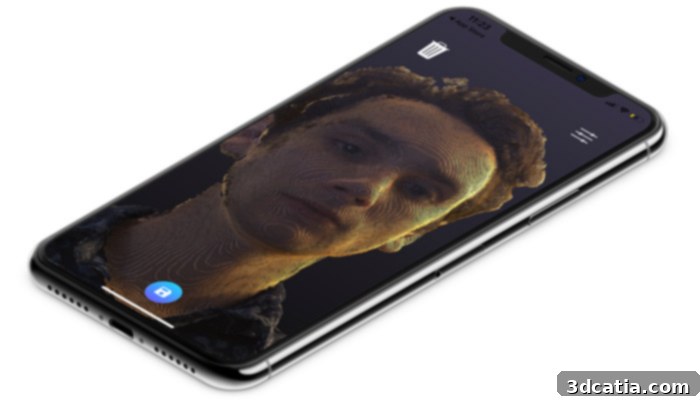
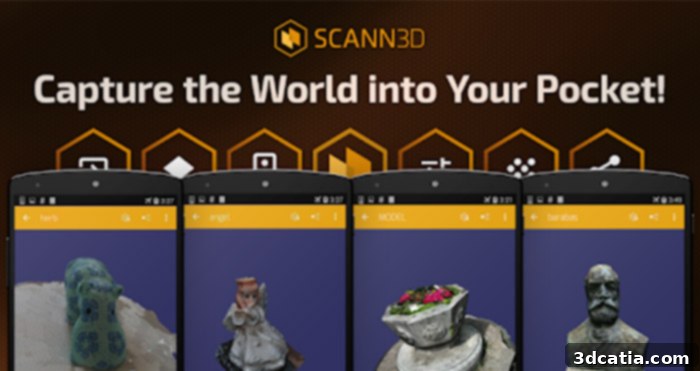
The Scann3D app, developed by the Hungarian company Smart Mobile Device, offers a robust 3D scanning solution primarily for Android smartphones and tablets. This application ingeniously utilizes photogrammetry technology, a process that reconstructs 3D models from a series of overlapping 2D images. Essentially, once downloaded to your Android device, your phone or tablet transforms into a sophisticated tool capable of converting captured photographs into detailed 3D models by generating precise point cloud data.
The 3D models created with Scann3D are highly versatile; they can be stored locally on your device, easily shared with others, and further edited using various external 3D modeling applications. Beyond static representations, these dynamic 3D models are also perfectly suited for integration into augmented reality (AR) and virtual reality (VR) applications, opening up immersive possibilities for visualization and interaction. A notable feature is its seamless integration with SketchFab, a leading online platform for publishing and discovering 3D content, allowing users to effortlessly share their creations with a global community. Scann3D provides flexible export options, supporting multiple widely recognized 3D file formats, including .obj, .stl, and .ply. This broad compatibility ensures that models scanned with Scann3D can be easily incorporated into diverse digital workflows, from 3D printing to game development and architectural visualization, making it a comprehensive tool for Android users interested in photogrammetry.
Trnio: The High-Quality 3D Scanner App for iOS
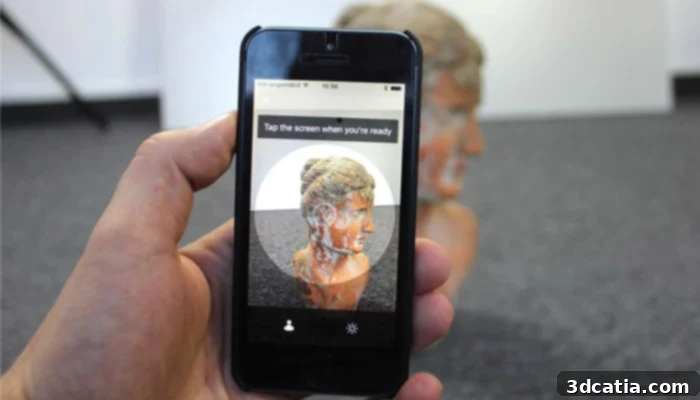
Trnio stands out as a high-quality 3D scanner application that effectively transforms your iOS device into a powerful 3D capture tool. The platform is renowned for its simplicity and user-friendly interface, making sophisticated 3D scanning accessible to a broad audience. Trnio offers three distinct scanning modes, each tailored to specific capture scenarios, providing flexibility and optimizing results.
The first mode, “Photo Import,” allows users to leverage existing photographs from their phone’s gallery to generate impressive 3D models. This is particularly useful for retrospective scanning or when a direct real-time scan isn’t feasible. The second mode, “ARKit Mode,” utilizes Apple’s advanced ARKit technology. This mode provides augmented reality guidance during the scanning process, offering real-time visual cues and feedback to help users achieve comprehensive coverage and high-quality data capture. Finally, “Object Mode” is specifically optimized for scanning individual objects, aiming to capture the best possible textures and colors, resulting in highly realistic and detailed 3D representations. Once Trnio has successfully generated a 3D model, it offers seamless export capabilities, allowing users to easily transfer their creations to other 3D editors for further customization, refinement, or integration into larger projects. As an exclusive iOS application, Trnio can be conveniently downloaded directly from Apple’s App Store, offering a premium 3D scanning experience for iPhone and iPad users.
3D Creator by Sony: Integrated 3D Scanning for Xperia Devices
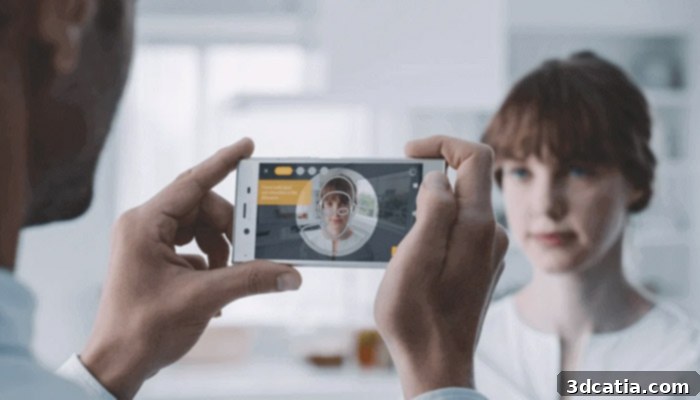
The 3D Creator app is a proprietary scanner solution developed by Sony, specifically designed to leverage the advanced camera capabilities of its Xperia smartphones. This application empowers users to effortlessly capture objects and even people, directly transforming them into high-resolution 3D models right from their mobile device. The app offers a remarkably versatile scanning experience through its five distinct scanning modes, each optimized for different subjects: “Selfie,” “Face,” “Head,” “Food,” and “Freeform.” Depending on what the user intends to scan, the app intelligently guides them to select the most appropriate mode, ensuring optimal capture settings and results.
Similar to other leading 3D scanning applications, 3D Creator allows users to seamlessly integrate their generated 3D models with other applications, notably in the realm of augmented reality (AR), where these models can bring digital content to life in the real world. Crucially for enthusiasts and professionals alike, these high-resolution models can also be easily exported for 3D printing, enabling the physical realization of digital creations. It’s important to note that the 3D Creator app requires a compatible Sony mobile device to function, making it an exclusive feature for Xperia users. It comes preinstalled on several models, including the Xperia 1, Xperia XZ1, Xperia XZ1 Compact, Xperia XZ2, Xperia XZ2 Compact, Xperia XZ2 Premium, and Xperia XZ3. Furthermore, owners of the Xperia XZ Premium received the 3D Creator as part of the Android 8.0 (Oreo) update, ensuring a wider range of users can access this innovative technology. This tight integration with Sony hardware ensures a highly optimized and user-friendly 3D scanning experience.
3DsizeMe from TechMed3D: Specialized Human Body Digitization
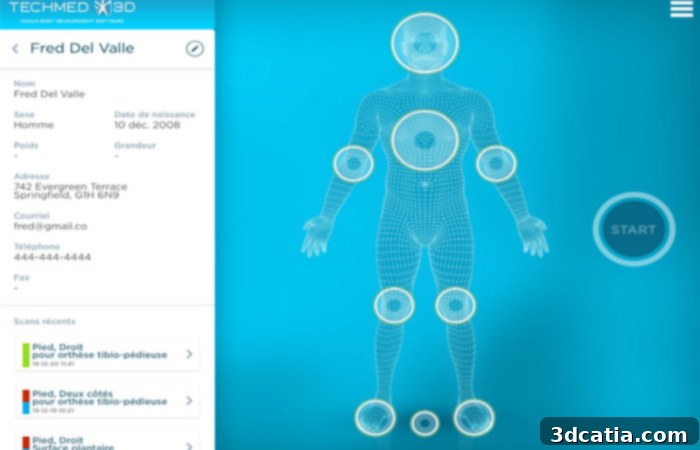
The 3DsizeMe mobile application, developed by TechMed3D, is a highly specialized tool engineered for the precise digitization of the human body in 3D. Available on the App Store, this unique application caters primarily to the medical and healthcare sectors, offering unparalleled capabilities for anatomical data capture. To function, 3DsizeMe requires an external hardware component: the Structure Sensor 3D scanner, which must be purchased separately. This combination of dedicated hardware and specialized software allows for the accurate capture of detailed data from various parts of the human body, including plantar surfaces, legs, feet, torsos, and more.
The application is specifically geared towards medical professionals, researchers, and practitioners who require detailed insights into a person’s anatomy for purposes such as prosthetics, orthotics, patient monitoring, and custom medical device creation. 3DsizeMe is equipped with an ergonomic and intuitive interface, designed to facilitate easy retrieval of all scanned data and current projects, ensuring a smooth workflow for busy medical environments. It is compatible with both iPhone and iPad devices, requiring at least iOS 11.0 to operate. The resulting 3D files are highly versatile: they can be read directly into TechMed3D’s proprietary MSoft software for comprehensive analysis and further manipulation. Furthermore, these models can be exported in industry-standard .STL or .OBJ formats, making them perfectly suitable for high-precision 3D printing of custom medical aids, prostheses, or anatomical models. 3DsizeMe thus stands as a critical tool for advancing personalized medicine and biomedical engineering.
Widar: The Accessible 3D Scanning App for Everyone
WIDAR stands out as another compelling 3D scanner app that aims to democratize 3D creation, aligning with its mission to “bring the creative power of 3D to everyone and co-create the future of the metaverse.” This app is designed to be a more accessible alternative to traditional, often complex 3D production tools like Blender, making 3D modeling and scanning achievable for users of all skill levels. With WIDAR, your smartphone camera transforms into a powerful tool, allowing you to scan real-world objects and seamlessly convert them into detailed 3D models.
Beyond just scanning, WIDAR provides a comprehensive suite of in-app editing tools, empowering users to shape, refine, and customize their 3D models exactly as they envision. These tools include capabilities for cropping unwanted areas, erasing imperfections, sculpting details, and compressing models for optimized file sizes. In line with the company’s commitment to accessibility, WIDAR offers a robust free version that grants users access to nearly all core functionalities. This includes the utilization of LiDAR Scan on compatible iOS devices, unlimited scans and compositions, and full access to all editing tools. For users requiring professional-grade features, a Pro version is available for $9.99 per month or $69.99 per year. The Pro subscription unlocks advanced features such as exporting with various professional file formats, enabling 4K high-resolution textures for photogrammetry scans, and the removal of watermarks when exporting videos, catering to professional content creators and businesses. WIDAR truly lowers the barrier to entry for 3D creation, making it a valuable tool for personal projects, educational purposes, and even professional workflows within the burgeoning metaverse.
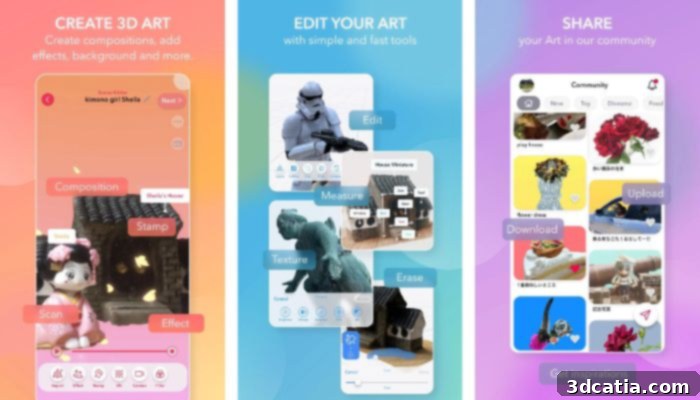
Photo Credits: Widar
The rapid advancement of smartphone technology, particularly the integration of sophisticated sensors like LiDAR and enhanced camera capabilities, has fundamentally transformed how we approach 3D scanning. These innovative 3D scanner apps for Android and iOS devices offer an unprecedented level of accessibility, allowing anyone to capture the physical world in digital 3D. Whether you’re a hobbyist looking to 3D print your own creations, an architect planning a renovation, an artist creating digital assets, or a medical professional requiring precise anatomical data, there’s a mobile scanning solution tailored to your needs.
From professional-grade room scanners like Metaroom to user-friendly photogrammetry tools like KIRI Engine and specialized medical apps like 3DsizeMe, the diversity in features, compatibility, and pricing models means you can find an app that perfectly aligns with your project requirements and budget. The convenience of having a powerful 3D scanner always in your pocket, combined with increasingly intuitive interfaces and advanced processing capabilities, makes these apps indispensable tools for anyone engaged with 3D modeling, augmented reality, or 3D printing. We hope this comprehensive overview helps you choose the best 3D scanner app to unleash your creativity and bring your ideas to life.
What do you think of these incredible 3D scanner apps for Android and iOS? Have you tried any of them, or do you have another favorite we should know about? Let us know your thoughts and experiences in a comment below or join the conversation on our Facebook and Twitter pages. Don’t forget to sign up for our free weekly newsletter to stay updated with all the latest news, innovations, and trends in the exciting world of 3D printing, delivered straight to your inbox!