Anycubic Kobra S1 Combo Review: A High-Performance CoreXY Multi-Material 3D Printer for Modern Makers
The landscape of consumer 3D printing is experiencing a rapid transformation, driven by the emergence of increasingly sophisticated, high-performance, and yet remarkably affordable machines. In this dynamic market, new products are constantly pushing the boundaries of what home users can achieve. Among the latest innovations, the Anycubic Kobra S1 Combo stands out as a compelling option. It combines a robust, fully enclosed design with an efficient CoreXY motion architecture, seamless compatibility with the innovative ACE Pro multi-material station, and an exceptionally competitive price point, positioning it as a strong contender for enthusiasts and professionals alike.
Anycubic, a prominent player in the 3D printing industry, has celebrated a decade of continuous innovation. For ten years, they have been a reliable provider of desktop 3D printers, catering primarily to home users and small businesses. Their extensive product line includes both advanced FDM (Fused Deposition Modeling) machines and high-resolution resin printers. The current lineup of FDM printers features popular models like the Kobra 2 and Kobra 3, and now, the Kobra S1 arrives as their new flagship, top-of-the-range offering. This printer clearly represents a shift towards a new generation of enclosed CoreXY machines, drawing inspiration from high-performing models like the Bambu Lab X1-Carbon, and adopting specifications and formats that are quickly becoming industry standards across several manufacturers.
Unboxing and First Impressions: A Glimpse at the Anycubic Kobra S1 3D Printer
Upon opening the carefully packaged box, users are greeted with a compact yet surprisingly capable desktop machine. The Anycubic Kobra S1 boasts a generous print volume of 250 x 250 x 250 mm, a dimension ample enough for the vast majority of consumer and hobbyist print jobs, while maintaining a footprint suitable for home offices and workshops. One of its most notable features is its fully enclosed design. This enclosure serves a dual purpose: it effectively helps to stabilize the internal printing temperature, creating a more consistent environment for material deposition, and crucially, it protects ongoing prints from external drafts that could otherwise cause warping or print failures. It’s important to note, however, that while enclosed, the chamber is not actively heated. This design choice may somewhat limit its optimal performance with certain high-temperature engineering materials that require specific thermal conditions, but it remains perfectly sufficient for commonly used filaments such as PLA, PETG, ASA, and even nylon, offering excellent results with these popular options.
The printer is meticulously protected by strategically placed foam inserts within its packaging, ensuring safe transit. Lifting the top cover of the Kobra S1, especially in the Combo version, immediately reveals the innovative ACE Pro multi-material station, seamlessly integrated into the design. Anycubic has engineered the Kobra S1 for near-instant deployment; it arrives virtually ready to use. Users only need to perform a few simple steps, primarily involving releasing several components – specifically the build plate, print axes, and the ACE Pro unit – which are securely held in place by screws during transportation to prevent any damage.
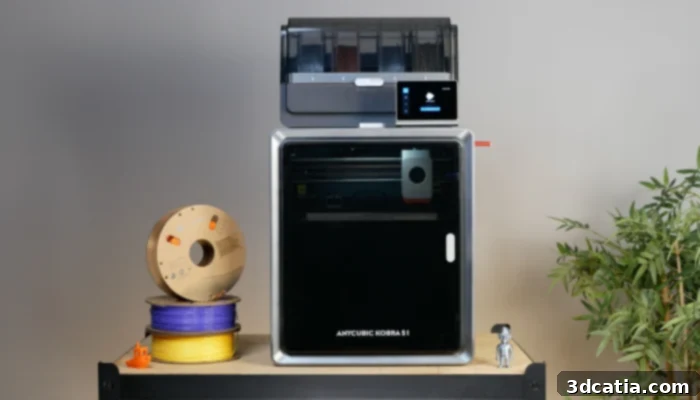
The Anycubic Kobra S1 and the ACE Pro present a modern, minimalist aesthetic despite their plastic exterior, signaling robust construction.
The overall build quality of the Kobra S1 is commendable. It features a robust metal internal structure that provides essential rigidity and stability, crucial for achieving precise and consistent print results. This internal framework is intelligently complemented by plastic outer panels, which help to reduce the machine’s overall manufacturing cost without compromising its structural integrity. The transparent plastic front door and top cover are thoughtfully designed, offering excellent visibility into the printing process, allowing users to monitor their creations as they take shape. Despite its prominent plastic finishes, the printer exudes a sense of robustness and appears exceptionally well-finished, reflecting Anycubic’s attention to detail.
Beyond the strong internal chassis, the printer integrates a high-quality metal hotend paired with a direct-drive extruder. This configuration is widely recognized for its ability to handle a broader range of filaments with greater precision and reliability, making it compatible with most standard materials available on the market. Initially, the printer comes equipped with a brass nozzle. While perfectly adequate for common filaments, brass nozzles are known to be incompatible with abrasive materials such as carbon fiber-filled, wood-filled, or glow-in-the-dark filaments, which can cause premature wear. However, Anycubic has proactively addressed this by assuring users that hardened steel nozzles, ideal for these abrasive materials, will be made available shortly, demonstrating their commitment to versatility.
As mentioned, the printer arrives almost entirely pre-assembled, significantly simplifying the setup process. The only component that might require installation is the external spool holder, which is primarily needed if the ACE Pro multi-material system is not being utilized. Initial setup is remarkably straightforward, involving just a few quick steps to remove transport safety devices and connect necessary accessories. Once these minimal preparations are complete, the Kobra S1 is essentially ready for its inaugural print.
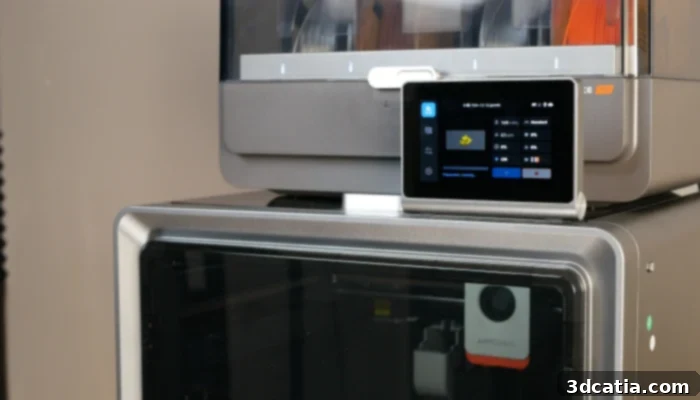
The Kobra S1’s convenient swivel display offers intuitive control and easy access to all printer settings.
Further delving into the unboxing, once the printer is removed, the accessory box, cleverly integrated within the printer’s closed enclosure alongside the ACE, yields a treasure trove of useful items. This includes a sample of PLA filament to get started immediately, a set of three Allen wrenches for any minor adjustments, a nozzle cleaning needle, a high-quality magnetic steel build plate coated with PEI for excellent adhesion and easy print removal, a small amount of grease for maintenance, an activated carbon filter for air purification, a spare nozzle cleaning module, clips for securing PTFE tubes and the ACE cable, and a USB drive for transferring print files. The sophisticated CoreXY motion system, central to the printer’s speed and accuracy, relies on durable steel rods for both the X and Y axes. The Z-axis, vital for layer precision, is robustly equipped with three steel rods and three worm screws, ensuring consistent and precise vertical movement.
Inside the machine’s neatly organized interior, an integrated LED bar brilliantly illuminates the entire print volume, providing clear visibility of the printing process even in low-light conditions. A built-in camera allows for convenient remote monitoring of prints, a feature that significantly enhances user convenience. An auxiliary fan, positioned on the right-hand side of the print bed, aids in cooling specific areas during printing. Furthermore, an activated carbon filter system is incorporated to efficiently filter air and reject filtered air outside the printer, contributing to a cleaner printing environment. All these functionalities are easily accessible and controllable via a tilting 4.3-inch touch screen conveniently located at the top of the printer, offering intuitive navigation and management of settings.
Kobra S1 Installation and Initial Start-Up: Getting Ready to Print
Once the Anycubic Kobra S1 has been carefully unpacked and all its protective screws and transport securing devices have been removed, it is primed and ready for power-up. For users who have opted for the Combo version, the ACE Pro multi-material system can be connected before the very first start-up of the machine, which is the recommended approach for a seamless initial experience. Naturally, the flexibility to connect the ACE Pro at a later date is also provided, allowing users to tailor their setup as needed.
The process of integrating the ACE Pro with the Kobra S1 is straightforward. It involves installing a dedicated connection module, which ingeniously guides the up to four filaments from the ACE Pro into the primary PTFE tube of the Kobra S1. Subsequently, the main PTFE tube from the printer, along with the four individual PTFE tubes from the ACE Pro, are connected to this module. Once the connection module and the ACE Pro unit itself are securely plugged into the printer, the multi-material system is fully synchronized and ready for use, greatly enhancing the printer’s versatility.
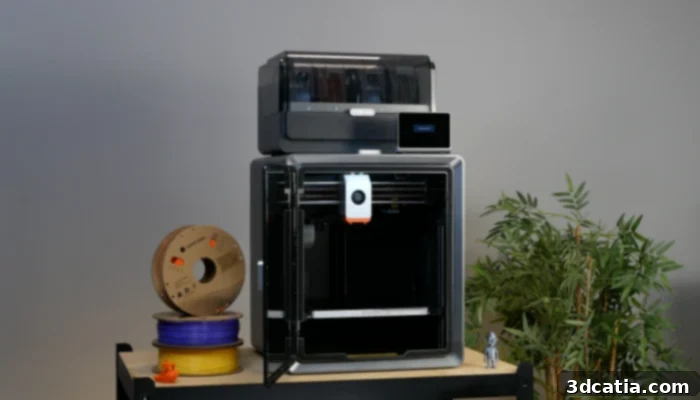
The Kobra S1 features a fully automated calibration process, ensuring optimal print results with minimal user intervention in just a few minutes.
Getting started with the Kobra S1 is an incredibly user-friendly experience, largely thanks to its intuitive touchscreen interface located on the top panel. The entire calibration process is automated and intelligently guided, only requiring user interaction for specific, essential steps. During this initial calibration, the printer offers the convenient option to connect to a Wi-Fi network, unlocking a suite of smart features. Following Wi-Fi setup, the Kobra S1 undergoes an essential auto-leveling sequence, ensuring a perfect first layer every time. It then proceeds with automatic detection of resonance frequency, a crucial step for compensating for vibrations and achieving higher print speeds without sacrificing quality. Once calibrated, the Kobra S1 can be linked to an Anycubic account, providing seamless remote, off-grid control over the slicer and enabling comprehensive management through the mobile application, enhancing its ‘smart printer’ capabilities.
During our initial test print, we encountered an unexpected error message indicating an inability to extrude filament. A quick consultation of the comprehensive Anycubic wiki revealed the cause: the ACE Pro’s four filament buffers had been inadvertently installed upside down during the setup. Once this minor issue was rectified, printing commenced without any further hitches, highlighting the importance of following setup instructions carefully and the value of available support resources.
Anycubic Slicer Next and Mobile App: The Digital Ecosystem
The printer’s integrated touchscreen interface is a pivotal component of the user experience, offering a clear, highly responsive, and intuitive platform. It allows users to effortlessly initiate prints, perform necessary machine calibrations, and manage essential printing parameters with ease. Navigation through the menus is remarkably smooth and unobtrusive, contributing to an enjoyable and efficient workflow without overwhelming the user with complex options.
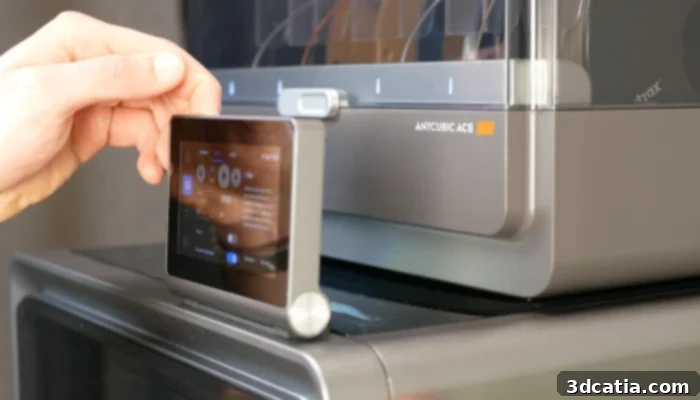
The Kobra S1’s Wi-Fi and Anycubic cloud connectivity allow for remote print initiation and control, as well as easy filament configuration.
The Anycubic Kobra S1 is fully compatible with Anycubic’s proprietary slicer, Anycubic Slicer Next, which is built upon the robust and popular OrcaSlicer platform. Much like OrcaSlicer and Bambu Studio, Anycubic Slicer Next provides extensive functionalities including remote control and real-time monitoring of prints, as well as the crucial ability to define and manage the materials loaded into the ACE Pro multi-material system, streamlining multi-material workflows.
While we observed several updates during our testing period, some of which included welcome additions like new print profiles and material definitions, there remains considerable room for improvement. This is particularly evident in the current state of the slicing profiles, which could benefit from further optimization to fully unlock the printer’s potential across a wider array of materials and printing scenarios.
The Kobra S1 is equipped with advanced autonomous print monitoring capabilities, primarily through its integrated camera. This feature allows the printer to intelligently detect common printing errors, such as “spaghetti” failures where filament forms a tangled mess instead of adhering to the print, and automatically interrupt the print to prevent further material waste. However, for this critical function to operate, it must be manually activated before each print, as the slicer inexplicably disables it by default, and there appears to be no option to set it as a permanent default. It is also worth noting that during our tests, we encountered occasional false positives with the spaghetti detection. Nevertheless, other vital monitoring functions, such as hotend clog detection, remain consistently enabled, offering additional layers of print protection.
Complementing the slicer is the dedicated mobile application, which extends remote monitoring and control capabilities to your smartphone. It also offers convenient access to MakerOnline, Anycubic’s integrated platform for sharing 3D models and connecting with a community of makers. However, the functionality to initiate prints directly from the mobile app is currently somewhat limited, often necessitating a prior passage through the desktop slicer application on a computer. This highlights an area where the software ecosystem could evolve to offer a more seamless and truly mobile-first printing experience.
While the consumer 3D printing market has undeniably made significant strides recently, particularly in the advancement of hardware capabilities, it appears that the software side still has some catching up to do. Many manufacturers are yet to fully leverage the performance potential of their advanced printers through equally advanced and intuitive software ecosystems.
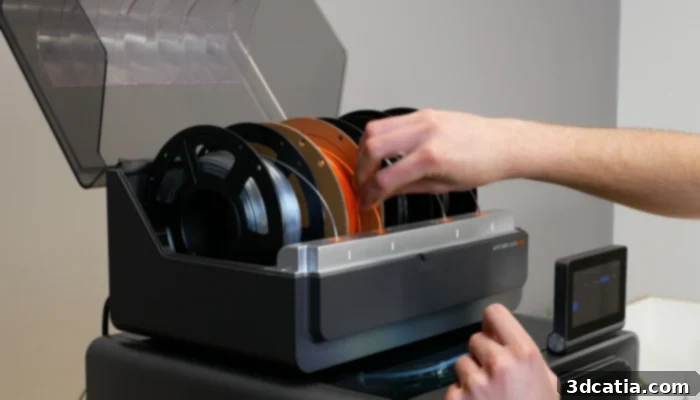
The ACE Pro multi-material system simplifies filament changes through RFID chips on manufacturer’s spools, allowing automatic recognition by the 3D printer.
This situation is not unique to Anycubic; many machines, including the Kobra S1 and those from various competitors, often utilize different versions of OrcaSlicer, paired with similar mobile applications and their own unique 3D model sharing platforms. While this fragmentation is not entirely new, reminiscent of the era of numerous Cura derivatives and diverse platforms like Printables, Thingiverse, Thangs, and others, the market appears more dispersed than ever. It could arguably be beneficial for the entire industry if manufacturers, despite being competitors, could find common ground and collaborate on a standardized slicer, and perhaps even a universal mobile application. Such a unified approach would undoubtedly simplify the experience for users who operate multiple printer brands – though their numbers may be relatively small – and, more importantly, it could significantly reduce the development effort required for companies to create tailor-made solutions. This consolidation could, in turn, ensure that the full range of advanced features promised by these cutting-edge printers is not only functional but also consistently reliable and easily accessible to all users.
First Prints: Performance Across Materials
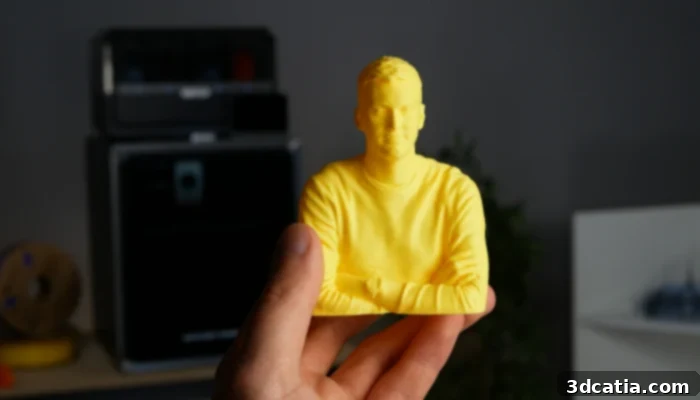
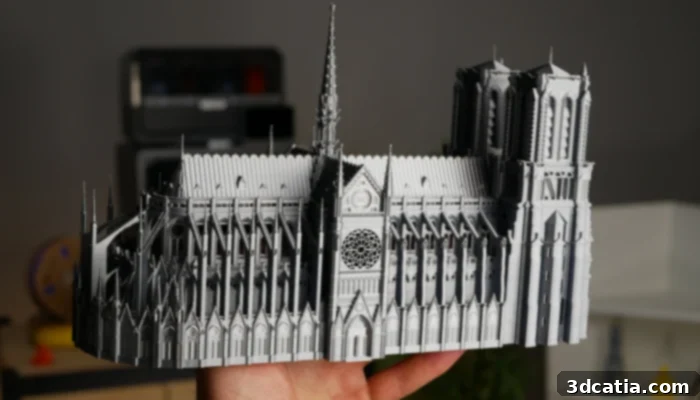
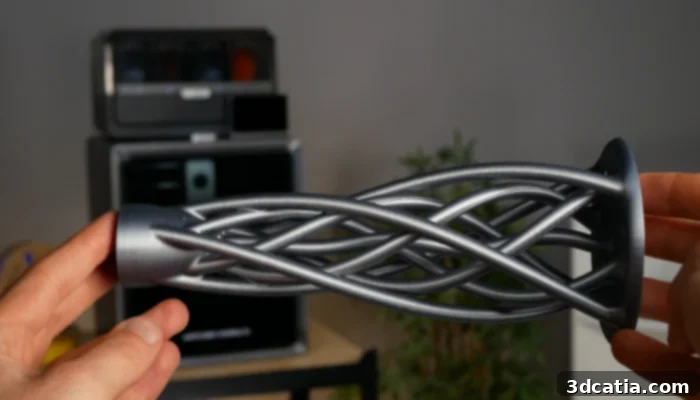
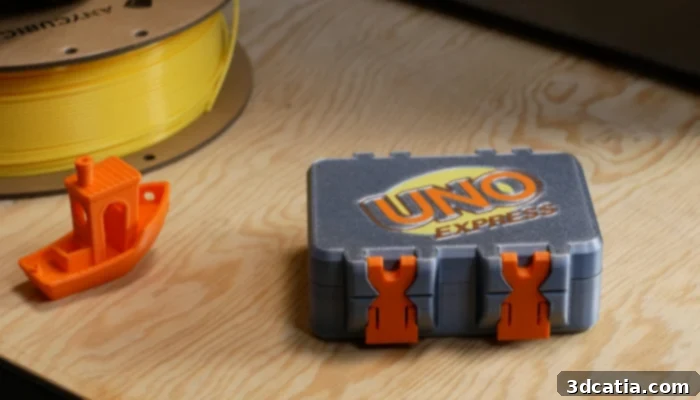
Our initial printing tests with PLA filament proved to be exceptionally smooth and problem-free. We successfully produced a diverse range of designs, spanning architectural models, interior design elements, intricate figurines, practical keyrings, and various storage accessories. The resulting prints consistently showcased excellent surface quality, characterized by smooth finishes and intricate detail. Furthermore, the printer demonstrated impressive dimensional accuracy, faithfully reproducing the intended dimensions of each design. When it came to prints requiring support structures, these were remarkably easy to remove, leaving behind minimal marks and preserving the quality of the printed part. The ABS print also yielded positive results, although our very first attempt experienced some warping and detachment from the build plate. This issue was quickly resolved by increasing the bed heating temperature, leading to subsequent successful prints where the parts were accurately reproduced with good adhesion.
Printing with nylon filament also proceeded smoothly, a noteworthy achievement considering the absence of an actively heated chamber in the Kobra S1. It is important to mention, however, that at the time of our testing, a dedicated nylon material profile was not yet available on Anycubic Slicer Next. To overcome this, we utilized OrcaSlicer, which conveniently integrates robust material profiles for nylon, alongside specific printing profiles optimized for the Anycubic Kobra S1, allowing us to achieve excellent results despite the initial software limitation. This highlights the value of the underlying OrcaSlicer framework and its community support.
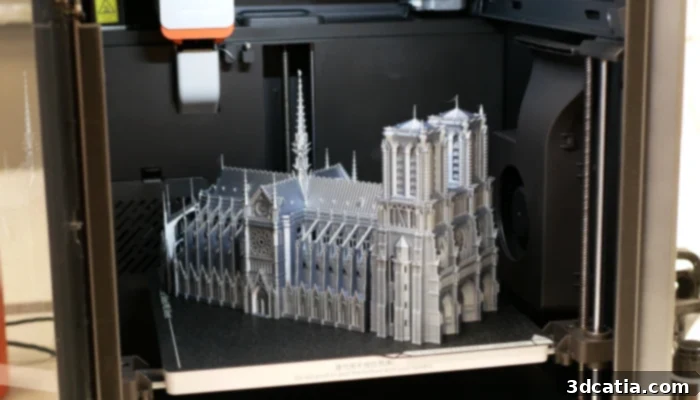
The Anycubic Kobra S1 offers a versatile print volume of 250 x 250 x 250 mm, ideal for a wide array of projects.
The seamless compatibility with the ACE Pro multi-material station is a standout feature, enabling users to have multiple filaments (up to four spools with one ACE Pro, or eight with an optional second unit) pre-loaded and ready for immediate use. This significantly streamlines material changes, drastically reducing manual intervention and enhancing workflow efficiency. However, it’s worth noting that the “shrink-and-purge” filament change system, while effective, can be relatively slow and generate a fair amount of material waste. This characteristic makes it less ideal for complex multi-color printing projects that require frequent and rapid filament swaps, where waste accumulation can become substantial.
Similar to multi-material systems offered by its competitors, Anycubic’s ACE Pro is designed primarily for standard filaments and is therefore incompatible with abrasive and flexible materials. To print with these specialized filaments, users will need to bypass the ACE Pro system entirely. This involves installing the externally supplied spool holder and routing the filament directly to the extruder, providing a practical workaround for handling a wider range of engineering and specialty filaments.