
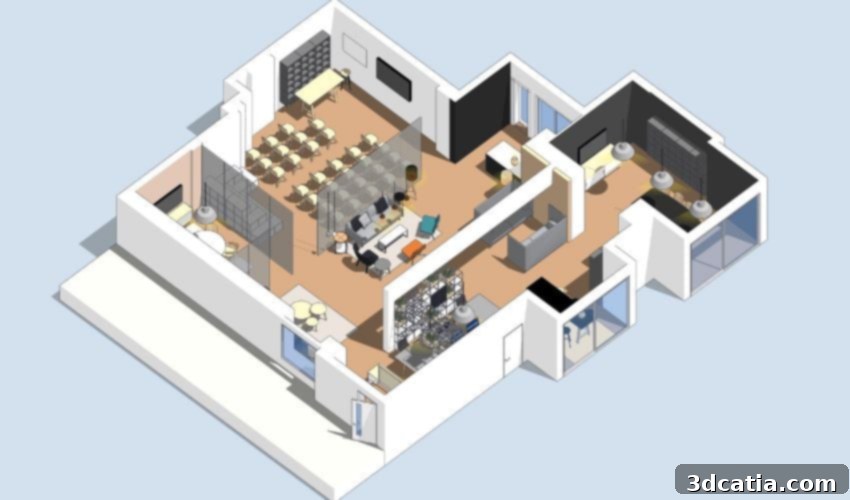
SketchUp: A Comprehensive Guide to its Versions, Features, and Role in 3D Modeling and 3D Printing
In the dynamic landscape of the 3D printing industry, selecting the right 3D modeling software is paramount to bringing innovative designs to life. While a plethora of software solutions exist, some have achieved widespread recognition despite not being exclusively developed for additive manufacturing. SketchUp stands out as a prime example, an intuitive and powerful modeling, animation, and mapping solution that has carved a significant niche, particularly within the architectural sector, due to its remarkable ease of use and versatility. Its accessibility is further highlighted by the inclusion of the SketchUp Free version in many recommendations for 3D software suitable for beginners. This article will delve deep into SketchUp’s rich history, explore its diverse range of features across various versions, discuss its functionality, and provide insights into its pricing structure, ultimately showcasing why it remains a favorite among professionals and hobbyists alike for everything from intricate architectural models to practical 3D printing projects.
The Evolution of SketchUp: From Last Software to Trimble
The journey of SketchUp began in August 2000, when it was first developed and published by Last Software. From its inception, SketchUp was designed with the user in mind, aiming to make 3D modeling accessible to a broader audience. Its unique approach quickly garnered attention, emphasizing intuitive tools and a user-friendly interface that allowed designers to sketch out ideas in 3D much like they would on paper. This initial success led to a pivotal moment in 2006 when the tech giant Google acquired Last Software, integrating SketchUp into its suite of products. During Google’s ownership, SketchUp gained even more traction, particularly with the introduction of Google SketchUp Free and its close ties to Google Earth, enabling users to create and upload 3D models of buildings and geographic features. This era significantly broadened SketchUp’s user base and solidified its reputation as a powerful yet accessible 3D design tool. However, in 2012, Google decided to divest itself of SketchUp, selling the software to Trimble Inc., a California-based company renowned for its advanced positioning, surveying, and mapping technologies. Under Trimble’s stewardship, SketchUp has continued to evolve, focusing on enhancing its professional capabilities, integrating with a wider ecosystem of design and construction tools, and developing specialized versions to cater to various user needs. Today, SketchUp is offered in four distinct versions: SketchUp Free, SketchUp Go, SketchUp Pro, and SketchUp Studio, each tailored to different levels of expertise and specific professional requirements. Furthermore, Trimble ensures academic accessibility by offering discounted subscriptions for students and educators, fostering the next generation of designers and engineers.
SketchUp Free: Your Entry Point into 3D Modeling
SketchUp Free, formerly known as SketchUp Make, serves as an invaluable entry point into the world of 3D modeling for countless individuals. This completely free version operates directly from a web browser, requiring only an Internet connection and a standard web browser, eliminating the need for complex installations. It empowers users of all skill levels, from complete novices to seasoned designers, to model their projects in three dimensions with remarkable ease. The intuitive interface provides a comprehensive suite of fundamental tools: users can effortlessly draw lines, arcs, and various geometric shapes, as well as manipulate objects directly within the digital canvas. Core functionalities such as painting, measuring, and moving tools are readily available, enabling users to conceptualize and bring to life virtually any element they can imagine. For those interested in additive manufacturing, SketchUp Free offers crucial compatibility; models created can be exported in several widely recognized formats, including SKP (SketchUp’s native format), PNG for image captures, and most importantly, STL. The STL format is the industry standard for 3D printing, allowing users to transition their digital designs to physical objects after processing them through a slicer software. Beyond its modeling capabilities, SketchUp Free also provides access to the 3D Warehouse, an extensive online library filled with thousands of free, user-generated 3D models. This resource is incredibly beneficial for beginners seeking inspiration or needing pre-made components for their designs, effectively offering a helping hand when creativity might need a boost. To facilitate project management and collaboration, the free version includes 10GB of cloud storage space via Trimble Connect, ensuring that designs can be saved, accessed from anywhere, and easily shared. It is important to note that SketchUp Free is intended strictly for personal use, and a significant limitation is its inability to support extensions or plugins, which can restrict advanced customization and creative possibilities compared to its paid counterparts. Nevertheless, for hobbyists, students, and anyone looking to dip their toes into the world of 3D design without an upfront investment, SketchUp Free remains an unparalleled choice.
SketchUp Go: Design Freedom for On-the-Go Professionals
Recognizing the growing demand for flexible and mobile design solutions, SketchUp introduced SketchUp Go, a specialized version crafted for professionals who require the ability to create and modify 3D models irrespective of their physical location. Unlike the more traditional desktop-bound software, SketchUp Go is meticulously adapted for both iPad devices and web browsers, offering unparalleled freedom to work from a construction site, a client meeting, a coffee shop, or any other remote environment. This version inherits the core functionalities and intuitive user experience of SketchUp Free but significantly enhances them with a suite of additional features tailored for professional workflows. While it maintains the ability to export in SKP, PNG, and STL formats, SketchUp Go vastly expands its export capabilities to include DWG, DXF, DAE, KMZ, 3DS, FBX, XSI, OBJ, and VRML. This broad range of supported formats is critical for professionals who need to integrate their SketchUp models into diverse CAD environments, rendering pipelines, or virtual reality applications, fostering seamless collaboration across different software platforms. Users of SketchUp Go also benefit from full, unrestricted access to the 3D Warehouse, allowing them to not only import a massive library of existing models created by other users but also contribute their own designs, further enriching the community. The mobile-first design for the iPad leverages touch-screen gestures and the Apple Pencil, providing a natural and highly responsive modeling experience that feels remarkably like sketching on paper. This makes it an excellent tool for quick concept generation, on-site adjustments, and client presentations where mobility is key. While SketchUp Go is a paid subscription, its annual price, typically around €109, represents a valuable investment for professionals who prioritize flexibility, expanded file compatibility, and the ability to maintain productivity wherever their work takes them. It bridges the gap between the free basic version and the more robust desktop-centric Pro version, making 3D modeling truly ubiquitous.
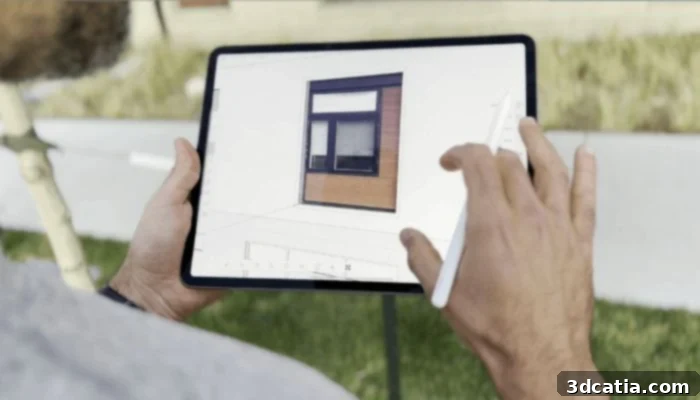
3D modeling software designed specifically for use on the iPad or via the Web.
SketchUp Pro: The Comprehensive Solution for Professionals
As its name suggests, SketchUp Pro stands as the most advanced and widely utilized version of the software, specifically engineered to meet the rigorous demands of professional designers, architects, engineers, and builders. While it primarily operates as a robust desktop application, it also offers seamless integration with the web version, providing flexibility for specific tasks. This comprehensive edition isn’t just one program; it’s a powerful suite that typically includes three core components: SketchUp Pro, LayOut, and Style Builder. SketchUp Pro itself offers a significantly expanded set of functionalities compared to its Go and Free counterparts. Professionals benefit from advanced modeling tools, enhanced reporting features, and the crucial ability to install extensions and plugins. This extensibility is a game-changer, allowing users to customize their workflow with specialized tools for rendering, animation, specific industry requirements, and more, effectively transforming SketchUp into a highly adaptable platform. One of its standout features is the creation of dynamic components, which are intelligent objects that can be configured to respond to specific parameters, saving immense time on repetitive tasks and ensuring consistency in large projects. SketchUp Pro also facilitates the creation of complex animations, enabling professionals to walk clients through their designs virtually. LayOut is a powerful 2D documentation tool included with SketchUp Pro, allowing users to create professional presentations, construction documents, and scaled drawings directly from their 3D models. This integration ensures that 2D deliverables are always synchronized with the 3D design, drastically reducing errors and improving workflow efficiency. Style Builder, another component, allows users to create custom edge styles for their models, adding a unique aesthetic touch to presentations. The ability to import and export a vast array of file formats, including CAD standards like DWG and DXF, further solidifies SketchUp Pro’s position as a central tool in professional design pipelines. Trimble, the publisher of SketchUp, periodically adjusts its pricing to reflect continuous innovation and added value. The annual subscription for SketchUp Pro is currently set at €319, which includes all the desktop applications, web access, and cloud storage, alongside a generous 30-day free trial period. This allows prospective users to thoroughly evaluate its extensive capabilities before committing, making SketchUp Pro an indispensable tool for a wide spectrum of professional design disciplines.
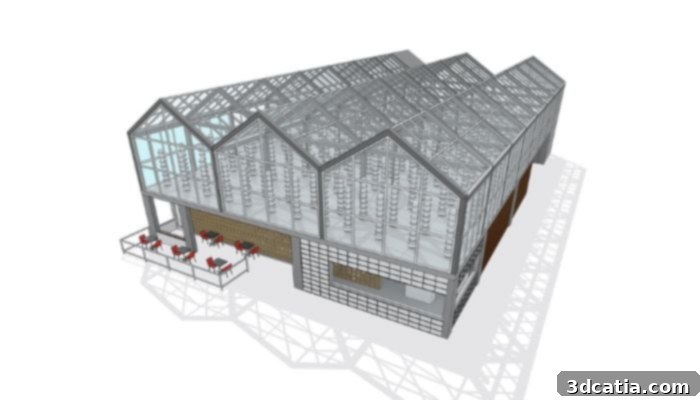
The Pro version is much more advanced in terms of features.
SketchUp Studio: The Ultimate Professional Design Ecosystem (Windows Only)
For professionals demanding the absolute pinnacle of 3D modeling, analysis, and visualization capabilities, SketchUp Studio emerges as the ultimate package. This premium version extends all the robust functionalities of SketchUp Pro and integrates a suite of additional commands and tools, making it an all-encompassing solution for complex architectural, engineering, and construction (AEC) projects. A key differentiator of SketchUp Studio is its exclusive integration of the “Revit Importer” function, available solely for Windows users. This feature streamlines the workflow by enabling the effortless import of native Revit files directly into SketchUp, facilitating collaboration between different BIM (Building Information Modeling) platforms and ensuring data integrity across design phases. Beyond direct file compatibility, SketchUp Studio includes an annual subscription to V-Ray, a world-renowned rendering engine. V-Ray empowers users to create stunning, high-quality photorealistic visuals of their designs, bringing models to life with realistic lighting, materials, and textures. This powerful plugin is seamlessly integrated, allowing designers to produce compelling presentations and marketing materials directly within the SketchUp environment, significantly enhancing client communication and project approval processes. Furthermore, SketchUp Studio provides access to a range of complementary software tools that address specialized professional needs. Scan Essentials, another Windows-exclusive offering, is indispensable for professionals working with existing structures or complex terrains. It allows for the direct import and manipulation of 3D point cloud data from laser scanners, enabling designers to build accurate models from real-world conditions with unprecedented precision. This is particularly valuable for renovation projects, site analysis, and historical preservation. On the other hand, PreDesign provides localized climatic information relevant to your project site, also available only on Windows. This intelligent tool helps designers make informed decisions about building orientation, shading strategies, and material choices based on sun path, wind patterns, and other environmental factors, thereby optimizing design for performance and sustainability from the earliest stages. Whether you are an architect striving for photorealistic renders, a builder needing to integrate laser scans, or a designer focused on environmental performance, SketchUp Studio offers an unparalleled ecosystem of tools. The annual subscription fee for SketchUp Studio is €689, a testament to the extensive value and advanced capabilities it provides, and it also comes with a convenient 30-day free trial, allowing professionals to experience its comprehensive power firsthand.

The Studio version of SketchUp is the complete 3D modeling solution for desktop computers.
With a clear understanding of each version’s strengths and features, you are now well-equipped to embark on your 3D modeling projects. Explore the possibilities and find the perfect SketchUp version to match your design aspirations and professional requirements by visiting the official SketchUp website HERE. Don’t forget to check out their subscription deals and take advantage of the free trial periods for paid versions.
Have you had the opportunity to use SketchUp for your 3D modeling or 3D printing endeavors? We’d love to hear about your experiences, insights, and favorite features! Share your thoughts in a comment below or connect with us on our LinkedIn, Facebook, and Twitter pages. Stay updated with the latest advancements in the additive manufacturing world by signing up for our free weekly Newsletter here, delivering all the essential 3D printing news straight to your inbox! For visual tutorials and deeper dives into 3D printing technologies, explore our extensive library of videos on our YouTube channel.
*All image credits: SketchUp/Trimble