
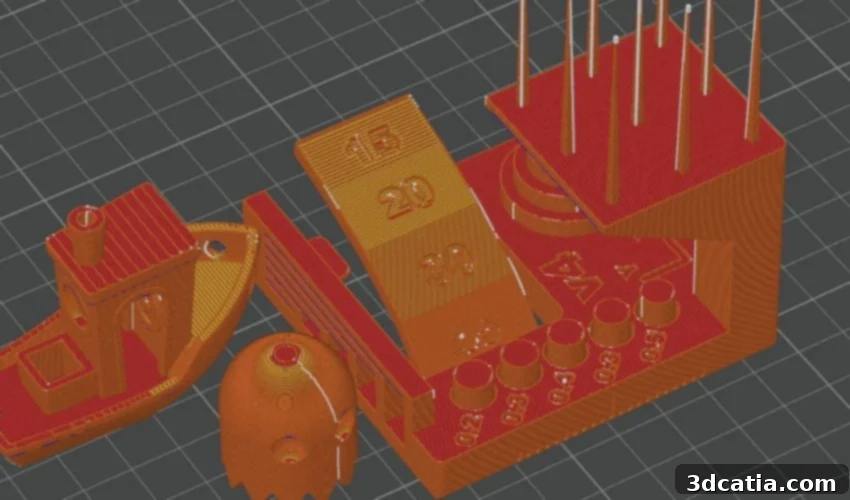
Orca Slicer: Unlocking Advanced Potential in FDM 3D Printing with Enhanced Control and Precision
In the rapidly evolving landscape of additive manufacturing, particularly within FDM 3D printing, Bambu Lab has undeniably emerged as a dominant force. Their innovative 3D printers, such as the P1S and X1 Carbon, have captured significant attention across social media, dedicated printing forums, and major international trade fairs like Formnext. While Bambu Lab’s hardware is highly praised, successful 3D printing relies on more than just the printer itself. A crucial component in the additive manufacturing workflow is the slicer software, which translates complex 3D models into G-Code – the precise instructions a 3D printer understands. Bambu Lab itself offers a competent slicer, Bambu Studio, but another powerful tool has gained immense traction within the community: Orca Slicer. Developed from the Bambu Lab ecosystem, Orca Slicer promises to push the boundaries of what’s possible. But what exactly is Orca Slicer, does it live up to its hype, and is the widespread enthusiasm from the 3D printing community truly justified?
Orca Slicer made its debut in July 2022, initially known as Bambu Studio SoftFever. Its origins are deeply rooted in the open-source community, as it began as a fork of both Bambu Studio and PrusaSlicer. The software was meticulously developed by a dedicated Bambu Lab user named SoftFever, with the explicit goal of extending the functionalities and capabilities of Bambu Studio. Building upon this robust foundation, Orca Slicer incorporates many advanced features found in both PrusaSlicer and the lesser-known but equally powerful SuperSlicer, particularly excelling in its comprehensive suite of calibration functions. This unique blend of features allows Orca Slicer to offer an unparalleled level of control and customization for FDM 3D printing enthusiasts.
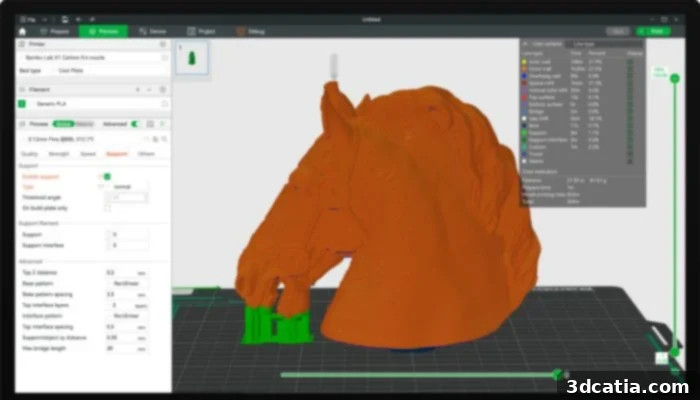
Orca Slicer takes advantage of Bambu Studio’s ease-of-use (Credits: Bambu Lab)
One of Orca Slicer’s most significant advantages, beyond its expanded toolset, is its nature as an open-source slicer designed specifically for FDM 3D printers. This open-source philosophy is central to its development. Orca Slicer’s lineage traces back through Bambu Studio, which itself is based on the highly respected open-source PrusaSlicer. PrusaSlicer, in turn, draws its foundation from Slic3r, another pioneer in the open-source slicing world. While Bambu Lab initially sought to maintain a more closed ecosystem around its products, the inherent open-source core of the underlying software made it inevitable for derivatives like Orca Slicer to also embrace openness. Consequently, Orca Slicer offers a powerful, free, and community-driven solution, empowering users with transparency and the freedom to contribute to its ongoing development.
Upon first glance, Orca Slicer bears a strong resemblance to Bambu Studio, inheriting its intuitive user interface and streamlined workflow. However, the true distinctions and advanced capabilities of Orca Slicer become evident with more in-depth use. The program boasts a significantly broader and deeper array of tools and functions, meticulously designed to achieve superior and more detailed print results. Despite this enhanced complexity and comprehensive control, Orca Slicer maintains a remarkable ease of use, making it accessible to both experienced users seeking granular control and those looking to elevate their print quality without a steep learning curve. This balance allows users to consistently produce high-quality, precise 3D prints across a diverse range of projects.
Beyond foundational slicing, Orca Slicer empowers users to tackle larger, more intricate projects involving multiple print jobs or parts. It integrates sophisticated features like AI print fault detection, which proactively helps prevent common manufacturing errors, contributing to higher success rates and reduced material waste. The slicer software is designed for convenience, automatically checking for and retrieving the latest updates to ensure users always have access to the most refined tools and bug fixes. Furthermore, intuitive tooltips for each function guide users through the various settings, making the adjustment of print parameters both faster and more understandable. This level of comprehensive control makes Orca Slicer an ideal choice for enthusiasts who enjoy experimenting, fine-tuning, and having the entire 3D printing process, from initial model preparation to final G-Code generation, firmly in their hands. While Bambu Studio suffices for simpler prints, Orca Slicer truly shines for advanced prints, unlocking the full manufacturing potential of any FDM 3D printer.
Compatibility and Installation of Orca Slicer
Orca Slicer is designed for broad accessibility, offering compatibility across major operating systems including Windows, Linux, and Mac. The latest versions of Orca Slicer are consistently maintained and available for free download on GitHub, ensuring users always have access to the most current features and improvements. The installation process itself is straightforward and user-friendly, typically requiring only a few steps to configure your 3D printer and prepare for slicing.
After successfully installing the software, you can proceed with the initial setup, which typically involves these key stages:
- Select Region: This step allows you to choose your geographical region from options such as China, Europe, North America, Asia, or Others. This localization setting is primarily relevant for users operating Bambu Lab 3D printers, as it can influence network connectivity and specific cloud services.
- Selecting the 3D Printer: Orca Slicer comes pre-configured with an extensive library of printer profiles, including those for popular Bambu Lab models like the P1P, P1S, and X1 Carbon, as well as many other FDM printers. Users can either select one of these convenient preset profiles or, for highly customized setups or less common machines, create their own bespoke printer profile, offering unparalleled flexibility.
- Select Filaments: The software provides robust support for a wide array of 3D printing filaments. Supported materials include common options like PLA, ABS, TPU, PC, PETG, ASA, PA, PA-CF, PLA-CF, and PVA. Crucially, preset print settings for each of these respective filaments are also included, significantly simplifying the process of material configuration and ensuring optimal print quality from the start.
- Install the Bambu Network Plug-in: This plug-in is an essential component for seamless integration with Bambu Lab printers. It facilitates key functionalities such as wireless print job submission via WLAN, remote access to your printer, live transmission of print job progress, and synchronization of user data. While critical for Bambu Lab users, those with other printer brands can leverage alternative remote print management services like OctoPrint or Klipper, which Orca Slicer also supports.
- Create Bambu Lab Account: This step is entirely optional but highly recommended for owners of Bambu Lab 3D printers. Establishing an account enables advanced features like controlling print jobs directly through the Bambu Lab mobile app, enhancing convenience and remote monitoring capabilities.
Once these initial setup settings are completed, you will immediately gain access to the main slicer interface, ready to explore the actual workflow and robust functions of Orca Slicer. Under the “New project” option, users can effortlessly load a 3D model and begin defining specific print, material, and slicer settings. For convenience, if you are utilizing a preset printer profile, many layer height settings and other fundamental parameters will already be intelligently configured, streamlining the slicing process.
For those requiring finer control, Orca Slicer offers a detailed selection of nozzle parameters categorized into four primary presets: Quality, Thickness, Speed, Support, and Other. Under the “Quality” tab, users can precisely define layer height, line width, and infill patterns to achieve desired surface finish and structural integrity. “Thickness” provides controls for wall loops, top and bottom layers, and infill density, allowing for robust part construction. The “Speed” section is dedicated to optimizing print speeds for various features (perimeters, infill, supports), acceleration values, and retraction settings, balancing speed with print quality. The “Support” area is critical for adjusting necessary support structures, including type (e.g., tree or normal), density, and contact Z distance. Finally, the “Other” category encompasses a mixed array of advanced settings, where users can further optimize aspects such as G-Code flavor, cooling parameters, and bed adhesion types (brim, skirt, raft), providing truly comprehensive control over the print output.
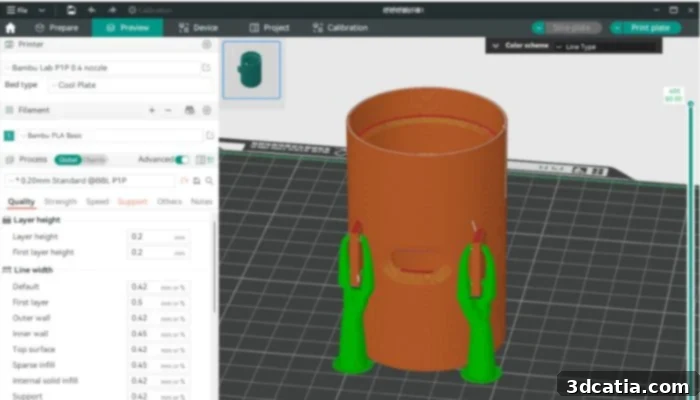
Photo Credits: Orca Slicer
The combination of predefined, highly optimized print profiles and the intuitive ability for users to establish and manage their own custom profiles easily are certainly among Orca Slicer’s standout advantages. Users consistently praise the software for offering the familiar, user-friendly interface of Bambu Studio while significantly expanding its compatibility to work seamlessly with a wider array of 3D printers beyond just Bambu Lab’s own ecosystem. Another highly appreciated feature is its capacity for multi-plate lamination, enabling efficient organization and printing of complex projects. Let’s now delve deeper into the many innovative features that Orca Slicer brings to the FDM 3D printing table.
Key Features and Advanced Capabilities of Orca Slicer
As previously highlighted, Orca Slicer distinguishes itself through an extensive and sophisticated suite of tools tailored for advanced 3D printing applications. A prime example of this innovation is the Multi Plate option, a powerful feature that allows users to add and manage multiple virtual build plates within a single project. This capability is invaluable for efficiently organizing and slicing multiple parts for a single print job or an entire assembly. Crucially, it enables users to assign individual settings for each part on different plates – adjusting parameters such as temperature, infill, support structures, and even adhesion methods to the print bed, all from one interface. This level of granular control optimizes material usage and print quality for heterogeneous projects.
While some other slicers offer multi-part management, Orca Slicer builds upon the renowned ease-of-use of Bambu Studio to make these advanced functions exceptionally straightforward. For instance, Orca Slicer intelligently leverages AI to automatically detect and suggest optimal support structures, significantly reducing manual effort. It also offers the flexibility to print these supports at a different speed than the main part, optimizing both speed and quality. Furthermore, the ability to define a specific printing speed for the first layer, especially in multi-part jobs, is highly beneficial in preventing potential damage or adhesion issues on this critical initial layer. Users can also define separate speed and acceleration settings for fillers and inner walls, allowing for a strategic balance between print time and structural integrity. The overarching advantage of Orca Slicer is its commitment to making the positive user experience of Bambu Studio accessible to a broader audience, including non-Bambu Lab users, while simultaneously offering a wealth of advanced calibration and optimization settings.
Orca Slicer also includes several innovative functions explicitly engineered to elevate print quality and dimensional accuracy. One such feature is the “Sandwich Mode,” an enhanced version of the “Outside Limits First” mode. This “inside-outside-inside” printing strategy meticulously controls the extrusion path, improving overall dimensional accuracy and surface finish by carefully managing plastic flow and cooling. The “Precise Walls” function further refines print jobs by enabling fine-tuned control over the flow rate during the production of both outer and inner walls. This precise flow management leads to significantly higher accuracy, which is particularly beneficial when working with challenging materials like ABS, known for their propensity to warp or shrink during cooling.
To combat common imperfections in FDM printing, Orca Slicer introduces the “Seam Gap” feature. This intelligent setting strategically slows down and momentarily stops the material flow just before the completion of a layer. This action effectively prevents Z-seams – unsightly lines on the print surface caused by excess material extruding from the nozzle during the brief pause for a layer change. Another ingenious feature designed to smooth out seam lines and improve surface consistency is “Loop Cleaning.” This setting is often automatically activated and ensures that the nozzle performs a slight inward movement after completing a layer loop. This subtle motion helps to wipe away any residual material, resulting in cleaner, less noticeable seams. In addition to these print quality enhancements, Orca Slicer also boasts comprehensive Klipper support and robust remote control capabilities for your 3D printer, offering unparalleled convenience and workflow flexibility.
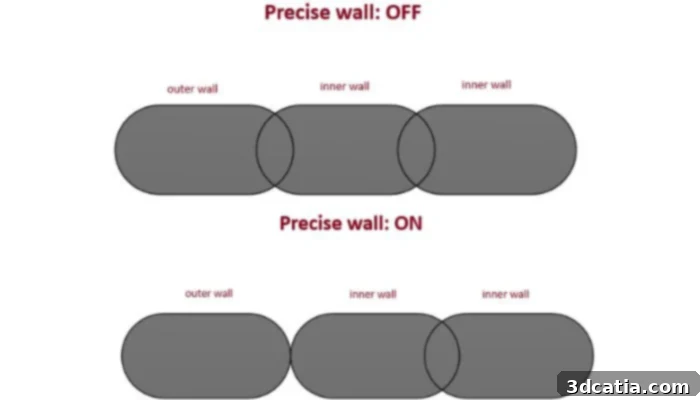
Photo Credits: Orca Slicer
Depending on the complexity of the 3D model and the chosen settings, the slicing process itself may take some time. However, once sliced, the G-Code can be thoroughly reviewed and checked within Orca Slicer’s integrated previewer before committing to printing. The software offers multiple convenient options for sending the finalized print job to your machine. For traditional workflows, the G-Code file can be easily exported and transferred via a memory card. For more integrated and modern setups, if your printer utilizes advanced firmwares like OctoPrint or Klipper, Orca Slicer provides the capability to send the file directly from the software to the printer. This seamless integration only requires entering the printer’s IP address beforehand, eliminating manual file transfers and significantly streamlining the entire production workflow.
While Orca Slicer offers a formidable array of features and capabilities, like any complex software, it is not without its limitations. According to feedback from its vibrant user community, there are occasional reports of bugs and minor issues. However, the dedicated development team behind Orca Slicer is highly responsive and continuously working to address these concerns as quickly as possible, regularly providing users with new updates and bug fixes. The commitment to continuous improvement is evident, with the latest significant version, V2.0.0, released in March 2024, bringing further enhancements and stability. Users interested in exploring the cutting-edge features and enjoying the latest fixes can always download the most recent version of Orca Slicer HERE.
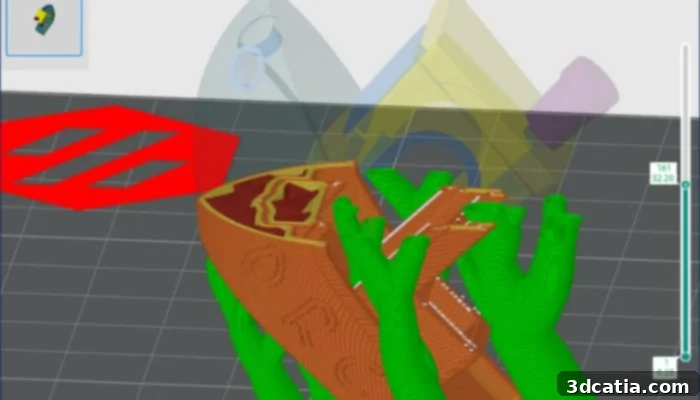
Photo Credits: Orca Slicer
What are your thoughts on Orca Slicer and how it impacts your 3D printing experience? We’d love to hear your feedback! Share your insights in a comment below or join the conversation on our LinkedIn and Facebook pages. Don’t miss out on the latest advancements and news in the additive manufacturing world – sign up for our free weekly newsletter here to receive top 3D printing updates directly in your inbox! You can also explore all our engaging videos and tutorials on our dedicated YouTube channel.
*Cover Photo Credits: GitHub