
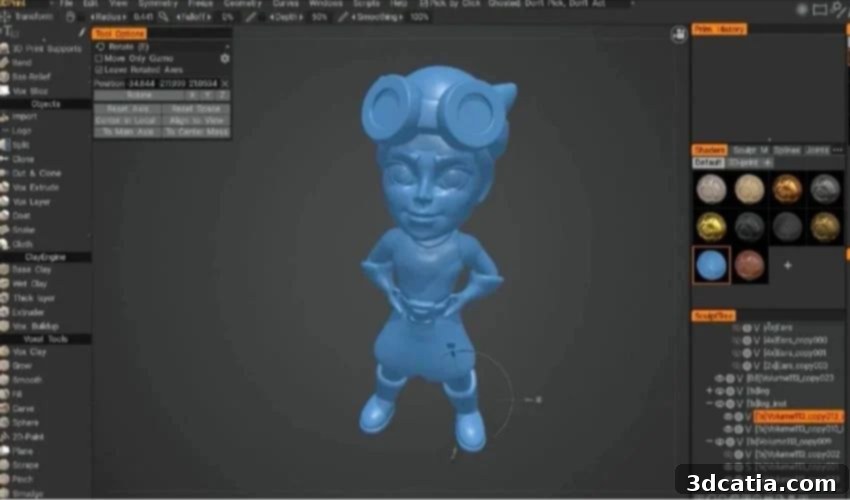
3DCoat, 3DTextura, and 3DCoat Print: Revolutionizing 3D Design for Additive Manufacturing
In the rapidly evolving world of additive manufacturing, robust 3D design software is not just an advantage; it’s an absolute necessity for transforming conceptual ideas into tangible physical models. Among the leading contenders in this crucial domain is 3DCoat, a versatile and powerful program developed by Pilgway, a Ukrainian studio renowned for bringing together a diverse team of experts from the US, Argentina, and Ukraine. Launched in 2007 by Andrew Shapagin, a programmer with extensive experience, 3DCoat has continuously evolved, incorporating years of accumulated expertise to enhance its performance and expand its feature set.
Pilgway’s approach with 3DCoat centers on creating a user-friendly environment that seamlessly integrates advanced 3D art and 3D modeling technologies. This intuitive design philosophy makes complex processes accessible to a wider audience, from seasoned professionals to aspiring beginners. The official website serves as a comprehensive resource, offering an array of easily digestible tutorials that guide users through every step, from mastering essential tools to preparing intricate models specifically for 3D printing. These educational resources cover a broad spectrum of topics, including specialized guides on modeling spacecraft wings, detailed explanations of modeling and UV mapping tools, and foundational courses tailored for beginners. Beyond structured learning, 3DCoat fosters a vibrant user community through an interactive forum, where designers can exchange ideas, seek advice, and collectively troubleshoot challenges. Pilgway further extends its commitment to the design community by offering an integrated ecosystem of complementary design products, including 3DCoat itself, 3DTextura, and 3DCoatPrint, each designed to address specific aspects of the 3D creation workflow.
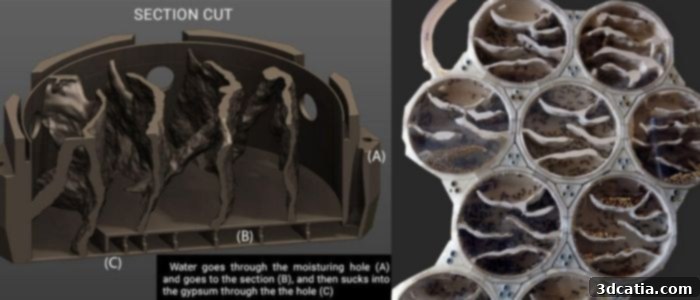
With 3DCoat Print, it is possible to prepare complex prints, such as ant farm models.
The Comprehensive Characteristics and Advanced Capabilities of 3DCoat
3DCoat has firmly established itself as a preferred 3D design solution, gaining widespread adoption in renowned video game studios globally and being integrated into the curricula of over 150 universities. This broad appeal underscores its versatility and effectiveness across various industries. Pilgway consistently pushes the boundaries of innovation, as evidenced by a significant update released in early 2024, which introduced a host of improved features and performance enhancements, further solidifying 3DCoat’s position at the forefront of digital content creation. The program’s sophisticated suite of digital tools empowers users to effortlessly translate abstract ideas into detailed 3D models, particularly excelling in the creation of organic and highly detailed surfaces. Its capabilities are further augmented by support for vector brushes, which allow for crisp, scalable strokes, and the integration of an artificial intelligence assistant designed to streamline repetitive tasks and offer creative suggestions. Crucially for the additive manufacturing sector, 3DCoat facilitates seamless export for 3D printing, ensuring that models are properly prepared for the physical production process.
A standout advantage of 3DCoat is its advanced implementation of real-time Boolean operations. This feature significantly simplifies the process of working with complex 3D models, especially when precise geometric combinations are required, such as connecting multiple objects, creating intricate cut-outs, or carving detailed negative spaces. For digital sculpting, the software leverages cutting-edge voxel technology, providing unparalleled freedom and flexibility. Voxel modeling allows users to sculpt digital clay without worrying about mesh topology, enabling complex Boolean operations with incredibly sharp edges and the use of fast, responsive brushes for highly detailed organic and hard-surface modeling. Complementing its voxel capabilities, 3DCoat also supports classic polygonal modeling, which is ideal for achieving precision in hard-surface designs, architectural models, or mechanical parts where clean edges and controlled geometry are paramount. Furthermore, a comprehensive array of modeling features is available, including splines for creating smooth curves, joints for articulate model rigging, and a full suite of transformation tools for moving, extruding, inserting, or rotating objects with exact precision. This dual approach of voxel and polygonal modeling positions 3DCoat as an exceptionally versatile tool, capable of handling a wide range of design challenges.
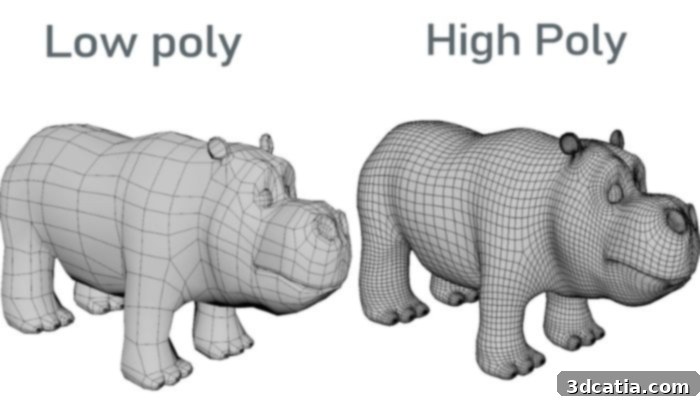
Low-polygon models have fewer polygons and are therefore less detailed than high-polygon models.
Unlocking Artistic Potential: The Features of 3DTextura
3DTextura is a specialized, professional-grade version of 3DCoat, meticulously engineered to cater to the demands of advanced texturing, painting, and rendering workflows for 3D models. While it inherits the robust texturing and rendering core functionalities of its parent software, 3DTextura elevates the experience by emphasizing hand-painted Physically Based Rendering (PBR) textures, which are critical for achieving realistic material appearances in modern graphics. The software provides an expansive toolkit of brushes and various material libraries, enabling artists to intricately modify and embellish their 3D models with lifelike details and effects. To facilitate a highly efficient and ergonomic workflow, 3DTextura offers broad compatibility with professional input devices, including Wacom tablets, the Microsoft Surface Pen, the 3D Connection Navigator, and the Surface Pro. This ensures that artists can work with precision and comfort, mirroring traditional artistic methods in a digital environment. For those new to advanced texturing or seeking to refine their skills, Pilgway offers an abundance of video tutorials, alongside an inspiring free library comprising over 500 PBR materials, providing a rich source of learning and creative assets. Among its advanced features, 3DTextura simplifies the often-complex texturing process through intuitive pixel, ptex, or microvertex painting methods, each offering distinct advantages for different types of surface detail. A dedicated rendering window allows for real-time visualization of textures, ensuring immediate feedback on design choices. Furthermore, 3DTextura supports incredibly high-resolution textures, reaching an impressive 16k, which is essential for projects demanding the utmost detail and clarity, such as high-end game assets, film VFX, or detailed product visualizations.
Streamlined Creation for 3D Printing: An Overview of 3DCoat Print
3DCoat Print is Pilgway’s answer to simplifying and democratizing the creation of models specifically tailored for 3D printing. This software stands out for its emphasis on speed and efficiency, allowing users to design and prepare models in a fraction of the time typically required, thereby significantly reducing overall printing durations. It empowers individuals to quickly iterate on ideas, explore various design permutations, and refine their concepts with unparalleled ease. Whether for professional customer presentations or personal hobby projects, the final models created with 3DCoat Print are ready for immediate physical production. The scope of projects is virtually unlimited, ranging from small, intricate objects like ant farm models to consumer products and a wide array of other creative endeavors, showcasing its immense flexibility.
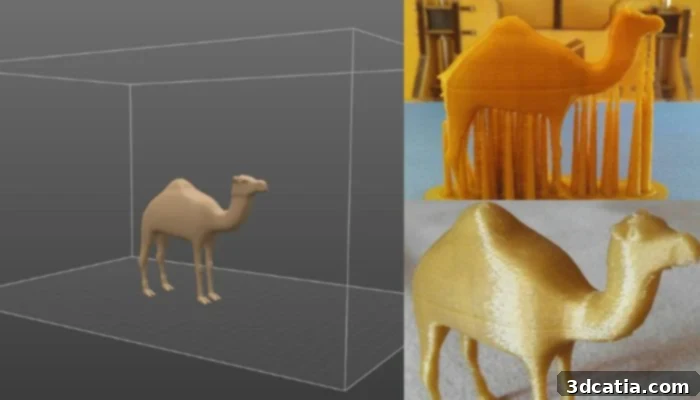
3D printed model of a dromedary designed with 3DCoat Print.
At its core, 3DCoat Print employs an intuitive “digital clay block” paradigm, reminiscent of traditional sculpting with modeling clay. This approach, powered by advanced voxel technology, grants users immense artistic freedom while maintaining an exceptionally easy learning curve. Unlike traditional polygonal modeling, voxel technology allows for seamless manipulation of form without topological constraints, making it ideal for organic shapes and intricate details. Throughout the creation process, users can effortlessly cut out sections, add new details, or modify existing surfaces using flexible tools like masks or imported images, offering unparalleled control and creative fluidity. A particularly attractive aspect of 3DCoat Print is its accessibility: the software is available for free, provided that the models created are intended for image rendering, personal use, or non-commercial projects. This generous offering makes professional-grade 3D design and preparation tools available to a vast audience, from absolute beginners taking their first steps in 3D modeling to seasoned experts looking for a quick and efficient solution for additive manufacturing.
Beyond its intuitive design interface, 3DCoat Print is packed with practical features specifically engineered to optimize the 3D printing workflow. For instance, it includes functionalities for reducing model exports to a manageable 40,000 triangles, a critical optimization that significantly decreases file sizes and speeds up processing times for most FDM 3D printers without sacrificing essential detail. It also offers specific mesh smoothing algorithms designed to prepare models optimally for 3D printing, ensuring clean surfaces and preventing common printing artifacts. An integrated export menu further streamlines the FDM printing process, simplifying the transition from design to physical object. The user interface of 3DCoat Print is compact and thoughtfully designed, prioritizing clarity and ease of use. The print area is fully customizable, allowing users to adjust its size precisely to match their printer’s build volume or project requirements, ensuring that models fit perfectly without unnecessary scaling or modification outside the software. To help new users get started quickly, the software comes with quick start videos, offering clear, concise instructions that demystify its features and functionalities. Models can be saved and modified in widely accepted 3D printing formats such as STL and WRL, guaranteeing compatibility with virtually all 3D printers and slicing software. Additionally, 3DCoat Print supports the import of DICOM files, opening up specialized applications in fields like medical modeling and anatomical visualization for 3D printing. To delve deeper into the innovative work and comprehensive suite of products offered by Pilgway, click HERE.
What are your thoughts on 3DCoat and its powerful ecosystem of tools for 3D design and additive manufacturing? We invite you to share your experiences and opinions in the comments section below, or connect with us on our LinkedIn or Facebook pages. Don’t miss out on the latest advancements and news in the 3D printing world—sign up for our free weekly Newsletter to receive direct updates to your inbox. You can also explore all our insightful videos and tutorials by visiting our YouTube channel.
*All Photo Credits: Pilgway