
The Ultimate Guide to Affordable 3D Printing: Getting Started on a Budget
The revolutionary world of 3D printing has moved from specialized industrial applications into homes and small businesses, captivating hobbyists and innovators alike. This incredible technology allows us to transform digital designs into tangible objects, opening up a universe of creativity and practical solutions. However, for many enthusiastic newcomers, the initial thought of diving into 3D printing is often met with a significant hurdle: the perceived high cost. From the machines themselves to the necessary software, post-processing tools, and the continuous supply of materials, expenses can quickly accumulate, making it seem like an inaccessible hobby.
But what if we told you that getting started with 3D printing doesn’t have to break the bank? This comprehensive guide aims to demystify the financial aspects of additive manufacturing, demonstrating how you can embark on your 3D printing journey without emptying your wallet. We’ll meticulously examine every component of the 3D printing ecosystem, from selecting the right budget-friendly printer to sourcing economical filaments and resins, leveraging free software, and managing post-processing costs. Our goal is to provide you with an accurate and encouraging roadmap, highlighting the most affordable options, including truly cheap 3D printers, so you can confidently step into the exciting realm of additive manufacturing.
Before delving into specific recommendations, it’s crucial for those less familiar with the industry to understand that 3D printing encompasses a variety of technologies. Each method, such as Fused Deposition Modeling (FDM), Stereolithography (SLA), Selective Laser Sintering (SLS), Laser Powder Bed Fusion (LPBF), and many others, offers unique advantages and disadvantages in terms of material compatibility, print quality, speed, and — crucially for our discussion — cost. For the purpose of this budget-focused guide, we will primarily concentrate on FDM and SLA technologies. FDM stands out as the most accessible option for everyday users; its machines and materials are generally far more affordable than those of other techniques. While often not as inexpensive as FDM, certain SLA printers have also become remarkably budget-friendly, especially when compared to their industrial counterparts, making them a viable option for hobbyists seeking higher detail.
Finding Your First Budget 3D Printer
The price of a 3D printer is influenced by several critical factors. Foremost among these is the underlying printing technology. Industrial-grade technologies, particularly those designed for metal additive manufacturing, carry a significantly higher price tag due to their complexity, precision, and material costs. Additionally, the printer’s build volume – the maximum size of an object it can print – plays a substantial role in its cost. Larger build volumes typically correspond to more expensive machines. However, the good news is that it is absolutely possible to find excellent desktop 3D printers utilizing either FDM or SLA processes for well under $200.
For those who are hands-on and enjoy a bit of a challenge, DIY assembly kits often present a more affordable entry point than pre-assembled machines. These kits typically require several hours of dedication to construct, offering a valuable learning experience about the internal workings of your printer. While the assembly time might seem daunting, the cost savings can be considerable, making it an attractive option for budget-conscious individuals eager to understand their machine from the ground up.
When it comes to FDM printers under the $200 mark, there are several compelling choices. Creality’s Ender 3 series, for instance, has become an absolute staple in the budget 3D printing community. Starting at around $155.00 for the basic model, the Ender 3 offers an impressive feature set for its price, including a decent build volume and a robust open-source community for support and modifications. Creality, as a brand, is widely recognized for producing inexpensive yet reliable machines, many of which are readily available on major e-commerce platforms like Amazon. Another prominent Chinese manufacturer, Anycubic, also offers excellent FDM options within this budget. Their Mega Zero 2.0, priced at approximately $189.00, provides another solid entry point, though it also requires some assembly, similar to the Ender 3. These printers are ideal for learning the ropes of FDM printing, experimenting with various filaments, and creating a wide array of functional or decorative objects.
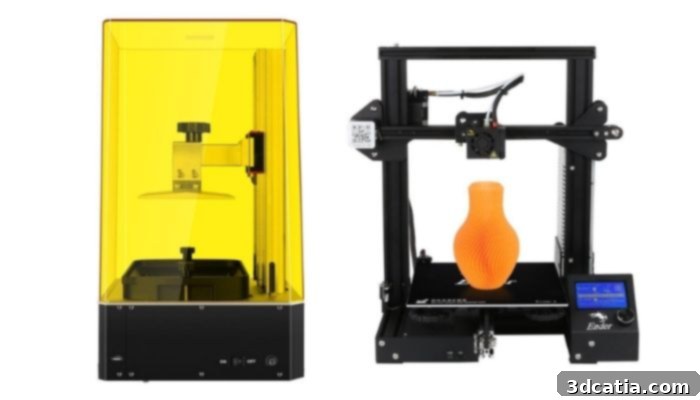
Anycubic’s Photon Zero (left) and the Ender 3 from Creality (right) exemplify excellent budget 3D printer choices.
For those interested in higher detail and smoother finishes, some SLA machines have also become surprisingly affordable. Anycubic, for example, is unique in offering one of the few LCD-based SLA machines on the market that falls below the $200 threshold. The Anycubic Photon Zero, starting at an incredible $109.00, and the Photon Mono, priced around $199.00, are both excellent choices. It’s important to note that while SLA printers deliver superior resolution, their build volume is typically smaller compared to FDM printers in the same price range – a common characteristic of resin-based systems. Nestled between the prices of Anycubic’s most affordable Photon series printers is the Elegoo Mars UV Photocuring LCD MSLA 3D printer. Retailing at approximately $149.99, it offers a slightly larger build volume than the Photon Zero but remains more compact than the Photon Mono, striking a good balance of cost and capability. Should your budget stretch a little further, perhaps into the $200-$300 range, your choices expand significantly, with many highly-regarded “affordable” 3D printers residing in this sweet spot, offering enhanced features, larger build volumes, or improved user experience.
Budget 3D Printing Materials: Managing Ongoing Costs
While the initial purchase of a 3D printer represents the largest upfront investment, it’s the ongoing cost of materials that can truly impact your budget over time, especially if 3D printing becomes a regular hobby. When starting with lower-cost 3D printers, you’ll also find that your material options are somewhat limited, as these machines are typically compatible with specific types of filaments or resins.
Another key consideration is material compatibility. Some manufacturers design their printers to work exclusively with proprietary materials, which can often be more expensive than generic options available on the open market. This locks users into a single brand’s ecosystem, limiting their ability to shop for the best prices or experiment with diverse material properties. Conversely, printers that support a wider range of third-party filaments or resins allow users the freedom to choose the most cost-effective options. However, it’s a universal truth in manufacturing: price often correlates directly with material properties. The most affordable materials, while perfectly suitable for hobby printing and prototyping, may not offer the strength, durability, or aesthetic quality required for more demanding applications. It’s a balance between cost and functional requirements.
That being said, if you’re venturing into budget 3D printing, you’ll most likely be working with common thermoplastic filaments such as PLA (Polylactic Acid), ABS (Acrylonitrile Butadiene Styrene), PETG (Polyethylene Terephthalate Glycol-modified), and TPU (Thermoplastic Polyurethane). These four materials are among the most widely used in FDM 3D printing, each boasting distinct properties, advantages, and drawbacks. Crucially, they are also the most commonly compatible materials with entry-level FDM printers. PLA, in particular, is exceptionally widespread and can be used with almost all FDM machines, making it the go-to choice for beginners due to its ease of printing and relatively low cost.
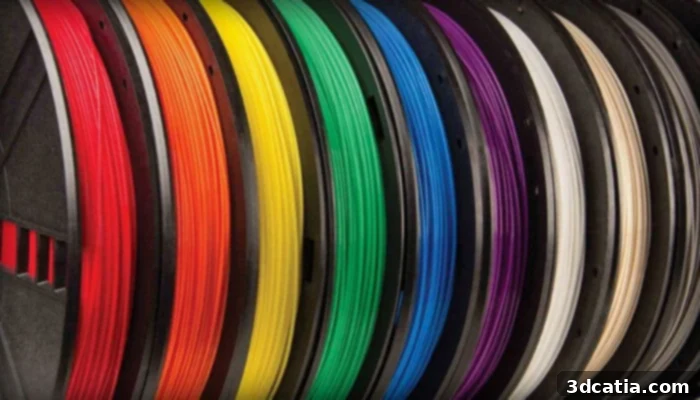
Thermoplastic filaments, such as PLA, ABS, PETG, and TPU, are the most common and affordable materials for FDM 3D printing (photo credits: AMFG)
Even within the category of affordable materials, you’ll encounter a broad spectrum of prices. This variation primarily stems from differences in material quality, additives, and specific physical properties. For example, a basic, entry-level PLA will likely exhibit inferior physical properties compared to a premium, high-range PLA that might offer enhanced strength, better surface finish, or unique colors. On platforms like MatterHackers, the least expensive 1.75mm 1kg spool of PLA can be found for around $18.99, with bulk purchases further reducing the per-spool cost to about $15.59. However, most reputable material manufacturers typically sell their standard PLA, PETG, and TPU filaments in the $30-40 range for a 1kg spool, offering a good balance of quality and affordability.
For SLA printing, while traditional laser-based resins can be quite expensive, the LCD-based machines recommended in this guide facilitate the use of more affordable resins. For instance, Matterhackers’ MH Build Series Epoxy-Free 3D Printer Resin is available for approximately $27.99 for a 1kg package. Similarly, if you invest in an Anycubic printer, you can often purchase a 1kg package of their proprietary resin, specifically optimized for their machines, for an additional $36. Although the lowest-cost resin might be slightly more expensive than the cheapest PLA filament, the overall cost of resins, especially for LCD-based systems, is quite comparable to mid-range FDM filaments, making SLA more accessible than many beginners might assume.
Essential (and Free!) Software for Budget 3D Printing
One of the most appealing aspects of getting into 3D printing on a budget is the widespread availability of high-quality, free software. To begin designing and preparing models for 3D printing, users typically require two main types of software: 3D modeling software (often CAD software for precise design) and a “slicer.” While advanced applications like optimization tools or workflow management software exist, a vast amount can be accomplished with just modeling and slicing. Fortunately for budget-conscious individuals, there’s a plethora of user-friendly and completely free programs available, including many open-source options that benefit from continuous community development and improvements. Popular choices include TinkerCAD for absolute beginners, SketchUp Free for architectural or artistic designs, and even Fusion 360 which offers a free license for hobbyists and startups.
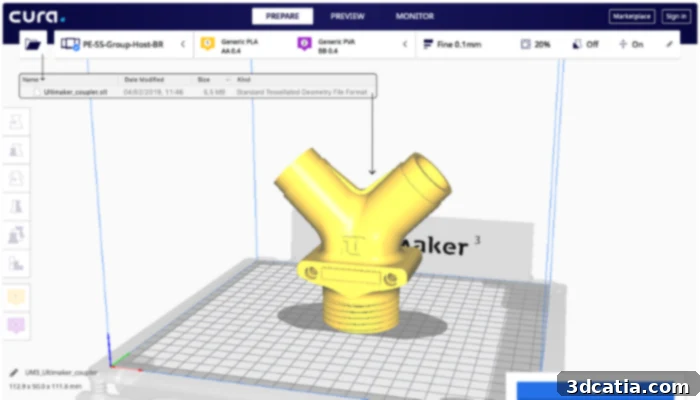
Though originally created by Ultimaker, the Cura slicer is open-source and can be used with most FDM machines. Note that you will need a different slicer for an SLA printer. (Photo Credits: Ultimaker)
Furthermore, for those who prefer not to design their parts from scratch, or for beginners looking to jump straight into printing, numerous platforms offer millions of pre-designed 3D models available for free download. Thingiverse, for example, hosts an enormous repository of 3D printable files uploaded by its vibrant user community. Users can directly download an STL file (the industry standard for 3D models) from the site. From there, all you need is a slicer software to prepare the file for your printer. Other popular free sites for finding models include Cults, MyMiniFactory, and PrusaPrinters, each offering a unique collection and community. These resources are invaluable for quickly getting started and exploring the vast possibilities of 3D printing without needing advanced design skills.
When it comes to slicers for FDM printers, programs like Cura are not only free and widely popular but also incredibly versatile. Cura, originally developed by Ultimaker, is an open-source solution that allows users to customize numerous printing parameters, effectively translating a 3D model into printable layers. However, due to the fundamental differences in their printing processes, SLA printers require different slicing software, or at least heavily modified versions of existing FDM slicers. Thankfully, free options are still abundant for SLA users. CHITUBOX Basic, for instance, is a highly popular and free slicer specifically designed for LCD-based SLA/DLP processes. It’s essential to always verify which file types your chosen machine is compatible with. While most printers support STL files as the industry standard, it’s always prudent to double-check to avoid compatibility issues.
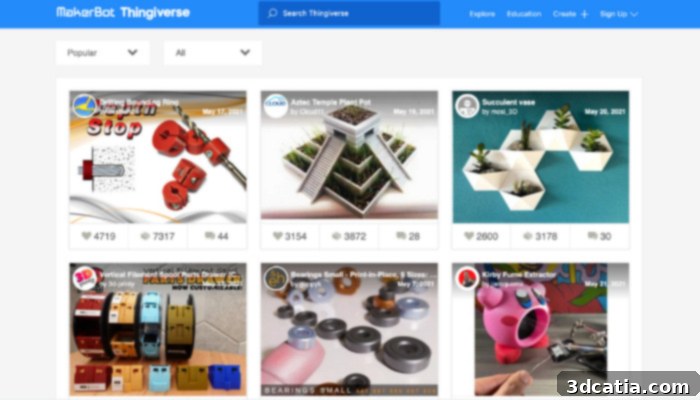
Thingiverse is a free platform where you can download countless 3D files, an excellent option if you’re new to 3D design or want to print quickly.
While not strictly mandatory for printing, if you’re committed to budget-friendly 3D printing, downloading free STL repair software is a wise move. Programs like Netfabb Basic (if still available) or online services can identify and fix common issues in 3D models, such as non-manifold edges or inverted normals, before they cause print failures. It is indeed possible to print without such software, but given its free availability online, utilizing it is unequivocally worthwhile. By repairing flawed STL files, you can significantly reduce the likelihood of failed prints, which in turn leads to less wasted material and ultimately, substantial cost savings over time.
Minimizing Post-Processing Costs
Post-processing refers to any steps taken after a print is complete to improve its aesthetics, functionality, or structural integrity. This can be a necessary stage for many 3D printed parts, particularly if you’re using support structures. In FDM printing, post-processing can sometimes be optional, though this limits the complexity of parts you can create, as supports are essential for printing overhangs, bridges, or intricate geometries. For FDM, unless you’re aiming for highly complex parts requiring extensive supports, you often have budget-friendly options. You can either use tools like needle-nose pliers, flush cutters, or hobby knives to carefully remove standard support materials. Alternatively, some advanced filaments support dissolvable supports, which, while adding to material cost, simplify removal. Fortunately, neither basic tools nor standard support removal processes are prohibitively expensive, making FDM post-processing quite manageable on a budget.
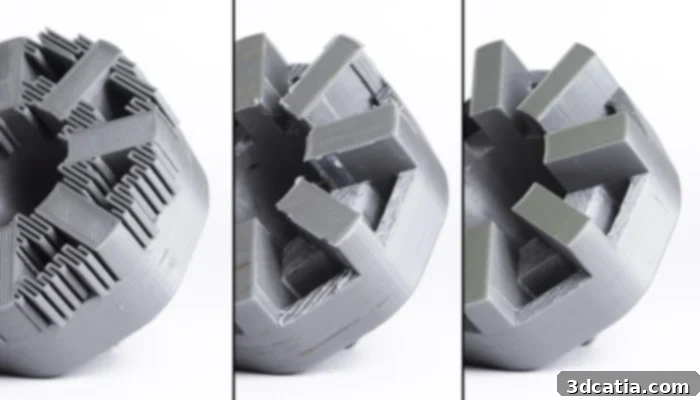
Even parts made using FDM often need post-processing, especially if there is support material like in the image on the left. Remember to account for the cost of tools (photo credits: MakerBot)
With all SLA/DLP printing processes, post-processing is an obligatory step due to the nature of resin curing. The printed part emerges from the resin vat covered in uncured liquid resin and must be cleaned and fully cured. While there are pricier dedicated systems, budget-friendly options exist. Anycubic, for example, offers a combined wash and cure machine for only around $99, which provides a convenient and efficient solution compatible with most SLA/DLP machines. Alternatively, you can opt for a more manual approach: buying resin cleaner (typically isopropyl alcohol or specialized resin wash, usually around $10 a bottle) to rinse the part yourself. Supports, which are always required in SLA, can then be meticulously removed using a model cutter or precision snips. The final and crucial step is curing, which necessitates a UV curing box to harden the resin completely. These can be found on Amazon or other online retailers for as little as $40, with many DIY solutions also possible using UV lamps and reflective surfaces. These essential steps, while requiring some additional investment, are critical for achieving durable and high-quality resin prints.
So, Is Budget 3D Printing Truly Achievable?
Considering all aspects, even when meticulously selecting the lowest-cost options for every component, 3D printing still represents an investment. Beyond the initial purchase of the 3D printer itself, materials will require continuous replenishment, becoming an ongoing expense that can add up over time. Depending on the material chosen, it might also be necessary to invest in additional accessories like build plate adhesives to minimize warping or other common printing issues, further contributing to your budget.
However, it is absolutely possible to significantly reduce these costs and make 3D printing an accessible hobby. By carefully leveraging the breadth of free modeling and slicing software available, choosing a highly affordable entry-level machine (such as those for around $109 on our list), budgeting approximately $30 for your first spool of filament or bottle of resin, and accounting for about $40-60 for essential post-processing tools or a basic UV curing box, you can realistically get started with 3D printing for under $200. This low entry barrier means that the joy and utility of additive manufacturing are within reach for a wider audience than ever before.
If your needs are more sporadic—perhaps you only require a few specific pieces, or you’re exploring the profitability of 3D printing for a business venture—investing in your own printer might not be the most economical route. In such cases, it could be a far better idea to explore the numerous 3D printing services available. These professional bureaus will provide a quote and print your part on your behalf, often offering access to specialized technologies or materials that would be prohibitively expensive to acquire yourself. They are an excellent option when you only need an occasional 3D printed part, wish to utilize an advanced technology you’re not trained in, or want to test specific applications for your business without the overhead. Ultimately, utilizing 3D printing services can be the ideal strategy to ensure you are truly 3D printing on a budget, allowing you to obtain high-quality parts at a lower overall cost than investing in and maintaining your own machines and materials.
Are you inspired to delve into 3D printing with a tighter budget in mind? We’d love to hear your thoughts! Let us know in a comment below or connect with us on ourFacebook,Twitter andLinkedIn pages! Don’t miss out on the latest advancements and news in the additive manufacturing world – sign up for our free weeklyNewsletter here, delivered straight to your inbox!