Software
ChiTuBox, the Slicer Designed for Resin 3D Printing
When it comes to 3D printing software, one of the most critical are slicers, which are used to prepare a 3D model for printing. These intermediaries convert the 3D model into a series of thin layers and generates a G-code…
- 3 min read
- Software
- Six more stories

When it comes to 3D printing software, one of the most critical are slicers, which are used to prepare a 3D model for printing. These intermediaries convert the 3D model into a series of thin layers and generates a G-code file containing all the necessary instructions for the 3D printer. And like Cura, Slic3r, or SmartSlice, certain slicing software has been widely adopted by the 3D printing community. But what you may not know is that many of these popular slicers have been created only for FDM machines. For resin 3D printers, slicers are rarer. But among the existing software, one that has gained popularity is ChiTuBox. Launched in 2017 by the Chinese company CBD-Tech, the ChiTuBox slicer has an easy-to-use interface and offers control over the majority of printing parameters.
Compatible with the most popular SLA printers on the market, as well as other resin machines using DLP and LCD, the ChiTuBox software has since its launch drawn in many resin 3D printing enthusiasts. Capable of processing the most popular 3D printing formats, such as STL or MJF files, the slicer is compatible with Windows, Mac and Linux. Though for a long time ChiTuBox was entirely free, the software now also has a Pro version. Available from $170 per year for one device and $300 for up to five devices, the paid version boasts additional features, such as an automatic orientation tool designed to choose the optimum orientation for printing.
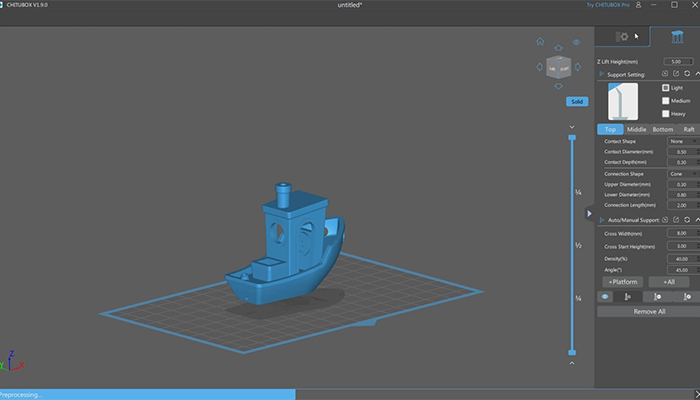
A look at the free version of ChiTuBox (photo credits: ChiTuBox)
How does ChiTuBox work?
The success of ChiTuBox is no accident. Although the software is very efficient, it is not complicated to use, even for novices in the field. It has several features, including the Hollow tool, which allows users to make drainage holes in the models, thus limiting the amount of material needed. The traditional tools, such as manual or automatic placement of the structure and editing functions, are of course also available.
More from the desk
Six other notes from the rest of the bench.
 News3D Printed Villa in the UABIn the United-Arab Emirates, MEET (Middle Eastern Engineering Technologies) just finished the construction of the MEET 3D Villa. The villa was printed in just 2 weeks in Sharjah, in the heart of SRTIP, with the help of the CyBe team’s…
 PrintersMetal 1.0 Doubles Kickstarter Goal, Hoping to Pave the Way for Sub-€10k Metal 3D PrintingA metal 3D printer for under €10,000 might sound like a pipe dream, but one Dutch engineer is turning it into a reality. Thomas Martinus Gerardus Bakker, a specialist in mechatronics engineering and system design, has developed the Metal 1.0.…
 NewsSilvia Fado on innovation in the shoe industry using 3D printingAs 3D printing continues to grow in fashion, it has also very much extended itself into the shoe industry. One designer using the technology for her footwear is Silvia Fado. Her brand, of the same name, was established back in…
 NewsA futuristic reality: 3D printed SpaceX helmetsSpace travel and additive manufacturing are synonymous to innovation, and this time we are combining the two to take a closer look at the 3D printed SpaceX helmets. Elon Musk is well known for his inventions that seem to be straight…
 NewsASTM International launches personnel certificate program in AMASTM International is an international standards organization that develops and voluntarily publishes consensus technical standards for a wide range of materials, products, systems, and services. The organization’s technical committees have been writing standards related to addit
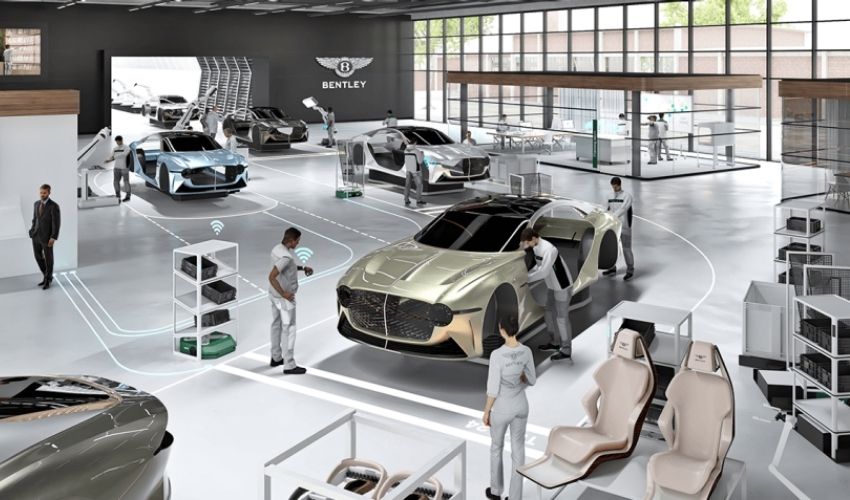 NewsBentley is Expanding its 3D Printing CapabilitiesUK-based Bentley Motors Limited, a manufacturer of luxury cars and SUVs and a subsidiary of the Volkswagen Group since 1998, has announced a £3 million investment in its 3D printing facility, based in Crewe, England. The ultimate goal of the…