Printers
Top 3D Software For Beginners
3D modeling is a critical step in the 3D printing value chain, allowing the user to imagine the geometry of the part and its functionality. But when you are a beginner, finding your way through the many software solutions available…
- 3 min read
- Printers
- Six more stories
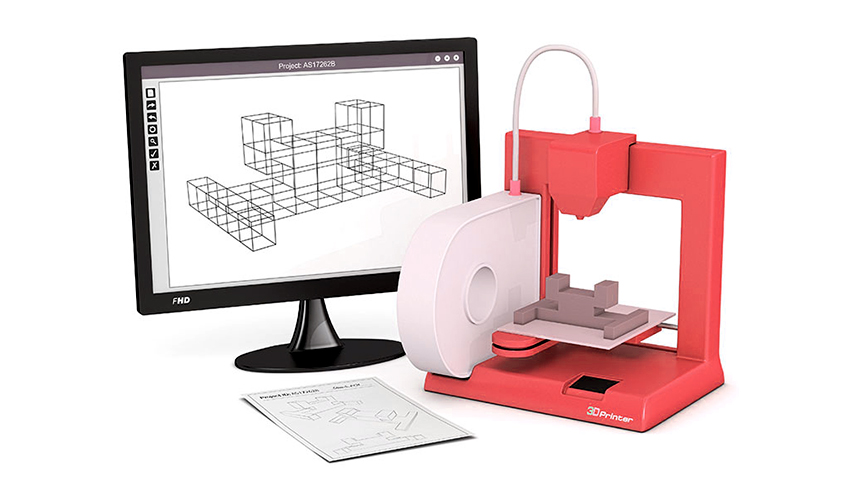
3D modeling is a critical step in the 3D printing value chain, allowing the user to imagine the geometry of the part and its functionality. But when you are a beginner, finding your way through the many software solutions available today is difficult. Which tool should you choose when starting out in 3D printing? There are 3D software for beginners, designed to be easy to use but also very accessible – most of them are free or include a version available directly online, without the need to download a complex program requiring an advanced computer, including CAD solutions. These software solutions will allow you to give life to all your ideas and then export them in the correct format to be able to print them in 3D! Discover our selection of solutions in no particular order.
3D Collaboration Platform RealityMAX
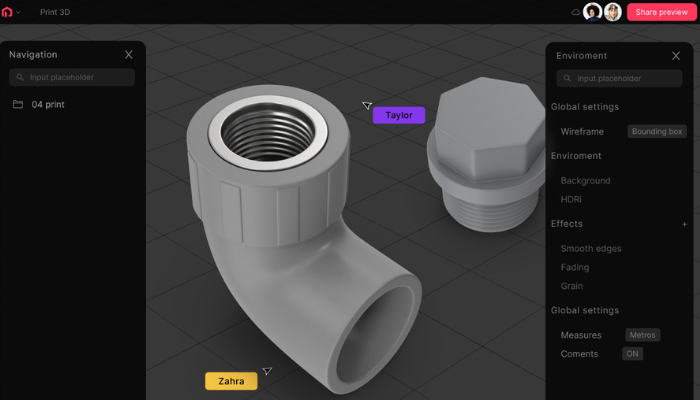
RealityMAX is a platform allowing modeling and design both individually and as a team. It is entirely browser-based and can be accessed from anywhere at any time. RealityMAX is similar to Canva in that it is a straightforward and accessible modeling tool. It is, therefore, ideal for beginners but also offers various exciting tools for advanced users. The wide range of modeling tools allows for a variety of applications. For example, RealityMAX provides a library of models, but users can, of course, also create their designs. The collaboration mode in RealityMAX is particularly noteworthy. Team members can access a design simultaneously so that several people can make changes simultaneously and implement feedback directly. Furthermore, in RealityMAX, it is possible to create models for 3D printing and 3D visualizations, but augmented reality presentations can also be created and shared. Creative makers, educators, students, but also professional users benefit equally from the tools and possibilities of RealityMAX. HERE you can get more information.
(Photo Credits: RealityMAX)
3D Slash, the 3D Software Inspired by Minecraft
If you are a beginner interested in using 3D software, it must have aspects such as a simple user interface. 3D Slash software is aimed precisely at those new users who want to design their first 3D experiments. The software works on the principle of building blocks that can be arranged according to preference. 3D Slash offers several different tools, the possibility to see the model in a virtual reality view, and the projection of images or text on the model. In addition to basic features, the software also has advanced features. For example, the user can round off shapes, make reflections or even size changes. The team function is ideal for schools or other educational institutions, as the teacher can view the files created by their students in real time. You can download the latest version 3.2.1. free of charge.
More from the desk
Six other notes from the rest of the bench.
 NewsWhat Did Attendees Think of RAPID + TCT 2024?Now that RAPID + TCT 2024 has come to an end, one question remains: who exactly enjoyed the event the most? Well, according to our latest video that answer is pretty simple, it was the attendees! With people both in…
 NewsTop 5 Videos: The opportunities of ceramic 3D printingThis week we found the top 5 videos about 3D printing and the way additive manufacturing is changing production. The technology has infiltrated many sectors, from medical to automotive – check our selection of the week to keep up with the innovations! If you enjoy these, you&hell
 NewsThe First Ever 3D Printed Medical Center Has Been Unveiled in ThailandIn a groundbreaking development, Thailand has witnessed the construction of its first-ever 3D printed medical center. This cutting-edge facility, built by SCG (Siam Cement Group) using COBOD’s BOD2 printer, showcases the immense potential of additive manufacturing in revolutioniz
 NewsTop 5 Videos: Markforged, Cody Wilson & More!.This week’s Top 5 Videos include a variety of videos from a number of big brands. These range from documentaries about 3D printing gun rebel Cody Wilson, to videos from Markforged and EOS. Also, don’t forget to check out next…
 News3D printed instruments in the Ottawa Symphony OrchestraThis is news that should interest all musicians and music enthusiasts quit a lot. The Ottawa Symphony Orchestra now incorporates 3D printed string instruments. A project that aims to show how we can create new sounds and instruments thanks to new…
 Printers3Dnatives report: The most popular 3D printersThe 3Dnatives Comparator lists hundreds of 3D printers that range from Desktop and RepRap/kit printers to professional and industrial ones. Our Comparator includes a range of models that are based on various processes such as filament filtration and powder sintering,…