
Winbo SH105 Review: Unboxing, Features & Performance of an Affordable FDM 3D Printer
As the seasons transition, marking the gradual conclusion of summer, we took the opportunity to conduct a comprehensive review of the Winbo SH105, a Chinese 3D printer that, while perhaps not a household name, offers a compelling entry point into the world of additive manufacturing. Winbo, as a manufacturer, boasts an impressive portfolio of approximately 19 different FDM (Fused Deposition Modeling) machines, catering to a wide range of budgets with prices stretching from a modest $199 to a more significant $29,999. Beyond conventional single-unit printers, the brand also showcases innovative designs, such as a specialized cabinet housing nine interconnected 3D printers, or a sophisticated machine equipped with four extruders, highlighting their commitment to diverse applications and technological advancement within the 3D printing space.
The SH105 distinguishes itself as an entry-level model within Winbo’s extensive lineup, strategically priced at approximately €319 including VAT for European consumers. This competitive pricing positions it as an attractive option for hobbyists, students, and small businesses seeking an accessible gateway to 3D printing. Furthermore, the SH105 offers remarkable versatility with an optional 3-in-1 version that integrates not only printing capabilities but also laser engraving and laser cutting functionalities, transforming it into a multi-purpose desktop fabrication tool. Personalization is also a key feature, as the SH105 is available in a vibrant palette of eight distinct colors: red, orange, silver, green, blue, brown, black, and beige, allowing users to choose a printer that best matches their aesthetic preferences or workspace decor.
Unpacking the Winbo SH105: First Impressions and Included Accessories
The unboxing experience of the Winbo SH105 was straightforward and reassuring. Upon opening the packaging, we found the printer to be exceptionally well-protected, cradled securely by two substantial foam blocks that enveloped the machine from all sides. This robust packaging ensures that the printer withstands the rigors of shipping, arriving at its destination in pristine condition. All essential startup information, including the recommended Cura print software (version 15.04), and several pre-sliced test objects, are conveniently stored on the included SD card, making the initial setup process incredibly user-friendly even for newcomers to 3D printing.
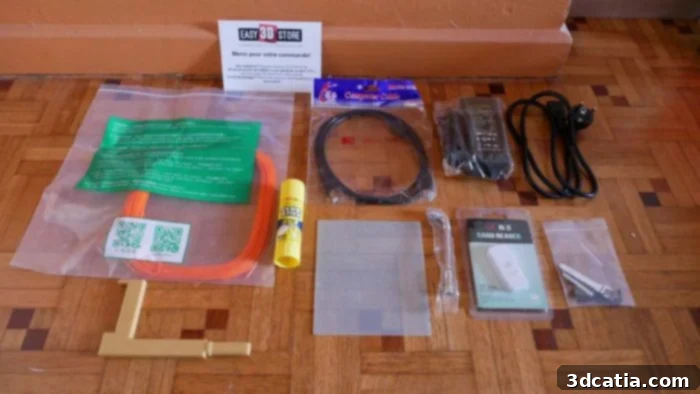
The accessory kit provided with the machine is comprehensive, equipping users with nearly everything needed to begin printing right away. It includes a sturdy filament reel holder designed to attach securely to the top of the printer, a sample of PLA filament to kickstart your first projects, and a tube of adhesive glue, which is often crucial for ensuring proper bed adhesion on unheated print surfaces. Practical tools such as an Allen key for maintenance and adjustments, a USB cable for data transfer, an SD card and a dedicated card reader for seamless file management, and the necessary power supply unit complete the kit. This thoughtful inclusion of accessories underscores Winbo’s commitment to providing a ready-to-use solution, minimizing the need for immediate additional purchases.
Design and Portability: A Vintage Aesthetic with Modern Convenience
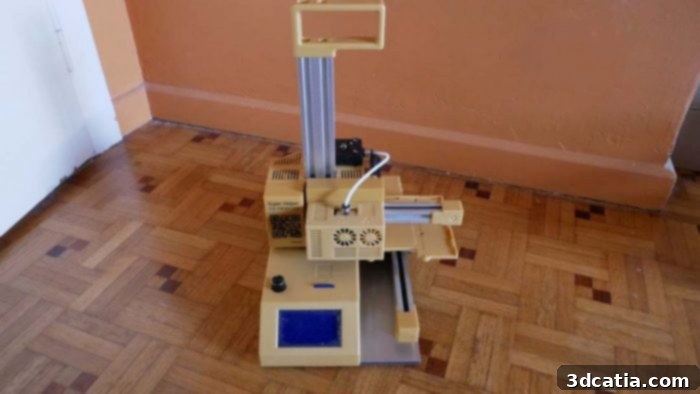
Delving deeper into the Winbo SH105’s external appearance reveals a fascinating blend of retro charm and practical design. The machine sports a distinct vintage feel, largely attributed to its plastic frame finished in an elegant bronze/beige color scheme. This aesthetic choice sets it apart from the often utilitarian designs of many contemporary 3D printers. The structural integrity of the frame is ingeniously reinforced by an aluminum siding, which not only adds to its durability but also serves to discreetly conceal the internal components, including the motor, electronics, and the control screen. The control screen itself is intuitively managed by a knob located on the front panel, providing a tactile and straightforward interface for navigating menus and settings.
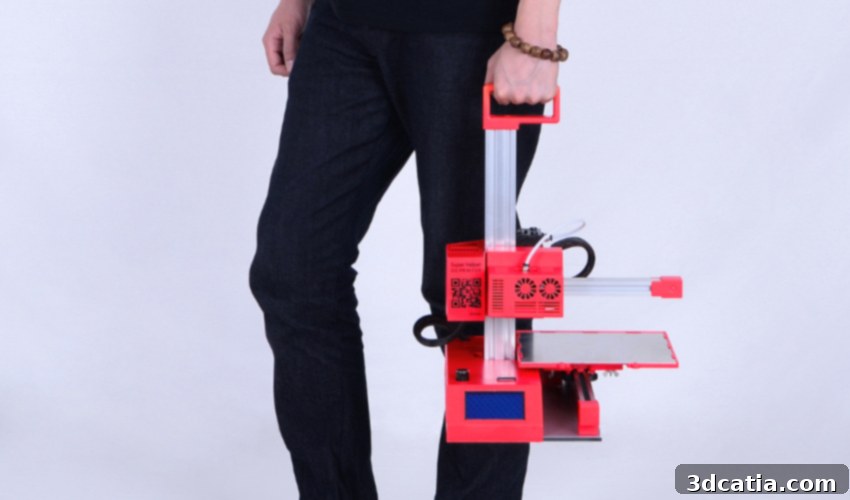
Further examination of the machine’s exterior highlights several well-considered features. A dedicated slot for the SD card is conveniently placed for easy access, facilitating quick loading of print files. On either side of the printer, you’ll find essential power and computer connectors, ensuring a tidy cable management setup. Measuring a compact 50 x 26 x 35 cm, the Winbo SH105 is designed with portability in mind. Weighing in at a mere 3.6kg, it stands out as one of the lightest machines in its class currently available on the market. This featherlight construction, coupled with integrated handles, makes it incredibly easy to relocate the printer, whether you’re moving it between different rooms in an office, shifting it around the house for various projects, or even transporting it to a different location altogether. Its exceptional portability adds significantly to its appeal as a versatile and user-friendly 3D printing solution.
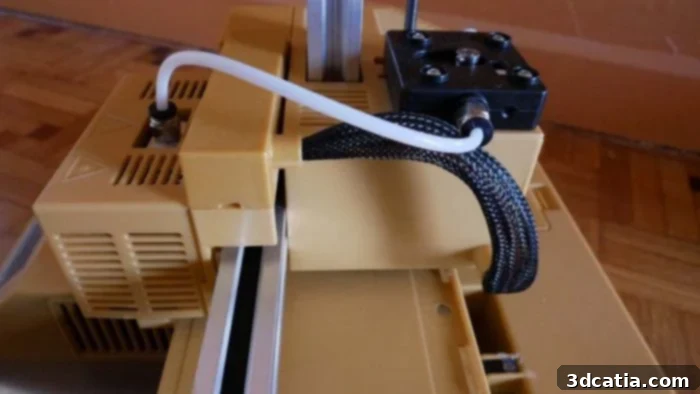
Remote Extruder and Aluminum siding
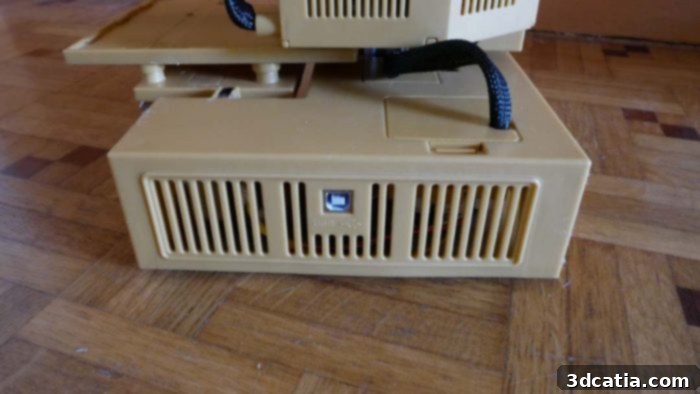
USB Port
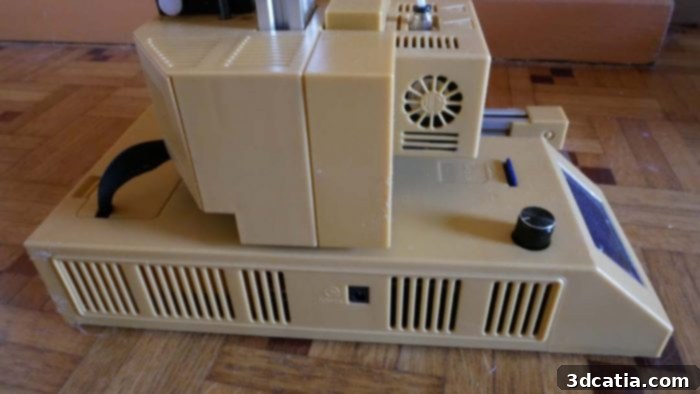
Power Connectors
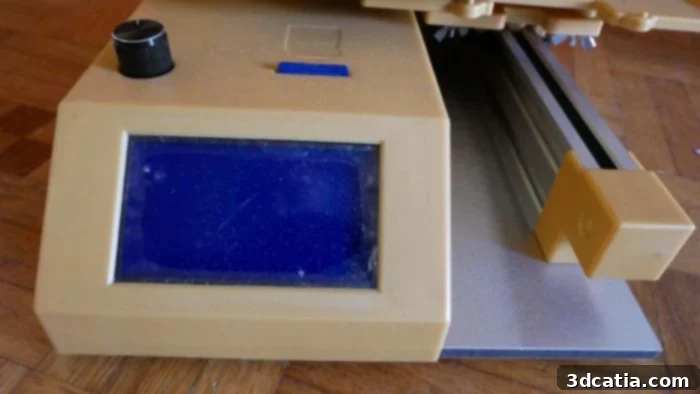
Display, control wheel and SD card slot
Technical Specifications: Core Components and Printing Capabilities
On the technical front, the Winbo SH105 presents a set of specifications tailored for accessible FDM printing. It features an unheated printing bed, which is a common characteristic of entry-level machines. This “cold plate” naturally limits the compatible materials primarily to PLA and its derivatives, as these filaments generally do not require a heated bed to prevent warping. The printing area measures a modest yet functional 10.5 x 10.5 x 15.5 cm (XYZ), providing sufficient space for a wide array of smaller projects and prototypes. While not expansive, this build volume is adequate for many common applications for which an entry-level printer would be used.
The printer is equipped with a traditional 0.4mm nozzle, which is interchangeable, allowing for future upgrades or replacements. This nozzle is mounted on a Bowden extruder system, where the extruder motor is located remotely on the printer frame rather than directly on the print head. This setup reduces the moving mass of the print head, potentially enabling faster print speeds with less inertia. The Bowden extruder is fed by a coil holder that conveniently attaches to the top of the printer, ensuring a smooth and consistent filament path. Powering the entire system is a compact power supply unit, similar in size and design to a laptop charger, which delivers the essential 45 watts required for the printer’s stable and correct operation. This thoughtful engineering ensures efficiency while maintaining a compact footprint.
Software Experience: Getting Started with Cura
For software, the Winbo SH105 relies on Cura, specifically version 15.04, which is a well-established and user-friendly slicing program. This version of Cura, while not the absolute latest, provides a robust and intuitive platform for preparing 3D models for printing. The supplied SD card is a critical component of the software experience, as it contains not only the Cura installer but also vital instructions for configuring the printer and a specific configuration file (.ini file). This configuration file is often available upon request from the manufacturer or reseller, ensuring optimal settings for the SH105. A significant advantage of this printer’s design is its primary reliance on the SD card for print jobs. The USB cable, while included, is primarily used for transferring GCODE files to the SD card, rather than for direct, continuous tethered printing. This setup effectively makes the machine stand-alone once a print job is loaded, a highly commendable feature for a printer in this price range. It offers greater flexibility and reduces the need for a dedicated computer to remain connected throughout potentially long print cycles, improving convenience and reliability.
Installation and First Prints: Rapid Deployment and Impressive Out-of-the-Box Performance
Our initial test focused on the crucial aspect of user-friendliness: the time it takes from unpacking to launching the very first print. The results were nothing short of astonishing: approximately 1 minute and 20 seconds! This remarkably swift setup time encompassed unboxing the printer, carefully removing it from its carton, connecting the power supply, waiting for the nozzle to heat up to its operating temperature, and executing the necessary manipulations on the control screen. This incredible speed underscores the Winbo SH105’s beginner-friendly design and its “plug-and-play” ethos, making it an ideal choice for those eager to dive into 3D printing without facing complex assembly or lengthy calibration procedures.
What was even more surprising was the immediate printing success without any prior calibration. We deliberately chained several prints, one after the other, using the pre-loaded GCODEs available on the SD card. Over the course of a full day of continuous printing, the Winbo SH105 performed flawlessly, experiencing no crashes or significant issues. This robust and stable performance right out of the box is a testament to the printer’s solid engineering and the quality of its pre-configuration. As for the print quality, we invited observers to judge for themselves based on the results, but suffice it to say, the initial prints were highly encouraging, showcasing crisp details and consistent layer adhesion, especially considering the price point of the machine.
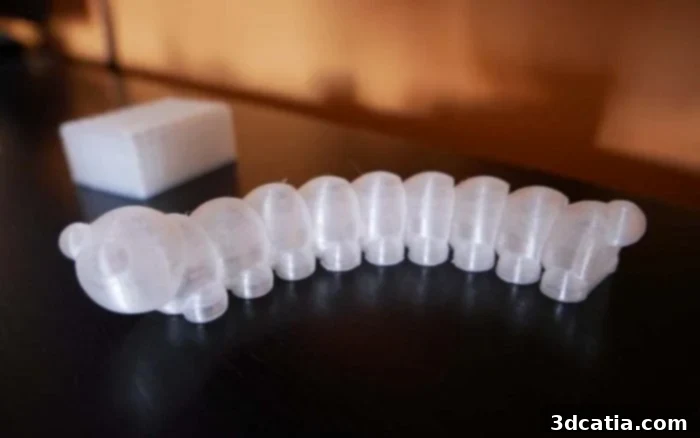
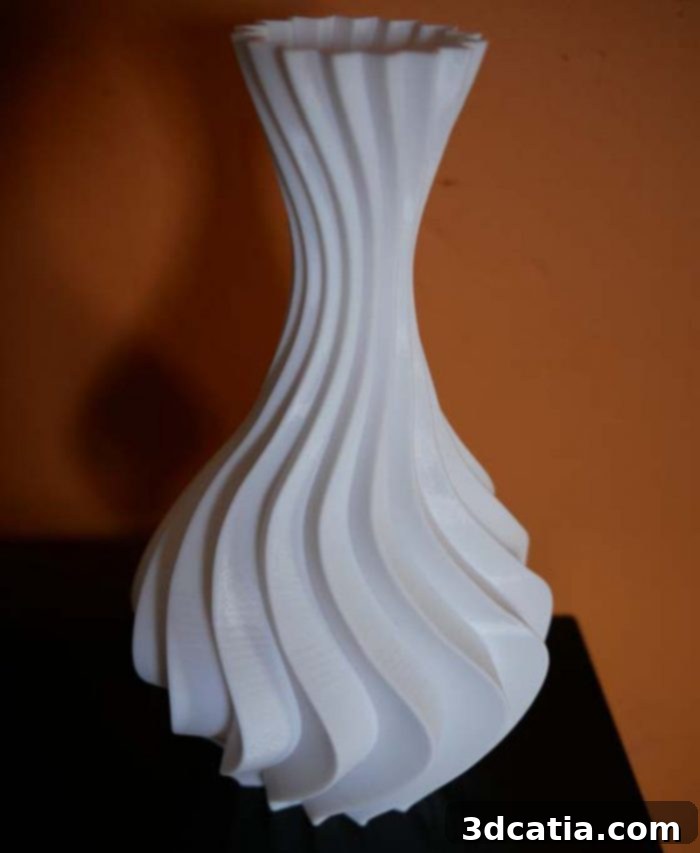
Advanced Prints and Quality Assessment
Following these very conclusive initial tests, we naturally progressed to the next stage by installing the Cura software and preparing our own models. We began printing various parts downloaded from the internet, setting the layer height to 100 microns (0.1mm) to assess finer detail capabilities. Once again, no specific calibration was deemed necessary, which further reinforced our positive impressions of the printer’s consistency and ease of use. The final results were, overall, quite commendable, especially when considering the Winbo SH105’s highly competitive price point. The flexible printing plate proved to be exceptionally effective in its role. When slightly covered with the provided glue tube, it ensured excellent adhesion, preventing any instances of “warping” – a common issue where prints lift from the bed due to differential cooling. This combination of a flexible plate and a simple adhesive solution contributed significantly to the reliability of prints, even for more intricate designs.
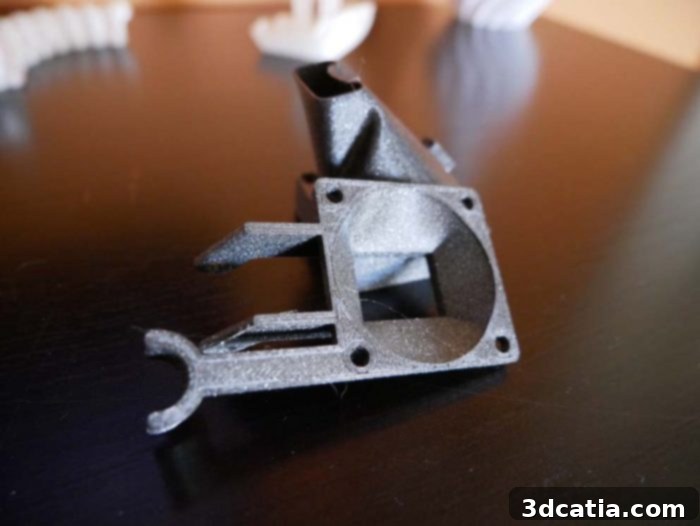
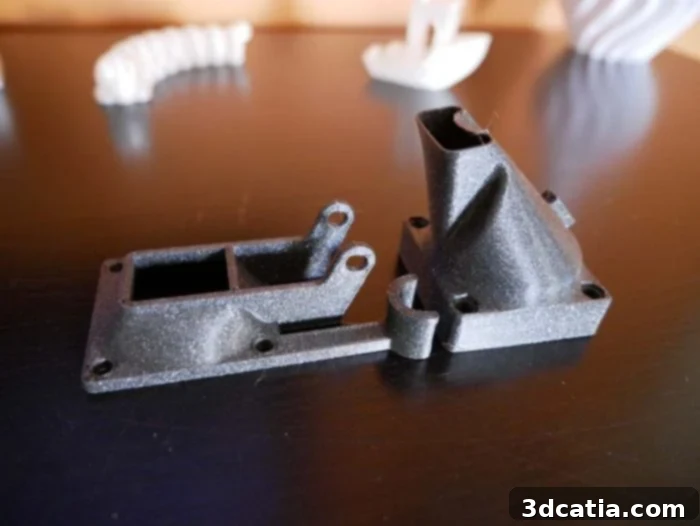
Key Considerations and Areas for Improvement
While the Winbo SH105 offers an impressive package for its price, it’s essential to acknowledge certain limitations. The printing tray, though effective, remains relatively small for an FDM printer. With dimensions of 10.5 x 10.5 x 15.5 cm, it’s perfectly suited for many small-to-medium sized projects but could become a source of frustration for users who frequently need to print larger objects or multiple components simultaneously. This isn’t necessarily a flaw, but rather a design trade-off that contributes to the printer’s compact size and affordability, and prospective buyers should consider their primary printing needs.
A more significant concern, and one that warrants immediate attention, is related to the printer’s power supply system. In the initial rush of unpacking and setting up, we connected the power supply to the wall outlet first, then plugged the cord into the printer. This sequence regrettably resulted in a small electrical scare, evidenced by a noticeable spark during connection. While no damage occurred, such an incident could potentially compromise the printer’s electronics or, in a worst-case scenario, pose a safety risk. We promptly reported this experience to the team at Easy 3D Store, who confirmed similar observations from their side. They have, in turn, escalated this feedback to the manufacturer, specifically recommending the addition of an ON/OFF button directly on the printer. This simple yet crucial feature would allow users to connect the power supply securely before energizing the printer, preventing any recurrence of such sparks. The moral of this story, therefore, is a vital safety tip: always connect the power cord to the printer first, then plug the power supply into the wall outlet, to ensure a safe and smooth startup.
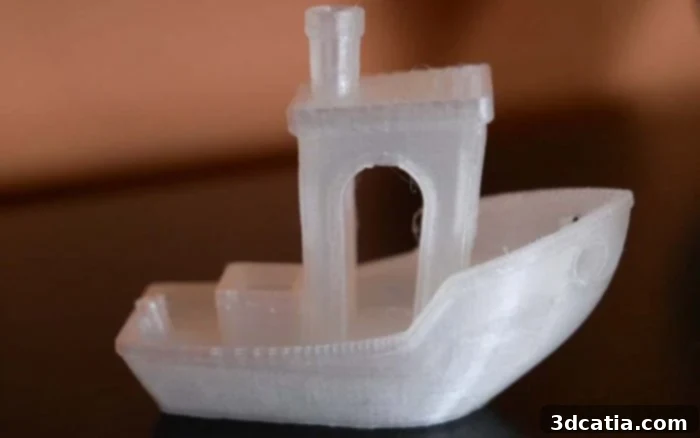
As a final, obligatory stage of our review, we proceeded to print a more complex, larger object. Given the consistent quality of the previous test prints, initiating such a piece felt more like a formality. However, as the accompanying photos illustrate, some minor adjustments, particularly concerning the extrusion temperature, were necessary to further refine and enhance the overall quality of these larger prints. This highlights that while the SH105 performs admirably out of the box, a bit of fine-tuning can unlock its full potential for more demanding tasks.
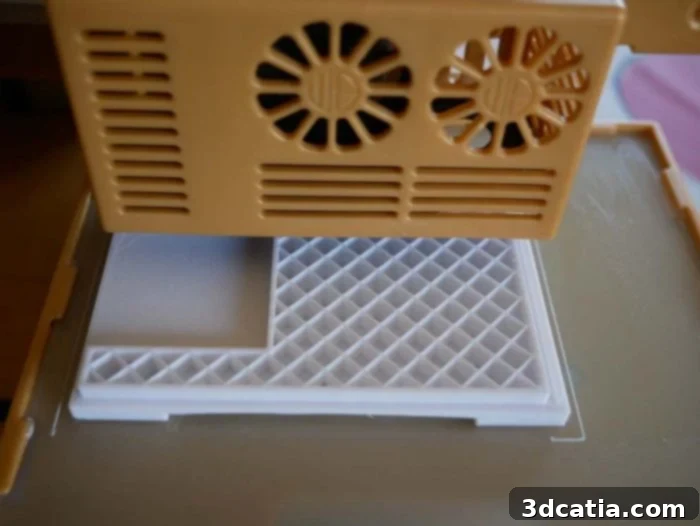
Infill 20%. First clean layers.
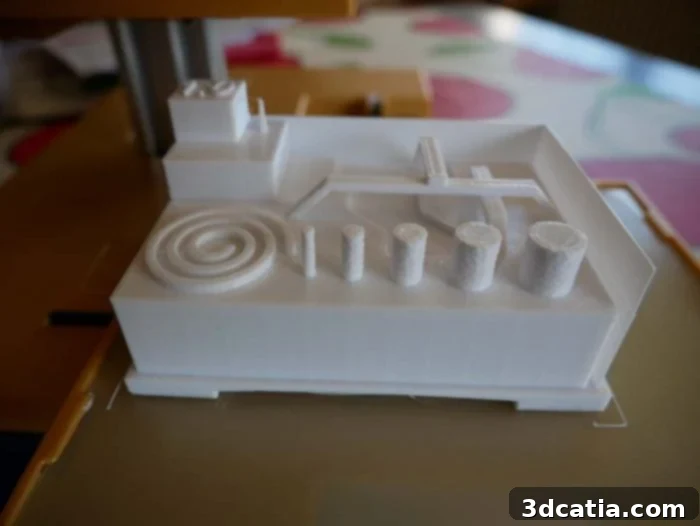
Around 7 hours later
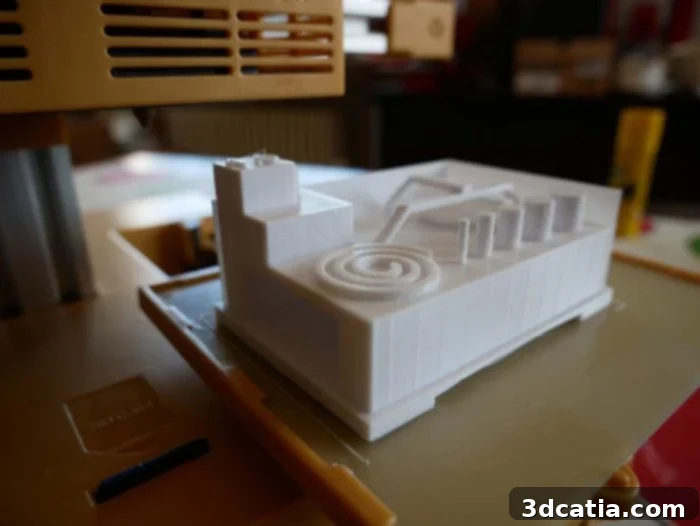
No detachment to note. Notice the proper management of the bridges.
Conclusion: A Promising Entry-Level Contender
The Winbo SH105 stands out as a compelling entry-level FDM 3D printer, particularly for those new to the hobby or looking for an affordable, straightforward machine for small projects. Its vintage aesthetic, compact design, and exceptionally light weight make it a highly portable and visually appealing addition to any workspace. The printer’s “plug-and-play” nature, demonstrated by an astonishingly quick setup time and reliable out-of-the-box performance, is a significant advantage, reducing the initial learning curve and allowing users to start printing almost immediately. The inclusion of Cura software, coupled with a standalone SD card printing workflow, further enhances its user-friendliness and convenience.
While the unheated print bed and smaller build volume present some limitations regarding material compatibility and object size, these are common trade-offs for printers in this price segment and are often manageable with basic techniques like glue stick application. The consistent print quality, even for finer details, proved impressive for an entry-level device. The primary area for improvement identified during our review is the power supply connection, where the addition of an ON/OFF switch would greatly enhance user safety and peace of mind. Despite this minor drawback, which can be mitigated with proper connection procedures, the Winbo SH105 offers excellent value. Its solid performance, ease of use, and multi-color options make it a strong contender for anyone seeking an accessible and reliable introduction to the exciting world of 3D printing. The optional 3-in-1 version further sweetens the deal for users looking for multifunctional desktop fabrication capabilities.